
SendSync Blog
Guides, product updates, and playbooks for running a faster, friendlier shared support inbox.

Submillisecond Keyword Routing Gives Hybrid AI a Deterministic Layer
Submillisecond Keyword Routing Gives Hybrid AI a Deterministic Layer ! Analyst reviewing a keyword routing rule Keyword-based routing matches keywords or regex patterns against incoming text and sends each request down a fixed path, with sub-millisecond latency and a full audit t

Team Email Etiquette: Stop Reply All Chaos With a One Page Playbook
Team Email Etiquette: Stop Reply All Chaos With a One Page Playbook ! Support teammate checking email recipients before sending Team email etiquette is a shared set of habits for writing clear, respectful messages, and its core rule is main-point-first: use a specific subject lin

Support Leaders: Pilot AI in a Customer Support Workflow This Week
Support Leaders: Pilot AI in a Customer Support Workflow This Week ! Support team reviews an AI ticket suggestion A customer support workflow is the defined sequence of steps, roles, and decision points that moves a customer inquiry from first contact to resolution.

Tags vs Folders for Teams: 4 Checks for a Lean Hybrid System
Tags vs Folders for Teams: 4 Checks for a Lean Hybrid System ! Support coordinator organizing customer email Use folders as the stable home for a file and tags as the flexible context around it.

Customer Complaint Email: 4 Templates, Plus What Evidence to Include
Customer Complaint Email: 4 Templates, Plus What Evidence to Include ! Customer drafting a complaint email at home A complaint email works best in a set order: a specific subject line, a polite greeting, your transaction or account details, a concise description of what went wron

Support Email Templates for Small Teams: 8 Scenarios and Subject Lines
Support Email Templates for Small Teams: 8 Scenarios and Subject Lines ! Support agent drafting a customer email reply Here are support email templates for the eight situations you handle most, each one ready to copy, adjust, and send right now.

Automate Follow Up Emails for Teams: 5 Sequences, No Code
Automate Follow Up Emails for Teams: 5 Sequences, No Code ! Team lead configuring email follow-up automation Follow-up automation means using trigger-based email sequences, instead of manual reminders, to reach contacts at the right moment and stop the moment they respond.

Google Workspace Shared Inbox: 3 Native Paths or Faster SendSync
Google Workspace Shared Inbox: 3 Native Paths or Faster SendSync ! Support lead testing a shared inbox reply For most teams, the right starting point is a Google Groups Collaborative Inbox or an Admin-console shared mailbox, both built into Google Workspace at no extra per-user l

Avoid AI Bill Shock: Zendesk vs Freshdesk, Procure Smart, Try $10 Plan
Avoid AI Bill Shock: Zendesk vs Freshdesk, Procure Smart, Try $10 Plan ! Small-business lead comparing help desk plans For most small and mid-sized support teams, Freshdesk remains the easier, better-value pick, while Zendesk suits larger or more process-heavy operations that nee

Diagnose Shared Inbox Search for Support Teams in 30 Seconds
Diagnose Shared Inbox Search for Support Teams in 30 Seconds ! Support lead testing shared inbox search Yes, you can search a shared inbox, but the right method depends on the platform: Outlook requires correct folder scope, Gmail runs through delegate access, and Google Groups u

Support Email Retention: Copy Ready Policy for Shared Inboxes
Support Email Retention: Copy Ready Policy for Shared Inboxes ! Support lead reviewing an email retention policy The right approach is a banded policy: keep routine support threads for about 3 years, hold finance, contract, and litigation-relevant messages for about 7 years, and

Start a Business Hours Support Email in Minutes for Small Teams
Start a Business Hours Support Email in Minutes for Small Teams ! Coordinator setting business email hours Official support email addresses and business hours live on a vendor's help center or contact page, and sometimes on a status page or inside the app itself.

Support teams: Set up a shared inbox without forwarding in two weeks
Support teams: Set up a shared inbox without forwarding in two weeks ! Administrator setting up shared inbox access You can stop forwarding emails by choosing one of two routes: native mailbox delegation or shared mailboxes built into Gmail and Microsoft 365, or a dedicated share

Hit Policies and Shared Inbox: Support Routing Rules for Support Teams
Hit Policies and Shared Inbox: Support Routing Rules for Support Teams ! Support lead reviewing inbox routing rules Routing rules automatically send incoming support work to the right queue or agent based on conditions you define.

5 Step Inbox SLA Tracking for Support Teams, No Help Desk Migration
5 Step Inbox SLA Tracking for Support Teams, No Help Desk Migration ! Support lead configuring an inbox escalation reminder SLA tracking in a shared inbox means automatically measuring response and resolution time against defined targets for every conversation that lands in your

Shared Inbox Security: Audit Cmdlets, CISA, and SendSync for IT
Shared Inbox Security: Audit Cmdlets, CISA, and SendSync for IT ! Administrator reviewing shared inbox audit activity Lock down delegation, enable auditing and alerts, enforce multi-factor authentication and least privilege: that sequence closes the most common shared inbox risks

Track Two Metrics This Week: Service Level Objectives for Small Teams
Track Two Metrics This Week: Service Level Objectives for Small Teams ! Support leads comparing response time targets Service level objectives support means tracking two numbers, first response time and resolution time, and holding your team accountable to them.

Stop Duplicate Replies: Six Step Email Assignment Workflow
Stop Duplicate Replies: Six Step Email Assignment Workflow ! Support lead assigning shared inbox email An email assignment workflow is the process that takes a message landing in a shared inbox and turns it into a task with one clear owner.

End Inbox Overwhelm: Email Triage Best Practices for Support Teams
End Inbox Overwhelm: Email Triage Best Practices for Support Teams ! Support team conducting scheduled email triage Email triage is the fast decision process that routes each incoming message to a single next action, not a full reply.

Finish a Working CRM Shared Inbox: Lean Setup and Safe Permissions
Finish a Working CRM Shared Inbox: Lean Setup and Safe Permissions ! Support lead assigning shared inbox conversation Most small support teams do better with a native CRM inbox, and higher-volume or collaboration-heavy teams do better with a dedicated shared inbox connector.

30 Minutes to Reliable After Hours Email Support for Small Teams
30 Minutes to Reliable After Hours Email Support for Small Teams ! Specialist monitoring after-hours customer email The best approach for most small teams is a fast automatic acknowledgment paired with lightweight triage (AI or a simple rules engine), backed by human follow-up so

30 Day Plan to Clear Your Support Email Backlog
30 Day Plan to Clear Your Support Email Backlog ! Support team triaging shared email backlog Stop the bleeding with three moves: assign every thread to one owner, publish a single first-response-time target, and run triage on a fixed schedule with a weekly backlog count.

IT Admins: Migrate Google Groups to Shared Inboxes and Keep History
IT Admins: Migrate Google Groups to Shared Inboxes and Keep History ! IT administrator reviewing group migration plan Migrate off Google Groups by running a five-step sequence: inventory every group and its owners, prepare API and export access in Google Workspace, export message

Use 3 Micro Templates to Fix Internal Notes Email for Support Teams
Use 3 Micro Templates to Fix Internal Notes Email for Support Teams ! Support lead reviewing internal notes workflow Internal notes belong on the case thread, not in a separate reply chain, and they exist for case-specific collaboration, not permanent documentation.

Chat <60s, Email <4hr: First Response Time Benchmarks for Small Teams
Chat <60s, Email <4hr: First Response Time Benchmarks for Small Teams ! Support agent handling multiple customer channels Top-performing support teams answer live chat in under 60 seconds, phone calls within 2 to 3 minutes, social messages within 60 minutes, SMS within 30 minutes

Route Support Email in Minutes: Naming Examples for Small Teams
Route Support Email in Minutes: Naming Examples for Small Teams ! Hands setting up a shared support email address The clearest support address is a short, role-based local-part like support@ or help@, not a person's name.

IT Leaders: Cut Help Desk Costs 20–45% in 6–12 Months With Five Levers
IT Leaders: Cut Help Desk Costs 20–45% in 6–12 Months With Five Levers ! Support agent reviewing a ticket queue The fastest savings come from stacking five levers together: AI deflection, self-serve content, agent assist, shift-left engineering fixes, and tooling consolidation.

Live in 20 Minutes: Shared Inbox Without DNS for Small Support Teams
Live in 20 Minutes: Shared Inbox Without DNS for Small Support Teams ! Support team managing shared inbox You can connect a hosted shared inbox to Gmail or Microsoft 365 without touching a single DNS record.

Assign Before You Reply: Gmail Labels for Small Support Teams
Assign Before You Reply: Gmail Labels for Small Support Teams ! Support specialist assigning an email thread The fastest fix for chaotic support email is a small, prefixed label taxonomy across three dimensions (STATE, TOPIC, PRIORITY) paired with a hard rule: no reply without an

Support Managers, Move From a Help Desk to a Gmail or Microsoft 365 Shared Inbox
Support Managers, Move From a Help Desk to a Gmail or Microsoft 365 Shared Inbox ! Manager reviewing shared inbox migration If your team handles a low volume of support emails each month with a small team and no contractual SLA timers, moving from a help desk to a Gmail or Micros

4 Layers of Spam Control for Support Teams: A Ticket System Playbook
4 Layers of Spam Control for Support Teams: A Ticket System Playbook ! Support agent reviewing quarantined ticket Effective spam control for support relies on four layers working together: sender authentication, server-side filters, ticket-system rules, and a quarantine queue wit

Launch On Call Rotation Support for Small Teams in Under an Hour
Launch On Call Rotation Support for Small Teams in Under an Hour ! Small team planning on-call coverage On-call rotation support means assigning shared-inbox responsibility to one team member at a time, on a published schedule, so every customer email gets a fast, accountable rep
Gmail & Outlook: Email ownership for small teams, no new software
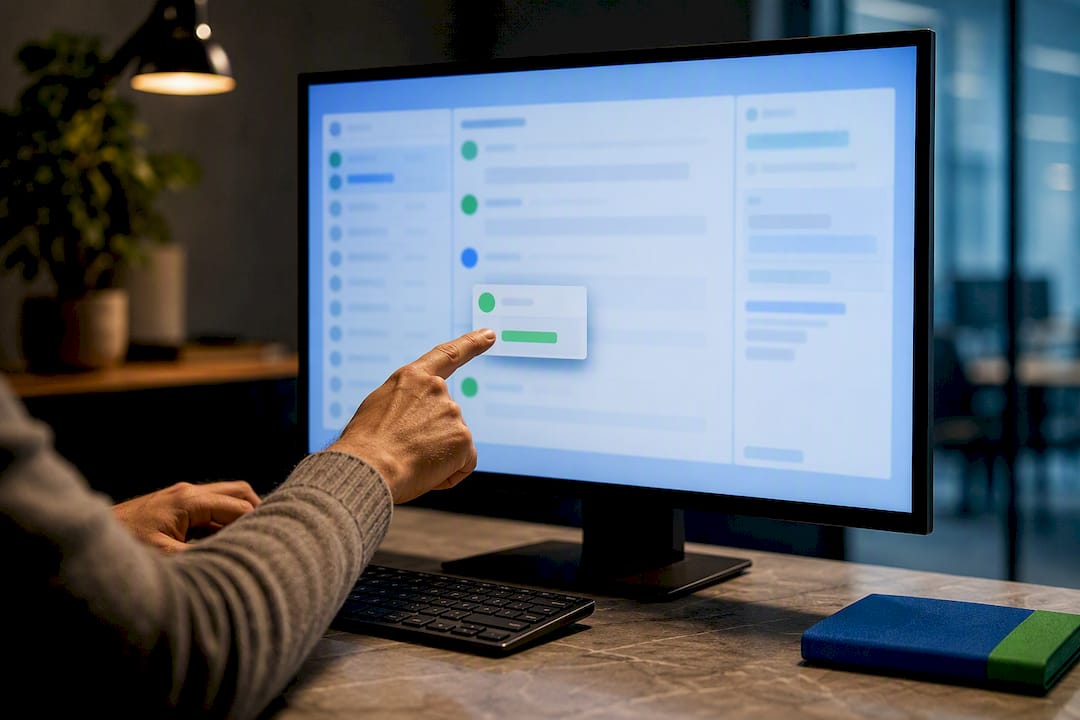
Gmail & Outlook: Email ownership for small teams, no new software ! Team member assigning shared inbox conversation Every incoming support conversation needs one named owner and a visible status.

Keep Outlook Rules for Support Teams Until 3–4 People, Then Switch
Keep Outlook Rules for Support Teams Until 3–4 People, Then Switch ! Support specialist testing an email rule Outlook rules for support handle the repetitive part of triage automatically: moving messages by sender or subject, tagging tickets, forwarding to the right agent, and au

Support Managers: Turn Workload Reports Into Fixes From Days to Hours
Support Managers: Turn Workload Reports Into Fixes From Days to Hours ! Manager reviewing support workload heatmap A workload report tells you exactly where demand is outrunning capacity, whether that's a specific hour, a specific agent, or a specific ticket type, so you can fix

Six Support Email Metrics Managers Must Track to Spot Churn Early
Six Support Email Metrics Managers Must Track to Spot Churn Early ! Support manager reviewing shared inbox metrics Track six numbers first: SLA compliance rate, first response time, resolution time, CSAT, repeat contact rate, and sentiment.

Stop Misrouting Support Email: Auto Assign Emails with 1 Rule, 3 Tests
Stop Misrouting Support Email: Auto Assign Emails with 1 Rule, 3 Tests ! Support specialist organizing routed email workflow Four methods reliably auto-assign incoming emails: inbox rules, email-to-ticket processors, automation platforms built on webhooks, and custom scripts.

Audit First: 20–50 Demo to Migrate From Zendesk or Use a Shared Inbox
Audit First: 20–50 Demo to Migrate From Zendesk or Use a Shared Inbox ! Support migration audit arranged across table Migrating from Zendesk works best as a planning project, not a weekend export: audit your instance, export in JSON for full fidelity, run a small demo migration,

Admins: Test and Monitor Rule Based Email Routing and Use a Shared Inbox
Admins: Test and Monitor Rule Based Email Routing and Use a Shared Inbox ! Administrator testing email routing rules Rule-based email routing matches incoming messages against defined patterns (sender, domain, header, subject) and sends each match to a specific outcome: forward t

Slash Reply Time: 10–20 Canned Responses for Support Teams
Slash Reply Time: 10–20 Canned Responses for Support Teams ! Agent selecting a saved support reply Canned responses are prewritten, editable reply templates that support teams use across chat, email, and ticketing to answer common questions faster.

4 Copyable Support Metrics Dashboard Templates for Support Teams
4 Copyable Support Metrics Dashboard Templates for Support Teams ! Analyst reviewing support metrics dashboard A support metrics dashboard is a live view of your team's ticket volume, response speed, resolution rate, and customer satisfaction, built to answer one question fast: i

Support Managers: Shared Mailbox Limits Often Start at 50 Emails/Day
Support Managers: Shared Mailbox Limits Often Start at 50 Emails/Day ! Manager reviewing shared mailbox workflow Native shared mailboxes hold up fine for a two-person team fielding a few dozen emails a day.

Four Outlook Shared Mailbox Limitations That Break Support Teams
Four Outlook Shared Mailbox Limitations That Break Support Teams ! Support coordinator comparing shared mailbox access Outlook shared mailbox limitations show up fastest in four places: no assignment enforcement, no collision detection, no internal notes, and no per-agent analyti

Skip weeks of setup: Queue-based routing for support managers
Skip weeks of setup: Queue-based routing for support managers ! Manager reviewing shared inbox queue routing Queue-based routing sends work to a team-level queue instead of a specific person, so requests get distributed to whichever available agent fits the group's rules.

Fix Support Email Tone in One Hour With 3 Before/After Templates
Fix Support Email Tone in One Hour With 3 Before/After Templates ! Support agent revising an email reply Use an adjusted human tone: empathic, clear, and solution-driven.

Admins: Shared Inbox Filters That Work with OWA, PowerShell & Triage
Admins: Shared Inbox Filters That Work with OWA, PowerShell & Triage ! Administrator reviewing shared inbox routing The reliable fix is to create rules directly inside the shared mailbox through Outlook on the web, or script them with Exchange PowerShell for bulk deployment, and

Fix Small Support Backlogs in 1–2 Weeks With Inbox Load Balancing
Fix Small Support Backlogs in 1–2 Weeks With Inbox Load Balancing ! Support team reviewing balanced inbox assignments Inbox load balancing is the automated assignment of incoming support conversations to specific agents so no one inbox owner drowns while another sits idle.

Support Managers: Run Your Remote Support Team With a Shared Inbox in Days
Support Managers: Run Your Remote Support Team With a Shared Inbox in Days ! Manager coordinating remote support inbox The fastest way to manage a remote support team is to run a shared inbox with clear message ownership, a coverage rota, and written SLAs for first response and r

Get Round Robin Assignment Right in Two Weeks for Support Managers
Get Round Robin Assignment Right in Two Weeks for Support Managers ! Hands passing round robin assignment token Round robin assignment automatically rotates new tickets, leads, or tasks to the next person in a set order, so each teammate gets one before the cycle repeats.

Admins: Give Full Access and Send As First, or Add Shared Inbox Layer
Admins: Give Full Access and Send As First, or Add Shared Inbox Layer ! Hands setting mailbox permission tokens on desk Three permission types control shared mailbox access in Exchange Online: Full Access, Send As, and Send on Behalf.
How to Create a Support Email Address for Your Team
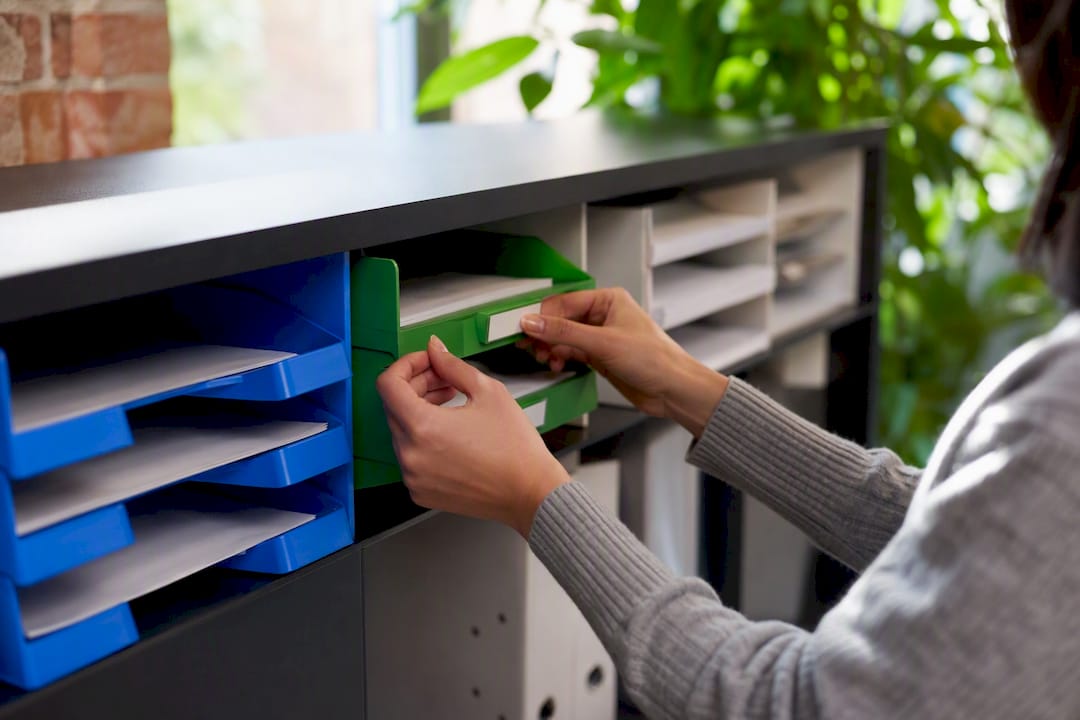
How to Create a Support Email Address for Your Team ! Hands placing label on mailbox model The fastest professional route is a branded support@yourdomain.
How to Migrate From Intercom Without Losing Your History
How to Migrate From Intercom Without Losing Your History ! Hands plugging network cable into switch Yes, you can migrate from Intercom, and the process is straightforward if you start the export clock immediately.

The Simple Help Desk Approach That Gets Small Teams Running Fast
The Simple Help Desk Approach That Gets Small Teams Running Fast ! Hands unplugging computer monitor cable For a small IT or support team, the right move is a lightweight shared inbox rather than a full ticketing platform.

How to Run a Remote Team Communication Audit That Works
How to Run a Remote Team Communication Audit That Works ! Hands holding clipboard with audit flowchart A remote team communication audit produces a prioritized list of fixable problems you can test as experiments inside 30 days.
The Common Email Management Mistakes Killing Your Team's Inbox
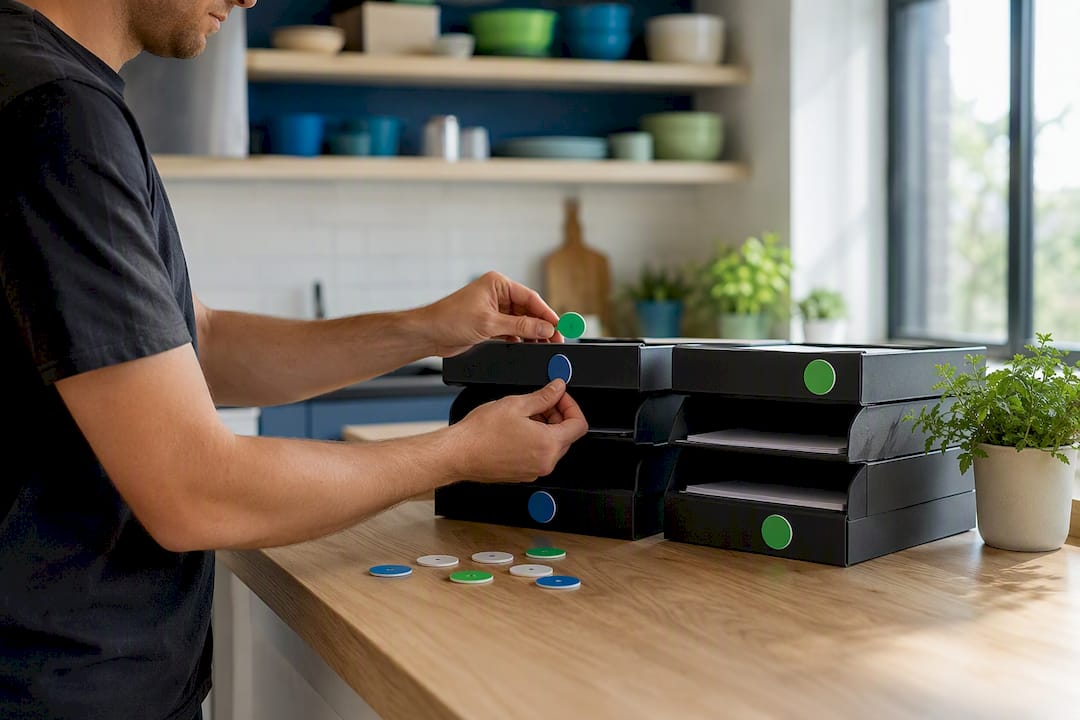
The Common Email Management Mistakes Killing Your Team's Inbox ! Hands assigning status tokens on team inbox trays Diffusion of responsibility is the single biggest reason shared support inboxes fall apart.

Support Team Handoff Best Practices That Stop Errors
Support Team Handoff Best Practices That Stop Errors ! Hands passing token symbolizing handoff Four practices catch most handoff failures before they hit a customer: use one standardized handoff format across the whole team, transfer ownership visibly with a required acknowledgme

Small Business Team Collaboration: The Real Role It Plays
Small Business Team Collaboration: The Real Role It Plays ! Hands placing a decision token on office desk Team collaboration is the operating system that turns individual effort into consistent, repeatable business results, converting scattered work into faster delivery, fewer er

Unlimited Users Support Platform: What Actually Delivers in 2026
Unlimited Users Support Platform: What Actually Delivers in 2026 ! Hands connecting network cable to laptop If your team keeps hitting a per-agent bill every time you add a teammate to your help desk, switch to a shared-inbox platform with true unlimited-seat pricing.

What Presence Indicators Mean and How They Actually Work
What Presence Indicators Mean and How They Actually Work ! Hand adjusting physical presence status token Presence indicators are near-real-time availability signals built from app activity, calendar state, call status, and device sessions, not a record of how hard someone is work

Asynchronous Team Communication: A Manager's Guide
Asynchronous Team Communication: A Manager's Guide ! Hand plugging Ethernet cable at home office desk Asynchronous team communication is any exchange, an email, a recorded video, a project comment, that doesn't require both people online at the same moment, unlike synchronous com

Centralize Support Email With a Shared Inbox That Works
Centralize Support Email With a Shared Inbox That Works ! Hands connecting network cable for email centralization Centralize support email by moving every mailbox into a shared team inbox that connects directly to Gmail or Microsoft 365, then layer on assignment rules and automat

Stop Using BCC: Better Alternatives for Team Email
Stop Using BCC: Better Alternatives for Team Email ! Hands sorting mail envelopes on desk Stop using BCC for routine workplace email.

Load-Based Assignment: A Practical Setup Guide for Support Teams
Load-Based Assignment: A Practical Setup Guide for Support Teams ! Hand adjusting ticket load counter dial Load-based assignment routes new tickets to the agent with the most available capacity, keeping queues stable and SLAs intact.

How to Migrate from Help Scout: 2026 Step-by-Step Guide
How to Migrate from Help Scout: 2026 Step-by-Step Guide ! Hands sorting files symbolizing inventory The fastest safe route when you migrate from Help Scout is to run a scoped inventory, execute a demo migration on a sample batch, then schedule a full migration with a defined cuto

Auto Reply Best Practices for Support Teams
Auto Reply Best Practices for Support Teams ! Hands adjusting wireless headset by laptop Good automated support replies do three things: confirm receipt with a ticket ID, commit to a response window you can actually meet, and route urgent or ambiguous cases to a human.

Email Triage Automation: A Practical Team Guide
Email Triage Automation: A Practical Team Guide ! Hands sorting email triage tags on desk Email triage automation is the AI-driven process of classifying, prioritizing, routing, and preparing draft responses for incoming email, so your team spends time acting on messages rather t

How to Switch from Freshdesk: Migration Checklist
How to Switch from Freshdesk: Migration Checklist ! Hands unplugging Ethernet cable for migration If you're ready to switch from Freshdesk, the clearest path for most small to mid-size support teams is a shared-inbox model.

Email Audit Trail for Support Teams: Capture, Test, Comply
Email Audit Trail for Support Teams: Capture, Test, Comply ! Hands holding security token near laptop An email audit trail, at the conversation level, is a timestamped record of every action taken on a support thread: who opened it, who assigned it, who replied, who added an inte

Build an Email Escalation Workflow That Actually Works
Build an Email Escalation Workflow That Actually Works ! Hands organizing envelopes on a desk Implement an SLA-driven, trigger-based email escalation workflow today: add concrete escalation rules to your helpdesk, create one PBAS escalation email template, and build a single esca

Best Corebee.ai Alternatives for SMB Support Teams 2026
Best Corebee. ai Alternatives for SMB Support Teams 2026 !

Help Scout Alternatives: Best Choices for SMB Support Teams
Help Scout Alternatives: Best Choices for SMB Support Teams ! Hands connecting network cable to switch For most small-to-medium support teams, the best Help Scout alternatives in 2026 come down to three categories: a low-friction shared inbox (Sendsync), a full-featured ticketing

Best Primesync.co Alternatives for Support Teams in 2026
Best Primesync. co Alternatives for Support Teams in 2026 !

Best Customer Support Inbox Management Tools in 2026
Best Customer Support Inbox Management Tools in 2026 ! Woman typing customer support inbox at home desk Sendsync is the strongest pick for most support teams: a unified shared inbox that connects Gmail and Microsoft 365 in minutes, with no DNS changes required, collision detectio

Inbox Organization Tools for Independent Contractors
Inbox Organization Tools for Independent Contractors ! Contractor reviewing disorganized inbox papers The fastest way to fix a chaotic contractor inbox is to connect your main client mailbox to a shared inbox tool like Sendsync, then create three folders: Action, Waiting, and Ref

Best Startup-Friendly Team Inbox Tools Ranked 2026
Best Startup-Friendly Team Inbox Tools Ranked 2026 ! Startup team collaborating with laptops and tablet Sendsync is a highly recommended shared inbox for many startups because it connects to Gmail or Microsoft 365 quickly, skips DNS configuration entirely, and offers flat or unli

Best Client Email Management Tools for Freelancers
Best Client Email Management Tools for Freelancers ! Freelancer managing client emails on laptop Sendsync is the top pick for freelancers and small support teams who need a shared client inbox that connects to Gmail or Microsoft 365 without DNS headaches.

Best Shared Inbox Tools 2026: Top Picks for Teams
Best Shared Inbox Tools 2026: Top Picks for Teams ! Team collaborating around shared inbox software For most US-based professional and support teams in 2026, Sendsync is the recommended pick.

Team Visibility in Remote Work: A Manager's Guide
Team Visibility in Remote Work: A Manager's Guide ! Remote team video meeting in diverse home offices Team visibility in remote work is the organizational practice of making who is doing what, by when, and at what status visible to anyone who needs it — without having to ask.

How Email Tools Integrate Into Your Support Workflow
How Email Tools Integrate Into Your Support Workflow ! Woman working with email support tools at home workspace The fastest path to a functional support workflow: connect your shared support address (support@yourdomain.

Remote Team Accountability Tools List for Support Teams
Remote Team Accountability Tools List for Support Teams ! Remote team manager reviewing accountability tools For remote customer support teams, a lightweight shared inbox is the single most effective daily accountability layer.

Freelance Inbox Organization System: A Team Guide
Freelance Inbox Organization System: A Team Guide ! Freelancer organizing email notes at table A freelance inbox organization system is a set of rules, folder structures, and processing habits that move every incoming message from arrival to a clear terminal state, giving support

Virtual Team Productivity Checklist for Support Teams
Virtual Team Productivity Checklist for Support Teams ! Support manager reviewing productivity checklist Run async-first rules, a shared inbox operating standard (assign every thread, prevent collisions, publish SLAs), and three KPIs (first response time, resolution time, backlog

Startup Team Communication Tools for Support Teams
Startup Team Communication Tools for Support Teams ! Support team collaborating in conference room A startup team communication tool, in the context of customer support, is a shared inbox platform that connects directly to your Gmail or Microsoft 365 mailbox so multiple agents ca

Low-Cost Multi-Agent Inbox for Support Teams in 2026
Low-Cost Multi-Agent Inbox for Support Teams in 2026 ! Support team collaborating around shared inbox What is a low-cost multi-agent inbox, and why does it matter?

The Role of Shared Context in Early Support Teams
The Role of Shared Context in Early Support Teams ! Diverse team collaborating on support emails Why shared context defines how early customer support teams perform Shared context is the common understanding your team holds about goals, active conversations, past decisions, and h

Freelancer Inbox Management Checklist for 2026
Freelancer Inbox Management Checklist for 2026 ! Freelancer managing inbox at home desk A freelancer inbox management checklist is a structured set of workflow rules and scheduling habits that keeps client communication moving without pulling you out of focused work.

Read Receipts in Team Email: What You Need to Know
Read Receipts in Team Email: What You Need to Know ! Professional woman managing read receipts on laptop Read receipts confirm that a recipient opened your email, but they are not a guarantee that the message was actually read or acted on.

How to Set Up a Startup Support Inbox That Works
How to Set Up a Startup Support Inbox That Works ! Woman organizing startup support inbox at desk A startup support inbox is a dedicated email channel, such as support@yourdomain.

Why Remote Teams Lose Context in Emails: 2026 Guide
Why Remote Teams Lose Context in Emails: 2026 Guide ! Diverse remote team video conferencing from home offices Why remote teams lose context in emails, and why it costs more than you think Remote teams lose context in emails because the medium was never designed to carry the full

Why a Separate Client Inbox Matters for Teams
Why a Separate Client Inbox Matters for Teams ! Team collaborating on client inbox management A separate client inbox is a dedicated email space used exclusively for managing client communications, keeping those messages isolated from internal traffic, personal accounts, and unre

Status Update Inbox Feature: A Complete Team Guide
Status Update Inbox Feature: A Complete Team Guide ! Woman managing notifications on laptop in home office The status update inbox feature is a centralized digital interface that collects, organizes, and surfaces status-related messages and notifications in one place.

Why Duplicate Replies Happen in Support Teams
Why Duplicate Replies Happen in Support Teams ! Team lead reviewing support tickets in office Duplicate replies in customer support are defined as two or more responses sent to the same customer message, caused by technical delivery guarantees, concurrent processing, or coordinat

Top 5 Kayako.com Alternatives for 2026
Top 5 Kayako. com Alternatives for 2026 !

Connect a Gmail Team Inbox in Minutes: 2026 Guide
Connect a Gmail Team Inbox in Minutes: 2026 Guide ! Woman setting up Gmail team inbox You can connect a Gmail team inbox in under five minutes by turning a Google Group into a Collaborative Inbox inside Google Workspace.

Multi Client Email Management: A 2026 Team Guide
Multi Client Email Management: A 2026 Team Guide ! Person working on multi-client email management setup Multi-client email management is defined as a centralized system for handling multiple clients' email domains, mailboxes, and sending infrastructure from a single platform, wi

Keep Your Remote Team Email Aligned in 2026
Keep Your Remote Team Email Aligned in 2026 ! Remote manager typing email in home office Aligned remote team email is defined as a structured communication system where every team member follows explicit response windows, urgency rules, and task-linked workflows.

Microsoft 365 Team Collaboration Benefits for Professionals
Microsoft 365 Team Collaboration Benefits for Professionals ! Professional woman collaborating with Microsoft 365 tools Microsoft 365 is defined as an integrated platform that unifies chat, file sharing, meetings, and task management into a single workspace for professional teams

Top 6 Freshdesk.com Alternatives 2026
Top 6 Freshdesk. com Alternatives 2026 !

Remote Team Daily Support Huddle: Your 2026 Guide
Remote Team Daily Support Huddle: Your 2026 Guide ! Remote team video conference daily support huddle A remote team daily support huddle is a brief, structured meeting where distributed team members align on priorities, surface blockers, and coordinate support work before the day

What Is a Microsoft 365 Shared Mailbox?
What Is a Microsoft 365 Shared Mailbox? !

What Does Inbox Zero Mean for Support Teams?
What Does Inbox Zero Mean for Support Teams? !

Microsoft 365 Team Inbox Setup: 2026 Guide
Microsoft 365 Team Inbox Setup: 2026 Guide ! IT admin working on Microsoft 365 shared mailbox setup A Microsoft 365 team inbox is defined as a shared mailbox that multiple users access simultaneously to send, receive, and manage email from one common address.

Real-Time Inbox Visibility Benefits for Support Teams
Real-Time Inbox Visibility Benefits for Support Teams ! Support team lead monitoring live inbox emails Real-time inbox visibility is defined as the ability to see the live status of every email in a shared inbox, including who is handling it, whether it has been read, and what ac

Benefits of a Unified Team Inbox for Business Teams
Benefits of a Unified Team Inbox for Business Teams ! Businesswoman using tablet in coworking space A unified team inbox is a single platform that consolidates all customer communications from email, chat, SMS, and social channels into one shared workspace.

The Role of Unified Inbox in Remote Work Success
The Role of Unified Inbox in Remote Work Success ! Woman typing at laptop in bright home office A unified inbox is a centralized communication hub that pulls messages from email, chat, and other channels into one interface, giving remote teams a single place to read, assign, and

What Is a Virtual Team Inbox? A 2026 Guide
What Is a Virtual Team Inbox? A 2026 Guide !

Why Siloed Inboxes Hurt Support Team Efficiency
Why Siloed Inboxes Hurt Support Team Efficiency ! Support team lead managing siloed inboxes workspace Siloed inboxes are isolated communication hubs where customer conversations stay locked inside individual email accounts, invisible to the rest of the support team.

How a Team Inbox Differs from a Personal Inbox
How a Team Inbox Differs from a Personal Inbox ! Team collaborating on shared inbox tasks A team inbox is a collaborative email environment built for multiple users to manage, assign, and track conversations together.
Top 3 Mercuri.cx Alternatives for 2026
Top 3 Mercuri. cx Alternatives for 2026 !

Shared Inbox vs Helpdesk Software: 2026 Guide
Shared Inbox vs Helpdesk Software: 2026 Guide ! Customer support manager working on communication tools A shared inbox is a collaborative email tool where multiple team members read, assign, and reply to messages from a single address.

Support Inbox Organization Strategies for Support Teams
Support Inbox Organization Strategies for Support Teams ! Support team collaborating on inbox strategy Support inbox organization strategies are structured methods that support teams use to prioritize, assign, and resolve incoming customer emails without losing track of any conve

Single Inbox Startup Team: Build Smarter Communication
Single Inbox Startup Team: Build Smarter Communication ! Startup team collaborating around a shared inbox A single inbox startup team is defined as a group that manages all external and internal communications through one centralized inbox, giving every team member shared visibil

Shared Inbox Best Practices for Support Teams in 2026
Shared Inbox Best Practices for Support Teams in 2026 ! Support team member managing shared inbox Shared inbox best practices are defined as assigning single ownership per conversation, replacing read/unread with explicit status labels, setting response SLAs per inbox address, an

Visibility Across Remote Team Emails: 2026 Guide
Visibility Across Remote Team Emails: 2026 Guide ! Woman typing on laptop in home office Visibility across remote team emails is defined as shared, real-time insight into who owns which messages, who has replied, and what still needs attention.

What Is a Collaborative Email Workspace for Teams?
What Is a Collaborative Email Workspace for Teams? !

Benefits of a Professional Client Inbox for Teams
Benefits of a Professional Client Inbox for Teams ! Team collaborating on client inbox workflow A professional client inbox is a centralized communication system that consolidates all client emails into one shared, organized workspace accessible to every team member.

How Email Mentions Work in Team Tools: 2026 Guide
How Email Mentions Work in Team Tools: 2026 Guide ! Woman typing email with mentions at home office Email mentions are a feature in team collaboration tools that let users tag colleagues directly in messages or comments using the "@" symbol, triggering a targeted notification tha

How Email Handoff Works for Teams: 2026 Guide
How Email Handoff Works for Teams: 2026 Guide ! Woman working on email handoff at coworking desk Email handoff is the process of formally transferring email communication and task responsibility between team members to maintain continuity and clarity in workflows.

Handle Multiple Clients in a Single Inbox
Handle Multiple Clients in a Single Inbox ! Woman managing multiple client emails at desk Client inbox management is the practice of consolidating communications from multiple clients into one organized, centralized email workspace.

What Is a Support Inbox Audit? A Manager's Guide
What Is a Support Inbox Audit? A Manager's Guide !

How Asynchronous Inbox Works for Remote Teams
How Asynchronous Inbox Works for Remote Teams ! Person managing asynchronous inbox at home desk An asynchronous inbox is defined as a message queue where recipients process emails in scheduled batches rather than responding in real time.

Why Support Teams Miss Customer Emails: 2026 Guide
Why Support Teams Miss Customer Emails: 2026 Guide ! Support team manager viewing email dashboard Missed customer emails are defined as a systemic workflow failure, not a personnel problem.

Top 6 Thunaivi.io Alternatives for Shared Inbox Software 2026
Top 6 Thunaivi. io Alternatives for Shared Inbox Software 2026 !

Gmail Shared Inbox for Small Business: 2026 Guide
Gmail Shared Inbox for Small Business: 2026 Guide ! Small business user accessing Gmail shared inbox on laptop A Gmail shared inbox allows multiple team members to read, reply to, and manage one email address together without sharing a password.

Remote Team Inbox Collaboration: 2026 Guide
Remote Team Inbox Collaboration: 2026 Guide ! Woman managing shared inbox remotely Remote team inbox collaboration is the practice of using shared inboxes combined with structured workflows to manage team communication efficiently across distributed locations.

Top 3 HelloSend.com Alternatives for Email Management 2026
Top 3 HelloSend. com Alternatives for Email Management 2026 !

Why Visibility Matters in Your Team Inbox
Why Visibility Matters in Your Team Inbox ! Person reviewing team inbox messages Visibility in a team inbox is defined as real-time shared awareness of who owns each message, what its current status is, and what actions teammates have already taken.

Why Small Teams Need a Shared Inbox in 2026
Why Small Teams Need a Shared Inbox in 2026 ! Small team collaborating around shared inbox laptop A shared inbox is defined as a single email address that multiple team members can access, manage, and respond to together, replacing the chaos of siloed individual inboxes.

Support Workflow for Small Teams: 2026 Guide
Support Workflow for Small Teams: 2026 Guide ! Small team collaborating on support workflow A support workflow for a small team is a structured queue management system that organizes incoming customer inquiries through defined stages, from intake to resolution, so nothing falls t

Inbox Delegation Remote: A 2026 Guide for Teams
Inbox Delegation Remote: A 2026 Guide for Teams ! Woman managing remote inbox delegation at home Inbox delegation in remote work is the practice of granting a trusted person controlled access to your email inbox so they can read, respond, and organize messages on your behalf.

Examples of Scalable Inbox Workflows for Teams
Examples of Scalable Inbox Workflows for Teams ! Team collaborating on scalable inbox workflows Scalable inbox workflows are systems that combine automation, AI-assisted triage, and shared inbox management to handle growing email volumes without adding headcount.

How to Assign Emails to Teammates Effectively
How to Assign Emails to Teammates Effectively ! Team leader assigning emails on laptop Assigning emails to teammates is the process of distributing incoming messages within a shared or collaborative inbox to specific team members, creating clear ownership, faster response times,
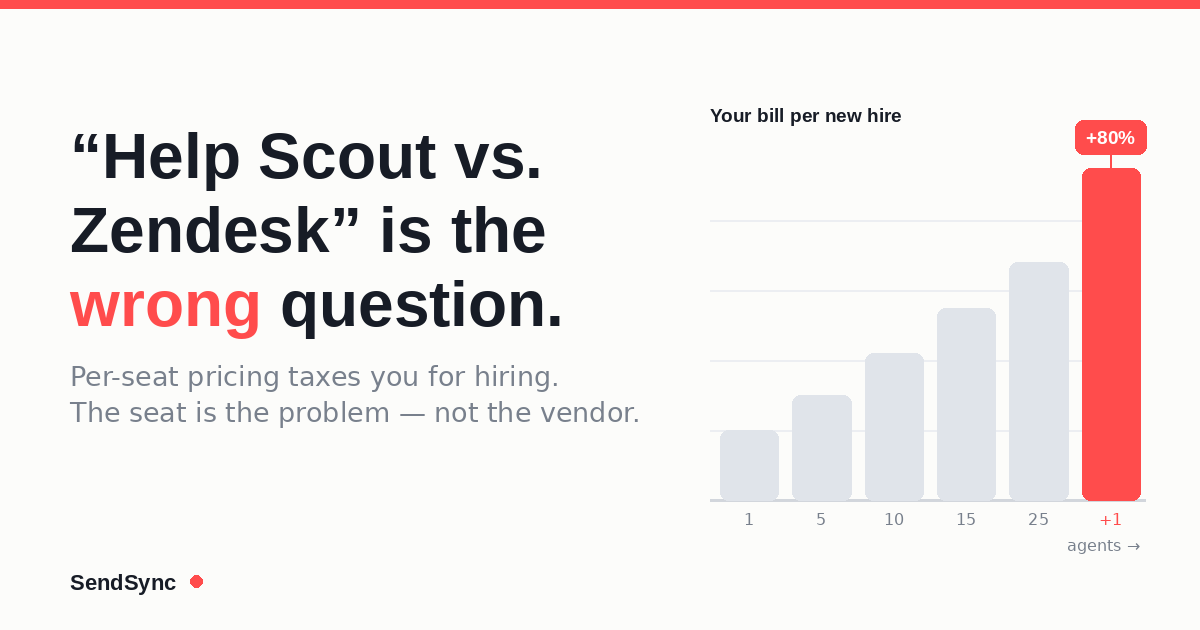
"Help Scout vs. Zendesk" Is the Wrong Question
Comparing Help Scout, Zendesk, and Freshdesk? You're asking the wrong question. Here's how per-seat pricing quietly taxes every new hire you make.