
How Asynchronous Inbox Works for Remote Teams
How Asynchronous Inbox Works for Remote Teams ! Person managing asynchronous inbox at home desk An asynchronous inbox is defined as a message queue where recipients process emails in scheduled batches rather than responding in real time.

An asynchronous inbox is defined as a message queue where recipients process emails in scheduled batches rather than responding in real time. This model is the standard approach to remote work inbox management for distributed teams operating across multiple time zones. Tools like Microsoft 365 shared mailboxes and Sendsync make it possible to centralize conversations, assign ownership, and maintain full visibility without requiring everyone to be online at the same time. The result is fewer interruptions, less context switching, and a communication rhythm that actually fits how remote work operates in 2026.
How asynchronous inbox works in remote team workflows
An asynchronous inbox functions by treating email as a durable message buffer rather than a live conversation channel. Messages persist until a team member processes them during a defined session window. No one expects an instant reply, and that expectation is the entire foundation of the system.
The most widely recommended structure involves 1–3 processing sessions per day, timed to align with each team member’s local workday start. A morning session clears overnight messages. A midday check handles anything time-sensitive. An end-of-day pass closes open threads. Outside those windows, the inbox stays closed.

This structure delivers a measurable cognitive benefit. Batching email checks 2–3 times daily can save nearly four hours of focus recovery time compared to continuous monitoring. That number reflects the cost of what researchers call the “resumption tax,” the mental effort required to return to deep work after an interruption. Eliminating random inbox checks removes that tax almost entirely.
The system also requires a clear response time agreement. Standard practice sets a 24-hour response SLA for email, with urgent matters escalated to synchronous channels like phone or video. Without that agreement, team members default to checking constantly because they fear missing something critical.
Set 1–3 fixed processing windows per day and communicate them to your team
Establish a 24-hour response SLA for standard email threads
Define which channel handles true emergencies (phone, Slack, or a dedicated urgent tag)
Document the protocol in a shared team handbook so expectations are explicit
Pro Tip: Write your processing windows into your calendar as blocked time and set your email client to only sync during those windows. This removes the temptation to check between sessions and makes the async model feel automatic within two weeks.
What tools support async inbox management for remote teams?
The technology you choose determines how well your async inbox model holds up under real workload. Three main options exist for remote teams: distribution lists, shared mailboxes, and purpose-built async inbox platforms.
Distribution lists forward copies of each incoming message to every member’s individual inbox. This creates immediate problems for async work. Each person holds a separate copy, so there is no shared view of what has been handled. Two teammates can reply to the same message without knowing the other already responded. Tracking becomes a manual effort.
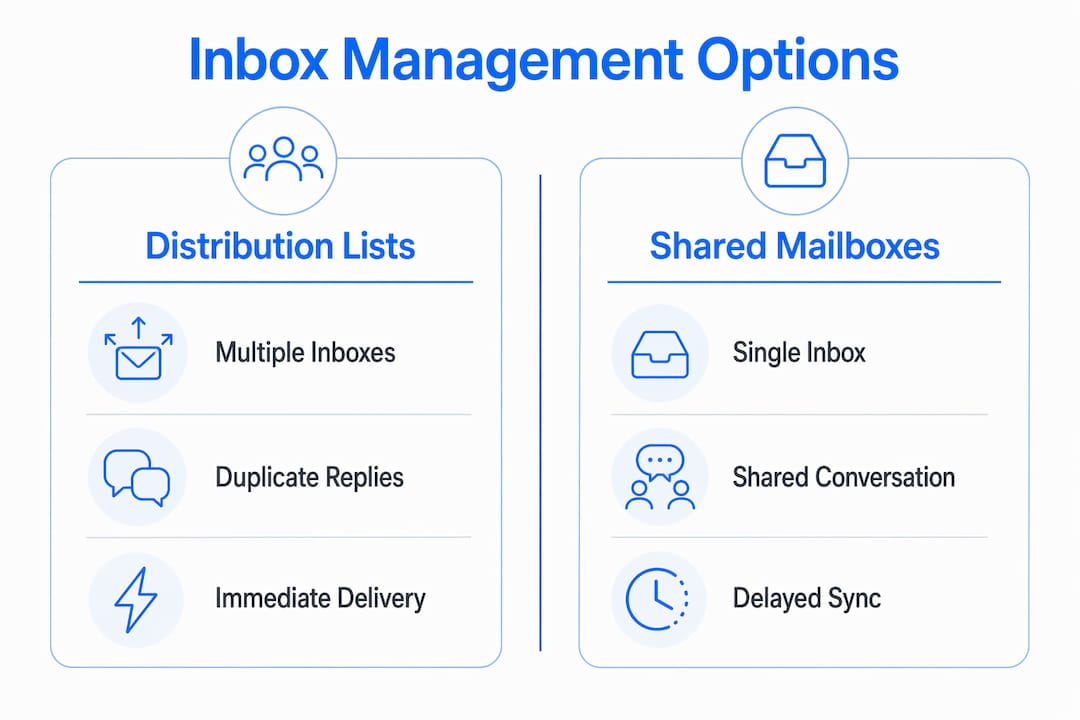
Microsoft 365 shared mailboxes solve this directly. A shared mailbox gives the entire team a single inbox view where replies are sent from one address and every member sees the current status of every conversation. Shared mailboxes centralize conversation state, preventing duplicate responses and making it clear who owns each thread.
The table below compares the three main options across the features that matter most for async remote work:
Feature | Distribution list | Microsoft 365 shared mailbox | Async inbox platform (e.g., Sendsync) |
|---|---|---|---|
Shared conversation view | No | Yes | Yes |
Prevents duplicate replies | No | Partial | Yes |
Message assignment | No | No | Yes |
Response time tracking | No | No | Yes |
Setup complexity | Low | Medium | Low |
Works with Gmail | No | No | Yes |
Purpose-built platforms like Sendsync go further than shared mailboxes by adding assignment, tagging, and response tracking on top of the shared view. Sendsync connects directly to Gmail or Microsoft 365 without DNS configuration, which means a team can be operational in minutes rather than days. For remote teams managing high volumes of collaborative email workflows, that setup speed matters.
The right choice depends on your team’s size and volume. Small teams with low email volume can start with a Microsoft 365 shared mailbox. Teams handling customer support or client communications at scale benefit from a dedicated platform that tracks ownership and response times automatically.
How should you write messages for async communication?
Message design is the part of async communication most teams get wrong. Effective async messages are written assuming the recipient will read them hours later, in a different context, without the ability to ask a quick follow-up question. Every message must be self-contained.
A self-contained async message includes four elements: the context the reader needs, the specific action you are requesting, the deadline for that action, and any options or decisions the reader needs to consider. When all four are present, the recipient can act immediately without sending a clarifying reply. When any element is missing, the thread stalls until someone fills the gap.
Channel layering is equally important. Email handles standard async communication with a 24-hour response window. Slack or Microsoft Teams handles same-day requests that need a response within a few hours. Phone or video handles genuine emergencies that cannot wait. Setting explicit response-time expectations by channel removes the false urgency that makes people treat every email like a fire drill.
Write every email as if the reader has no prior context for the topic
State the required action in the first sentence, not the last
Include a specific deadline, not “soon” or “when you get a chance”
List any decisions the reader needs to make so they can respond in one reply
Avoid open-ended questions that require multiple back-and-forth exchanges
Pro Tip: Before sending any async message, ask yourself: “Could the reader complete this request without replying to ask me anything?” If the answer is no, add the missing context before you hit send.
How do you implement reliable async inbox workflows?
Async inbox systems fail when teams treat them as informal habits rather than operational protocols. Reliability requires structure. The following steps turn async inbox principles into a repeatable workflow your whole team can follow.
Define your message tiers. Classify every incoming message as urgent, standard, or FYI. Urgent messages require same-day escalation to a synchronous channel. Standard messages get a response within 24 hours during the next processing window. FYI messages require no reply and are archived after reading. Tiered escalation rules prevent teams from treating every email as equally time-sensitive.
Schedule and protect processing windows. Block your inbox sessions in your calendar and treat them like meetings. If your team spans multiple time zones, stagger processing windows so at least one person is always within their active session during business hours. This creates continuous coverage without requiring anyone to monitor the inbox constantly.
Assign ownership in shared inboxes. Every open thread needs one named owner. Without explicit assignment, messages sit unhandled because each team member assumes someone else will respond. Platforms like Sendsync make email assignment a one-click action, removing ambiguity about who is responsible for each conversation.
Use inbox automation to maintain message state. Async inbox tools that follow the durable buffer pattern preserve message status across system restarts and shift changes. This means a conversation marked as pending at the end of one person’s workday appears correctly in the next person’s processing session without any manual handoff.
Review and iterate the protocol monthly. Async workflows degrade when teams stop enforcing the rules. A monthly 15-minute review of response times, unassigned threads, and escalation patterns keeps the system honest and surfaces problems before they become habits.
Key Takeaways
Async inbox management works because it replaces reactive, always-on email monitoring with structured processing sessions, clear ownership, and explicit response expectations.
Point | Details |
|---|---|
Batch processing saves focus time | Processing email in 1–3 daily sessions can recover nearly four hours of deep work time per day. |
Shared mailboxes beat distribution lists | Shared mailboxes centralize conversation state and prevent duplicate replies across remote teams. |
Message design determines speed | Self-contained messages with context, action, and deadline eliminate slow back-and-forth exchanges. |
Tiered escalation prevents false urgency | Classifying messages as urgent, standard, or FYI keeps async inboxes from becoming reactive channels. |
Ownership assignment is non-negotiable | Every open thread needs one named owner to prevent messages from sitting unhandled in shared inboxes. |
Why most remote teams underestimate async inbox discipline
I have watched dozens of remote teams adopt async communication tools and then quietly abandon the model within six weeks. The tools were fine. The discipline was not.
The mistake is treating async inbox as a technology problem. You buy a shared inbox platform, connect your Gmail, and assume the team will naturally stop checking email every 20 minutes. They will not. Without clear processing sessions, async email devolves into ambient pressure across time zones. People check constantly because no one has agreed on what “later” actually means.
The teams that make async work are the ones that document the protocol before they need it. They write down the processing windows, the response SLAs, the escalation rules, and the message format expectations. They review it in onboarding. They update it when it breaks. That documentation is the actual product. The inbox tool is just the container.
The cognitive payoff is real when you get it right. Removing the resumption tax from your team’s day is not a minor efficiency gain. It is the difference between a team that does deep work and a team that spends its day reacting. For distributed teams in 2026, that difference is the margin between good work and great work.
Start small. Pick one processing window. Agree on one response SLA. Document both. Run it for 30 days before adding complexity. Async inbox discipline is built in iterations, not installed in an afternoon.
— Nick
How Sendsync supports async inbox workflows for remote teams
Remote teams need a shared inbox that works the way async communication actually works, not one that requires weeks of configuration before it delivers value.
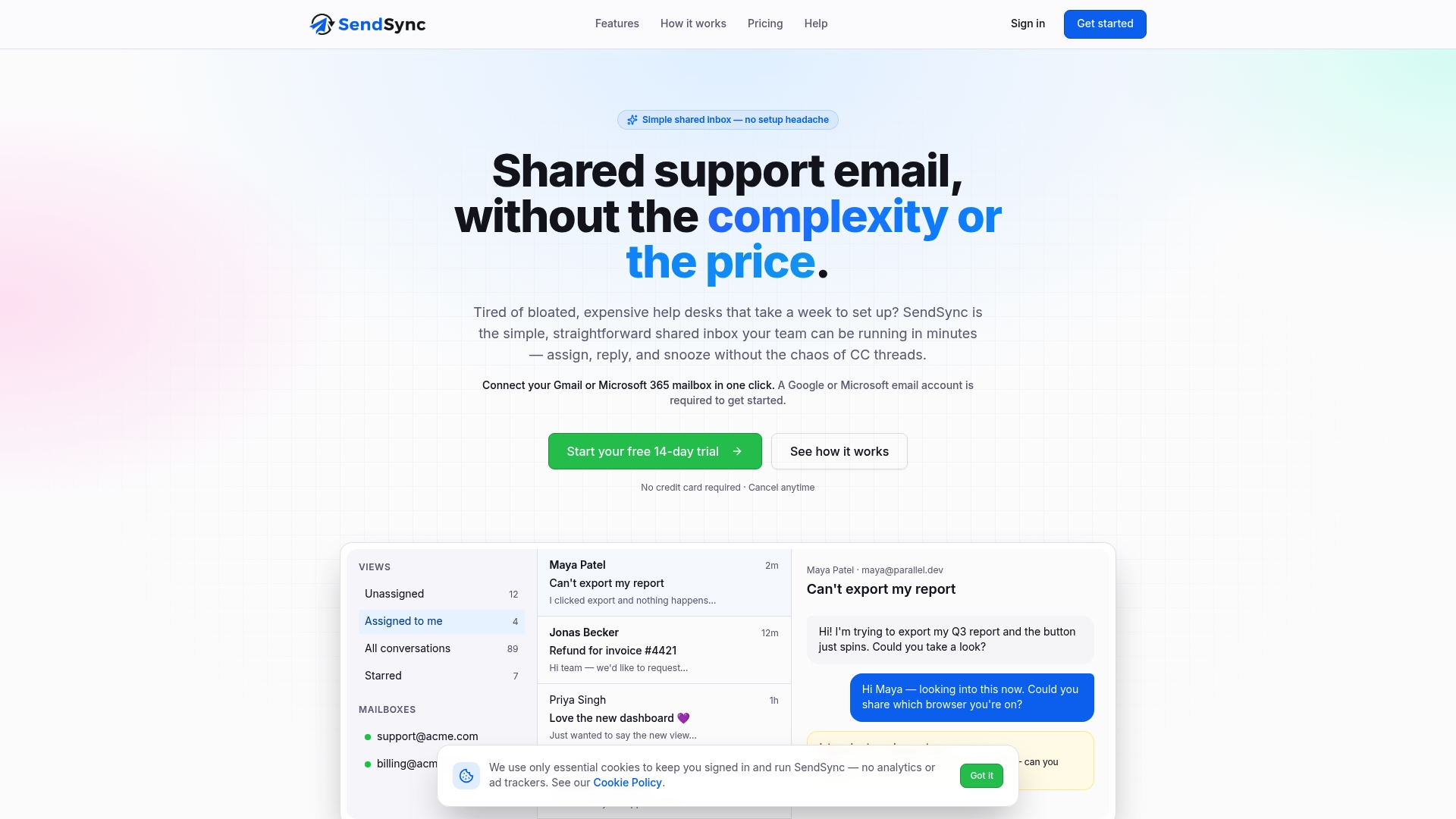
Sendsync connects directly to Gmail or Microsoft 365 in minutes, giving your team a shared inbox view with assignment, conversation tracking, and full visibility from day one. There are no per-seat fees and no DNS headaches. Team members can assign threads, reply from a shared address, and see exactly which conversations are open, pending, or resolved. For teams building remote inbox collaboration workflows that scale, Sendsync removes the setup friction that slows most teams down. Try it at Sendsync and have your team’s shared inbox running before your next processing window.
FAQ
What is an asynchronous inbox in remote work?
An asynchronous inbox is a message queue where team members process emails during scheduled sessions rather than responding in real time. It acts as a durable buffer that holds messages until the recipient is ready to handle them.
How many times a day should you check an async inbox?
The recommended model is 1–3 processing sessions per day, timed to align with each team member’s local workday. This structure reduces context switching while maintaining a standard 24-hour response SLA for most messages.
What is the difference between a shared mailbox and a distribution list?
A shared mailbox gives all team members a single inbox view with shared conversation state, preventing duplicate replies. A distribution list forwards individual copies to each member’s personal inbox, making it impossible to track who has already responded.
How do you prevent urgent messages from getting lost in an async inbox?
Tiered escalation rules solve this problem. Classify messages as urgent, standard, or FYI, and route urgent items to a synchronous channel like phone or a dedicated Slack alert. This keeps the async inbox free of false urgency while ensuring critical issues get immediate attention.
What makes a good async message?
A good async message includes the full context, a specific action request, a clear deadline, and any decisions the reader needs to make. When all four elements are present, the recipient can act without sending a clarifying reply, which eliminates slow back-and-forth delays.