
Why Visibility Matters in Your Team Inbox
Why Visibility Matters in Your Team Inbox ! Person reviewing team inbox messages Visibility in a team inbox is defined as real-time shared awareness of who owns each message, what its current status is, and what actions teammates have already taken.

Visibility in a team inbox is defined as real-time shared awareness of who owns each message, what its current status is, and what actions teammates have already taken. Without it, support teams operate blind. Two agents reply to the same customer. Urgent tickets sit unread because everyone assumed someone else would handle them. Tools like Sendsync, Gmail shared inboxes, and Microsoft 365 group mailboxes all provide access to the same messages, but only dedicated team inbox software gives you the visibility layer that turns access into coordination. Understanding why visibility matters in a team inbox is the difference between a support team that reacts and one that performs.
Why visibility matters in a team inbox
The core problem with a shared inbox is not access. Every agent can see the messages. The problem is that no one knows what anyone else is doing with those messages. That gap creates duplicate replies, missed tickets, and accountability failures that erode customer trust faster than slow response times.
Collision detection and per-thread locking are the technical solutions that close this gap. When two agents open the same email thread, a real-time indicator alerts both of them. One agent sees that a colleague is already composing a reply and steps back. Without that signal, both agents send a response, the customer receives two conflicting answers, and your team looks disorganized.

The benefits of team inbox management go beyond avoiding embarrassment. Real-time collision indicators reduce duplicate responses to near zero. That means fewer confused customers, fewer internal corrections, and less time spent on cleanup work that should never have happened.
Visibility also solves the “everyone saw it but no one owns it” syndrome. When a ticket has no assigned owner and no visible status, every agent assumes a colleague is handling it. The ticket ages. The customer follows up. By the time someone responds, the damage is done. Explicit ownership displayed in real time eliminates that assumption entirely.
Pro Tip: Set a team rule that any unassigned email older than 15 minutes triggers an automatic assignment to the on-duty agent. Visibility tools show you the gap. The rule closes it.
Shared mailbox vs. team inbox: what is the real difference?
A shared mailbox gives a group of people access to the same email account. That is where its feature set ends. Shared mailboxes provide no formal ownership or accountability, no assignment system, no status tracking, and no performance metrics. They are a folder, not a workflow.
A team inbox extends that basic access with a structured layer of visibility and control. Assignment, status tracking, internal comments, collision detection, and analytics are all standard features in purpose-built team inbox software. The table below shows exactly where the two approaches diverge.
Feature | Shared Mailbox | Team Inbox |
|---|---|---|
Message visibility | All agents see all messages | All agents see messages plus ownership and status |
Collision detection | None | Real-time indicators prevent duplicate replies |
Assignment system | None | Per-thread assignment with clear ownership |
Status tracking | None | Open, pending, and closed statuses per thread |
Internal comments | None | Private notes visible only to the team |
Performance metrics | None | Response time, SLA compliance, and workload dashboards |
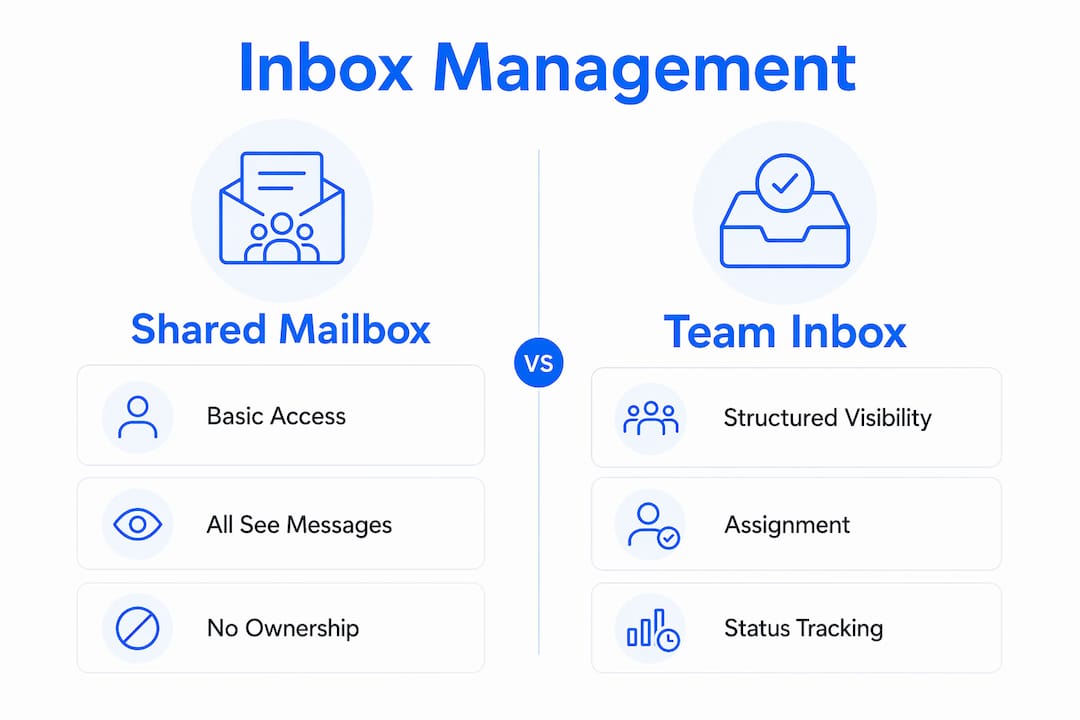
The transition point is clear. If your team handles more than 30 support emails per day, a shared mailbox creates more coordination overhead than it saves in setup time. Visible assignment and status become non-negotiable once you have multiple agents working across shifts or time zones, because informal communication cannot scale to cover every handoff.
Pro Tip: Before migrating from a shared mailbox to a team inbox, audit one week of emails and count how many received duplicate replies or no reply at all. That number is your baseline. Use it to measure improvement after switching.
How does visibility drive accountability in support teams?
Visibility transforms team email from unmanaged noise into a structured workflow. The mechanism is straightforward. When every agent can see who owns a thread and what its current status is, responsibility becomes explicit. No one can claim they did not know a ticket was waiting.
Visible assignment and status tracking enable measurable workflows that replace ambiguous shared inboxes. A ticket marked “open” with no assigned owner is immediately visible as a gap. A ticket marked “pending” with an owner tells the whole team that a response is in progress. A ticket marked “closed” removes it from the active queue without deleting the history.
Managers gain the most from this structure. Performance dashboards and SLA compliance tracking require visibility tools that shared mailboxes simply cannot provide. With a team inbox, a support lead can see average first response time, identify which agents are overloaded, and reallocate work before a backlog forms. That is informed resource management, not guesswork.
The accountability benefits extend to the whole team, not just managers. Consider these outcomes that visibility makes possible:
Workload balance: Agents see each other’s queues and can volunteer to take tickets when a colleague is overwhelmed.
Shift handoffs: Outgoing agents mark tickets with status notes so incoming agents know exactly where each conversation stands.
Escalation clarity: When a ticket needs a senior agent, visible ownership makes the handoff clean and documented.
Customer context: Visible communication histories mean any agent can pick up a thread without asking the customer to repeat themselves.
Managers benefit from visibility by monitoring team workload and service quality in real time, which leads to faster decisions and better outcomes for customers.
How to maximize team inbox visibility in practice
Knowing why team communication transparency matters is only half the equation. The other half is building the habits and configurations that make visibility work every day. Here is a practical framework for support teams in 2026.
Assign every email within five minutes of arrival. Unassigned threads are the primary source of missed tickets. Use auto-assignment rules based on sender domain, keyword, or round-robin rotation to remove the manual step entirely.
Update status on every action. When an agent replies, the status moves to “pending.” When the customer responds, it reopens as “active.” When the issue resolves, the agent closes it. This discipline keeps the queue accurate for everyone watching.
Use internal comments instead of side channels. When an agent needs context from a colleague, a private note inside the thread keeps all relevant information in one place. Conversations in Slack or Teams about a specific ticket create invisible context that the next agent will never find.
Build a shift handoff protocol. Before logging off, each agent reviews their open threads, updates statuses, and leaves a brief internal note on any ticket that needs follow-up. This takes three minutes and prevents the next shift from starting blind.
Review analytics weekly. Exportable reports and dashboards show patterns that individual agents cannot see. If first response time spikes every Tuesday afternoon, that is a staffing signal, not a coincidence.
For teams working across time zones, visible assignment and status replace the informal “hey, are you handling this?” messages that slow everyone down. When the status is visible, the question answers itself.
Pro Tip: Collision detection alone is not enough to prevent workflow stalls. Pair it with a clear team rule: if you see a collision indicator, either wait 90 seconds for the other agent to claim the thread or take ownership immediately. Ambiguity causes silent delays where both agents hesitate and neither acts.
You can find scalable inbox workflow examples that show how support teams structure these practices at different stages of growth. The patterns are repeatable and do not require expensive tooling to implement.
For a broader view of how professional service teams coordinate responses through shared inboxes, the client communication workflow guide from Altiam CX covers the coordination principles that apply directly to support inbox management.
Key takeaways
Visibility in a team inbox is the single most effective mechanism for converting shared email access into a coordinated, accountable support workflow.
Point | Details |
|---|---|
Visibility prevents duplicate replies | Collision detection and real-time indicators stop multiple agents from responding to the same thread. |
Team inboxes outperform shared mailboxes | Assignment, status tracking, and analytics are absent from shared mailboxes and non-negotiable for scaling teams. |
Accountability requires explicit ownership | Visible assignment eliminates the “everyone saw it, no one owns it” failure that causes missed tickets. |
Analytics depend on visibility infrastructure | Dashboards tracking first response time and SLA compliance only work when status data is captured in real time. |
Visibility needs coordination rules to work | Collision detection without team protocols creates hesitation and silent delays instead of faster responses. |
Visibility is the foundation, not a feature
I have reviewed dozens of support team setups over the years, and the pattern is consistent. Teams that struggle with response times almost never have a staffing problem. They have a visibility problem. Agents are working hard, but they are working without shared context. The result is duplicated effort, missed tickets, and managers who cannot tell where the bottleneck is because they have no data to look at.
The teams that perform well share one characteristic. Every agent knows exactly what they own, what their colleagues own, and what is waiting. That clarity does not come from trust or culture alone. It comes from the right tooling configured with the right habits.
What I find underappreciated is how much visibility helps new agents. Transparent communication histories cut onboarding time significantly because new team members can read the full context of any thread without asking a senior colleague to brief them. That is a real productivity gain that most teams never measure.
The caution I would add is this: visibility tools give you the infrastructure, but they do not give you the discipline. I have seen teams implement full-featured team inboxes and still end up with silent delays because no one defined what to do when a collision indicator appears. The tool shows you the problem. Your team rules solve it. Both are required.
— Nick
See visibility in action with Sendsync
If your team is still managing support through a basic shared mailbox, the gap between what you have and what is possible is larger than you might expect.
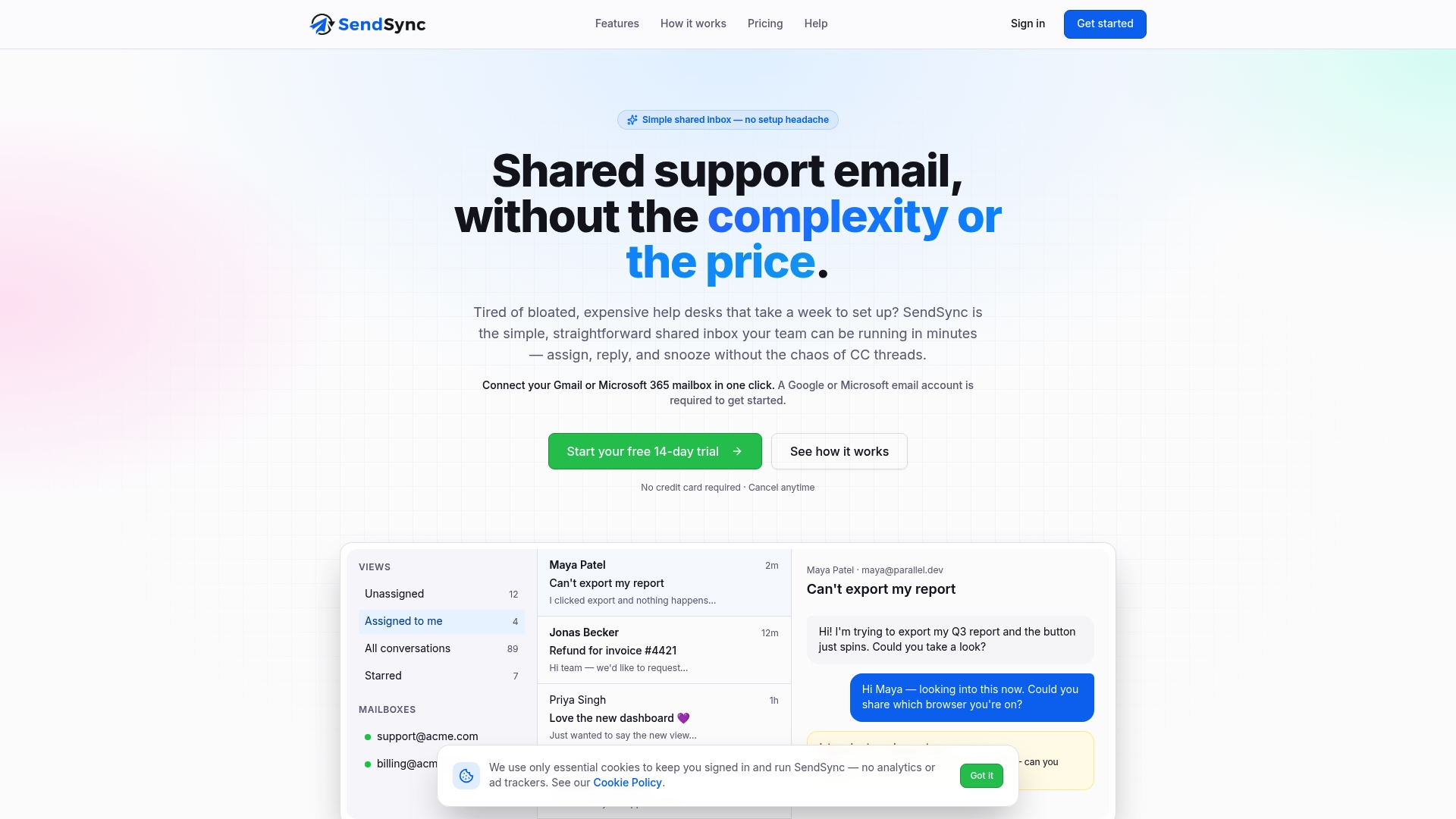
Sendsync is a shared inbox built specifically for support teams that need visibility without the setup overhead of a traditional help desk. Connect your Gmail or Microsoft 365 mailbox in minutes, and your team immediately gains collision detection, per-thread assignment, real-time status tracking, and performance analytics. There are no per-seat fees, which means visibility scales with your team without scaling your costs. If duplicate replies and missed tickets are costing you customer trust, Sendsync gives you the infrastructure to fix that today.
FAQ
What does visibility mean in a team inbox?
Visibility in a team inbox means every team member can see message ownership, current status, and real-time activity on each thread. This shared awareness prevents duplicate replies and ensures every ticket has a clear owner.
How does collision detection work in team inboxes?
Collision detection alerts agents in real time when two people open or begin replying to the same email thread. Per-thread locking and real-time indicators stop conflicting responses before they reach the customer.
When should a team switch from a shared mailbox to a team inbox?
Teams handling more than 30 support emails per day, or working across multiple shifts and time zones, need a team inbox. Shared mailboxes lack assignment and status systems, which makes coordination unreliable at that volume.
Can visibility tools replace team communication protocols?
No. Visibility tools provide the infrastructure, but collision detection without workflow conventions leads to silent delays where agents hesitate instead of acting. Both the tool and the team rules are required.
How does inbox visibility help managers track performance?
Managers use visibility data to access dashboards showing average first response time, SLA compliance, and individual workload. These metrics require real-time status capture that shared mailboxes cannot provide.