
Read Receipts in Team Email: What You Need to Know
Read Receipts in Team Email: What You Need to Know ! Professional woman managing read receipts on laptop Read receipts confirm that a recipient opened your email, but they are not a guarantee that the message was actually read or acted on.

Read receipts confirm that a recipient opened your email, but they are not a guarantee that the message was actually read or acted on. In team email communication, the role of read receipts sits somewhere between useful signal and potential trust hazard, depending entirely on how you use them. They work as conditional notifications: the recipient’s email client sends a return message to the sender, but only if the recipient approves it. That approval step is what makes them unreliable as a hard confirmation tool.
A few things to understand before you start requesting them:
A delivery receipt confirms the email reached the recipient’s mailbox. A read receipt confirms the email was opened. These are two separate functions, and Microsoft Support documents both clearly in Outlook’s tracking options.
Recipients can decline to send a read receipt, and many do.
Mobile clients and privacy-focused settings frequently block read receipt requests entirely.
No read receipt does not mean the email went unread. It may simply mean the recipient declined, or their client blocked it.
Microsoft Outlook is the most common environment where teams encounter read receipt prompts, though Gmail Workspace supports them too.
Used selectively, read receipts help you time follow-ups and confirm engagement on high-stakes messages. Used routinely, they erode trust.
How to request and manage read receipts in Microsoft Outlook
Outlook makes requesting a read receipt straightforward, but managing the responses takes a bit more thought.
To request a read receipt while composing a message:
Open a new email in Outlook.
Go to the Options tab on the ribbon.
Under Tracking, check Request a Read Receipt and/or Request a Delivery Receipt.
Send the message normally.
To set how Outlook responds when you receive a read receipt request:
Go to Settings > Mail > Message handling.
Under Read receipts, choose your preferred response: always send, never send, or ask each time.
A few practical notes on managing this well:
Avoid enabling read receipts globally for all outgoing mail. Request them per message when the situation genuinely calls for it.
When a recipient declines your read receipt request, Outlook notifies you of the declination. That is still useful information.
Gmail Workspace users can request read receipts through the three-dot menu in the compose window, but this feature is available only on Google Workspace accounts, not personal Gmail.
If you never receive a receipt, do not assume the email was ignored. Follow up through a different channel if the message was truly time-sensitive.
Pro Tip: Set Outlook to “ask me” mode for responding to read receipt requests rather than auto-sending or auto-declining. This gives you control without creating a blanket policy that could frustrate colleagues.
When is it appropriate to request read receipts for team emails?
Read receipt etiquette in professional settings comes down to one question: does the other person need to know you are tracking this? If the answer makes you uncomfortable, that is a signal.
Appropriate situations for requesting a read receipt include high-stakes messages where timing matters, such as legal notices, compliance updates, contract approvals, or time-sensitive project deadlines. Sales teams also use them to time follow-up calls, which is one of the most cited legitimate use cases for read receipts in professional communication.
Routine use is where things go wrong. Surveys show that many recipients perceive read receipts as intrusive, creating anxiety and a sense of being monitored rather than communicated with. When a manager sends every email with a read receipt attached, the implicit message is “I’m watching whether you opened this.” That perception damages the kind of trust that makes teams function well.
A few etiquette principles worth following:
Reserve read receipts for exceptional cases, not standard team correspondence.
Never use them as a substitute for a clear subject line or a direct follow-up conversation.
If you work with external contacts, be aware that requesting a read receipt can read as aggressive or mistrustful in some industries.
Inform your team if you plan to use read receipts regularly on certain threads, so the practice does not feel like surveillance.
The psychological gap here is real: senders see read receipts as a timing tool, but recipients often feel pressure to respond immediately once they know the sender knows they opened the message. That pressure is a form of emotional labor that accumulates over time.
Pro Tip: Adopt a selective read receipt strategy by default: off for general team emails, on only for messages where confirmed engagement genuinely changes your next action.
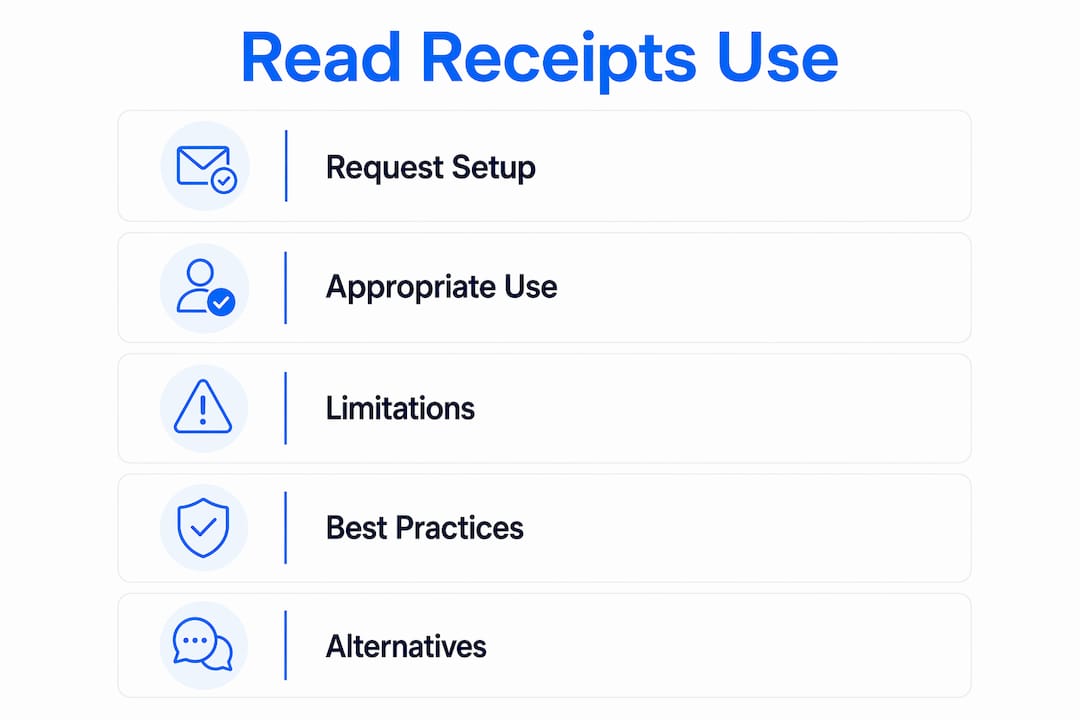
What are the real limitations of read receipts in professional email?
Read receipts are less reliable than most people assume, and the gap between what they promise and what they deliver is wide enough to cause real problems if you treat them as definitive.

The core limitation is consent. As Gmail’s documentation confirms, recipients must manually approve the sending of a read receipt in most clients, including Outlook. There is no way to force this. A recipient can decline every request without any obligation to explain why.
Mobile clients compound the problem. Many mobile email apps either do not support read receipts at all or automatically block tracking pixels, which are the underlying mechanism some platforms use to detect email opens. This means a recipient who reads your email on their phone may generate no receipt whatsoever, even if they intended to respond.
Other limitations to keep in mind:
Some corporate IT policies disable read receipt functionality at the server level.
Auto-preview features in email clients can sometimes trigger a read receipt without the recipient actually reading the message.
Read receipts track opens, not comprehension. An opened email is not a read email.
Microsoft Teams handles read receipts differently than email entirely. In Teams, a read receipt only triggers when the recipient is active in the chat window, not when they see a notification preview. Group chats with fewer than 20 members show a detailed “Read by” list, but the same active-window rule applies.
The bottom line: a missing read receipt tells you almost nothing. Treat it as a weak signal, not a confirmation.
Best practices for teams using read receipts effectively
The most effective approach for teams is to treat read receipts as a targeted tool rather than a default setting. Here is how to build a policy that actually works.

Disable read receipts by default. For general team correspondence, internal updates, and routine project emails, read receipts add friction without adding value. Turn them off at the account level and enable them per message when needed.
Enable selectively for high-priority threads. Legal communications, contract deadlines, compliance notices, and client-facing messages with time-sensitive terms are the right use cases. Agree with the relevant contacts in advance when possible.
Combine with aggregated analytics. For managers who want visibility into team communication patterns, aggregated email analytics tools provide team-level metrics on response times and volume without monitoring individual employees. This approach gives you the operational insight you need without the trust cost of individual read receipt tracking. Sendsync’s real-time inbox visibility features work on a similar principle, giving support teams a shared view of conversation status without singling out individuals.
Establish a written protocol. Teams that handle client communications or legal correspondence benefit from a short internal policy that specifies when read receipts are appropriate. This removes ambiguity and prevents individual managers from applying the tool inconsistently.
Pro Tip: When you do request a read receipt, pair it with a clear subject line that signals urgency, such as “Action required by Friday.” The subject line does more work than the receipt itself.
What are the alternatives to read receipts for confirming email engagement?
Read receipts are one tool among several, and for most team communication, the alternatives work better.
Explicit acknowledgment requests are the simplest fix. Ending an email with “Please reply to confirm you’ve received this” generates a response that is far more reliable than a read receipt. It also creates a paper trail.
Shared inbox platforms give teams visibility into email status without individual tracking. When your team manages email through a shared inbox, every member can see whether a message has been opened, assigned, or replied to, without anyone feeling monitored. Sendsync is built around this model, connecting Gmail and Microsoft 365 mailboxes so teams can manage conversations collaboratively.
Project management integrations work well for task-related communications. Moving action items into a tool like Asana or Trello, then referencing them in email, shifts the confirmation burden from email receipts to task status updates.
Direct follow-up remains the most reliable method for truly critical messages. A phone call or a quick message through a team chat tool confirms receipt faster and more definitively than any automated notification.
For contractors and project-based teams, a structured follow-up system that combines email, task tracking, and scheduled check-ins tends to outperform read receipts on every dimension that matters: reliability, clarity, and relationship quality.
How should teams handle privacy and legal compliance around read receipts?
Privacy concerns around read receipts are not hypothetical. In jurisdictions covered by regulations like the California Consumer Privacy Act (CCPA), tracking user behavior, including email opens, can carry compliance implications depending on how the data is stored and used.
For internal team emails, the risk is lower but not zero. Employees have a reasonable expectation of some privacy even in professional communication, and using read receipts as a monitoring tool rather than a communication aid can create legal exposure in some employment contexts.
For external communications, particularly with customers or clients, a few guidelines apply:
Do not use tracking pixels or third-party read receipt tools without disclosing this in your privacy policy.
If you operate in the EU or California, review whether your email tracking practices require disclosure under GDPR or CCPA respectively.
Store read receipt data only as long as operationally necessary. Retaining records of when specific individuals opened emails can constitute personal data under some frameworks.
Prefer opt-in tracking over passive tracking wherever possible.
The safest approach for most teams is to use the native read receipt functionality built into Outlook or Gmail Workspace, which requires recipient consent by design, rather than third-party tracking tools that operate without it.
Key Takeaways
Read receipts serve a narrow but legitimate role in team email: they confirm message opens for high-stakes communications, but they are too unreliable and too disruptive to use as a default tracking method.
Point | Details |
|---|---|
Consent is required | Recipients can decline read receipts in Outlook and most clients, making them an imperfect confirmation tool. |
Mobile clients often block them | Many mobile apps do not support read receipts, so a missing receipt does not mean the email was ignored. |
Selective use protects trust | Experts recommend reserving read receipts for legal, compliance, or time-sensitive messages, not routine correspondence. |
Aggregated analytics are a better fit for teams | Team-level email analytics provide visibility into response patterns without monitoring individual employees. |
Alternatives often work better | Explicit acknowledgment requests, shared inboxes, and direct follow-ups are more reliable than read receipts for most team communication. |