
Why Siloed Inboxes Hurt Support Team Efficiency
Why Siloed Inboxes Hurt Support Team Efficiency ! Support team lead managing siloed inboxes workspace Siloed inboxes are isolated communication hubs where customer conversations stay locked inside individual email accounts, invisible to the rest of the support team.

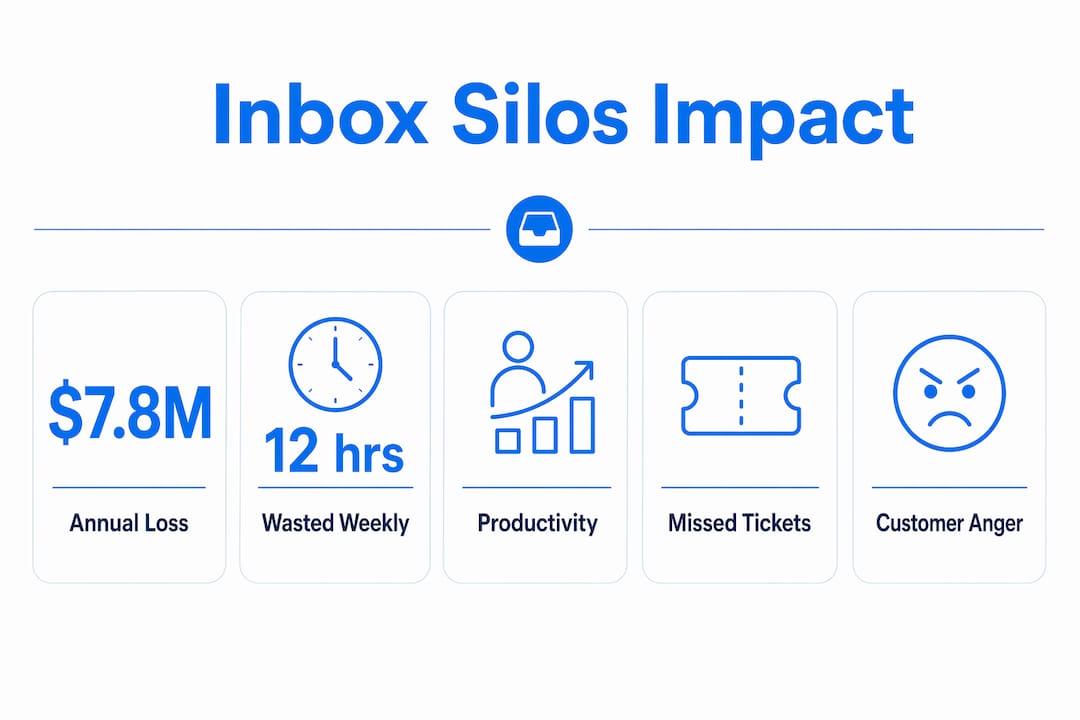
Siloed inboxes are isolated communication hubs where customer conversations stay locked inside individual email accounts, invisible to the rest of the support team. This fragmentation is the leading cause of duplicated effort, missed tickets, and slow response times in customer support. Research shows organizations lose $7.8 million annually to productivity losses caused by disconnected systems. That number reflects a structural problem, not a staffing one. Sendsync exists specifically to fix this by giving support teams a shared inbox that replaces scattered individual accounts with one unified workspace.
Why siloed inboxes hurt support workflows
Siloed inboxes create a specific kind of waste that compounds over time. Employees spend 12 hours weekly searching across disconnected systems for information they should already have at their fingertips. That is nearly a third of a standard workweek consumed by hunting, not helping.
The damage goes beyond lost hours. When each agent works from a private inbox, no one else can see what was promised to a customer, what was escalated, or what is still waiting for a reply. A customer who emails twice gets two different agents responding with conflicting information. A ticket that needs a second opinion sits unanswered because the first agent is out sick and no one else knows it exists.

Communication silos reduce overall team productivity and lower employee morale at the same time. Agents feel isolated, managers lose visibility into workload distribution, and customers feel the friction directly through slower, inconsistent responses.
The core siloed inboxes disadvantages break down like this:
Duplicated effort: Two agents reply to the same customer without knowing the other responded.
Missed tickets: Emails buried in a personal inbox go unanswered when the owner is unavailable.
No audit trail: Managers cannot review conversation history or measure response times accurately.
Poor handoffs: Context gets lost when a ticket moves between agents because there is no shared record.
Slow escalations: Urgent issues sit in one person’s inbox instead of being visible to the whole team.
Each of these problems feeds the others. Missed tickets create angry customers. Angry customers require longer resolution conversations. Longer conversations consume more agent time. The cycle is self-reinforcing, and it starts with the inbox structure itself.
What causes siloed inboxes in customer support?
The root cause of inbox silos is rarely a technology gap. Poor communication silos reduce organizational productivity by 40%, and the primary driver is what researchers call the “friction of documentation.” Knowledge lives in conversations, and capturing it requires effort that most agents skip under pressure.
Support teams fragment for predictable reasons:
Tool sprawl: Teams add new communication channels (email, chat, social) without connecting them to a central record. Each tool becomes its own island.
Individual ownership habits: Agents treat their inbox as personal property. Sharing feels like surveillance, so information stays private by default.
No shared responsibility policy: Without a clear rule that all customer communication belongs to the team, individuals make their own choices about what to document.
Inconsistent onboarding: New agents learn from whoever trained them. If that person worked in silos, the new agent inherits the same habits.
Legacy email setup: Teams that started with Gmail or Outlook and never migrated to a shared system carry those habits forward indefinitely.
Knowledge trapped in individual heads degrades organizational memory over time. When a senior agent leaves, their entire history of customer relationships leaves with them. There is no record, no context, and no continuity for the customers they served.
Pro Tip: Audit your team’s inbox structure before buying any new tool. If you cannot answer “who owns this customer conversation right now?” in under 10 seconds, you have a silo problem that technology alone will not fix.
The behavioral challenge is real. Agents under pressure default to the fastest path, which is usually their personal inbox. Fixing silos requires removing that path entirely, not just asking people to take a longer one.
Why manual email logging fails to fix inbox silos
Manual logging is the most common first attempt at fixing siloed inboxes. Managers create a policy: agents must copy every customer email into the CRM or shared folder. Manual logging stops within weeks because the added administrative work conflicts directly with agents’ primary job of responding to customers.
The failure mode is predictable. Agents comply when the policy is new and managers are watching. Compliance drops as ticket volume rises. Within a month, the CRM has gaps. Within a quarter, it is unreliable. Managers stop trusting it. Agents stop updating it. The silo reforms.
The specific reasons manual logging fails:
It adds steps to every interaction. Agents must switch context, open a second system, and re-enter information they already typed once.
It relies on perfect memory. A busy agent handling 50 tickets a day will miss entries. There is no system to catch the gaps.
It creates compliance inequality. Some agents log everything. Others log nothing. The shared record becomes a partial picture that misleads more than it informs.
It punishes thoroughness. The agent who logs carefully takes longer per ticket and looks less productive on volume metrics.
Pro Tip: If your fix for siloed inboxes requires agents to change their behavior every single time they send an email, the fix will fail. Automation that captures communication without any agent action is the only approach that holds at scale.
Automated capture maintains accurate records without requiring behavioral change from agents. The system logs the communication automatically, regardless of whether the agent remembers to do it. That is the only model that survives real workload pressure.
What are the best practices for overcoming inbox silos?
The most effective solution to inbox fragmentation is a unified inbox where all customer conversations are visible to the entire team. This is not just a feature preference. True visibility requires a unified data model where conversation history and business context coexist, not a patchwork of integrations between separate tools.
Adding more integrations between disconnected inboxes often creates more complexity rather than solving the underlying fragmentation. Each new bridge between tools is another point of failure, another sync delay, and another place where context gets dropped.
Siloed inbox approach | Unified inbox approach |
|---|---|
Each agent owns their own email account | All agents share one visible inbox |
Ticket history lives with one person | Full conversation history is accessible to the whole team |
Managers guess at workload distribution | Managers see real-time ticket assignment and status |
Handoffs require manual briefing | Context transfers automatically with the conversation |
Compliance depends on individual behavior | Visibility is built into the system by default |
The best practices for breaking down inbox silos follow a clear sequence:
Centralize first. Move all customer-facing email to a shared address before adding any other tool.
Assign ownership at the ticket level, not the inbox level. Any agent can see any ticket, but one agent is responsible for each one.
Automate status updates. When a ticket is replied to, reassigned, or resolved, the system updates automatically without agent input.
Build visibility into reporting. Managers should see response time, ticket age, and agent workload from a single dashboard.
Security matters when moving to shared inboxes, especially for teams using AI agents. Shared inboxes for AI agents increase risks including prompt injection and failure isolation problems. Dedicated inboxes per AI agent contain failures and make activity traceable. Human teams benefit from shared visibility, but AI automation requires dedicated channels to stay secure and auditable.
Sendsync connects directly to Gmail or Microsoft 365 without DNS configuration or long setup. Teams get shared inbox best practices built into the platform from day one, including assignment, conversation history, and team visibility. The unlimited-user pricing model means the cost does not scale against you as the team grows.
Pro Tip: When evaluating shared inbox platforms, test the setup time before anything else. If it takes more than a day to connect your existing email accounts, the adoption barrier is already working against you.
Key Takeaways
Siloed inboxes are a structural problem that manual policies cannot fix. Unified inbox platforms with built-in automation and team visibility are the only reliable solution for support teams at any scale.
Point | Details |
|---|---|
Silos cost real money | Organizations lose $7.8 million annually to productivity losses from disconnected systems. |
Manual logging always fails | Agents abandon logging policies under workload pressure; automation is the only durable fix. |
Visibility requires a unified model | Integrations between separate tools add complexity; a single shared inbox removes it. |
Security needs dedicated channels | AI agents require isolated inboxes to prevent interference and maintain traceability. |
Setup speed determines adoption | Platforms that connect to existing email in minutes get used; complex ones get abandoned. |
The real problem with inbox silos is cultural, not technical
Most managers I talk to frame inbox silos as a software problem. They think buying a new tool will fix it. The tool is necessary, but it is not sufficient.
The deeper issue is that siloed inboxes reflect a culture where individual agents own customer relationships instead of the team owning them. That ownership feels natural to agents. It gives them control, accountability, and a sense of professional identity. Asking them to give it up requires more than a new platform. It requires a clear explanation of why visibility benefits everyone, including them.
Visibility in a team inbox protects agents as much as it helps managers. When a customer escalates a complaint, the shared record shows exactly what was said and when. The agent is protected by the audit trail, not exposed by it.
The teams I have seen fix their silo problems fastest share one trait: the manager modeled the behavior first. They moved their own communications into the shared inbox, assigned tickets publicly, and made their own workload visible. That signal matters more than any policy document.
Technology handles the mechanics. Culture handles the adoption. You need both, and you have to sequence them correctly. Get the platform right first, then build the habits around it.
— Nick
How Sendsync helps support teams eliminate inbox silos
Support teams that have outgrown individual inboxes but want to avoid the complexity of enterprise help desks have a direct path forward with Sendsync.
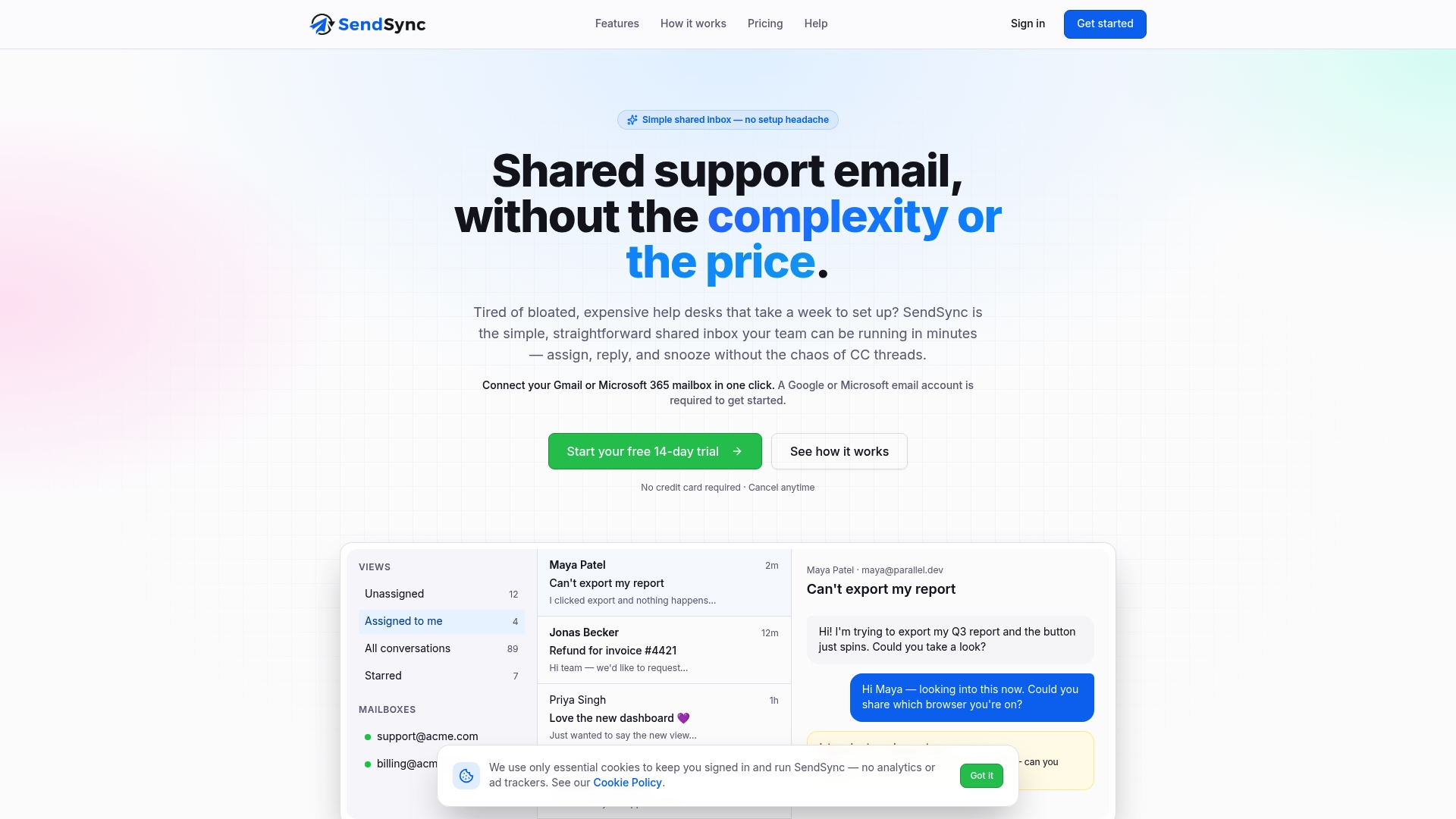
Sendsync connects to Gmail or Microsoft 365 in minutes, with no DNS changes and no lengthy configuration. Every customer conversation becomes visible to the whole team. Agents assign tickets, add internal notes, and track conversation history without switching between tools. The unlimited-user pricing means growing teams pay for the platform, not for each seat added. Teams looking for scalable inbox workflows can get started immediately and see the impact on response times within the first week. Visit Sendsync to connect your existing inbox and give your team the visibility it needs.
FAQ
What are siloed inboxes in customer support?
Siloed inboxes are individual email accounts where customer conversations are visible only to the account owner. They prevent team members from seeing ticket history, workload, or context from other agents.
How much productivity do inbox silos cost?
Organizations lose $7.8 million annually to productivity losses from disconnected systems, with employees wasting 12 hours per week searching for information across siloed tools.
Why do manual email logging policies fail?
Manual logging adds administrative steps that agents skip under workload pressure. Compliance drops quickly, leaving incomplete records that managers cannot rely on.
What is the best fix for siloed inboxes?
A shared inbox platform that connects to existing email accounts and makes all conversations visible to the team is the most effective fix. Automation that captures communication without agent input is the key feature to prioritize.
Are shared inboxes safe for teams using AI agents?
Human support teams benefit from shared visibility, but AI agents need dedicated inboxes. Shared inboxes for AI agents create security risks including prompt injection and failure traceability problems.