
Use 3 Micro Templates to Fix Internal Notes Email for Support Teams
Use 3 Micro Templates to Fix Internal Notes Email for Support Teams ! Support lead reviewing internal notes workflow Internal notes belong on the case thread, not in a separate reply chain, and they exist for case-specific collaboration, not permanent documentation.

Internal notes belong on the case thread, not in a separate reply chain, and they exist for case-specific collaboration, not permanent documentation. The fastest way to cut internal email clutter is pairing every note with a clear tag and an owner, which turns scattered replies into a searchable audit trail. When a decision repeats across cases, link the note to the knowledge base or release doc instead of retyping it.
TL;DR:
- Effective internal notes should be case-specific, automatically attributed, and follow a clear format of summary, context, and next steps.
- Notes must be tagged consistently and kept brief, with templates for approvals, escalations, and status updates to encourage regular use.
- Differentiate between notes for individual cases, knowledge base articles, and internal release notes to avoid inbox clutter and ensure proper channel use.
- Internal release notes need a structured approach, taking 15 to 20 minutes to write, including a clear title, summary, affected teams, action items, and relevant links.
- Using a shared inbox tool like SendSync enables quick setup, case-level notes, and organized workflows, reducing internal email volume effectively.
Table of Contents
- What Counts as an Internal Notes Email, and What Doesn’t?
- How Do You Write an Internal Note People Actually Trust?
- Notes vs. Knowledge Base vs. Release Notes: Which Channel Do You Use?
- What Belongs on an Internal Release Note Checklist?
- What Governance Rules Should Apply to Internal Notes?
- How Do You Roll Out Internal Notes Across Your Team?
- Why Do So Many Teams Still Get This Wrong?
- Try SendSync for Faster Internal Notes Without the Setup Headache
- Sources
- FAQ
What Counts as an Internal Notes Email, and What Doesn’t?
An internal notes email captures the reasoning behind a single case, not the procedure everyone should follow. It lives inside the conversation thread, visible to teammates but never to the customer, and it answers a narrow question: what happened here, and what should happen next.
Support teams get the most value from notes on:
- Escalations that need context before a manager jumps in
- Refund or credit approvals that require a paper trail
- Troubleshooting history so the next agent doesn’t repeat failed steps
- Handoffs between shifts, time zones, or specialists
Where teams go wrong is treating notes like a wiki. A note explaining “how we handle chargebacks in general” will get buried the moment the case closes, and the next agent who needs that policy has no way to find it. Notion’s guidance on internal communications makes the same point: case-specific collaboration belongs in the moment, but recurring procedures need a durable, linkable home. If a note keeps getting copy-pasted across cases, that’s the signal to promote it to the knowledge base and just link it going forward.
How Do You Write an Internal Note People Actually Trust?
Notes only work if the next person reading them believes what they say. That means every note needs a timestamp, an author, and a tone that reads like a status update, not a text message to a friend.
Three rules make notes reliable over time:
- Attribute and timestamp automatically. Most shared inboxes stamp this for you, but if yours doesn’t, add it manually. Notion’s internal comms templates frame timestamped, attributed notes as the backbone of an audit trail, especially useful when a case gets reopened weeks later and nobody remembers who touched it.
- Write in the format: summary, context, next step. One line stating what’s going on, one or two lines of context, and an explicit owner or action. Skip the summary and readers have to reconstruct the whole case just to figure out what you meant.
- Tag consistently. Use the same keyword for “waiting on billing” every time, not three different phrasings that all mean the same thing. Consistent tags are what make saved views and searches actually work.
Here are three micro-templates worth keeping pinned somewhere your team can copy them:
Approval: “Approved $40 refund per policy X. Reason: shipping delay over 10 days. No further action needed.”
Escalation: “Escalating to Tier 2. Customer reports repeat login failures across 3 sessions. Steps tried: password reset, cache clear. Owner: Priya, due EOD.”
Status update: “Waiting on warehouse confirmation for return #4471. Will follow up Thursday if no reply. Owner: me.”
Pro Tip: Keep templates to three lines or less. A note that takes 30 seconds to write gets written consistently; a note that takes five minutes gets skipped the moment someone’s slammed.
Notes vs. Knowledge Base vs. Release Notes: Which Channel Do You Use?
Most internal email clutter comes from picking the wrong channel, not from writing bad content. The decision rule is simple once you say it out loud: if it’s specific to one case, it’s a note; if it will happen again, it’s a knowledge base article; if it affects how the whole team works starting today, it’s an internal release note.
- Case-specific reasoning (why this refund, why this escalation) stays on the thread as a note.
- Recurring procedures (how to process a return, how to verify identity) belong in the knowledge base, linked from the note rather than re-explained inside it.
- Coordinated changes (a new tool, a policy update, a workflow change) go out as an internal release note distributed to everyone affected at once.
Mixing these up is exactly what floods inboxes. A note that tries to double as a policy reference gets copy-pasted into a dozen other cases, and a policy change buried in one agent’s note never reaches the rest of the team. Notion’s internal comms guidance treats this kind of channel discipline as a bigger lever than any formatting fix, and it’s usually the fastest way to bring internal email volume down without changing a single tool.
What Belongs on an Internal Release Note Checklist?
A good internal release note takes 15 to 20 minutes to write when you follow a fixed structure, according to ClickUp’s breakdown of internal release notes. The mistake most teams make is either writing for engineers only or skipping the note entirely because “everyone already knows.”
Run through this checklist before you hit send:
- Plain-language title. Skip the ticket number in the headline; describe the change in one phrase a non-technical reader understands.
- One-line summary for non-engineers. What changed, in a sentence anyone on the team can read in five seconds.
- Affected teams. Name who needs to act, not just who’s curious.
- Action items with owners and deadlines. Vague notes get ignored; assigned tasks get done.
- Known issues and workarounds. If something’s broken, say how to work around it today.
- Links to tickets or pull requests. Let readers dig deeper without bloating the note itself.
- Owner or contact. Someone people can reach with questions.
| Step | What happens | Who’s involved |
|---|---|---|
| 1. Deploy lands | Change goes live in production | Engineering |
| 2. Draft the note | Fill the checklist above | Feature owner |
| 3. Non-engineer review | Five-minute read for clarity | Support lead |
| 4. Add links and owner | Attach tickets, name a contact | Feature owner |
| 5. Publish | Post to the internal channel or wiki | Feature owner |
| 6. Confirm receipt | Affected teams acknowledge | Support team |
For small teams that live in chat, posting the note directly to a team channel works fine. Larger teams do better with a versioned note in a wiki and a link dropped into the channel, according to the same ClickUp guidance, because chat history disappears and wiki pages don’t.
What Governance Rules Should Apply to Internal Notes?
Notes feel private, but they often aren’t. Depending on your platform, notes can be retained, exported, or pulled into an audit, so writing them as if they’re invisible is a mistake.
- Assume a note might get exported for a compliance review someday, and write it that way.
- Skip unnecessary sensitive details, like full account numbers or personal information, and link to the record instead of repeating it.
- Define who can see notes, whether that’s the whole team or just the assigned agent, and stick to that rule consistently.
- Set a retention period that matches your company’s broader data policy, not an arbitrary one.
Notion’s internal comms templates treat notes as part of the compliance record rather than a throwaway scratchpad, which is the right default. A documented audit trail makes future reviews faster and protects the team when a case gets questioned months later.
How Do You Roll Out Internal Notes Across Your Team?
Rolling out notes badly is how teams end up right back in a cluttered inbox within a month. A short, deliberate rollout designed with care management workflow best practices avoids that.
- Pick one notes field. Don’t let people scatter context across comments, tags, and email replies. One field, every time.
- Set tagging and mention rules. Decide on shared tags for statuses like “waiting on customer” or “needs manager approval,” and use @mentions to route notes to the right person.
- Train with real examples. Show three or four real notes, good and bad, rather than describing the rules abstractly.
- Run a short review cycle. Spend a week having a lead spot-check notes before the habit sets in.
- Measure the change. Track internal reply rate, time-to-ownership on a case, and how many threads get forwarded instead of noted, comparing the numbers before and after rollout.
This kind of structured rollout, pairing a single notes field with tagging rules and a short review period, is what separates teams that actually cut internal email from teams that just add another tool. Saved views and short macros speed this up further. An agent who can pull up “escalations tagged Tier 2, unassigned” in one click stops needing to email a manager to ask what’s outstanding. The same logic applies to handoffs between shifts or specialists: a well-tagged note does the work that three internal emails used to do.
Pro Tip: Build your first macros around the micro-templates above. If the approval template is one click away, agents will use it instead of typing a fresh paragraph every time.
Why Do So Many Teams Still Get This Wrong?
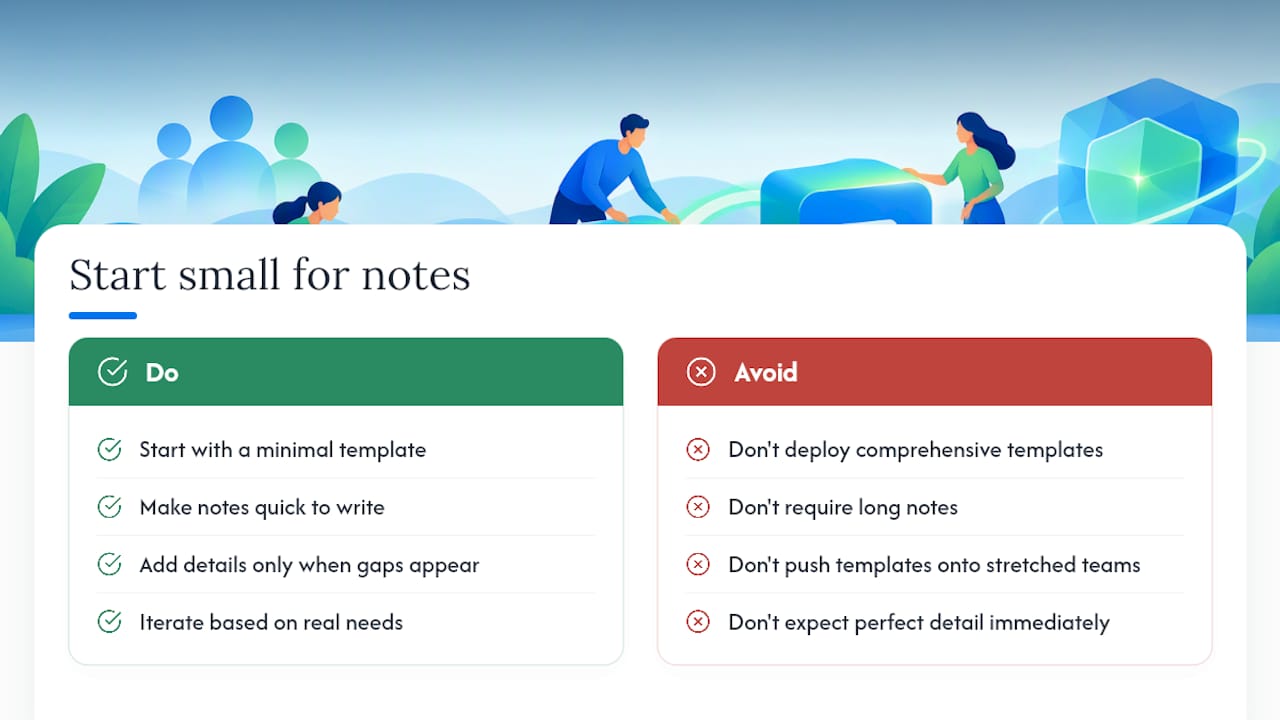
The tension is always between speed and completeness. A note written in ten seconds might miss the one detail the next agent needs, but a note that takes five minutes to craft won’t get written consistently, especially during a busy shift. Most adoption failures come down to leadership pushing detailed note templates on a team that’s already stretched thin, rather than starting with something small enough to become a habit.
The teams that succeed usually cut the template down until it’s almost too simple, then add detail only where a real gap shows up. That’s a more useful starting point than any comprehensive framework rolled out all at once.
— Nick
Try SendSync for Faster Internal Notes Without the Setup Headache
Sendsync is built around exactly the kind of case thread this guide describes: a shared inbox where notes live right next to the conversation, visible to your team and invisible to the customer. It connects directly to Gmail or Microsoft 365 in minutes, with no DNS configuration standing between you and a working setup, which matters if your team has ever lost a week to a traditional help desk migration.

Assignment, saved views, and simple automations come standard, so tagging an escalation or filtering “unassigned refunds” doesn’t require a separate tool. Pricing runs flat across unlimited users, starting with the Founder plan at $10 per month, scaling up through Starter, Growth, and Scale as your team grows, with no per-seat fees to recalculate every time you hire. If your team is still routing internal notes through reply-all threads, see how SendSync’s plans work and start a trial today.
Sources
For deeper detail on the frameworks referenced above, Notion’s guide on internal communications best practices and its internal comms templates collection cover documentation structure in more depth. ClickUp’s internal release notes guide walks through the six-step publishing routine in full. For related workflow examples, see SendSync’s guide to building an email escalation workflow.
FAQ
What Is an Internal Notes Email Used For?
An internal notes email documents case-specific reasoning, like why a refund was approved or what troubleshooting steps already failed, so teammates don’t have to guess or ask. It stays on the case thread rather than going out as a separate message, and it’s meant for one case, not a general policy.
Should Internal Notes Replace the Knowledge Base?
No. Notes handle one-off case context, while the knowledge base holds procedures that repeat across many cases. Notion’s internal comms guidance recommends linking to the durable source instead of retyping it inside a note.
How Long Should an Internal Release Note Take to Write?
A well-structured internal release note takes about 15 to 20 minutes when you follow a fixed checklist covering title, summary, affected teams, and owner, according to ClickUp’s release notes guide. Skipping the structure is what makes notes take longer or get skipped entirely.
Can Internal Notes Be Audited or Exported Later?
Yes. Many platforms retain or allow export of internal notes, so they can become part of a compliance or audit review. Writing notes factually and avoiding unnecessary sensitive detail, as Notion’s templates guidance recommends, keeps that risk low.
Does SendSync Support Internal Notes in a Shared Inbox?
Yes. SendSync includes case-level internal notes alongside assignment, tagging, and saved views, all inside a shared inbox that connects to Gmail or Microsoft 365 without DNS setup. Current pricing and plan details are available on SendSync’s site.