
Top 6 Thunaivi.io Alternatives for Shared Inbox Software 2026
Top 6 Thunaivi. io Alternatives for Shared Inbox Software 2026 !

Managing team email with rigid, costly shared inbox tools makes coordination and budget control harder than expected. Platforms often lock key features to expensive seats or restrict channels to one provider, making them a poor fit for growing or cross-platform teams. This comparison covers setup, pricing, and channel support so you can pick a shared inbox tool that matches your team’s workflow and budget needs.
Table of contents
Sendsync
At a glance
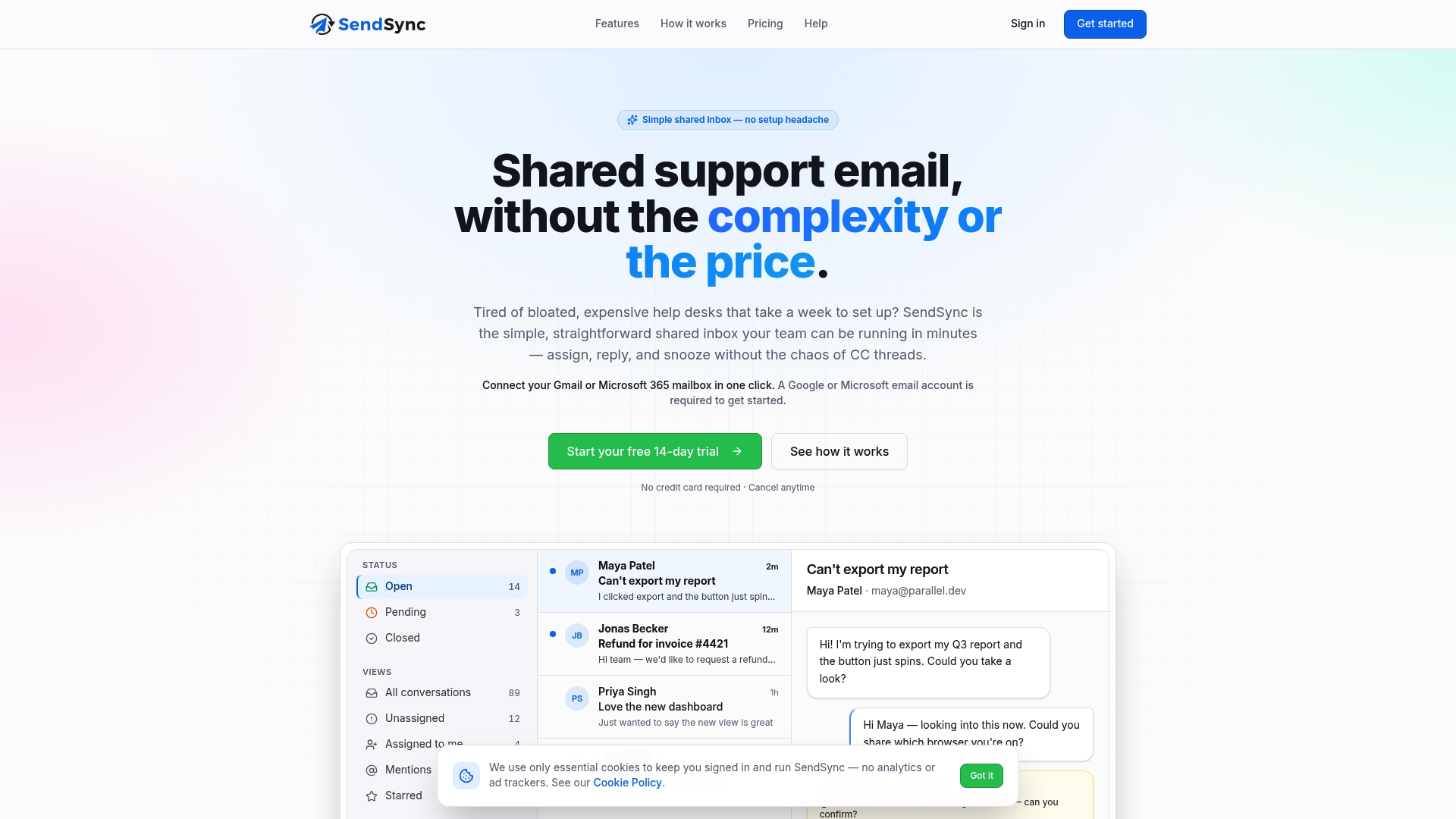
One-click mailbox connection without DNS setup. According to the company, it can be set up in just a few minutes. SendSync centers on a thin shared inbox that connects Gmail and Microsoft 365 mailboxes while avoiding DNS configuration. The product pairs simple assignment and reply workflows with built-in analytics and automation.
Core features
Single shared inbox for Gmail and Microsoft 365 mailboxes. Teams see all support conversations in one place and assign messages to staff.
One-click mailbox connection that avoids DNS changes. The vendor advertises a fast connection process that reduces setup steps.
Team triage tools with internal notes, mentions, and assignment. Agents can comment privately and hand off conversations.
Automation rules based on subject, sender, or body content plus tags and saved views. Use rules to route or label messages automatically.
Real-time metrics and saved views for monitoring support performance. Basic analytics show team throughput and response behavior.
Key differentiator
Fast, no configuration setup with flat-rate tiered pricing and automation for support workflows. That mix puts setup speed and predictable costs ahead of complex ticketing features. Teams that want to turn a mailbox into a collaborative support inbox quickly will see the difference in reduced administrative work. The automation options let small teams replicate simple routing without scripting.
Pros
Easy deployment and low administrative overhead. Connecting a mailbox without DNS changes reduces IT coordination and gets teams answering email sooner.
Predictable pricing with no per-agent fees. Flat-rate plans let you add users without per-seat billing and help control recurring costs.
Automation improves repeatable routing and reduces manual triage. Rules based on subject, sender, or body reduce the number of messages that need manual assignment.
Built-in analytics for monitoring team performance. Real-time metrics and saved views make it easier to spot response-time problems.
Supports the two major mailbox platforms most teams already use. Native connections to Gmail and Microsoft 365 avoid extra forwarding work.
Cons
Limited to email support only; there is no native chat or social media channel support.
Notable integrations
Gmail
Microsoft 365
Who it’s for
Support teams in small to mid-sized organizations that need a straightforward shared email inbox. Teams that want quick setup, predictable billing, and basic automation will get the most value. Organizations requiring omnichannel support or advanced ticket escalation will need a different tool.
Unique value proposition
Flat-rate pricing with unlimited users and no per-seat fees. That pricing model removes growth friction for teams that add agents frequently. Combined with the one-click mailbox connection, the model shortens the time from signup to handling live customer email while keeping monthly costs predictable.
Real world use case
A startup connects its support Gmail to SendSync, creates a few automation rules for order and billing queries, and assigns two agents to triage. Agents use internal notes to coordinate replies and watch the built-in metrics to keep response times steady. The team avoids building a full help desk while improving email response consistency.
Pricing
Starting at $10/month with flat plans and unlimited users and no per-agent fees. The vendor offers discounts for multi-year commitments and tiered plans that scale by feature set rather than by seat count.
Website: https://sendsync.com
Gmelius

At a glance
Gmelius’s marketing materials state it adheres to SOC 2, GDPR, and CCPA privacy principles. That compliance focus sits alongside an embedded AI assistant called Meli that handles drafting, scheduling, and sorting inside Gmail. The product centers email collaboration so teams can work without leaving their inbox.
Core features
Gmelius builds collaboration directly into Gmail with shared inboxes and labels that multiple teammates can use. It includes AI driven drafting and automated follow up sequences to reduce repetitive work. The platform offers meeting scheduling, templates, conversation tags, and analytics for response times and workload. Automation rules let teams triage incoming mail and trigger actions without external scripting.
Key differentiator
Gmelius embeds AI driven automation and collaboration inside Gmail itself. That tight Gmail integration makes it work where teams already live. This focus fits Google Workspace teams and differs from Sendsync, which emphasizes quick setup for Gmail and Microsoft 365 mailboxes with minimal DNS configuration.
Pros
Seamless Gmail context. Teams reply, comment, and share drafts without switching apps, which shortens handoffs and reduces lost context.
Useful AI assistance. Meli drafts replies and schedules meetings, cutting time on routine email tasks.
Strong automation rules. Rules handle triage, tagging, and auto responses so support queues move faster.
Actionable analytics. Response time and workload reports surface bottlenecks for managers.
Enterprise security focus. The vendor highlights compliance features for organizations that must meet privacy requirements.
Cons
Reported slow loading and occasional performance issues make heavy inboxes feel sluggish.
Mobile app capabilities remain limited, so on the go handling can be constrained.
New users face a steep learning curve because the feature set is large and layered.
Bulk actions and complex automations sometimes show delays under heavy use.
When it may not fit
If your team does not use Google Workspace, Gmelius will feel constrained. Mobile first teams that need full functionality on phones will find gaps. If your workflows require instant bulk processing at scale, the reported performance limits could slow operations.
Notable integrations
Gmail and Google Groups for native mailbox connections.
Google Calendar and Google Meet for scheduling and calls.
Slack for cross team alerts and notifications.
Salesforce and HubSpot for CRM syncing.
Zapier for custom automation bridges.
Who it’s for
Gmelius suits teams using Google Workspace that want email based collaboration. It fits support, sales, and small operations teams that prefer to manage requests inside Gmail. Organizations concerned about privacy and compliance will appreciate the vendor emphasis on security.
Real world use case
A customer support team uses shared inboxes for support@ and info@ mailboxes. Agents assign conversations, use templates for common replies, and let Meli draft follow ups. Managers read analytics to rebalance workload and shorten response time.
Pricing
Gmelius’s marketing materials state pricing starts at $19/user/month for access to Meli. Higher tiers unlock unlimited shared inboxes, advanced analytics, and enterprise features. Exact costs vary by plan and billing cycle, so contact sales for final quotes.
Website: https://gmelius.com
emailgistics.com
At a glance
The site appears to be in security verification mode, so no public product pages or detailed marketing copy are accessible. The available snapshot shows restricted access and no third party reviews. That lack of visible content prevents technical or user evaluation at this time.
Core features
Restricted access to public pages as observed in the site snapshot.
No substantive product details are visible for feature or workflow descriptions.
No third party reviews or user feedback were available for assessment.
Key differentiator
The single distinguishing fact is the site state itself: emailgistics.com currently lacks public content. Compared with Sendsync, which advertises quick Gmail and Microsoft 365 mailbox connections and a fast setup path, this offering provides no visible signals about integrations or setup. For readers evaluating shared inbox or email management tools, the absence of public documentation is the primary differentiator.
Pros
Limited public footprint reduces noise for researchers. There is little marketing content to wade through when tracking changes.
The site appears to be under verification, which signals the product may be preparing for relaunch or an update.
No available user reviews means no contradictory user claims to reconcile during an early-stage assessment.
The domain name suggests an email management focus, which may match some readers’ search intent.
Cons
Insufficient information prevents any reliable assessment of features, security, or performance.
No pricing, plans, or trial information is visible, so procurement decisions cannot proceed.
The absence of third party reviews leaves no community feedback to validate vendor claims.
Content restrictions make it impossible to confirm integrations or admin workflows.
When it may not fit
If your team needs a usable shared inbox today, this site will not meet that requirement. If you prioritize visible documentation, onboarding guides, or transparent pricing, this product is not a fit while pages remain restricted. Choose alternatives that publish feature lists and user reviews when you need immediate comparison data.
Who it’s for
This listing is mainly useful to product researchers tracking new entrants in email management. It may also suit procurement teams that maintain watch lists for upcoming vendors. If you need a production-ready shared inbox for support teams, look elsewhere until public pages appear.
Real world use case
A small support team researching email management tools might bookmark emailgistics.com while they evaluate established options. A vendor intelligence analyst could note the verification state and revisit the site weekly for updates. No team should plan migration or rollout based on the current public snapshot.
Pricing
Pricing is not available. The product data marks pricing as not applicable since the site shows no public plan or purchasing information. Check back once the vendor publishes pricing and feature pages.
Website: https://emailgistics.com
RogerRoger
At a glance
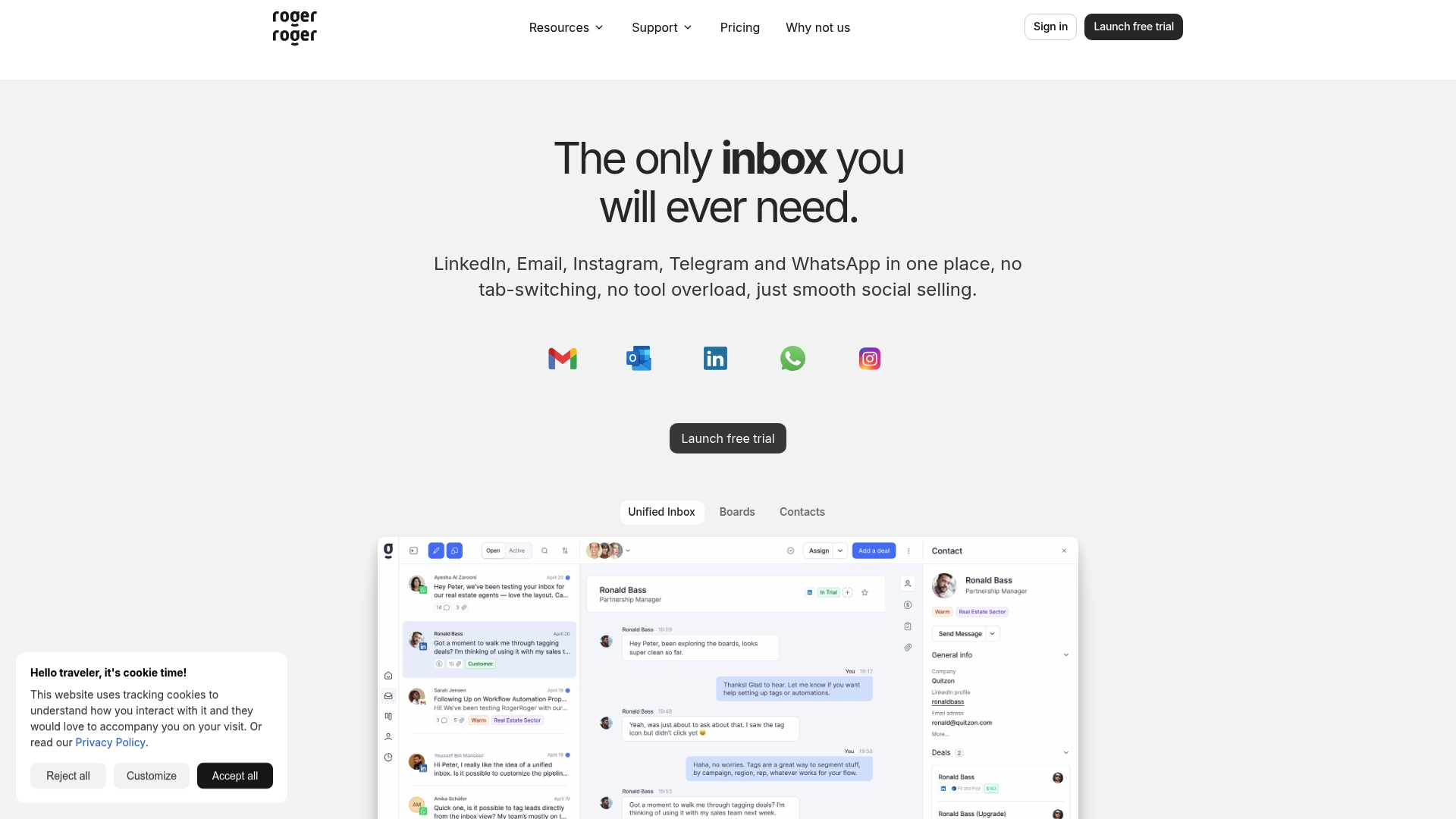
Consolidates LinkedIn, email, and WhatsApp into a single inbox. That multi-channel merge makes follow ups and threaded conversations easier for sales reps. RogerRoger pairs those channels with visual pipelines and simple automation to keep deals moving without complex CRM setup.
Core features
RogerRoger provides a unified inbox that brings messages from LinkedIn, email, and WhatsApp into one thread view. It offers Kanban boards for deal and task management so teams can move opportunities through stages visually. Automatic contact and deal linking keeps messages attached to the right record. Team collaboration includes shared drafts and reminders. Workflow automation via API and webhooks is available in a closed beta for custom triggers.
Key differentiator
The platform centers on mixing social messaging and traditional email inside a sales workflow. That focus makes it a natural choice for teams who prospect on LinkedIn and close through email or WhatsApp. Unlike Sendsync’s razor thin shared inbox for Gmail and Microsoft 365, RogerRoger targets sales workflows that require channel variety and visual pipeline management.
Pros
Intuitive interface speeds onboarding for reps who dislike heavy CRMs. The product data highlights a clean, attractive UI.
Mobile friendly contract signing and quick actions help field sellers finish deals from their phones. That tight mobile flow reduces friction.
Visual sales pipelines and automatic linking reduce manual data entry. Teams spend less time updating records and more time talking to prospects.
Collaboration features, like shared drafts and reminders, keep message tone consistent across a team. This is useful for small teams that share outreach responsibilities.
The closed beta API and webhooks offer a path to custom automation for teams ready to extend the product.
Cons
Reviews listed in the data do not report major flaws, which leaves potential blind spots untested for larger deployments. That absence of reported problems is not the same as broad validation.
Advanced automation and deep integrations appear limited beyond the basic set. Highly technical teams may want stronger API maturity.
Pricing and enterprise feature details need clearer documentation for large organizations. The current slate may not answer complex procurement questions.
Who it’s for
Sales professionals and teams that prospect across social channels will get the most value. Small to mid sized sales teams that need a visual way to manage deals and keep messages connected will fit well. Individual sellers who use LinkedIn and WhatsApp alongside email will find the unified inbox particularly useful.
Real world use case
A four person outbound team uses RogerRoger to capture LinkedIn conversations, email threads, and WhatsApp replies in one place. They move qualified leads across Kanban stages and set automated reminders for follow ups. That process cuts missed replies and makes weekly sales syncs faster.
Pricing
Plans start at $19/month for individuals and small teams. Higher tiers reach $149/month for large teams and agencies. Pricing is billed monthly and scales by plan features rather than per seat.
Website: https://rogerroger.io
SendBoard
At a glance
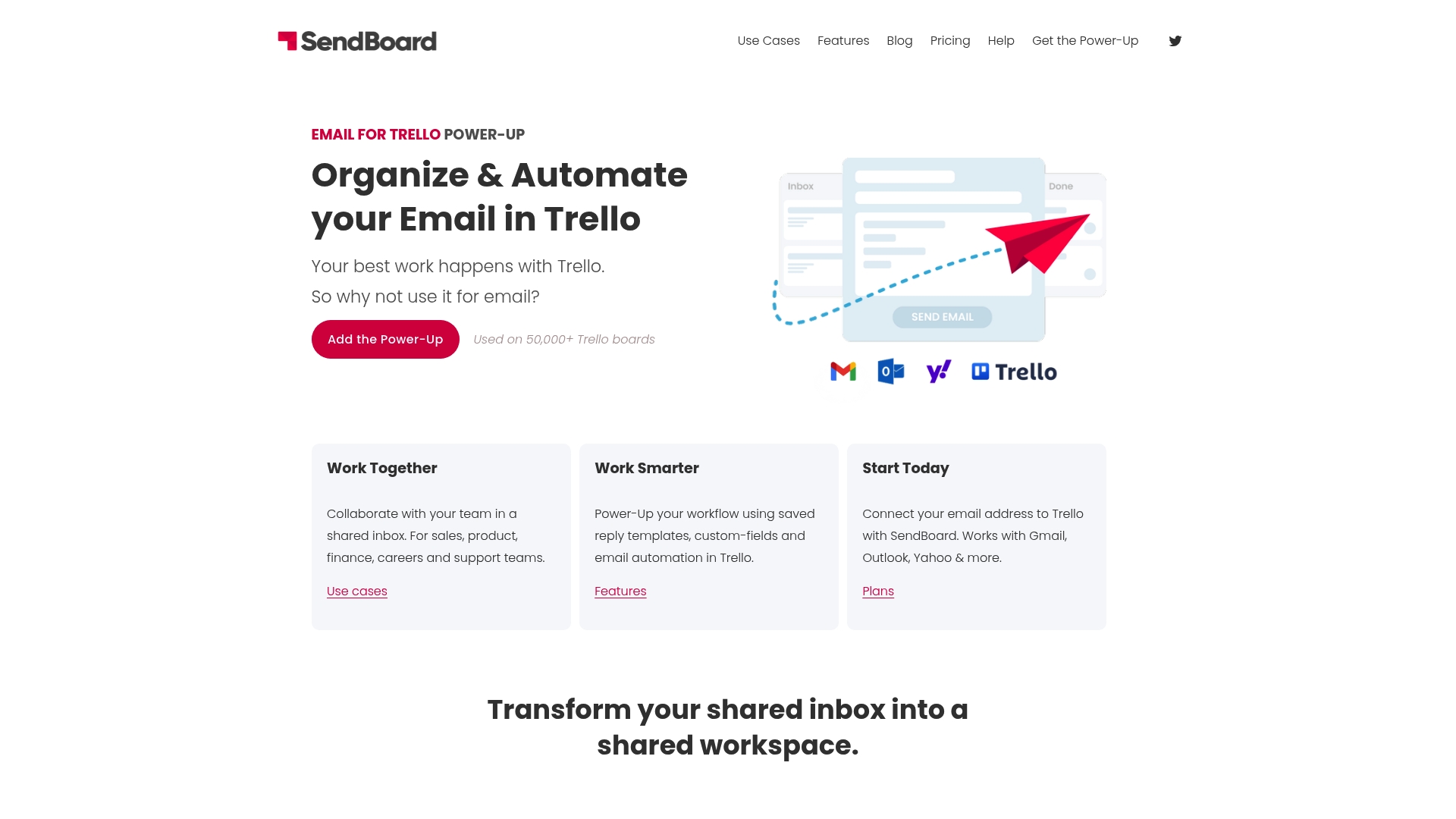
SendBoard reports use on over 50,000 Trello boards. That figure above highlights how teams route email traffic into Trello as visual work items. The tool converts incoming messages into Trello cards and lets agents reply from inside Trello. This keeps email threads directly tied to boards, lists, and custom fields.
Core features
SendBoard receives emails as Trello cards and shows the message content inside card descriptions for quick context. Teams can send and reply to email from Trello, using custom reply-to addresses and contact management to keep threads organized.
The product includes email templates, auto-replies, and merge features for repeated responses. It also hooks into Trello automations and custom fields so you can personalize cards and trigger board workflows.
Key differentiator
SendBoard uses Trello itself as the primary interface for email work. That approach turns messages into visual tasks you can assign, comment on, and automate with Trello rules. For teams already structured around Trello boards, this keeps inbox work inside existing processes instead of adding a separate help desk.
Pros
Deep Trello integration. Card creation, custom fields, and Trello automations let teams preserve visual workflows and avoid context switching.
Multiple plans including a free tier. The pricing flexibility suits teams that want to test the concept before paying for advanced features.
Supports several email providers. The product connects to Gmail, Outlook, Yahoo Mail, Microsoft 365 and other providers, so adoption is straightforward for diverse teams.
Broad use cases supported. The tool fits support queues, sales pipelines, recruitment tracking, and project inboxes within Trello boards.
Cons
No publicly available third-party reviews. Independent user feedback is not documented, so real user experiences are hard to verify.
Limited documentation of real-world limits. The vendor materials do not disclose common pitfalls or failure modes from customers.
Not a standalone help desk. If you need ticketing features outside Trello, SendBoard will not replace a dedicated system.
When it may not fit
If your team does not use Trello for daily work, this product adds another tool instead of replacing one. Large organizations that require industry specific controls or custom workflows beyond Trello’s automation may find the feature set sparse.
Also, teams that rely on independent customer reviews when selecting tools will find little third-party feedback to consult. That lack of public reviews makes risk assessment harder.
Notable integrations
Gmail
Outlook
Yahoo Mail
Microsoft 365
Other email providers
Who it’s for
SendBoard fits teams and small businesses that run their processes on Trello and want email visible inside boards. Support teams that assign tickets on lists or hiring teams that track applicants as cards will find the model familiar. It works best when Trello already organizes core workflows.
Real world use case
A customer support team routes a shared inbox into a Trello board. Incoming emails become cards. Agents assign ownership, apply labels, and set Trello automation to send auto-replies and follow-up reminders. That flow keeps conversation history on the card and the team accountable.
Pricing
SendBoard offers Free, Essential, and Pro plans with tiered feature sets. The free tier lets teams test receiving and sending email as cards. Paid plans add templates, advanced automations, and branding features.
Website: https://sendboard.com
Intercom
At a glance
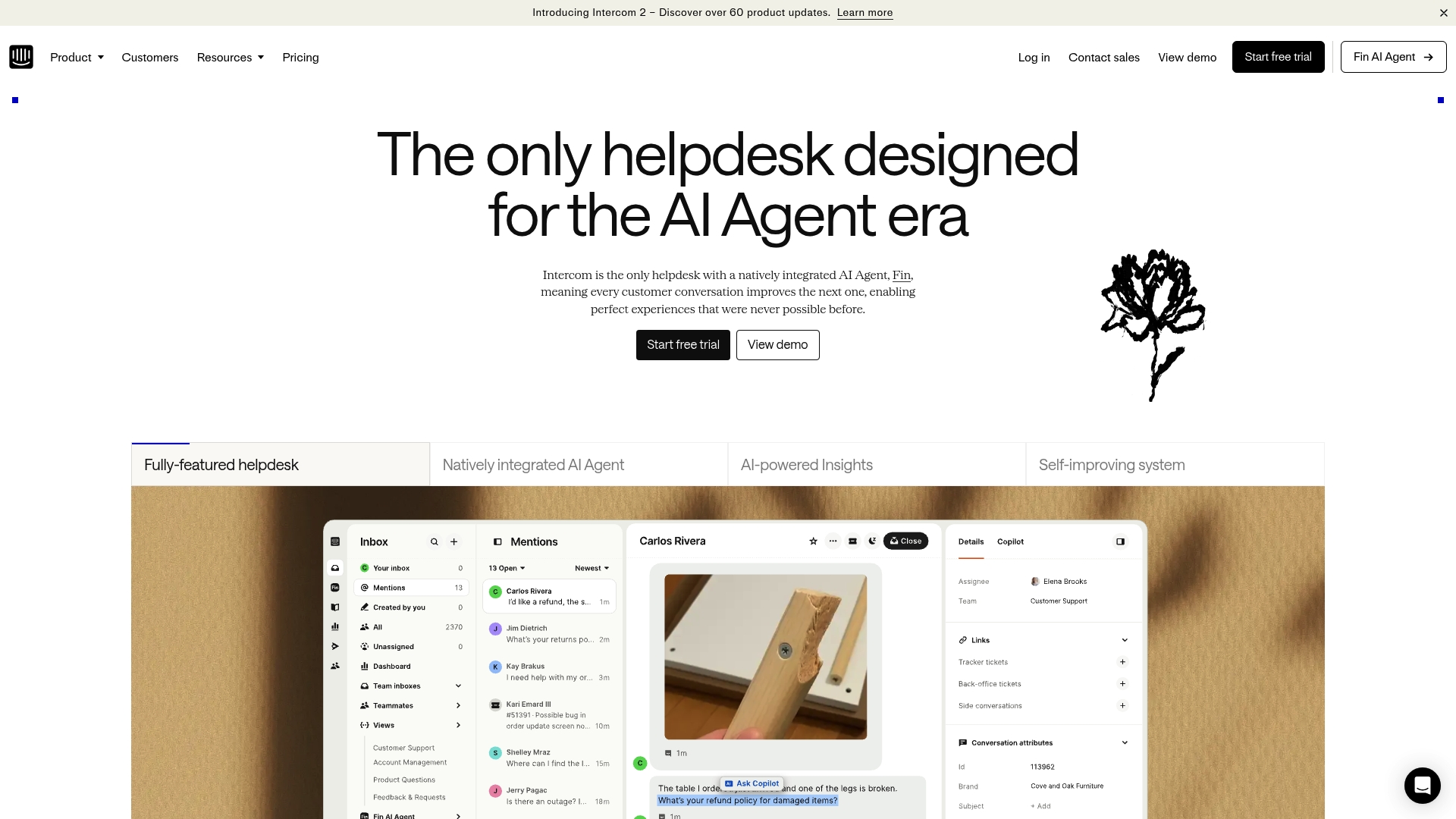
Intercom ships a natively embedded AI agent called Fin that handles triage and automated replies inside the helpdesk. The setup brings AI and human workflows into the same inbox, letting teams route and escalate without switching tools. That design targets teams who want AI-managed engagement across chat, email, and social channels.
Core features
AI Agent (Fin): An embedded agent that can triage conversations, suggest replies, and learn from interactions.
Omnichannel messaging across chat, email, phone, and social media so conversations stay in one system.
AI-powered insights and analytics that highlight trends and surface high-impact cases.
Automation rules and AI-enabled ticketing to reduce manual routing and repetitive tasks.
Pre-built help center and knowledge base support for self-service and article suggestions.
Role-based access and multi-team inboxes for collaboration across support groups.
Key differentiator
Intercom centers its product around a single native AI assistant that continuously improves from live conversations. That tight AI embedding differentiates it from vendors that bolt machine learning on top of classic helpdesks. For teams that want advanced AI automation plus a full helpdesk stack, Intercom fits better than a minimal shared inbox like Sendsync.
Pros
Excellent live chat capabilities make real-time support feel responsive and contextual.
Robust automation reduces routine routing and repetitive replies, which saves agent time.
Intuitive interface shortens onboarding for new support agents and managers.
Contextual engagement tools surface user behavior during conversations and guide replies.
Strong knowledge base tools help shift common questions to self-service articles.
Cons
Pricing scales quickly and may be costly for small or early-stage teams.
Some customers report occasional performance issues and intermittent outages.
Advanced AI and automation can require complex configuration and tuning.
Response quality from Intercom support varies by plan and issue severity.
When it may not fit
Intercom may not fit teams that need a lightweight, email-first shared inbox with zero configuration. Small teams with strict budget constraints will likely find the pricing model expensive. Organizations that lack in-house resources for automation tuning may not realize the full value of the AI features.
Notable integrations
Salesforce
Jira
Stripe
HubSpot
Zoho Desk
Who it’s for
Support managers and platform teams that want an AI-driven helpdesk with omnichannel reach. Product teams that need behavioral context in customer conversations will benefit from the analytics. Larger support groups that can absorb configuration and operational costs will see the most value.
Real world use case
A growing SaaS company uses Intercom to centralize chat, email, and social inquiries into one inbox. Fin triages incoming tickets and suggests article links or canned replies. Agents handle escalations and focus on complex issues while routine requests receive immediate responses.
Pricing
Intercom lists pricing starting from $29 per seat per month, with per outcome charges for Fin and tiered plans named Essential, Advanced, and Expert. Channels and optional add-ons can add extra cost depending on volume and feature needs.
Website: https://intercom.com
Comparison of alternatives
Choosing the best shared inbox solution requires understanding distinct benefits, such as setup speed, pricing structure, and integrated features. Different tools suit various organizational needs, balancing utility and complexity.
Setup and implementation
SendSync excels in rapid deployment with simplified setup, circumventing the need for DNS configuration. Gmelius requires a deeper integration tailored to Google Workspace, which offers direct functionality for Gmail users at the cost of a steeper learning curve. Meanwhile, SendBoard integrates with Trello, automating email task management, making it suitable for teams leveraging Trello boards.
Channel and feature diversity
Intercom gains distinction for its channel versatility, enabling unified communications across email, chat, and social media. Its AI assistant automates routing and insights for enhanced performance, benefiting larger teams needing these capabilities. Alternatively, RogerRoger provides unique value by combining email and LinkedIn while supporting deal tracking through its visual task pipelines.
Best fit
For teams needing fast implementation and straightforward management, SendSync minimizes setup hurdles and offers predictable flat-rate pricing.
For teams heavily relying on Gmail for collaboration, Gmelius delivers native integration and AI-enhanced workflow automation.
For sales teams prioritizing multichannel communication and deal tracking, RogerRoger connects LinkedIn activities with email.
For organizations integrating emails into Trello workflows, SendBoard turns email tasks into Trello cards with automation capabilities.
For larger enterprises requiring AI omnichannel support, Intercom supports a broad spectrum of communication channels and advanced automation.
Our pick
SendSync provides the best blend of ease of use and cost efficiency for teams prioritizing rapid email management setup without excessive operational complexities. While competitors like Intercom or Gmelius excel in specific features, their configurations cater to different needs, making SendSync ideal for straightforward applications.
To identify which shared inbox software aligns best with specific organizational needs, examine the following comparison:
Product | Core Feature | Best For | Pricing | Notable Limitation |
|---|---|---|---|---|
Sendsync | Fast setup without DNS changes | Small to mid-sized teams needing quick setup | Starting at $10/month | Limited to email support only |
Gmelius | AI integration for automated email collaboration | Teams managing workflows within Gmail | Starting at $19/user/month | Requires Google Workspace |
emailgistics | (Details not available due to restricted access) | Researchers tracking upcoming email management vendors | Pricing not disclosed | Insufficient information for evaluation |
RogerRoger | Unified inbox across LinkedIn, Email, WhatsApp | Sales teams using multi-channel outreach | Starting at $19/month | Limited automation beyond basic workflows |
SendBoard | Receives and manages emails within Trello boards | Teams already utilizing Trello for process management | Free plan available | Not suitable as a standalone help desk |
Intercom | AI-powered omnichannel messaging and analytics | Large teams requiring AI-driven engagement across multiple communication modes | Starting at $29/seat/month | Pricing scales rapidly |
Simplify your shared inbox setup with Sendsync
Choosing the right shared inbox software can leave teams overwhelmed with setup hurdles and unpredictable costs. This article highlights common pain points like complex DNS changes, per-seat fees, and manual triage workloads that slow down support teams and complicate email collaboration. Sendsync solves these challenges with a razor-thin shared inbox that connects your Gmail or Microsoft 365 mailboxes in just a few minutes — no DNS setup required. Plus, it offers flat-rate pricing with unlimited users, so your team can grow without added costs.
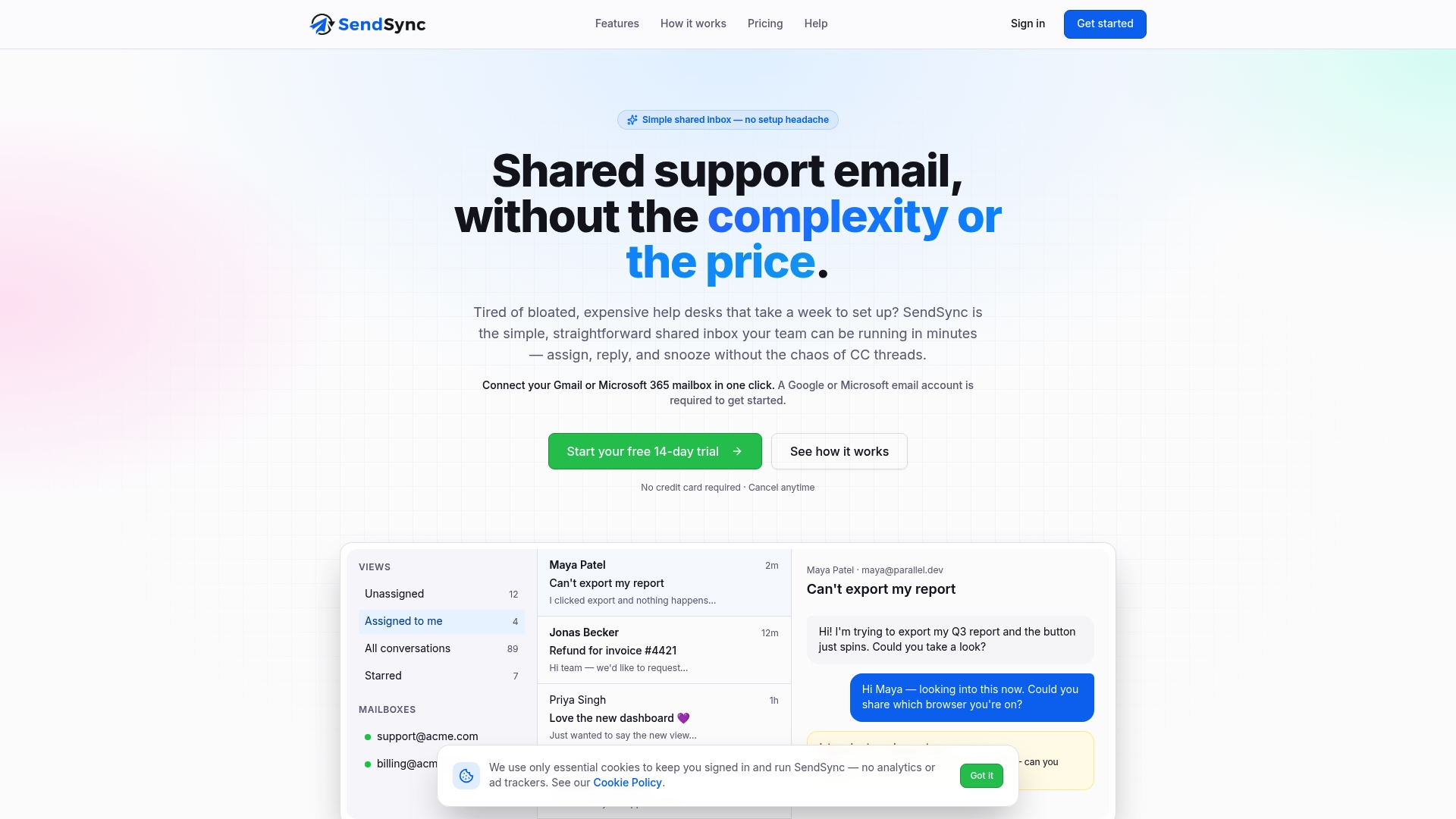
Experience hassle-free email support that keeps your team focused on timely customer replies instead of technical headaches. Visit Sendsync now to connect your mailbox quickly and start using built-in automation and real-time metrics that reduce manual tasks. Try Sendsync today and assign, reply, and manage conversations effortlessly with your team.
FAQ
How does Sendsync facilitate quick email support for teams?
Sendsync offers an easy deployment process that allows teams to connect their mailboxes without DNS changes. The product’s one-click mailbox connection reduces setup time significantly, which is ideal for teams that want to start answering emails quickly. Teams can expect to improve response times since they can begin using the shared inbox almost immediately.
What is the difference between Sendsync and gmelius when it comes to email collaboration?
Gmelius provides stronger integration for teams that prefer email-based collaboration directly within Gmail, allowing users to comment and share drafts without switching applications. In contrast, Sendsync’s focus is on fast setup and a simple shared inbox for Gmail and Microsoft 365 without requiring DNS configuration. Depending on the workflow, teams can choose which setup best fits their needs.
Can i use Sendsync if my team primarily communicates through platforms other than email?
Sendsync is limited to supporting email communication, so if your team relies heavily on chat or social media for support, it may not be the best fit. For those who need a shared inbox for email, Sendsync is a straightforward solution that minimizes administrative work and enhances email responsiveness.
How does sendsync’s pricing structure compare to competitors in the shared inbox market?
Sendsync offers flat-rate pricing starting at $10 per month for unlimited users with no per-agent fees, making it predictable for budgeting. This pricing model is an attractive feature for teams looking to manage costs effectively compared to competitors that charge per user or seat.
What built-in analytics does Sendsync offer for monitoring team performance?
Sendsync provides real-time metrics and saved views that help teams monitor their support performance. This includes basic analytics that track team throughput and response behavior, assisting managers in identifying areas that may require improvement. Teams should leverage these analytics to stay on top of response times and workflow efficiency.