
Admins: Test and Monitor Rule Based Email Routing and Use a Shared Inbox
Admins: Test and Monitor Rule Based Email Routing and Use a Shared Inbox ! Administrator testing email routing rules Rule-based email routing matches incoming messages against defined patterns (sender, domain, header, subject) and sends each match to a specific outcome: forward t

Rule-based email routing matches incoming messages against defined patterns (sender, domain, header, subject) and sends each match to a specific outcome: forward to a verified address, invoke a webhook, quarantine, or drop. The one thing that separates a smooth rollout from an outage is testing destructive rules and verifying every destination before you flip a rule live.
TL;DR:
- Verify destination email addresses before activating rules to prevent silent misrouting or delivery failures, especially when routing to webhooks or external endpoints.
- Place specific, non-destructive rules at the top of the chain and destructive, halting actions at the bottom to maintain predictable processing flow and avoid unintended outages.
- Use subaddressing for tracking and debugging instead of creating multiple destructive forwarding rules, reducing security risks and maintaining clear message origins.
- Regularly review and test routing rules in staging environments after any change, to detect precedence or configuration conflicts before impacting live email traffic.
- Pair routing rules with a shared mailbox or collaborative platform like Sendsync to improve response management, especially when multiple team members handle routed messages.
Table of Contents
- What Are Destination Addresses in Email Routing Rules?
- How Do You Build a Routing Rule? (Conditions and Actions Explained)
- How Do You Create, Edit, and Delete Routing Rules Safely?
- How Does Rule Precedence Affect Email Processing?
- What Advanced Routing Features Should Admins Know?
- How Do You Test and Monitor Routing Rules After Deployment?
- What Security and Compliance Controls Apply to Routing?
- What’s the Best-Practice Checklist for Rule-Based Email Routing?
- Why Routing Rules Are Only Half the Job
- Where Sendsync Fits After Your Routing Rules Fire
- Sources
What Are Destination Addresses in Email Routing Rules?
A destination is wherever a matched message ends up. That could be a verified email address, a shared mailbox, or an application endpoint like a webhook. Most platforms won’t let a rule go live until the destination itself has been confirmed. Cloudflare requires destination addresses to be verified before a rule can forward mail to them, which stops someone from silently redirecting mail to an unowned inbox they don’t control. Once verified, that destination is typically reusable across multiple rules or even across accounts under the same domain, so you’re not re-verifying the same support alias five times.
Picking the right destination type matters as much as verifying it:
- Route to an address when a single person or a simple forward covers the job (billing notices, a personal alias).
- Route to a shared mailbox when more than one person needs visibility into replies, especially for anything customer-facing.
- Route to an application endpoint (a webhook or serverless function) when you need to parse content, extract data, or trigger downstream automation instead of just delivering a message to a human.
Get this wrong and you end up with either a mailbox nobody watches or a webhook silently swallowing messages a person actually needed to see.
How Do You Build a Routing Rule? (Conditions and Actions Explained)
Every routing rule is really two halves: a condition that decides what counts as a match, and an action that decides what happens next. Get comfortable with both before you touch a production environment.
Common match conditions include sender address or domain, recipient address, header values, subject line patterns, attachment presence or type, and message type (inbound vs. outbound). Microsoft’s mail flow rules inspect this same metadata to decide whether to redirect, copy, or block a message before it reaches a mailbox.
Available actions typically include:
- Send or forward to a verified address
- Change the envelope recipient (redirect at the transport level, not just visibly)
- Drop the message silently
- Bounce it back to the sender
- Quarantine for manual review
- Modify headers or subject line
- Invoke a Worker or webhook for custom processing
Three examples worth stealing: route anything from *@vendor-domain.com with an attachment to a shared procurement mailbox; forward messages addressed to billing@yourdomain.com to your accounting shared inbox and simultaneously copy a Worker that logs invoice metadata; quarantine anything where the subject contains “wire transfer” and the sender domain doesn’t match your approved list.
Pro Tip: Never enable a drop or bounce action against a live domain without first running it against a staged test address. A single misconfigured “drop” rule can silently erase legitimate mail for days before anyone notices.
How Do You Create, Edit, and Delete Routing Rules Safely?
Most platforms follow a similar admin sequence, whether you’re in Exchange admin center, Google Workspace’s admin console, or a Cloudflare Email Routing dashboard. Treat this as your default checklist:
- Add the destination address or endpoint first, and confirm it shows as verified.
- Create the rule and give it a name that describes its purpose, not just its condition.
- Define the match pattern (sender, domain, header, subject, attachment).
- Select the action (forward, drop, quarantine, modify, invoke webhook).
- Run a validation or test send against a staging address before enabling.
- Enable the rule and watch the activity log for the first batch of real traffic.
To disable a rule temporarily, use the platform’s pause or disable toggle rather than deleting it. That preserves your configuration if you need to roll back quickly. Only delete a rule once you’ve confirmed nothing downstream depends on it. Before enabling anything new, double check the scope: does this rule apply org-wide, to one domain, or to one mailbox? Scope mistakes are the single most common cause of “why did this affect everyone” tickets.
How Does Rule Precedence Affect Email Processing?
Routing rules generally process top to bottom, and the order you set matters more than most admins expect on their first deployment. A message that matches rule three might never reach rule seven if rule three includes a halting action.
That halting behavior, often called “stop processing,” “quarantine,” or “delete message,” ends the evaluation chain immediately. SmarterMail’s routing rules run at the spool level before user filters, and stop-processing actions can prevent any subsequent rule from running at all. If your billing alert rule sits below a broad “drop all external attachments” rule, it may never fire.
Design patterns that keep you out of trouble:
- Place specific, non-destructive rules near the top of the list.
- Push destructive or halting actions (drop, stop-processing) to the very bottom, and only add them when you specifically intend that behavior.
- Stage new rules in a test domain or test mailbox before touching production order.
Pro Tip: Keep a written map of your rule order alongside the actual configuration. When a rule chain grows past ten or fifteen entries, nobody remembers the reasoning six months later, and undocumented order is how outages happen.
What Advanced Routing Features Should Admins Know?
A few capabilities go beyond simple forward-or-drop logic and are worth building into your routing strategy early rather than bolting on later.
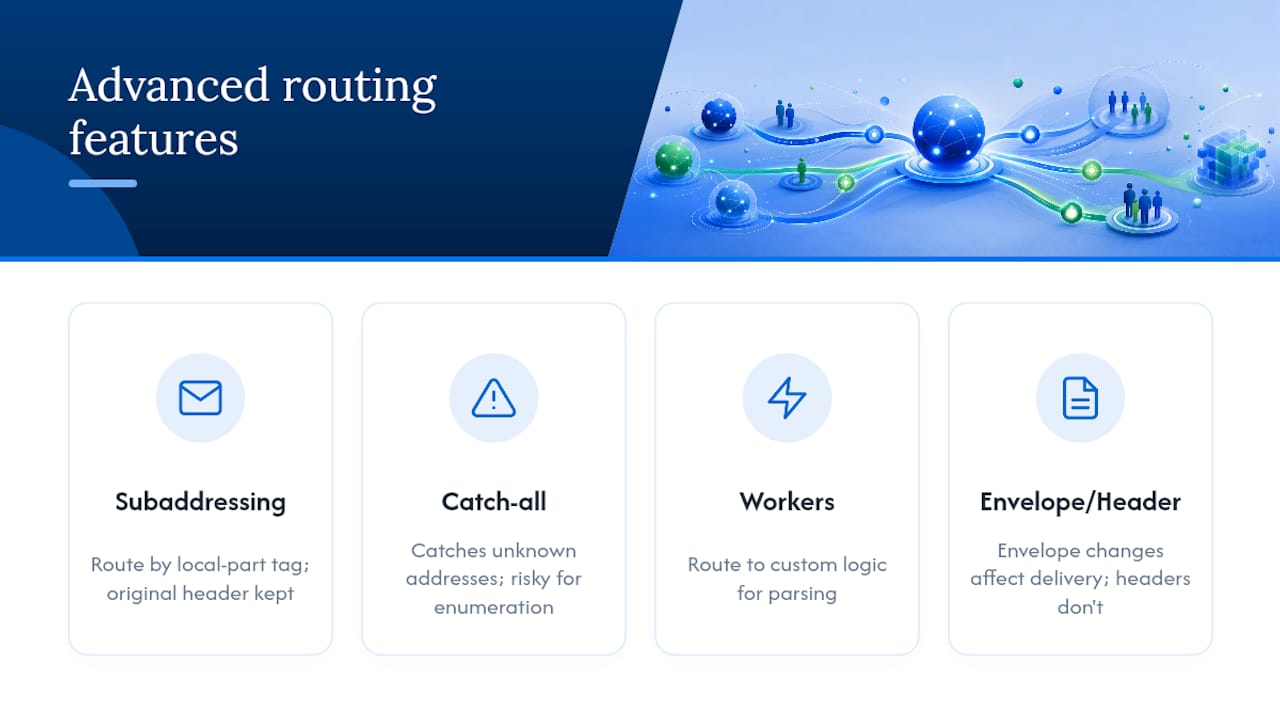
Subaddressing (plus addressing, like support+billing@yourdomain.com) lets you route based on a tag appended to the local part of an address without creating a new mailbox. RFC 5233 defines the subaddressing behavior that most modern mail systems rely on, and it’s non-destructive by design because the original recipient header stays intact for debugging.
Catch-all rules forward anything sent to an unrecognized address at your domain, which is convenient for catching typos but risky for security since it can leak internal error messages or become a target for enumeration attacks. Scope catch-alls narrowly, and monitor what lands there.
Workers and webhooks let you route a message to custom logic instead of a human inbox, which is how inbound email gets parsed into structured data for downstream systems like ticketing or CRM tools.
Changing the envelope recipient differs from changing a visible header: envelope changes affect actual delivery routing, while header changes (like adding a compliance stamp) leave delivery untouched but change what downstream systems see when they inspect the message.
How Do You Test and Monitor Routing Rules After Deployment?
Build a small, repeatable test suite before you trust any rule with production traffic. A staged domain with a handful of canned test messages that exercise every branch of your rule chain (matching sender, matching domain, missing attachment, oversized attachment, spoofed header) catches most failures before they reach real users.
- Send each test message through the staging environment and confirm the expected action fired.
- Check the activity or delivery log to trace exactly which rule matched and what action ran.
- Confirm quarantined or bounced messages generate the notification you expect, not silence.
- Repeat the full test suite after any change to rule order or conditions.
Google Workspace’s own guidance recommends testing routing changes in a staged environment before rolling them out broadly, precisely because precedence issues only show up once multiple rules interact. Keep an audit trail of quarantines and bounces so you can spot patterns, and set up admin alerts for any rule that starts triggering at an unusual volume.
Pro Tip: If a new rule causes delivery problems, disable it immediately rather than trying to patch it live. Diagnose in staging, then re-enable, so you’re not troubleshooting while production mail keeps flowing through a broken path.
What Security and Compliance Controls Apply to Routing?
Routing decisions touch security and compliance more directly than most admins initially assume, since every rule is a potential point of data exposure or loss.
- Require TLS on routes carrying sensitive data. Google Workspace lets admins require TLS or S/MIME on specific mail flows, and a route without that requirement can fall back to unencrypted transport if the receiving server doesn’t support it.
- Choose quarantine over silent drop for anything that might need an audit trail. A drop leaves no record; a quarantine does, which matters if a compliance review ever asks what happened to a specific message.
- Decide deliberately on attachment handling. Stripping or archiving attachments protects storage and security, but notify affected users so they’re not left wondering where a file went.
- Add audit headers to routed messages so downstream systems and reviewers can trace exactly which rule touched a message and when, which becomes essential once you’re running more than a few dozen rules.
What’s the Best-Practice Checklist for Rule-Based Email Routing?
Good routing hygiene comes down to a handful of habits, repeated consistently rather than done once and forgotten.
- Order rules from specific to general, and keep destructive actions at the bottom of the chain, never near the top.
- Document every rule’s purpose, condition, and action in a change log separate from the configuration itself.
- Maintain a test suite you rerun after every change, not just at initial deployment.
- Schedule a periodic review (quarterly is reasonable for most mid-size organizations) to retire rules nobody remembers creating.
- Use subaddressing for tracking and debugging instead of creating new destructive forwarding rules for every use case.
| Practice | Why it matters |
|---|---|
| Specific rules before general ones | Prevents a broad rule from swallowing traffic a narrower rule should have handled |
| Written change log | Gives future admins context that rule order alone can’t convey |
| Recurring test suite | Catches precedence conflicts introduced by new rules |
| Periodic rule review | Removes stale or forgotten rules that quietly cause conflicts |
| Subaddressing over duplication | Adds tracking without creating new destructive paths |
Why Routing Rules Are Only Half the Job
Most admins treat rule-based routing as the finish line. It isn’t. Routing decides where a message goes; it says nothing about who owns the reply, whether two people accidentally answer the same customer twice, or whether a quarantined message actually gets reviewed before the customer gives up and calls a competitor instead.
The routing layer works best when it’s paired with something built for the human side of the workflow. A shared mailbox destination makes far more sense than an individual inbox for anything routed from a support or sales alias, because the moment more than one person might need to respond, you need assignment and visibility, not just delivery. A shared mailbox setup suits that job better than a personal account ever will, and assigning conversations to specific teammates after routing delivers them is where most of the actual customer experience gets decided. Application endpoints still make sense for structured data extraction, but anything a human needs to read and answer belongs somewhere built for collaboration, especially when integrating with quoting automation platforms like QuoteLock.
— Nick
Where Sendsync Fits After Your Routing Rules Fire
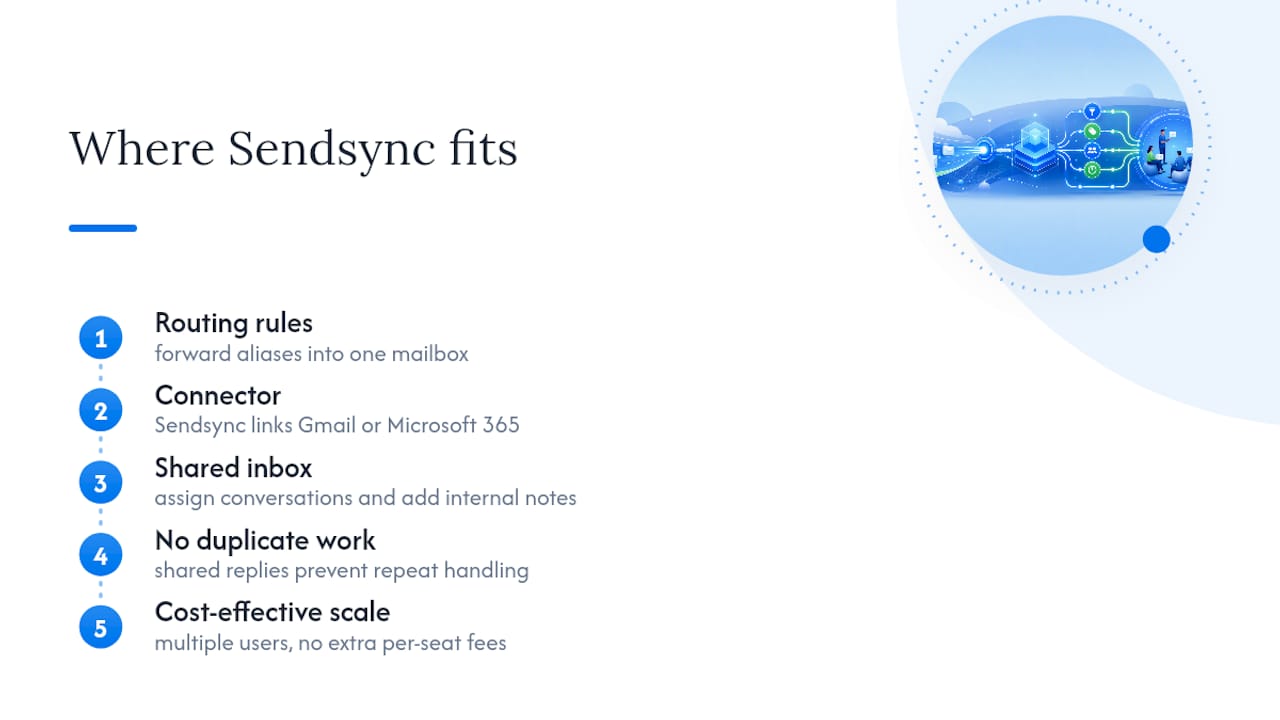
Once your routing rules forward support, billing, or sales mail to a shared destination, that’s exactly where Sendsync picks up. A platform like Sendsync can connect to Gmail or Microsoft 365 and turn that routed mailbox into a shared inbox where teams can assign conversations, leave internal notes, and reply without duplicating work.
[Call-to-action image related to Sendsync’s shared inbox integration features]
That matters most for teams whose routing rules forward multiple aliases (support, billing, sales) into one place and need actual collaboration on top of delivery. Plans may allow adding multiple users without extra per-seat fees, enabling cost-effective scaling beyond a small team. If your routing rules already funnel mail somewhere useful, start a free trial with Sendsync and see how quickly a connected mailbox turns into an organized team workflow.
Sources
For platform-specific setup, these vendor docs cover the exact steps this guide describes in general terms: Cloudflare’s Email Routing documentation covers destination verification and rule actions. Microsoft’s mail flow rules guide details Exchange-specific conditions and actions. Google Workspace’s routing settings help explains TLS requirements and envelope modification. SmarterMail’s routing rules documentation covers spool-level processing and halting actions in detail.
- Email routing rules and addresses - Cloudflare Developers
- Manage mail flow rules - Microsoft Learn
- Routing Rules - SmarterMail Help