
Support Managers, Move From a Help Desk to a Gmail or Microsoft 365 Shared Inbox
Support Managers, Move From a Help Desk to a Gmail or Microsoft 365 Shared Inbox ! Manager reviewing shared inbox migration If your team handles a low volume of support emails each month with a small team and no contractual SLA timers, moving from a help desk to a Gmail or Micros

If your team handles a low volume of support emails each month with a small team and no contractual SLA timers, moving from a help desk to a Gmail or Microsoft 365 shared inbox is the right call. A shared inbox solution can connect directly to your existing mailboxes in minutes, with no DNS changes required, helping you skip the setup grind and potentially improve response times.
TL;DR:
- Teams handling fewer than 500 tickets per month with less than 10 agents can switch to a shared inbox without losing support quality.
- Migrating requires a thorough inventory, secure mailbox connection, testing, a parallel run, and clear rollback triggers to prevent issues.
- Export only the last 6 to 12 months of conversation history, attachments, and custom fields, and prepare for manual transfers of internal comments.
- After migration, monitor response times, missed messages, and customer follow-ups, and conduct early agent training to ensure smooth adoption.
- Most failures happen due to skipping the parallel run or inadequate history transfer, so a three-week process improves success chances.
Table of Contents
- How Do You Know You’re Ready to Migrate From a Help Desk?
- What Are the Steps to Migrate From a Help Desk to a Shared Inbox?
- What Data Should You Export Before Migrating?
- What Should You Check After Migrating to a Shared Inbox?
- Why Most Migrations Fail Before They Start
- Get Started Migrating to Sendsync
- Where to Learn More Before You Migrate
- Sources
- FAQ
How Do You Know You’re Ready to Migrate From a Help Desk?
The decision usually comes down to five signals, and you rarely need all five pointing the same direction to act.
Ticket volume and team size matter most. Teams handling under roughly 500 tickets a month with fewer than 5 to 10 agents tend to do just fine on a shared inbox, while higher volume usually calls for the routing and reporting muscle of a full help desk. Below that line, the ticketing layer of a help desk often adds friction without adding value.
SLAs change the math fast. If you have written service agreements that require automatic timers, breach alerts, and formal escalation paths, a help desk still earns its complexity. A shared inbox can flag aging conversations, but it won’t enforce a contract.
Channel mix is the next filter. If email carries the bulk of your support volume and chat, phone, or social are minor add ons, a shared inbox handles that mix cleanly. Heavy multi-channel operations usually need the unified routing a help desk provides.
Then there’s reporting. When leadership wants CSAT scores or per-agent SLA compliance broken out in dashboards, that usually pushes you back toward help-desk territory.
Here’s the quick self-check:
- Under 500 tickets/month and a small team: shared inbox fits.
- No enforced SLA contracts: shared inbox fits.
- Email-dominant support with minimal other channels: shared inbox fits.
- Leadership needs formal CSAT/SLA reporting: lean help desk.
- Budget and time-to-live matter more than deep reporting right now: shared inbox fits.
If two or more “help desk” signals apply consistently, hold off on migrating and revisit in six months. Otherwise, a lightweight shared inbox setup like the one described in SendSync’s comparison of shared inboxes and help desks solves the problem you actually have today, not the one you might have at triple your current volume.
What Are the Steps to Migrate From a Help Desk to a Shared Inbox?
A clean migration comes down to sequencing. Skip a step and you risk dropped conversations or agents flying blind on day one.
- Inventory everything first. List every mailbox, macro, canned reply, tag, custom field, and third-party integration currently in your help desk. This becomes your export checklist and your “don’t forget” list.
- Lock down access. Confirm you have admin credentials for every mailbox, that multi-factor authentication is set up, and that whoever owns each account can approve the new connection.
- Connect your mailboxes. Link Gmail or Microsoft 365 accounts to your new shared inbox. This can be done without touching DNS records, which is usually the most time-consuming part of a help-desk setup.
- Test before you commit. Forward a batch of real (or sandboxed) conversations into the new system. Verify collision alerts fire when two agents open the same thread, check assignment rules route correctly, and confirm saved replies work as expected.
- Run a parallel period. Keep both systems live for several days, forwarding new mail into the shared inbox while the old system stays available as backup. This window catches missing rules or broken forwarding before customers notice anything, according to migration guidance from Comms Advisor.
- Define rollback triggers in advance. Decide now what counts as a failure: missed critical messages, bounced deliveries, or broken assignment logic. Write down exactly how you’d revert mail flow if one of those triggers hits.
- Check the moment you cut over. Confirm messages are arriving, agents are getting assigned conversations, and internal notes are visible to the right people.
Pro Tip: Write your rollback triggers down before cutover day, not during a crisis. A vague rollback plan is the most common reason migrations go sideways.
For a full walkthrough tailored to one specific platform, see Sendsync’s step-by-step guide for migrating from Help Scout, which maps closely to migrations from most comparable help desks.
What Data Should You Export Before Migrating?
Start with the last 6 to 12 months of conversation history, along with attachments, customer profile data, custom fields, tags, and your library of canned replies. That window covers nearly every active customer relationship without dragging years of dead threads into a new system.
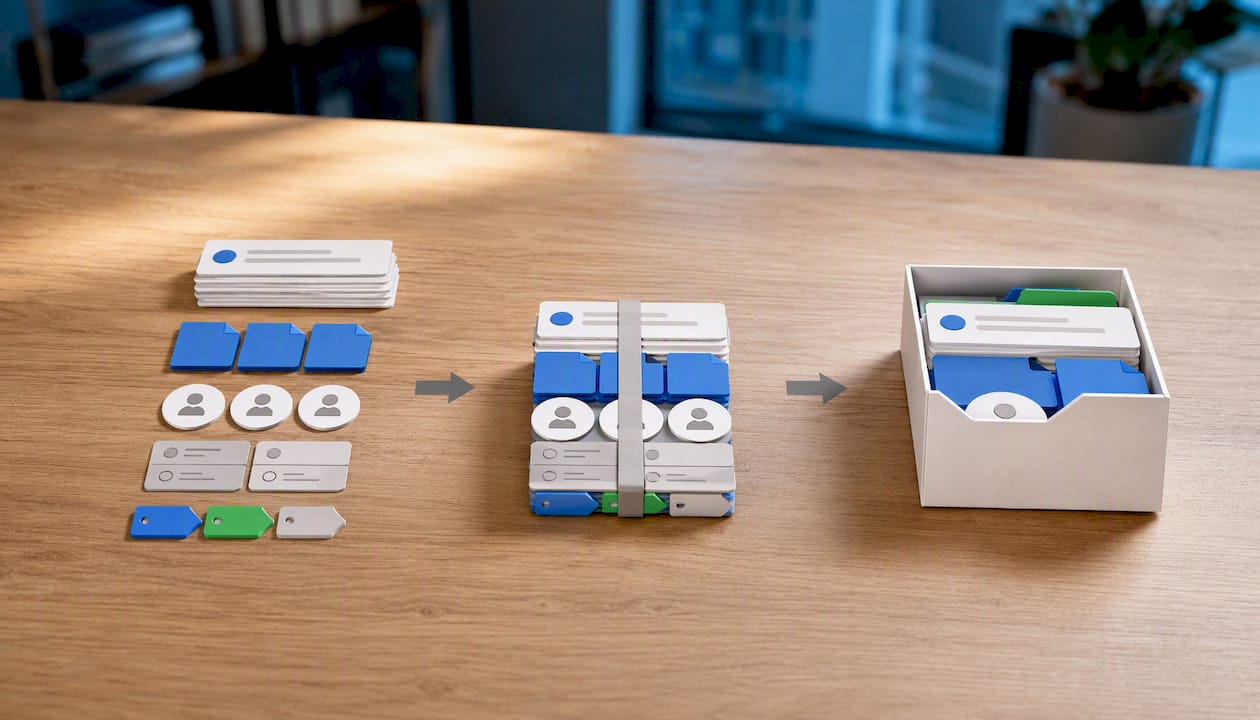
Some things won’t move cleanly no matter how careful you are. Internal comments, assignment history, and custom tag structures often don’t map one-to-one between platforms, so plan a manual workaround, like a shared reference doc, for anything that doesn’t transfer.
By the numbers: Migration guidance consistently recommends importing only the most recent 6 to 12 months of ticket history and archiving everything older as a searchable reference rather than dragging it wholesale into the new system.
Quick export checklist:
- Recent conversation threads (6 to 12 months)
- Attachments and file records
- Customer profile fields and custom data
- Tags and canned reply libraries
One more thing: treat this like the sensitive operation it is. Use secure export methods, rotate or retire old admin credentials once the migration finishes, and audit who has access to both systems during the transition window.
What Should You Check After Migrating to a Shared Inbox?
The first 48 hours tell you almost everything. Confirm mail delivery is working, assignment rules are firing, collision alerts are preventing double replies, saved replies load correctly, and internal notes stay visible only to your team.
Beyond that, track a short list of numbers for the first month:
- Average first response time
- Missed or unassigned messages
- Duplicate replies to the same customer
- Customer follow-ups asking “did you get my message?”
Adoption matters as much as the technical checks. Run short trainings in week one, hand out a one-page cheat sheet, and set up a daily feedback loop so agents can flag friction before it becomes a habit. Best practices for shared inbox adoption suggest this early attention pays off faster than a polished tool with no onboarding plan.
Pro Tip: Ask agents what confused them in week one, not week four. Early friction is fixable; friction that becomes a workaround is much harder to undo.
If your KPIs drift the wrong way as volume grows, or if leadership starts asking for SLA-style reporting the shared inbox can’t produce, that’s your signal to reevaluate whether a help desk fits better now.
Why Most Migrations Fail Before They Start
Most teams don’t fail at the technical cutover. They fail because they skip the parallel run, assuming the new system will “just work,” or they under export context and agents spend week two hunting for history that never made it over.
Give the process two to three weeks: a few days to export and test, a week running parallel, and a week or two of agents adjusting to ownership workflows. The teams that struggle longest are usually the ones that never explained who owns what conversation once collision alerts replace ticket assignment.
Set a calendar reminder to revisit this decision regularly, or sooner if your ticket volume or SLA demands spike.
— Nick
Get Started Migrating to Sendsync
There are alternatives to bulky help desks for teams wanting shared inbox collaboration without weeks of setup. These solutions can connect Gmail or Microsoft 365 mailboxes in minutes, with no DNS changes and no per-seat fees that increase costs as you add agents.

Pricing plans typically start affordably and scale as teams grow, often including unlimited users rather than charging per seat. If you’re ready to see how migration actually feels in practice, start a 14-day trial at Sendsync and run your own parallel period before deciding anything permanent. Reach out to the team directly if you want hands-on help mapping your export checklist before cutover day.
Where to Learn More Before You Migrate
For the decision math behind shared inboxes versus help desks, the Rework guide on choosing between the two lays out the volume and SLA thresholds in more depth. For a platform-specific walkthrough, Sendsync’s Help Scout migration guide covers the same checklist logic applied to a real cutover.
Sources
- Help Desk vs Shared Inbox: How to Choose
- Shared Inbox vs Help Desk: Which Is Right for You? | Comms Advisor
FAQ
Do I Need SLA Software to Use a Shared Inbox?
Not if you lack contractual SLA commitments. Shared inboxes handle response time tracking informally, but formal SLA timers and escalation paths still favor a help desk.
How Long Does a Help Desk Migration Usually Take?
Most teams complete the technical cutover in a few days, with a three to seven day parallel run and one to two more weeks for agents to adjust to new ownership workflows.
Will My Old Ticket History Transfer Automatically?
Email threads typically transfer, but internal comments, assignment history, and custom tags often need manual handling since they don’t always map cleanly between systems.
Does Sendsync Require DNS Changes to Connect Gmail or Microsoft 365?
No. Sendsync connects directly to existing Gmail or Microsoft 365 mailboxes without DNS configuration, which is usually the slowest part of a traditional help-desk setup.
How Often Should I Reconsider This Decision?
Review the choice every six months, or sooner if ticket volume climbs, your agent count grows past 10, or leadership starts requesting formal SLA reporting.