
Support Workflow for Small Teams: 2026 Guide
Support Workflow for Small Teams: 2026 Guide ! Small team collaborating on support workflow A support workflow for a small team is a structured queue management system that organizes incoming customer inquiries through defined stages, from intake to resolution, so nothing falls t

A support workflow for a small team is a structured queue management system that organizes incoming customer inquiries through defined stages, from intake to resolution, so nothing falls through the cracks. Most small teams treat support as a pile of messages to answer. The ones that scale treat it as a queue to manage. Understanding what a support workflow means for your team is the first step toward reducing email chaos, cutting decision fatigue, and delivering consistent responses without burning out your people.
What is a support workflow for a small team?
A support workflow is a structured, repeatable procedure for managing and tracking customer inquiries from the moment they arrive to the moment they are resolved and closed. The industry term for this practice is “ticket lifecycle management,” though most small teams encounter it simply as “how we handle requests.” Both terms describe the same thing: a system that removes guesswork from support.
For a small team, the goal is not to build a corporate help desk. The goal is to create a predictable process that any team member can follow, even on a bad day. Tools like Zendesk, Front, and Sendsync all operate on this same principle. They centralize incoming requests so your team stops hunting across email threads and Slack channels for the latest update on a customer issue.

The core benefit is cognitive. Decision load, not typing speed, is the real bottleneck for small teams managing inquiries. Every time a team member has to decide who owns a ticket, how urgent it is, or whether it was already answered, that is mental energy spent on administration rather than on the customer. A well-built workflow eliminates most of those micro-decisions before they happen.
What are the essential stages of a support workflow?
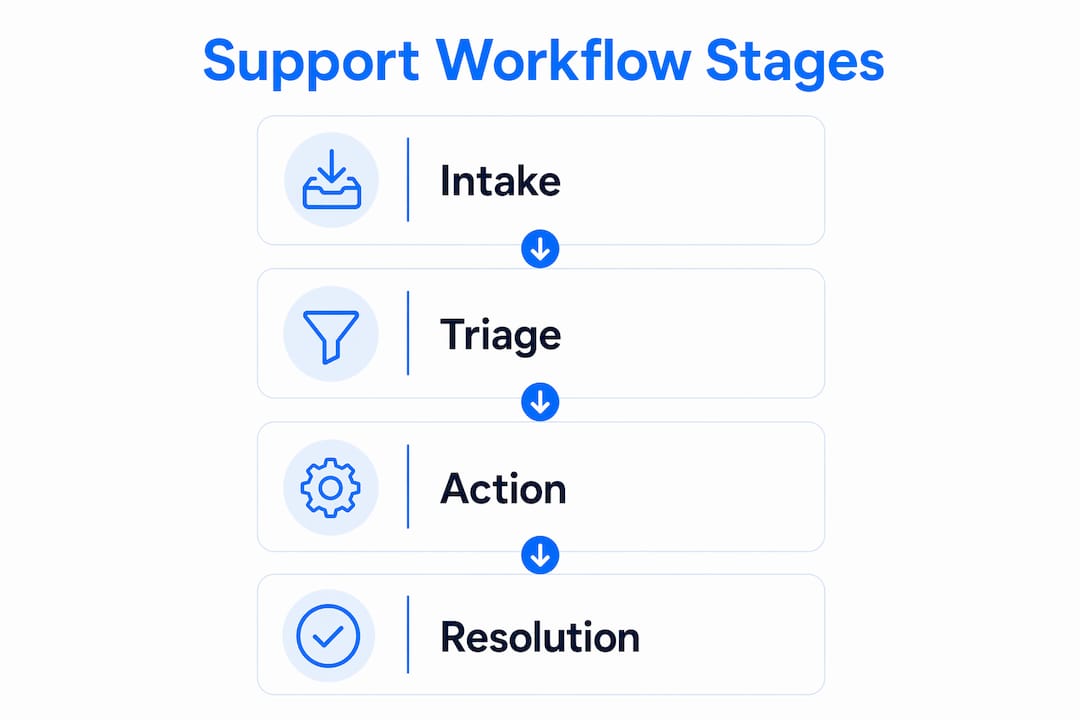
Effective small-team support workflows use a four-stage queue management system. Each stage has a clear job, and skipping any one of them is where most small teams run into trouble.
Intake. Every inquiry enters through one primary channel and one backup channel. This might be a shared inbox connected to your support email, with a contact form as the backup. The rule is simple: if a request does not enter the system, it does not get handled. No exceptions.
Triage. Once a request is in the queue, it gets categorized by urgency and topic. Urgency determines when it gets answered. Topic determines who answers it. You do not need a complex matrix to start. Three urgency levels (high, normal, low) and four or five topic tags cover most small teams.
Action. This is where the actual response or resolution work happens. Templates and macros belong here. A well-written template for your ten most common request types cuts response time significantly and keeps your tone consistent across team members.
Resolution. A ticket is not done when you send a reply. It is done when the customer’s problem is confirmed as solved and the ticket is formally closed. Templates and scheduled follow-ups for “waiting on customer” statuses reduce reopen rates and keep your queue accurate.
Pro Tip: Build your triage categories around the questions your team actually asks when a ticket arrives, not around an idealized taxonomy. If your team always asks “is this billing or technical?” start with those two tags.
How does a small team create an effective support workflow?
Building a team support workflow does not require a big launch. The teams that succeed start with one change, prove it works, and add the next layer. Here is the sequence that holds up in practice.
Start with one shared inbox. Connect your primary support email to a shared inbox tool. This single move eliminates the “did anyone reply to this?” problem that plagues small teams using personal email accounts for support.
Define your SLAs before you automate anything. A service level agreement (SLA) is simply a promise about response time. “We reply to all inquiries within four business hours” is an SLA. Set it, write it down, and make sure every team member knows it. You cannot measure improvement without a baseline.
Build triage rules one at a time. Start with your highest-volume request type. Write one rule that routes it to the right person or labels it correctly. Confirm it works for a week, then add the next rule. Automation should be implemented one by one after you have established your inbox and internal processes.
Separate first response from resolution work. Acknowledging a ticket and solving the underlying problem are two different jobs. Assign them to different time blocks or different people. Separating first response from resolution keeps queues calm and preserves focused time for complex problem-solving.
Define “done” with measurable criteria. A ticket is resolved when the customer confirms the fix, or when a scheduled follow-up receives no response within 48 hours. Vague closure criteria cause tickets to reopen repeatedly.
Use layered ownership for delegation. One person owns first response. A second person owns escalations. A third person owns quality review. Even a three-person team can use this structure. It prevents the “I thought you handled it” failure mode.
Pro Tip: Write your resolution criteria as a checklist inside your ticket template. When a team member closes a ticket, they check off each item. This takes 20 seconds and prevents a large share of unnecessary reopens.
What are the most common pitfalls in small-team support workflows?
Most small teams hit the same walls. Knowing them in advance saves weeks of frustration.
Believing more staff solves the volume problem. Small teams succeed by managing cognitive load, not by adding headcount. Hiring a third support person into a broken workflow produces three people in chaos instead of two.
Measuring replies instead of resolutions. Reply count feels like progress. It is not. Defining “done” as measurable completion prevents endless reopenings and gives your team a real metric to track.
Over-automating before the process is stable. Automation locks in whatever process you have at the moment you build it. If your triage logic is wrong, automation makes it wrong at scale. Establish manual processes first, then automate the parts that are working.
Trusting automation with low-confidence routing. Ticket triage automation should use a confidence threshold. When automation confidence falls below 80%, the ticket should route to a human for review. Forcing an automated decision on an ambiguous ticket creates customer frustration and incorrect resolutions.
“Treat inquiries as a queue to manage, not as messages to answer. That shift in mindset is what lets small teams run support reliably without burning out.” — Wishup
What tools best support small-team workflows without overwhelming them?
The right tool for a small team is the one your team will actually use consistently. Here is how the main options compare on the factors that matter most at small-team scale.
Tool | Setup Time | Pricing Model | Best For |
|---|---|---|---|
Sendsync | Minutes | Unlimited users, flat fee | Teams on Gmail or Microsoft 365 |
Zendesk | Hours to days | Per-seat pricing | Teams needing deep reporting |
Front | Moderate | Per-seat pricing | Teams blending email and chat |
Sendsync connects directly to Gmail or Microsoft 365 without DNS configuration or lengthy onboarding. That matters for a small team because setup friction is a real barrier. A tool that takes a week to configure often never gets fully adopted. Unified inbox tools centralize communications and support delegation, triage, and monitoring for better workflow management.
High-leverage automation workflows for small teams include ticket triage, SLA escalations, billing lookups, follow-up messages, and feedback collection. Each of these removes a repetitive decision from your team’s daily load. The best workflows quietly remove repetitive work and preserve human judgment for the cases that actually need it. That is an operating advantage, not just a convenience.
Templates and macros deserve special attention. A macro is a saved response with pre-filled fields that a team member triggers with one click. For your ten most common request types, macros cut response time by a measurable margin and keep tone consistent across every team member who touches the queue. You can find scalable inbox workflow examples that show exactly how small teams structure these templates in practice.
Pro Tip: Audit your last 50 closed tickets before building any automation. The patterns you find there are more reliable than any template workflow you download from the internet.
Key takeaways
A support workflow for a small team works because it replaces individual judgment calls with a repeatable system, reducing decision fatigue and keeping response quality consistent at any volume.
Point | Details |
|---|---|
Four-stage structure | Every effective workflow covers intake, triage, action, and resolution in sequence. |
Decision load is the real problem | Adding staff without fixing workflow design does not reduce chaos. |
Define “done” clearly | Measurable resolution criteria prevent tickets from reopening unnecessarily. |
Automate incrementally | Build one automation rule at a time after your manual process is stable. |
Use a confidence threshold | Route tickets to a human when automation confidence falls below 80%. |
What i have learned running small-team support
I have watched small teams make the same mistake repeatedly: they treat every incoming message as equally urgent and equally their personal responsibility. The result is a team that is always busy and never caught up. The shift that actually works is mental. You stop seeing support as a pile of messages and start seeing it as a queue with rules.
The second thing I have learned is that automation is not a shortcut. It is a multiplier. If your process is broken, automation multiplies the breakage. I have seen teams build elaborate routing rules on top of a triage system that nobody agreed on, and the result was tickets bouncing between team members for days. The fix was not better automation. It was a 30-minute conversation to agree on what “billing” and “technical” actually meant for their specific product.
The third insight is about morale. Decision fatigue is real, and it is quiet. A team member who has to make 200 small judgment calls per day does not complain about it. They just get slower, make more errors, and eventually burn out. A workflow that removes those micro-decisions is not just an efficiency tool. It is a way to protect your people.
Start with the simplest possible version of the four-stage system. Get it working for two weeks. Then add one rule. Repeat. The teams that build great support workflows do not do it in a sprint. They do it in layers.
— Nick
How Sendsync helps small teams build this workflow
Small teams that want to put these principles into practice without a lengthy setup process have a direct path with Sendsync.
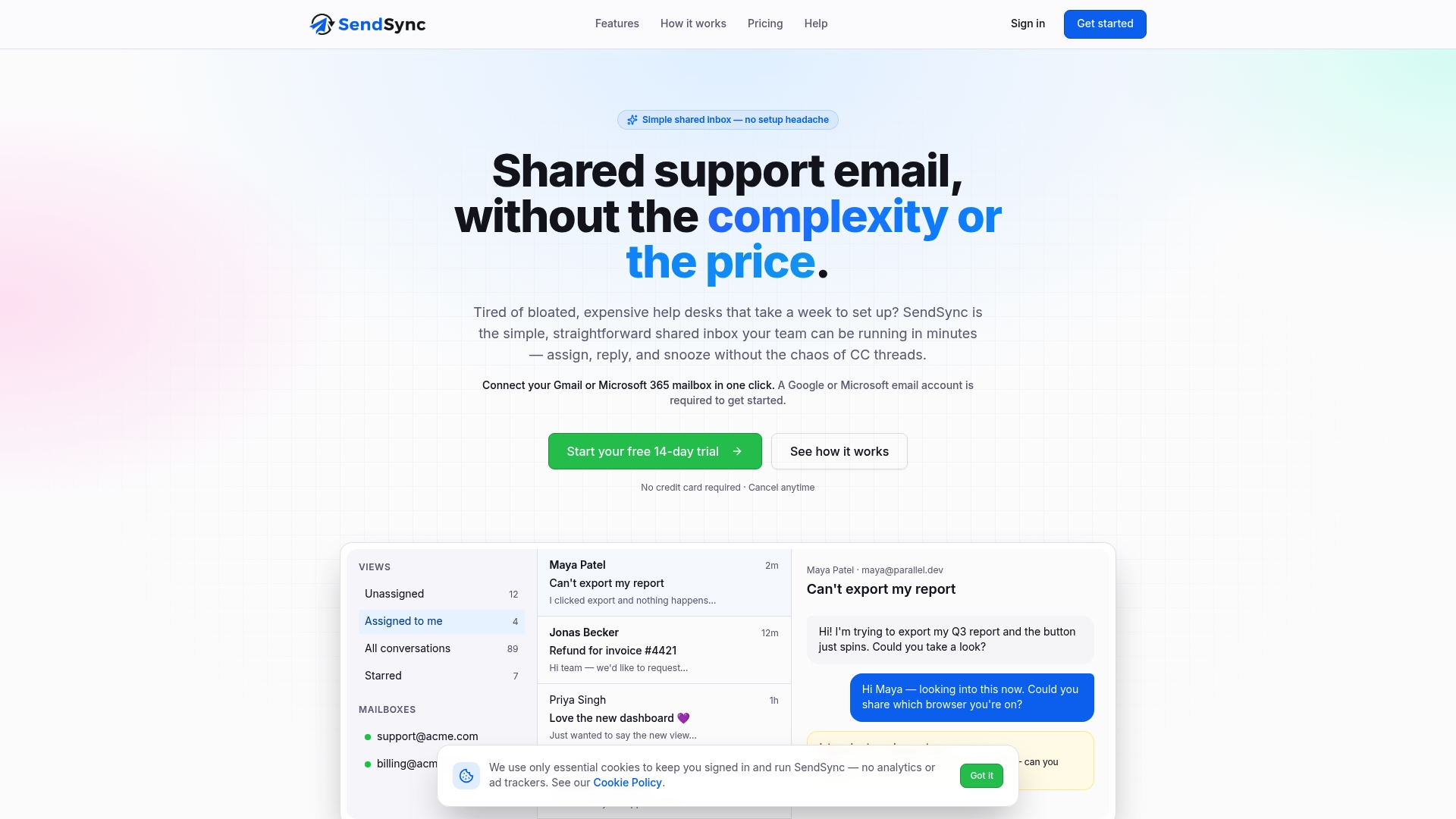
Sendsync connects to your existing Gmail or Microsoft 365 inbox in minutes, with no DNS changes required. From there, your team gets a shared inbox where every incoming request is visible, assignable, and trackable through each stage of the workflow. Assign tickets, apply labels for triage, use saved reply templates for your most common request types, and close tickets with clear resolution records. The platform runs on a flat-fee model with unlimited users, so adding a team member does not change your monthly bill. For small teams looking to move from email chaos to a real support workflow system, Sendsync is the fastest starting point available.
FAQ
What is a support workflow for a small team?
A support workflow for a small team is a structured system that moves customer inquiries through four stages: intake, triage, action, and resolution. It replaces ad hoc email management with a repeatable process that reduces decision fatigue and improves response consistency.
How many stages does a basic support workflow need?
A functional support workflow needs four stages: intake, triage, action, and resolution. Each stage has a defined job, and skipping any one of them is where most small teams lose control of their queue.
What is the biggest mistake small teams make with support workflows?
The biggest mistake is measuring reply count instead of resolution rate. Replies feel like progress, but a ticket is only complete when the customer’s problem is confirmed as solved and the ticket is formally closed.
When should a small team start automating its support workflow?
A small team should automate only after its manual process is stable and consistent. Automation should be added one rule at a time, starting with the highest-volume request type, and any routing decision with less than 80% confidence should fall back to a human reviewer.
What tools work best for small-team support workflow management?
Sendsync, Zendesk, and Front are the primary options for small-team support workflow management. Sendsync is the fastest to set up and uses flat-fee pricing, making it the most practical starting point for teams of two to ten people.