
Single Inbox Startup Team: Build Smarter Communication
Single Inbox Startup Team: Build Smarter Communication ! Startup team collaborating around a shared inbox A single inbox startup team is defined as a group that manages all external and internal communications through one centralized inbox, giving every team member shared visibil

A single inbox startup team is defined as a group that manages all external and internal communications through one centralized inbox, giving every team member shared visibility, clear ownership, and faster response times. This model, often called a shared inbox in professional settings, is the communication backbone most early-stage teams need but rarely set up correctly. The concept draws from practices endorsed by startup advisors like Harvard Innovation Labs and Startupik, both of which tie communication clarity directly to team performance. For founders asking what is single inbox startup team management, the short answer is this: one inbox, one team, zero confusion about who owns what.
What is a single inbox startup team and how does it differ from other inbox models?
A single inbox startup team uses one shared email address, like support@yourcompany.com, where every team member can see, assign, and respond to messages. This is not the same as a unified inbox or a personal multi-account aggregator. The distinction matters because choosing the wrong model creates friction instead of removing it.

A unified inbox merges messages from multiple personal accounts into one interface for a single user. It is a personal productivity tool, not a team collaboration system. A shared inbox, by contrast, is built for group collaboration around a common address, with features like assignment, internal comments, and status tracking. The single inbox model for startup teams blends the simplicity of a unified view with the accountability features of a shared inbox.
Here is how the three models compare:
Model | Primary user | Core function | Best for |
|---|---|---|---|
Unified inbox | Individual | Aggregates personal accounts | Solo founders, freelancers |
Shared inbox | Team | Assigns and tracks team messages | Support and sales teams |
Single inbox (startup) | Startup team | Centralized ownership and collaboration | Early-stage teams, 2–20 people |
The single inbox model for startups sits at the intersection of speed and structure. It gives small teams the group visibility of a shared inbox without the heavy configuration of enterprise help desk platforms.
Pro Tip: Connect your existing Gmail or Microsoft 365 address to a shared inbox tool before creating new email addresses. You preserve your existing sender reputation and skip the DNS setup headache entirely.
What are the key benefits of implementing a single inbox for startup teams?
The biggest operational benefit of a shared team inbox is the elimination of duplicate work. When two teammates reply to the same customer email, trust breaks down fast. A single inbox prevents that by making every conversation visible to everyone at once.
Centralizing all communication reduces context switching, which is one of the most underrated productivity killers in early-stage companies. Every time a founder switches from Slack to email to a project tool and back, they lose focus time. A single inbox cuts that loop short.
The benefits go beyond productivity:
Clear ownership. Every message gets assigned to one person. No more “I thought you handled it.”
Transparency. The whole team sees what is open, what is resolved, and what is waiting. This removes the need for status update meetings.
Cost control. Optimizing existing tools before hiring preserves cash and keeps teams lean. A well-configured team inbox can replace the need for an additional communications hire.
Culture signal. A single inbox acts as a cultural anchor that reinforces norms around response time and accountability. When the inbox is always visible, slow responses become visible too.
Reduced cognitive load. Fewer tools mean fewer mental tabs open. Teams that consolidate communication report less decision fatigue by end of day.
The culture point deserves more attention. Startup culture is built through daily operational rituals, not perks or mission statements. How fast your team responds to a customer email is a ritual. A single inbox makes that ritual visible and measurable for everyone.
How do single inbox teams structure workflows to maximize efficiency?
Structure in a startup inbox does not mean bureaucracy. It means everyone knows the rules without having to ask. Early-stage startup teams are role-fluid and fast-moving, so the workflow has to be light enough to follow without thinking.
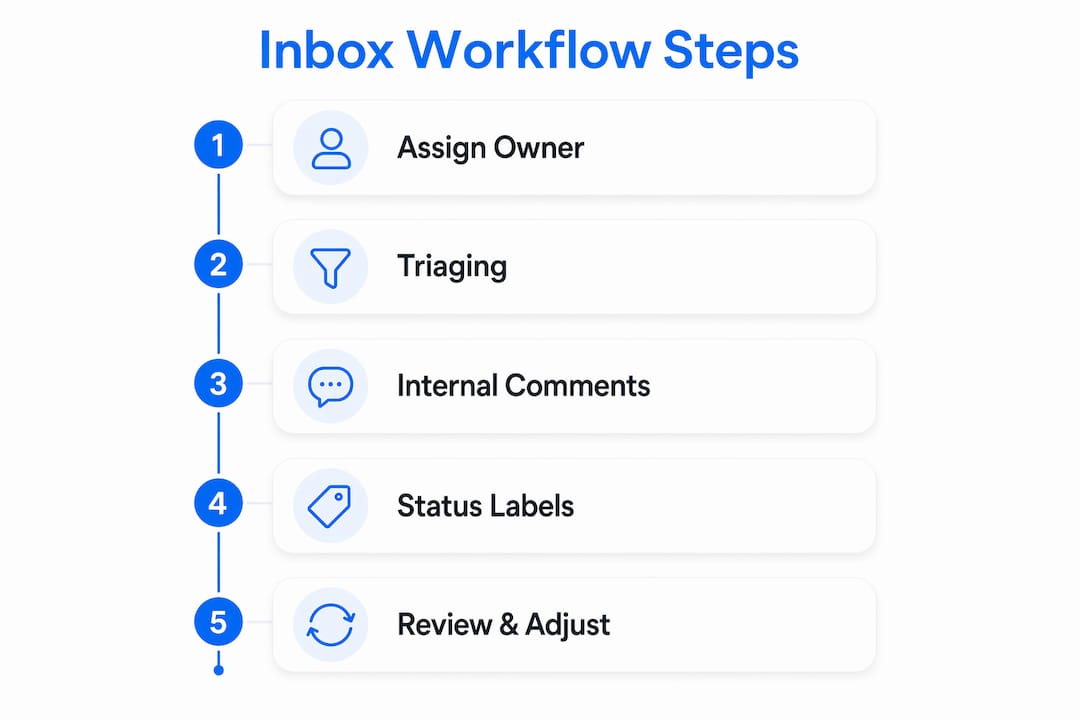
Here is a practical workflow structure that works for teams of 2–20 people:
Set assignment rules on arrival. Route emails from specific senders or with specific subject keywords to the right person automatically. This removes the “who should handle this?” delay.
Use internal comments, not reply-all. When a teammate needs context before responding, they leave an internal note on the thread. The customer never sees it. The team stays aligned.
Apply status labels consistently. Open, in progress, and resolved are the only three statuses most startup teams need. More than that creates overhead.
Track response time as a team metric. Scalable inbox workflows include clear ownership and response time protocols. Treat average response time as a KPI, not an afterthought.
Review the inbox in a weekly sync. A five-minute scan of open threads at the start of each week catches anything that slipped through. This is faster than any status meeting.
Leadership behavior drives adoption more than any written policy. Leaders who model prompt responses set the standard the whole team follows. If the founder ignores the inbox for two days, the team will too.
Pro Tip: Assign a rotating “inbox owner” role each week. That person is responsible for triaging new messages within two hours. Rotating the role prevents burnout and builds inbox fluency across the whole team.
The goal is not a perfect system. The goal is a system everyone actually uses. Start with three rules, enforce them visibly, and add structure only when a specific problem demands it.
What challenges should startup leaders watch for when adopting a single inbox?
The single biggest mistake startup teams make with a shared inbox is over-engineering it before they understand their actual communication patterns. Building a 12-step workflow for a three-person team creates more friction than it removes.
Watch for these specific pitfalls:
Premature complexity. Tags, sub-tags, SLA timers, and custom views are useful at scale. At five people, they slow everyone down. Start minimal.
Inbox as a dumping ground. A shared inbox only works if the team agrees on what belongs there. Internal project updates belong in a project tool, not the customer inbox.
No clear escalation path. When a message is too complex for the assigned person, the team needs a one-step escalation rule. Without it, hard messages sit unresolved.
Tool integration gaps. A single inbox does not replace every tool. It needs to connect cleanly with whatever project management or CRM system the team already uses. Avoiding duplicated work requires that the inbox and other tools talk to each other.
Team size changes everything. A workflow that works at five people breaks at fifteen. Build in a quarterly review of your inbox structure. Ask one question: is the current setup helping the team move faster, or is it creating new friction? If the answer is friction, simplify before adding more rules.
The right inbox model depends on team size, communication volume, and how much structure the team can realistically maintain. Founders who treat the inbox as a living system, not a one-time setup, get the most out of it.
Key takeaways
A single inbox startup team works because it combines shared visibility, clear ownership, and minimal structure into one communication system that scales with the team.
Point | Details |
|---|---|
Define the model correctly | A single inbox for startups blends shared inbox collaboration with the simplicity of a unified view. |
Start with minimal structure | Three status labels and one assignment rule are enough for teams under ten people. |
Use it as a culture tool | Inbox response time is a daily ritual that signals team accountability to customers and colleagues. |
Optimize before hiring | A well-configured team inbox can replace a communication hire and preserve startup cash. |
Review and adjust quarterly | Inbox workflows that fit five people often break at fifteen; build in regular reviews. |
Why founders underestimate the inbox as a culture lever
Most founders I talk to treat the team inbox as a logistics problem. They want to know which tool to use and how to set it up. That is the wrong frame. The inbox is where your team’s values show up in real time, every single day.
I have watched early-stage teams with brilliant products lose customers because no one owned the support inbox. Not because they were lazy. Because the system made it easy to assume someone else was handling it. A shared inbox with clear assignment rules removes that assumption entirely.
The counterintuitive insight is this: the inbox is not just a communication tool. It is a mirror. It reflects how your team actually operates under pressure, not how you think you operate. Founders who look at their inbox data, response times, unresolved threads, and assignment gaps, get a clearer picture of team health than any all-hands meeting delivers.
My honest advice for founders hesitant to add another tool: do not think of a shared inbox as a new system. Think of it as a replacement for the chaos you already have. You are not adding structure. You are making the structure you already need visible and manageable. Start with remote team inbox practices if your team is distributed. The principles are the same; the urgency is higher.
The teams that get this right early build a communication habit that compounds. Every new hire joins a team that already knows how to handle messages without drama. That is worth more than any onboarding document.
— Nick
How Sendsync fits the single inbox model for startup teams
Sendsync is built specifically for teams that want shared inbox management without the setup complexity of traditional help desk platforms.
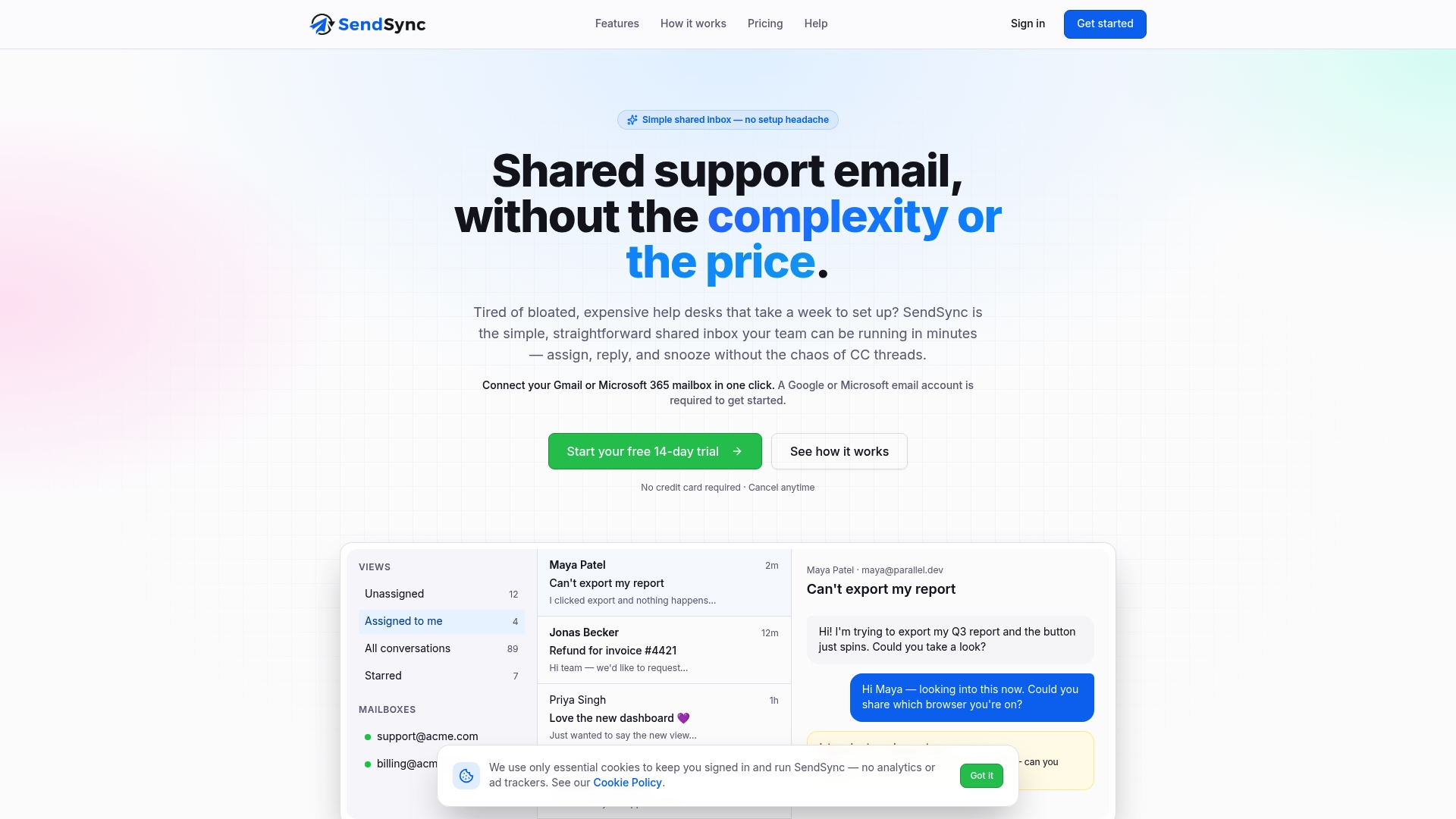
Sendsync connects directly to Gmail or Microsoft 365 in minutes, with no DNS changes and no lengthy configuration. Teams get assignment, internal comments, and status tracking out of the box. The pricing model uses unlimited users with no per-seat fees, which makes it practical for startups watching every dollar. Founders who want to set up a shared inbox without a week of IT work will find Sendsync fits that need directly. The platform is designed to get out of the way and let the team focus on customers, not on managing the tool itself.
FAQ
What is a single inbox startup team?
A single inbox startup team is a group that manages all team communications through one shared inbox, giving every member visibility, assignment capability, and clear ownership of messages.
How does a shared inbox differ from a unified inbox?
A unified inbox aggregates personal accounts for one user, while a shared inbox is built for team collaboration around a common address with assignment and tracking features.
What are the main benefits of a single inbox for startups?
The main benefits include reduced duplicate work, clear message ownership, lower context switching, and a visible accountability culture built through daily communication habits.
How do you build a startup team inbox workflow?
Start with three elements: automatic assignment rules, internal comment threads for team context, and three status labels (open, in progress, resolved). Add complexity only when a specific gap appears.
When should a startup upgrade its inbox setup?
A startup should review its inbox structure when team size crosses ten people, when response times start slipping, or when messages regularly fall through the cracks without resolution.