
Top 6 Freshdesk.com Alternatives 2026
Top 6 Freshdesk. com Alternatives 2026 !

Managing team email and collaboration from a single inbox without added IT setup or expensive agent licenses is harder than expected. Most shared inbox tools charge by agent, force email migration, or gate advanced AI behind higher-tier plans. This comparison details pricing, integrations, and AI features across six alternatives so support teams can match a shared inbox to their workflow and billing needs.
Table of Contents
SendSync
At a Glance
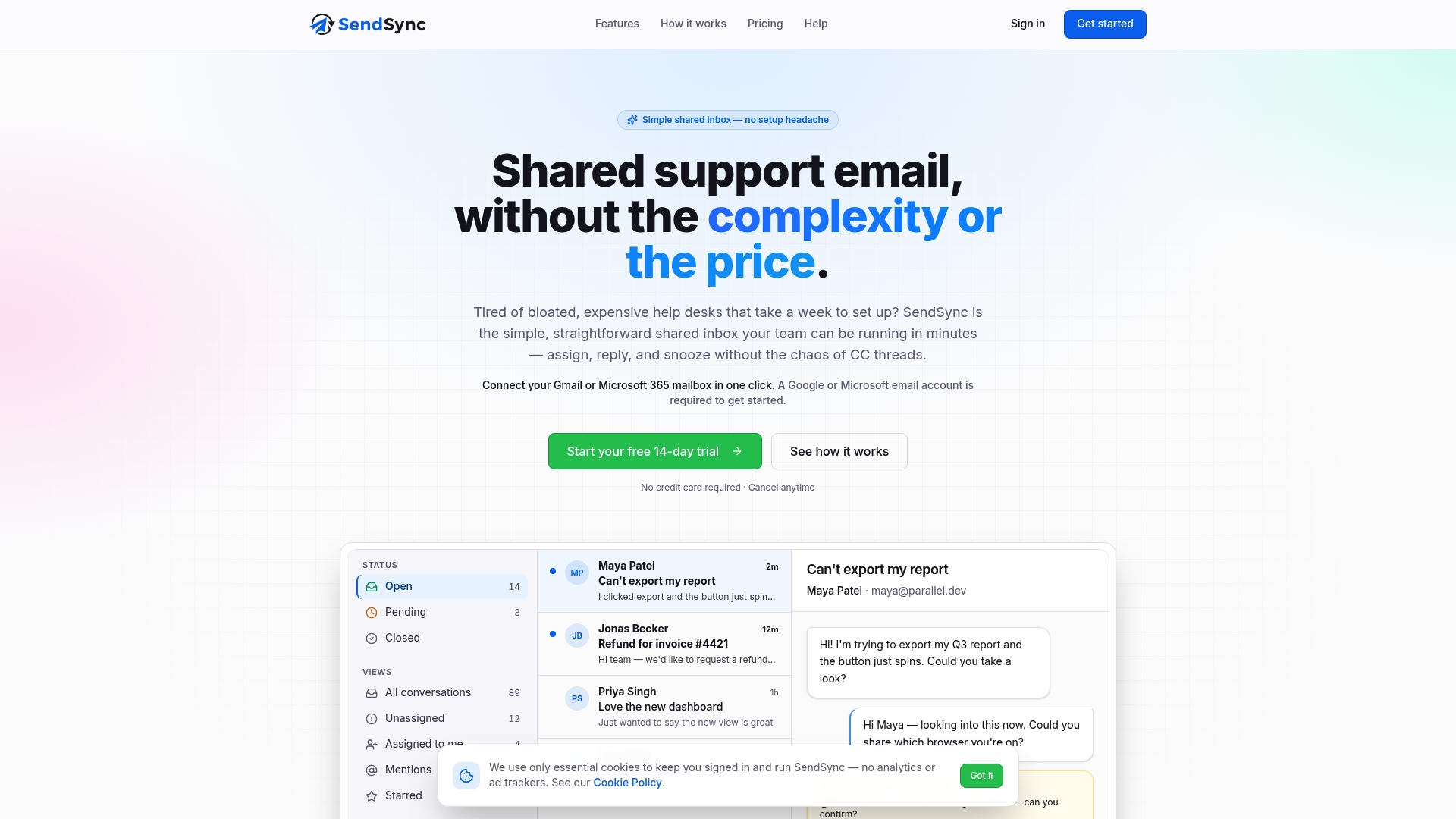
Plans start at $10/month for solo users, and paid tiers include unlimited users and a 14-day trial. The vendor advertises one-click connections to Gmail and Microsoft 365 that avoid complex setup and DNS changes. SendSync targets teams that want a focused shared inbox instead of a full help desk.
Core Features
SendSync connects Gmail and Microsoft 365 inboxes and presents a single shared inbox where team members can assign and reply to messages. The product supports reply, assign, snooze, star, and archive actions with single-key shortcuts, plus saved views and tags to organize conversations. It also offers automation for routing and assigning emails and provides analytics on response times and resolution rates.
Key Differentiator
The vendor advertises instant setup with Gmail and Microsoft 365 and no per-agent fees. That claim, if accurate for your environment, removes DNS changes and lengthy configuration when you onboard a mailbox. The result is a lower setup overhead compared with traditional help desk platforms.
Pros
Setup is simple and fast because you can connect existing mailboxes without DNS edits or complex routing rules. Flat pricing begins at $10/month, and plans cover every team member so you avoid per-seat fees and surprise per-agent costs. Built-in automation, tagging, saved views, and keyboard shortcuts speed daily work while analytics give visibility into response times and resolution activity.
Cons
Limited public detail on advanced features or third-party integrations, making it hard to evaluate edge-case needs.
Who It’s For
You should consider SendSync if your support team uses Gmail or Microsoft 365 and you want a shared inbox rather than a ticketing system. It fits small business owners, remote teams, and growing support groups that value predictable pricing and quick setup. If you need deep customization or many outside integrations, evaluate that constraint first.
Unique Value Proposition
Flat pricing that covers unlimited users removes per-seat billing and keeps monthly costs predictable as headcount grows. That pricing model reduces administrative overhead for teams that add temporary agents or share inboxes across departments. For small to mid-sized operations, predictable billing lets you scale support capacity without renegotiating license counts.
Real World Use Case
A mid-sized company connects its support@ mailbox to SendSync and automates tagging and routing for billing versus product issues. Team members use keyboard shortcuts and saved views to clear the morning queue faster. The company reports faster triage and fewer duplicate replies after switching from a manual shared mailbox.
Pricing
Pricing starts at $10/month for solo founders and scales to higher tiers up to $200/month for larger teams. All paid plans include unlimited users and a free 14-day trial so you can test automation and analytics before committing. The tiered model focuses on predictable monthly spend instead of per-agent fees.
Website: https://sendsync.com
DragApp
At a Glance
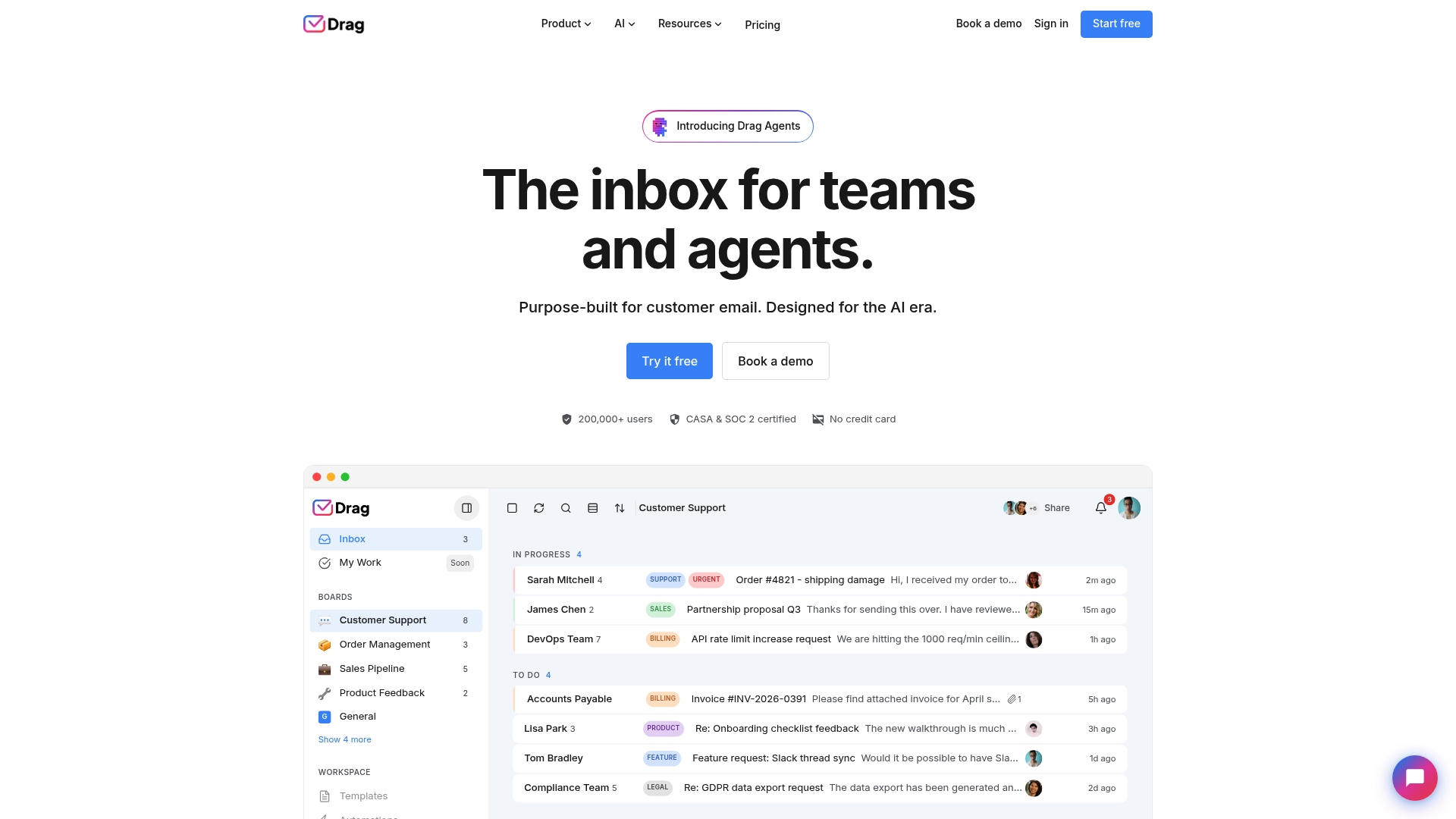
DragApp includes an MCP server and APIs that let teams connect external AI tools directly to their inbox workflow. The app embeds shared inboxes, boards, and task views inside Gmail so teams work from the email interface. Starter pricing begins at $12 per user/month, with AI features gated to higher plans.
Core Features
Shared inbox management sits alongside boards and checklists inside Gmail, so support and sales teams keep email and task work together. Built-in AI drafts replies, classifies messages, summarizes threads, detects sentiment, and pulls knowledge base answers. Automation rules route and tag messages, and reporting tracks workload and response trends.
Key Differentiator
DragApp pairs embedded Gmail workflows with server-level AI connectivity, letting teams run custom models or external agents via the MCP server. That API focus makes it easier to attach advanced classification and resolution logic to email, rather than relying only on vendor-hosted AI features. The integration set covers common business tools so the inbox can act as a single collaboration hub.
Pros
Deep Google Workspace embedding reduces context switching by keeping collaboration inside Gmail and Google Drive. The AI toolset speeds common tasks: drafting replies, auto-classifying tickets, and surfacing knowledge snippets for agents. Automation rules and boards cut manual routing work and help teams keep consistent processes. Finally, broad integration options and an API let technical teams customize workflows and plug in third-party systems.
Cons
Feature complexity may require a ramp-up period for smaller teams. New users will need time to learn boards, automations, and AI controls.
Advanced AI agents and higher-level automations are available only on upper-tier plans. Small teams on the Starter plan may not get the full automation set.
Most functions rely on online integrations, so offline access and local workflows are limited.
When It May Not Fit
If your team needs full offline access for long stretches, DragApp will feel constrained because core features depend on cloud connections. Small teams on tight budgets may find the advanced AI locked behind higher plans. If you do not use Gmail or Google Workspace, you will lose the main embedding advantage.
Notable Integrations
DragApp connects to common business tools so email ties into your apps.
Gmail
Google Calendar
Google Drive
Google Groups
WhatsApp
Zapier
Stripe
Slack
Notion
HubSpot
Zendesk
Salesforce
Jira
Shopify
Who It’s For
Support, sales, and operations teams that run on Gmail and want AI and automation inside their inbox will get the most value. Technical teams that can use APIs or the MCP server to extend AI behavior will benefit from custom integrations. Teams that need a Gmail-first collaboration surface, rather than a separate helpdesk UI, will prefer this approach.
Real World Use Case
A customer support team uses DragApp to auto-classify incoming tickets and assign them to the right agent. Agents draft replies with AI suggestions and add internal notes without leaving Gmail. Managers review response-time reports and tune automation rules to reduce manual handoffs.
Pricing
Starter begins at $12 per user/month, billed annually, with higher plans named Plus and Pro that add more AI and automation. Monthly billing is available at a higher rate. Advanced AI agents and some automations require the upper-tier plans.
Website: https://dragapp.com
Emailgistics
At a Glance
Runs entirely inside Microsoft 365 so your shared mailbox data stays within your tenant. The platform automates assignment, routes messages, and tracks service level agreements while working from Outlook. That in-place model shortens setup time and avoids moving data to third-party systems.
Core Features
Emailgistics includes automatic email assignment and routing, workflow automation with AI-enhanced responses, and SLA tracking with breach alerts. The product also delivers real-time performance dashboards and reporting so teams can monitor response times and workload. Security and compliance are handled inside your Microsoft 365 environment with SOC 2, GDPR, and HIPAA controls listed by the vendor.
Key Differentiator
Built natively within Microsoft 365, Emailgistics requires no external platform or additional infrastructure. That design keeps mail inside Outlook and reduces the steps needed to connect shared mailboxes. For organizations that must keep data in their tenant, this is the main operational advantage.
Pros
Integration inside Outlook removes the usual connector and API setup, which reduces administrative overhead for IT teams. Strong compliance posture and the claim that data never leaves the Microsoft environment help teams in regulated industries meet security requirements. The automation and analytics features speed routing and reporting, and the vendor reports adoption across healthcare, finance, and logistics, which suggests the product handles larger mailbox volumes.
Cons
Can be costly for very small teams or startups when compared with lower priced shared inbox tools.
Some complex workflows require advanced setup or training for admins and agents.
Limited to Microsoft 365 environments, so it does not work for organizations on other mail platforms.
When It May Not Fit
If your team uses Gmail or another non-Microsoft mail system, Emailgistics will not work. Small startups on tight budgets may find the per-user pricing hard to justify. Teams that need out-of-the-box multitenant or cross-platform mailbox handling should look elsewhere.
Who It’s For
Midmarket and enterprise support teams that already run Microsoft 365 shared mailboxes and need automation, accountability, and reporting. IT teams that prefer to avoid moving mail outside the tenant will get the most value. Regulated teams that must meet SOC 2, GDPR, or HIPAA requirements will find the compliance posture relevant.
Real World Use Case
A healthcare support team routes incoming patient inquiries automatically to the right clinician or coordinator. Emailgistics monitors SLA compliance and sends breach alerts so managers can reassign work before breaches occur. The team also exports performance reports for leadership while keeping patient data inside Microsoft 365.
Pricing
Starting at $11/user/month (billed annually) for the Starter plan. The vendor lists higher tiers with additional features for larger teams and enterprise needs.
Website: https://emailgistics.com
HelpCrunch
At a Glance
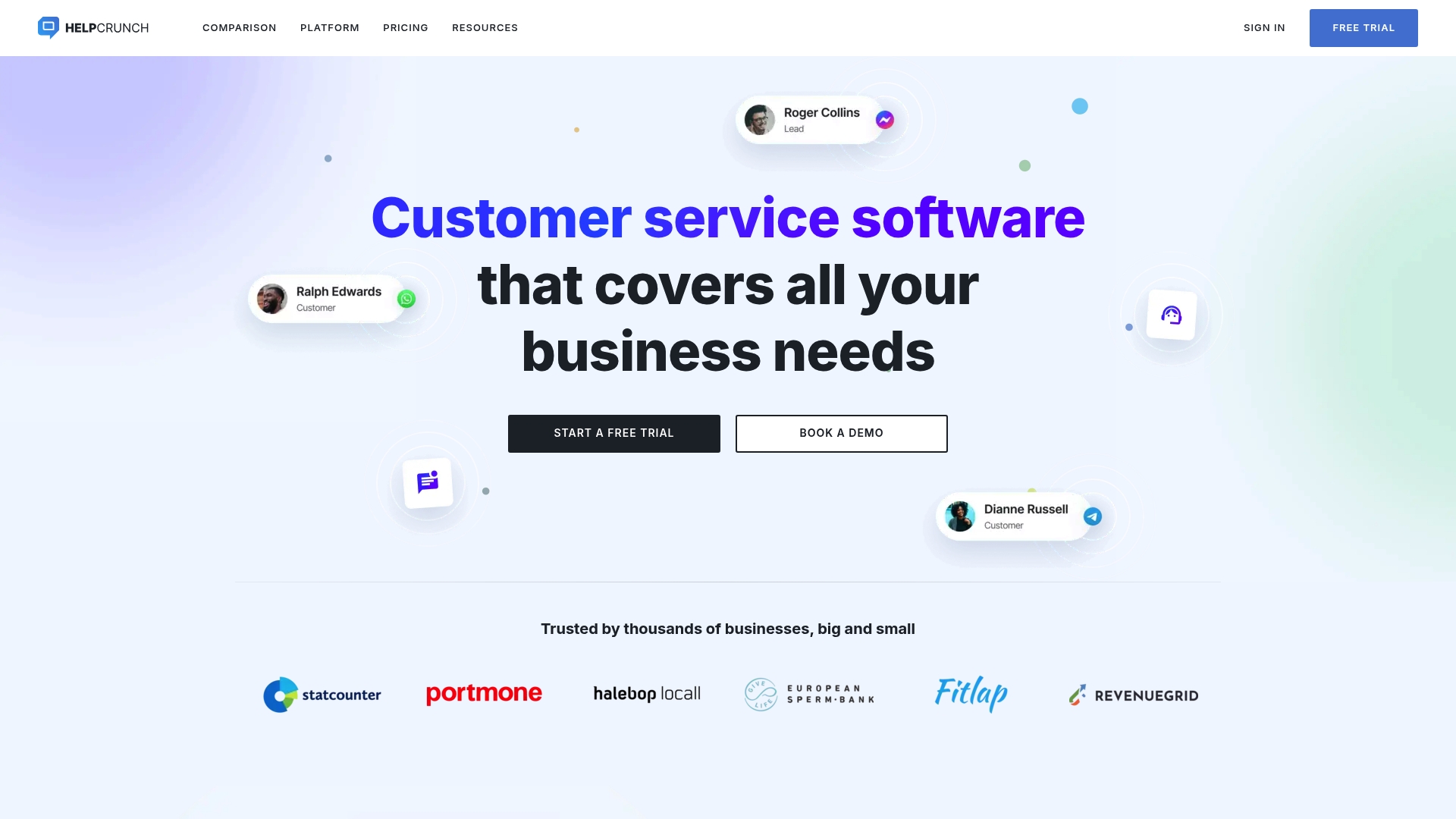
Offers unlimited contacts on every plan, which keeps contact costs predictable for smaller support teams. HelpCrunch’s marketing materials state it is trusted by thousands of businesses and reports customer ratings around 4.7 to 4.8 stars. That combination of contact limits and reported satisfaction makes it attractive for growing teams that want predictable billing.
Core Features
HelpCrunch bundles Live chat, AI chatbots, and a shared inbox so teams can handle real time conversations and email threads in one place. It also includes knowledge base tools for self service, email marketing and automation for outreach, popups to capture leads, plus mobile SDKs and developer APIs for in app support. These elements work together so support, sales, and marketing can share context without switching tools.
Key Differentiator
The clearest difference is the platform’s pledge of unlimited contacts across plans paired with multichannel messaging and AI features. HelpCrunch emphasizes migration support from competitors, which reduces the friction when teams move their chat history and routing rules. That mix targets teams that want to avoid per contact fees while keeping multichannel conversations in one inbox.
Pros
The interface is friendly and setup runs fast for standard chat and inbox workflows, which lowers the time to value for small teams. Pricing aims to be affordable and predictable because contacts are not capped, and that matters for companies with growing lists. Multichannel support includes Facebook, Instagram, and WhatsApp messaging, and the vendor highlights AI tools that handle routine answers and lead qualification to save agent time.
Cons
Advanced features can require a learning curve for power users who customize automations or build complex flows.
The product does not match the depth of feature sets large enterprise platforms offer for heavy custom integrations.
Public pricing specifics and exact tier limits are described at a high level, so you may need to contact sales for precise numbers.
Who It’s For
Small to medium sized businesses and customer support teams that want a single place for chat, email campaigns, and a help center will benefit most. Teams that prefer predictable contact costs and simpler migration from other services will find this approach useful. Large enterprises needing deep bespoke integrations may find the platform less suitable.
Real World Use Case
A SaaS firm used HelpCrunch to run live chat on its website, power in app support with the mobile SDK, and host a searchable knowledge base. The team combined chat responses with automated email campaigns to follow up on leads. Reportedly this reduced handoffs and helped the company improve response consistency across channels.
Pricing
HelpCrunch sells multiple plans priced by team members and email usage while emphasizing transparent fees and no hidden costs. The vendor describes the model as affordable and oriented to growing teams rather than enterprise buyers. For exact tier pricing and extras consult the provider’s pricing page.
Website: https://helpcrunch.com
Chatwoot
At a Glance
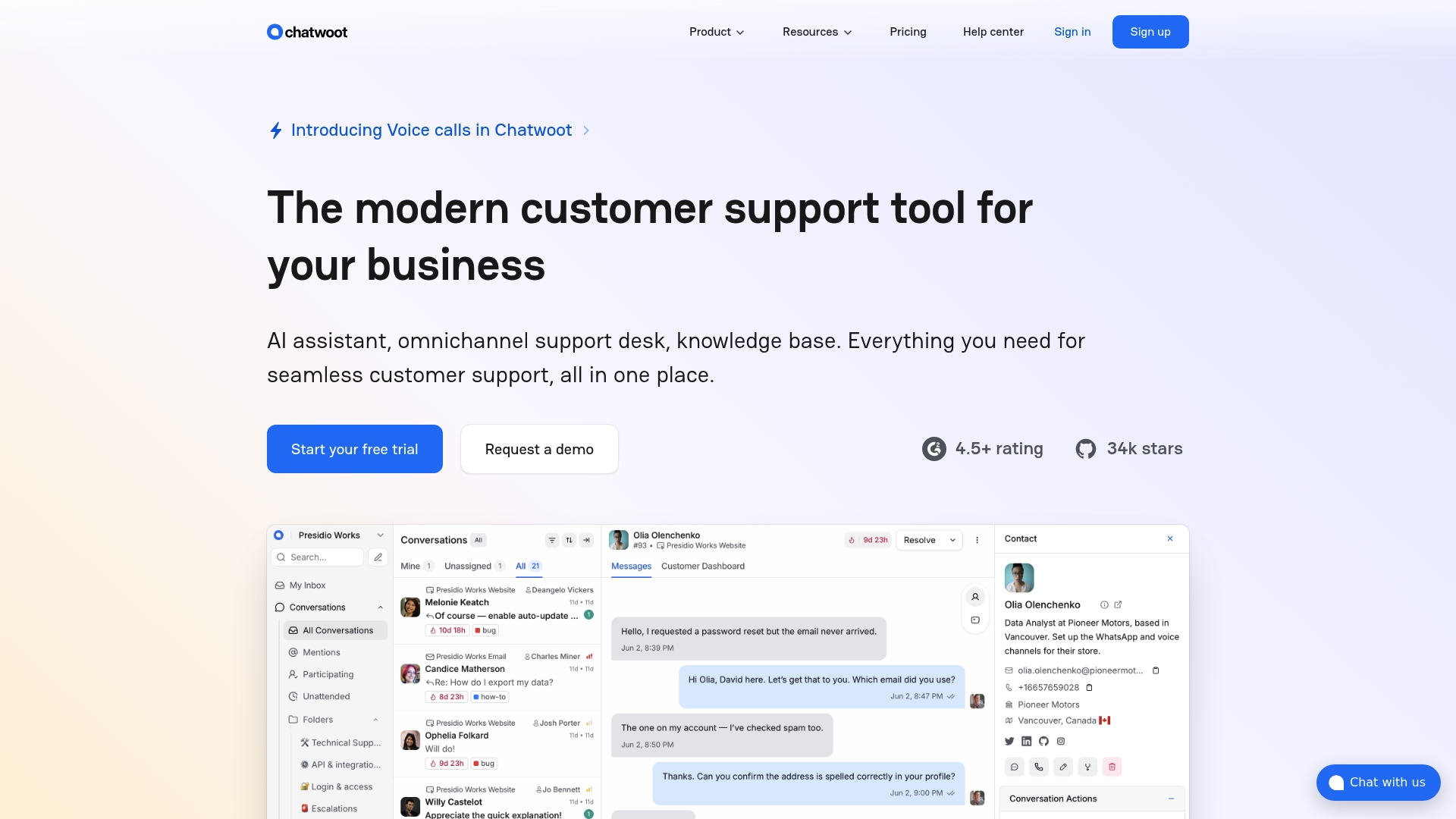
Chatwoot ships as an open source codebase that lets you host the system yourself for full data control. The platform combines live chat, voice calls, social messaging, and email into a single agent inbox. Teams that want ownership of logs and storage find this approach useful.
Core Features
Chatwoot delivers omnichannel support across website chat, email, social platforms, messaging apps, and voice calls in one dashboard. It includes an AI assistant called Captain to handle routine queries and reduce agent load, plus a customizable chat widget and an AI powered knowledge base search. The codebase is open source so you can self hosted deploy and modify behavior to meet compliance or integration needs.
Key Differentiator
The project’s open source nature gives you complete control over data, deployment, and source changes. That control suits organizations that cannot store customer data on third party infrastructure or that want to extend the stack directly.
Pros
Chatwoot is highly customizable because you can edit the code and host it on your own servers. It supports many channels and offers built in automation that can lower ticket volume and speed responses. Deployment flexibility lets teams choose cloud hosting or self hosted installs to match compliance and residency rules.
Cons
Potential technical complexity for self hosted setup.
Limited advanced analytics in lower tier plans.
Costs can escalate with team size and feature requirements.
When It May Not Fit
If you lack a developer or DevOps resource, running a self hosted instance will add operational overhead and maintenance tasks. Organizations that need deep analytics without extra modules may find reporting insufficient in basic plans. Companies that prefer a turn key, hands off SaaS experience will likely find Chatwoot a poor match.
Notable Integrations
Chatwoot integrates with Slack, DialogFlow, Google Translate, Linear, and webhook APIs. These connections let teams route conversations into existing workflows and automate message handling with external bots.
Who It’s For
Support teams and organizations that require a customizable, open source support platform will get the most value. Teams with compliance constraints or strict data residency policies benefit from self hosted deployment. Small to mid sized e commerce and product teams that can manage hosting or who already have DevOps capacity are a natural fit.
Real World Use Case
A regional e commerce company routes email, live chat, WhatsApp, and Facebook Messenger into Chatwoot so agents work from one interface. They use Captain to answer frequent questions and a tailored knowledge base to push customers toward self service. That setup reduced repetitive tickets and kept order data inside the company network.
Pricing
Chatwoot offers a free tier for basic use. Paid plans start at $19 per agent/month for the Startup plan and scale to Business and Enterprise tiers that add features and support. Self hosted deployment removes per agent hosting constraints but requires your own infrastructure.
Website: https://chatwoot.com
Missive
At a Glance
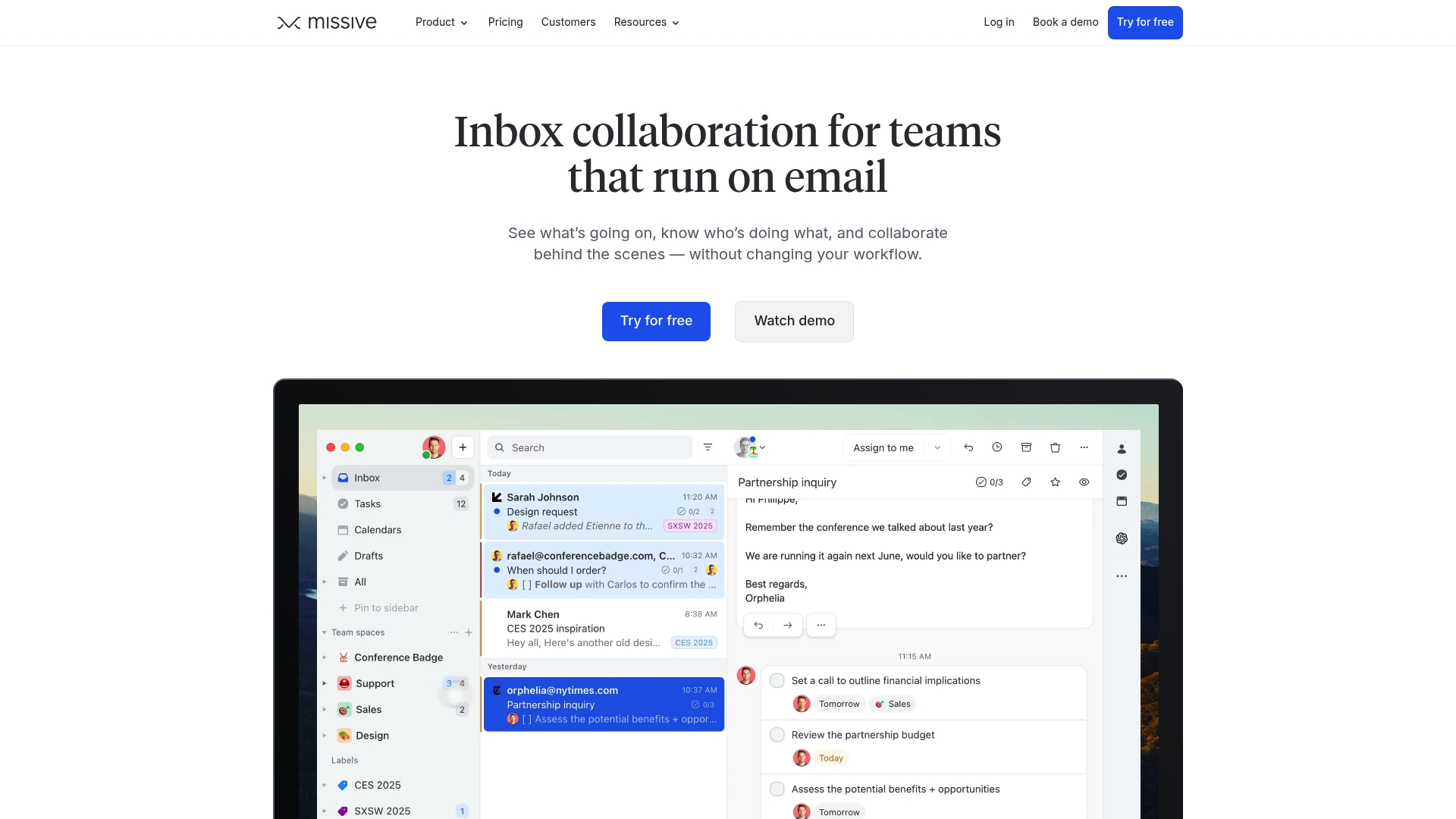
Missive’s marketing materials state it holds SOC 2 Type II. The product combines email, SMS, and social channels into a single shared inbox. Teams use internal threads and real time drafting to discuss messages without switching apps. This setup suits teams that need visible collaboration inside their existing email flow.
Core Features
Missive centralizes team email, shared inboxes, and internal threads while letting teammates draft and comment together in real time. It adds team spaces for focused work, built in task assignment, and rules plus canned responses for automation. AI assistance and broad third party integrations extend the inbox into CRM and project workflows.
Key Differentiator
Missive brings collaboration and automation directly into email by combining internal threads, AI help, and multi channel support in one inbox. That focus on keeping conversations and tasks together sets it apart from standalone ticketing or messaging tools.
Pros
The collaboration model reduces inbox handoffs and keeps context with internal threads and assignable tasks. Integrations with tools such as ChatGPT, Salesforce, and Slack let you keep customer records and project boards in sync. The vendor advertises positive customer reviews that emphasize productivity gains, and the product claims enterprise level security through its SOC 2 Type II statement.
Cons
Some users report outstanding feature requests and missing integrations. This slows teams that expect every workflow covered out of the box.
Pricing may concern very small teams depending on the chosen plan. Startups on tight budgets could find entry costs restrictive.
The interface and feature set can overwhelm groups that only need basic email forwarding and simple shared mailboxes.
When It May Not Fit
If your team only needs basic shared mailboxes and simple delegation, Missive may add unnecessary complexity. Small shops with minimal budget pressure could prefer a lower cost alternative with fewer features. Teams that require offline native email workflows might find web dependent features limiting.
Notable Integrations
ChatGPT
Pipedrive
Trello
Salesforce
Google Drive
Zoom
Slack
Dropbox
Who It’s For
Small to large teams that need unified communication across email, SMS, and social channels will get the most value. It fits teams that assign conversations, draft in public, and rely on automations to reduce repetitive replies. Support, sales, and operations groups that connect email to CRM or project tools benefit especially well.
Real World Use Case
A support team directs email and social messages into Missive, assigns owners to each thread, and uses internal notes while replying. The team automates routine replies and lets AI draft suggested responses for agents to edit. That process shortens handoffs and keeps ticket context inside the conversation.
Pricing
Missive uses pay for what you use pricing with a Starter plan starting at $14 per user per month billed annually. Higher tiers add more automation, integrations, and advanced security controls. The model scales per seat and by feature level so teams can upgrade as needs grow.
Website: https://missiveapp.com
Comparison of alternatives
Modern communication challenges demand, efficient, and scalable solutions. Each platform reviewed highlights its strengths based on specific user scenarios and considerations.
Pricing and user scalability
SendSync’s unique pricing model of unlimited users under flat-rate pricing allows businesses to scale without incurring unpredictable costs. This is particularly beneficial compared to DragApp and Missive, which apply a per-user pricing model that may increase costs significantly as team sizes grow. Teams aiming for cost efficiency will find this feature advantageous.
Capability for advanced integrations
While SendSync offers straightforward functionality for email handling, platforms like DragApp and Chatwoot cater to technical teams requiring API access or self-hosting options. DragApp’s embedded Gmail workflows and AI-driven routing add advanced capabilities that teams with specific integration needs may prefer. Similarly, Chatwoot provides open-source control for organizations valuing customization and data sovereignty.
Best fit
Businesses needing predictable pricing and an intuitive setup for shared inboxes will benefit most from SendSync.
Teams operating within highly regulated environments, such as those relying on Microsoft 365, should consider Emailgistics.
Organizations needing a platform capable of integrating multichannel communication will find the tools provided by HelpCrunch suitable.
Technical teams focused on deployment flexibility and control over data may prefer Chatwoot for its open-source and self-hosting features.
Groups desiring collaboration and workflow integrations should evaluate DragApp and Missive based on their technical capabilities.
Our pick
For small to midsize organizations prioritizing predictable billing and rapid deployment, SendSync remains the ideal choice. Its flat-rate pricing plan allows unlimited team members, making it cost-effective and simple to manage while ensuring rapid configuration with Gmail and Microsoft 365 inboxes. This feature makes it a standout solution for businesses without specialized integrations or deployment requirements.
Compare different email shared inbox software solutions to find the most suitable one for quick setup and team collaboration.
Product | Core Feature | Key Differentiator | Pricing | Notable Limitation |
|---|---|---|---|---|
Sendsync | Shared inbox with Gmail/Microsoft 365 | Simple setup without DNS changes | $10/month starting | Limited detail on advanced features or third-party integrations |
DragApp | Embedded inboxes with boards in Gmail | AI-powered MCP server for workflows | $12/user/month | Complexity may require ramp-up for smaller teams |
Emailgistics | SLA tracking in Microsoft 365 | No external platform required | $11/user/month | Limited to Microsoft 365 environments |
HelpCrunch | Live chat, email campaigns, and tools | Unlimited contacts across all plans | Price not published | Advanced features may require a learning curve |
Chatwoot | Omnichannel communication | Open-source customization | $19/agent/month starting | Requires development resources for self-hosted deployments |
Missive | Unified communication with collaboration | Internal threads in shared inbox | $14/user/month starting | Entry cost may concern small teams |
What Challenges Do Teams Face When Switching From Freshdesk.com Alternatives?
Many teams struggle with complex setup and unpredictable pricing common to larger help desk platforms. Traditional solutions often burden support groups with DNS changes, per-seat fees, and clunky inbox workflows. Sendsync meets these challenges by connecting Gmail or Microsoft 365 inboxes in minutes without DNS edits or per-agent charges. This keeps team communication focused and straightforward.
SendSync offers small to mid-sized teams a razor-thin shared inbox built for fast collaboration and improved response times. If your support group seeks predictable monthly costs with unlimited users and wants to avoid setup headaches while maintaining team efficiency, Sendsync provides a smart alternative. See how easy it is to connect your mailbox and manage customer conversations confidently.
FAQ
What features make Sendsync an ideal choice for teams using Gmail or Microsoft 365?
Sendsync excels in connecting Gmail and Microsoft 365 inboxes to create a single shared inbox. The platform supports actions like reply, assign, and tag with single-key shortcuts, which enhances workflow efficiency. Teams can expect a user-friendly interface that promotes fast email handling and collaboration.
How does Sendsync’s pricing compare to alternatives like DragApp?
DragApp provides a wealth of features and supports many integrations, making it a great choice for teams focused on in-depth customization. Sendsync, on the other hand, starts at just $10 per month and covers unlimited users, making it the more cost-effective option for teams looking to avoid per-seat fees while keeping costs predictable.
What specific automation features does Sendsync offer?
Sendsync includes built-in automation for routing and assigning emails as well as analytics on response times and resolution rates. These tools streamline operations and help teams identify performance trends, allowing for continuous improvement in response efficiency.
Can teams using Sendsync also benefit from analytics?
Yes, Sendsync provides analytics on response times and resolution activity, which helps teams gauge their performance. This data can be invaluable for improving customer interactions and response strategies, making it an attractive feature for support teams.
Is Sendsync suitable for large teams with variable headcount?
Sendsync’s pricing model makes it suitable for larger teams since it features unlimited users without per-seat fees. This means organizations can scale their support efforts without incurring additional costs, making it a flexible choice for dynamic teams.