
Shared Inbox vs Helpdesk Software: 2026 Guide
Shared Inbox vs Helpdesk Software: 2026 Guide ! Customer support manager working on communication tools A shared inbox is a collaborative email tool where multiple team members read, assign, and reply to messages from a single address.

A shared inbox is a collaborative email tool where multiple team members read, assign, and reply to messages from a single address. Helpdesk software is a structured ticketing system that converts every customer contact into a tracked, assignable record. The shared inbox vs helpdesk software decision is not about which tool is better. It is about which design fits your team’s size, ticket volume, and process needs. Get this choice wrong and you either over-engineer a two-person team or leave a 20-agent operation drowning in untracked email threads.
What features distinguish shared inboxes from helpdesk systems?
Shared inboxes facilitate human-centric communication through a familiar email interface, while helpdesk software treats every customer contact as a tracked ticket focused on process, accountability, and metrics. That single design difference shapes every feature downstream.

Ownership and accountability
A shared inbox shows all agents the same inbox. Without clear assignment rules, two agents can reply to the same customer at the same time. This is called agent collision, and it damages customer trust fast. Agent collision is a common risk in shared inboxes that helpdesk systems eliminate through assignment locking and status tracking. Helpdesk software assigns each ticket to one owner and locks it, so no one else replies until the status changes.
Automation and workflow depth
Helpdesk platforms offer multi-step automation: route by keyword, escalate by wait time, trigger SLA warnings, and close resolved tickets automatically. Shared inboxes offer lighter automation, typically limited to assignment rules and basic filters. For teams with straightforward, single-channel support, that lighter setup is an advantage. For teams managing multiple channels and service level agreements, it becomes a ceiling.
Reporting and metrics
Helpdesk software tracks first response time, resolution time, ticket volume by category, and agent performance. Shared inboxes rarely surface these metrics natively. A team that cannot measure response time cannot improve it.
Here is a direct comparison of core feature categories:
Feature category | Shared inbox | Helpdesk software |
|---|---|---|
Ticket tracking | No native ticketing | Full ticket lifecycle management |
Assignment and ownership | Manual, collision risk | Locked assignment, status-based |
Automation depth | Basic rules and filters | Multi-step workflows and SLA triggers |
Reporting | Limited or none | Built-in performance dashboards |
Setup time | Minutes | Hours to days |
Multichannel support | Email-focused | Email, chat, phone, social |
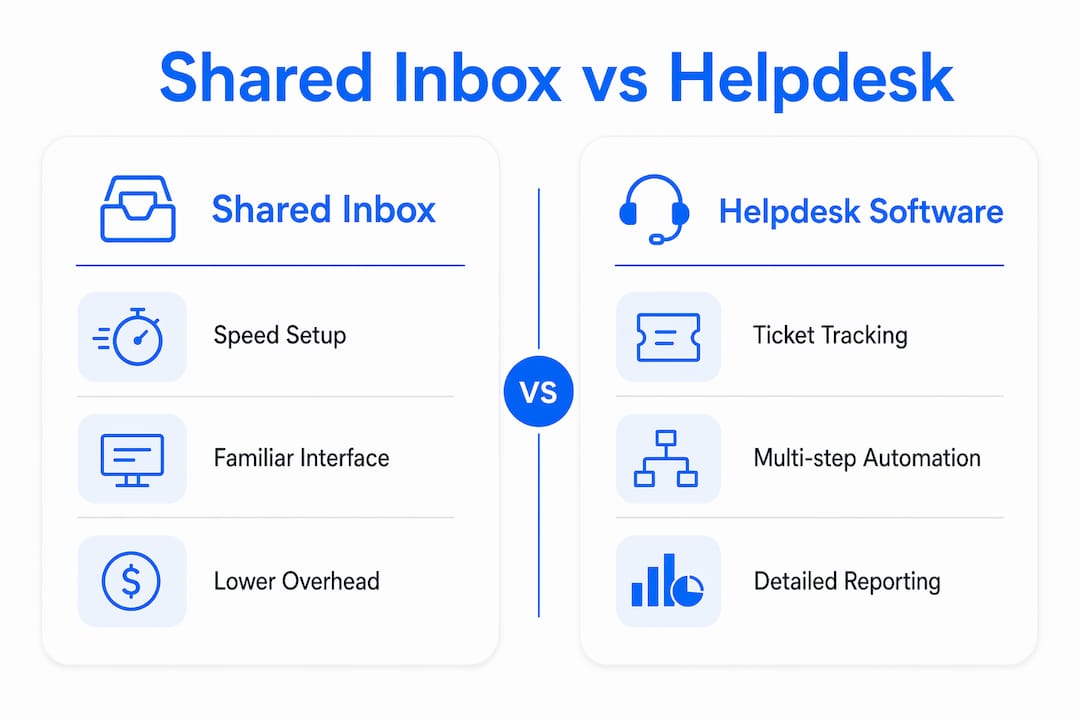
Key shared inbox benefits include speed of setup, a familiar interface, and lower coordination overhead for small teams. Key features of helpdesk software include SLA management, ticket history, and structured escalation paths.
Pro Tip: Before evaluating any tool, count your actual monthly ticket volume for 60 days. Teams consistently underestimate volume, which leads to choosing a tool that fits today but breaks in three months.
How do team size, ticket volume, and support complexity influence the choice?
The clearest guidance in the helpdesk software comparison space comes down to two thresholds. Teams handling fewer than 500 tickets per month with 1–5 agents generally find a shared inbox sufficient. Above those thresholds, queue management and automation become necessary, and helpdesk software earns its complexity.
These thresholds are not arbitrary. They reflect where manual triage starts consuming agent time at a rate that hurts response quality.
The triage tax
Manual sorting and routing in shared inboxes can consume 2–3 hours daily for teams processing around 200 tickets per day. That is time agents spend organizing email instead of answering customers. The triage tax is the hidden cost of staying on a shared inbox past its useful range.
Teams that hit this wall have three options:
Move to a full helpdesk platform and accept the setup and training investment.
Add AI classification to the shared inbox as a cost-effective intermediate step.
Redesign manual triage workflows to reduce sorting time before committing to either path.
When multichannel support tips the decision
A shared inbox handles email well. The moment your team needs to manage live chat, social media messages, and phone logs in one place, a shared inbox reaches its structural limit. Helpdesk platforms are built for multichannel routing from the ground up. SLA tracking across channels requires a ticketing backbone that shared inboxes simply do not provide.
AI classification as a bridge
Adding AI classification to a shared inbox can function as a cost-effective intermediate step between pure email handling and full helpdesk software. It handles volumes that would otherwise require a helpdesk by auto-sorting and tagging incoming messages. This approach works well for teams that have outgrown basic shared inbox use but are not ready for the cultural and operational shift a helpdesk requires.
Pro Tip: Track how many minutes per day your team spends sorting and routing email. If that number exceeds 45 minutes for a five-person team, you have a triage tax problem worth solving before it compounds.
What are the operational and cultural challenges when transitioning to helpdesk software?
The technical side of switching to a helpdesk is the easy part. The hard part is changing how your team thinks about support work. Successful helpdesk adoption requires a mindset shift and training, not just deploying features. Teams that skip this step end up with an expensive tool used like a shared inbox.
The core shift is from “replying to email” to “resolving tickets.” Those sound similar but they are not. Replying is reactive and personal. Resolving is process-driven and measurable. Agents who have worked in email-first environments for years often resist the queue-first model because it feels impersonal and bureaucratic.
Here are the most common transition challenges, in order of impact:
Low adoption. Agents continue using personal email or the old shared inbox in parallel, splitting the conversation history and undermining the ticketing system’s value.
Process gaps. Teams deploy helpdesk features without designing the workflows that make those features useful. Auto-assignment rules without clear ownership logic create new confusion.
Customer perception. Customers who received personal, named replies now get ticket numbers and templated responses. Without careful design, this shift feels like a downgrade in service quality.
Premature complexity. A five-agent team that adopts an enterprise helpdesk platform spends more time managing the tool than serving customers.
“The best software decision reduces coordination cost without adding unnecessary process. Avoid upgrading prematurely.” — Shared Inbox vs Help Desk: When to Upgrade
The practical fix is to design your support process on paper before you configure any tool. Map who owns which request type, what escalation looks like, and how you define “resolved.” Then configure the tool to match that process, not the other way around.
How can teams optimize their support processes with either tool?
The right tool only works if the team uses it consistently. These practices apply whether you are running a shared inbox for support teams or a full helpdesk platform.
Assign every conversation. Unassigned messages are the root cause of both agent collision and missed replies. Every incoming message should have one named owner within a defined time window.
Use status labels actively. Open, in progress, and resolved are the minimum. Teams that track status reduce duplicate replies and give managers real visibility without needing a dashboard.
Set response time targets before you need SLAs. Even a shared inbox team benefits from a written rule: “All customer emails get a first reply within four hours.” That target creates accountability without requiring helpdesk software.
Review team metrics weekly. Volume trends, average response time, and unresolved conversation age are measurable in most shared inbox tools. Reviewing them weekly catches problems before they become backlogs.
Introduce AI classification gradually. Start with one high-volume category, such as billing questions or order status. Measure accuracy for 30 days before expanding. This prevents mis-routing from eroding customer trust.
Pro Tip: Build a simple shared doc that maps request types to owners and expected response times. Teams that document this process before choosing a tool make better software decisions and onboard new agents faster.
For teams managing multiple clients or accounts, handling multiple clients in one inbox requires clear labeling and folder logic from day one. Retrofitting organization onto a messy inbox is far harder than building it in at the start.
Key Takeaways
The right choice between a shared inbox and helpdesk software depends on ticket volume, team size, and whether your support process needs structure or speed.
Point | Details |
|---|---|
Volume threshold matters | Teams under 500 tickets per month with 5 or fewer agents rarely need full helpdesk software. |
Agent collision is a real risk | Shared inboxes without assignment rules cause duplicate replies that damage customer trust. |
Triage tax signals upgrade time | If manual sorting consumes more than 45 minutes daily, AI classification or a helpdesk is justified. |
Adoption requires process design | Deploying helpdesk features without defined workflows leads to low adoption and wasted spend. |
AI classification bridges the gap | Adding AI sorting to a shared inbox extends its useful range before a full platform switch is needed. |
Why I think most teams upgrade too soon
Teams almost always overestimate how much structure they need. I have watched five-person support teams spend weeks configuring enterprise helpdesk platforms, building automation rules for edge cases that happen twice a month, and training agents on ticket workflows that add steps without adding value. The result is a tool that costs more, takes longer to use, and makes the team feel like they are doing IT work instead of support work.
The honest truth is that a well-run shared inbox beats a poorly run helpdesk every time. Staying with a shared inbox as long as you primarily need visibility and light collaboration is not a failure to scale. It is a disciplined decision to match your tool to your actual problem.
What I have found actually works is a staged approach. Start with a shared inbox and document your process. When you hit the 500-ticket threshold or your triage time exceeds an hour a day, evaluate a move. Do not upgrade because a competitor upgraded or because a vendor demo looked impressive. Upgrade because your data shows you need it.
The teams that get this right treat the tool choice as a process question, not a technology question. They ask: “What coordination problem are we solving?” before they ask: “Which platform should we buy?” That order of operations makes every software decision cleaner and cheaper.
— Nick
Sendsync makes the shared inbox decision easier
Teams that want the collaboration benefits of a structured inbox without the configuration burden of a full helpdesk platform have a practical option in Sendsync. It connects directly to Gmail or Microsoft 365 in minutes, with no DNS changes or lengthy onboarding required.
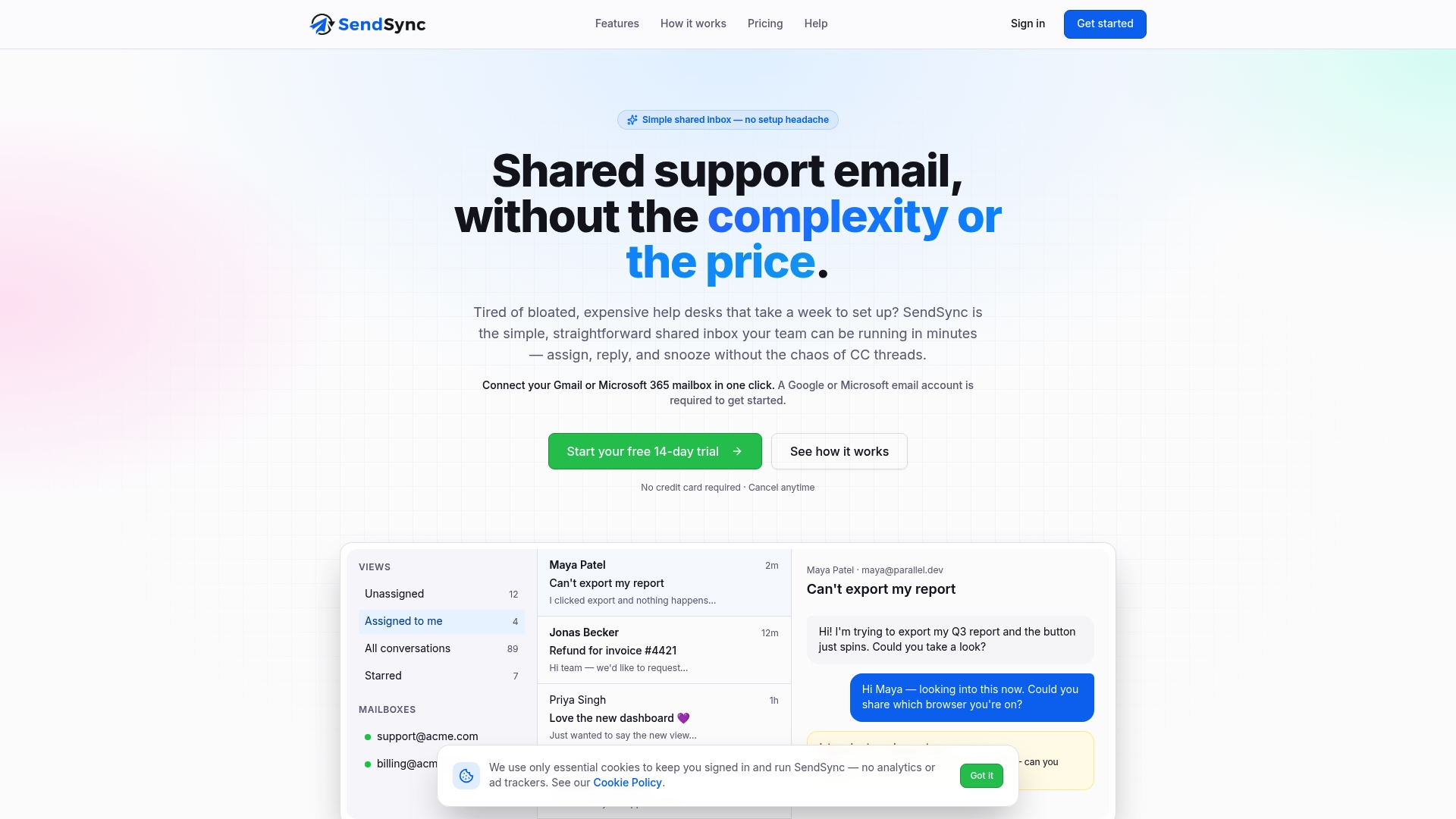
Sendsync gives support teams assignment, status tracking, and conversation management in a format that feels like email but works like a team tool. Plans include unlimited users with no per-seat fees, which removes the cost barrier that makes many teams delay getting organized. For teams evaluating their shared inbox options, Sendsync is built to handle the collaboration gap without the overhead of a full helpdesk migration.
FAQ
What is the main difference between a shared inbox and helpdesk software?
A shared inbox gives multiple team members access to one email address for collaborative replies. Helpdesk software converts every customer contact into a tracked ticket with assignment, status, and reporting built in.
When should a team switch from a shared inbox to helpdesk software?
The standard threshold is 500 tickets per month or more than 5 agents. Below those numbers, a shared inbox with clear assignment rules is typically sufficient.
What is agent collision and why does it matter?
Agent collision happens when two agents reply to the same customer email independently. It creates confusing, duplicate responses and signals to customers that your team lacks internal coordination.
Can AI replace the need to upgrade to helpdesk software?
AI classification can extend a shared inbox’s useful range by auto-sorting and tagging incoming messages. It works as a cost-effective bridge but does not replace the SLA tracking and multichannel routing that helpdesk platforms provide.
What is the biggest mistake teams make when adopting helpdesk software?
Deploying features without designing the underlying support process first. Teams that skip workflow design end up with an expensive tool used no better than a basic shared inbox.