
Why Support Teams Miss Customer Emails: 2026 Guide
Why Support Teams Miss Customer Emails: 2026 Guide ! Support team manager viewing email dashboard Missed customer emails are defined as a systemic workflow failure, not a personnel problem.

Missed customer emails are defined as a systemic workflow failure, not a personnel problem. The root cause is visibility, not laziness. Industry standards set email support response times at 12–24 hours, with top-performing teams targeting under 6 hours. Most organizations fail to meet those targets consistently, and the gap widens when no one can see which emails are waiting, who owns them, or how long they have sat unanswered. Understanding why support teams miss customer emails starts with recognizing that shared inboxes, manual triage, and absent tracking tools create the conditions for failure before a single agent even logs in.
Why support teams miss customer emails: the systemic truth
Missed emails are rarely the result of an agent ignoring a customer. Systemic visibility failures dominate as the primary cause. When no shared real-time dashboard exists, agents cannot see which emails are unread, which are assigned, or which have been waiting for three days without a reply.
The consequences compound quickly. A manager reviewing team performance has no way to detect a follow-up bottleneck if the data does not exist. An agent scanning a shared inbox sees a wall of messages with no clear ownership signals. The result is predictable: some emails get answered twice, others get answered never.
“Most teams misdiagnose the problem as volume when the root cause is visibility. Without shared dashboards, the urgency of emails becomes unclear.” — Email Meter
Experts who study email management failures consistently point to three structural gaps:
No unified view of unreplied emails across the team
No workload distribution data, leaving some agents buried while others are underloaded
No follow-up tracking, so emails that need a second touch simply disappear into the thread history
Pro Tip: Set a daily team standup where someone reads out the count of unreplied emails older than 4 hours. That single habit surfaces bottlenecks before they become customer complaints.
These gaps are invisible to the naked eye inside a standard Gmail or Microsoft 365 inbox. That invisibility is the real enemy. You can hire more agents and still miss emails if the underlying workflow has no accountability layer built in.
How do shared inbox failures cause dropped emails?
Shared inboxes without proper assignment tools are one of the most common issues in email response management. Shared Gmail inboxes have no native collision detection, which means two agents can open the same email, draft separate replies, and send contradictory answers to the same customer within minutes of each other.

The failure modes in a shared inbox without assignment tools fall into three categories:
Failure Mode | What Happens | Customer Impact |
|---|---|---|
Double reply | Two agents respond with different information | Customer confusion, trust erosion |
No reply | Both agents assume the other handled it | Customer churn, complaint escalation |
Delayed reply | Email sits unread because everyone assumes ownership | SLA breach, negative review |
Manual workarounds make this worse, not better. Teams that rely on starring emails, color-coded labels, or Slack messages to “claim” an email create a system that depends entirely on human memory and discipline. That system breaks the moment volume increases or a team member is out sick.
Comparing manual claims versus dedicated assignment tools reveals a stark difference. Manual systems have no audit trail, no conflict detection, and no escalation path. A proper email assignment workflow creates a clear owner for every message, logs when it was assigned, and flags it if no reply is sent within a defined window.
Pro Tip: Before investing in new tooling, audit your last 30 missed or duplicate replies. In most cases, you will find that 80% came from the same 2–3 recurring failure points. Fix those first.
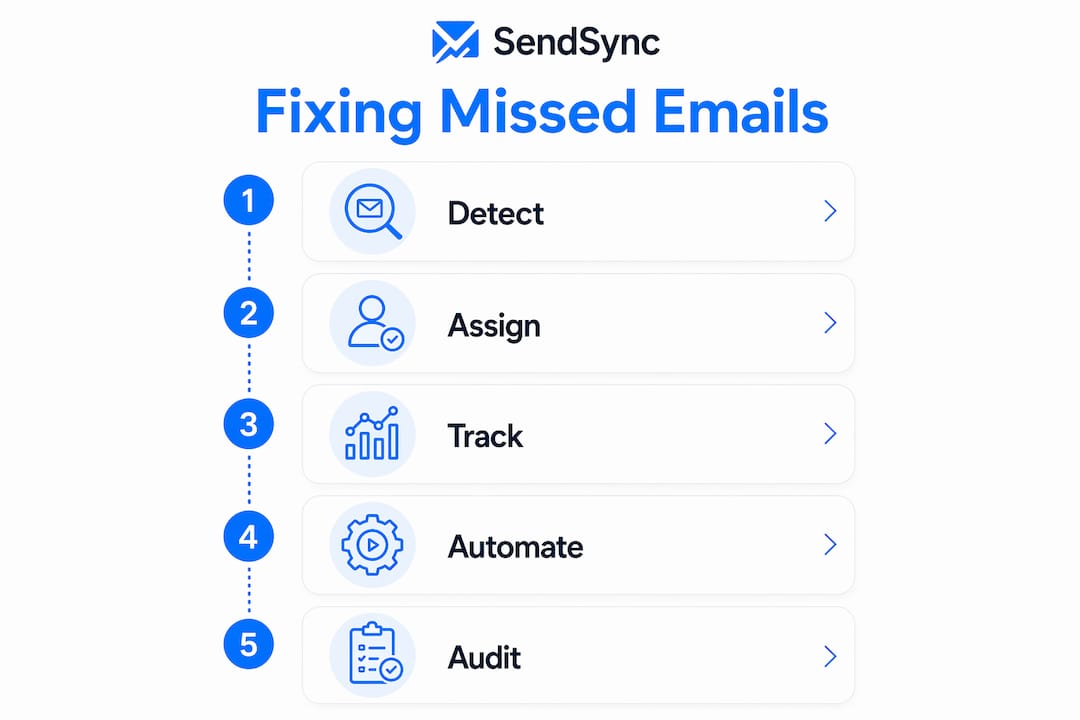
The fix is not complicated. It requires moving from an informal “whoever sees it first” model to a structured assignment protocol where every incoming email gets an owner within a defined time window.
Is your team hitting the chaos threshold?
Volume is not the enemy. Invisible volume is. Most support teams that believe they have a volume problem actually have a visibility problem wearing a volume costume.
The chaos threshold is the point at which manual inbox management breaks down completely. At around 30–50 emails daily or 3+ agents per address, strategies like starring, labeling, and informal claims become unreliable and create regular message loss. That threshold is lower than most managers expect.
Team Size | Daily Email Volume | Risk Level |
|---|---|---|
1–2 agents | Under 30 emails | Low: manual workflows hold |
3–5 agents | 30–50 emails | Medium: gaps start appearing |
5+ agents | 50+ emails | High: systematic losses likely |
The signs that a team has crossed the chaos threshold are specific. Customers send follow-up emails asking if anyone received their original message. Agents frequently discover emails that were never assigned. Response time averages climb without any clear spike in incoming volume. Managers cannot tell whether a high unreplied count reflects a busy day or an overwhelmed agent.
Untracked response times and absent workload data create hidden backlogs that grow silently. A high unreplied email count usually signals overwhelmed agents, not poor performers. The distinction matters because the solution is different. Overwhelmed agents need better tooling and workload redistribution. Poor performers need coaching. Treating one as the other wastes time and damages morale.
The practical test is straightforward. Pull your team’s unreplied email count right now. If you cannot do that in under 60 seconds, your team has a visibility problem regardless of volume.
What strategies actually fix missed email responses?
Fixing support team email management failures requires changes at three levels: process, tooling, and measurement. Each level reinforces the others.
1. Implement a shared inbox with collision detection and assignment.Platforms like Front and Hiver provide real-time collision detection, ownership assignment, and workload tracking. Sendsync connects directly to Gmail or Microsoft 365 without DNS configuration, giving teams a shared inbox with assignment and visibility features in minutes rather than days. The goal is a system where every email has one owner and no email can be replied to twice without a warning.
2. Standardize your triage protocol. Every email that arrives should be categorized within a defined window, typically 15–30 minutes during business hours. Triage means assigning an owner, tagging the email type, and setting a priority level. Teams that use scalable inbox workflows reduce missed emails by removing the ambiguity of “who handles this.”
3. Track response time and workload by agent. Visibility tools that report on unreplied emails, average unreplied age, and response rates by team member give managers the data to distinguish overwhelmed agents from underperformers. Email Meter is one tool that surfaces this data for Gmail-based teams. Without this layer, management decisions are based on gut feel rather than evidence.
4. Use automation to handle repetitive queries. AI-powered email automation and retrieval-augmented generation improve resolution speed and consistency. Email remains the preferred channel for complex queries that need a paper trail, which makes intelligent automation a high-return investment for teams handling recurring question types.
5. Audit subject lines and email clarity.Nearly half of recipients decide to open emails based on subject line. Weak subject lines trigger spam filters and reduce open rates. Training agents to write clear, specific subject lines in outbound replies reduces the chance that a customer’s follow-up gets lost in a spam folder or overlooked in a cluttered inbox.
Pro Tip: Run a weekly 10-minute review of emails that received no reply within 24 hours. Categorize them by failure type: unassigned, assigned but forgotten, or assigned to an overloaded agent. Three weeks of data will tell you exactly where to invest your process improvement effort.
Key takeaways
Missed customer emails are a structural problem, and fixing them requires visibility tools, clear assignment protocols, and consistent measurement across the team.
Point | Details |
|---|---|
Visibility is the root cause | Teams without shared dashboards cannot see unreplied emails or workload gaps in real time. |
Chaos threshold is lower than expected | Manual workflows break down at 30–50 emails per day or when 3+ agents share one inbox. |
Assignment tools prevent double and zero replies | Collision detection and ownership assignment eliminate the most common shared inbox failure modes. |
Metrics distinguish overwhelmed from underperforming | Tracking unreplied age and response rates by agent reveals workload problems before they become churn risks. |
Automation handles volume so agents handle complexity | AI-powered routing and templated responses free agents for the queries that require human judgment. |
The fix nobody wants to hear about
I have reviewed email support operations for teams ranging from 3 agents to 50, and the pattern is almost always the same. The manager believes the problem is volume. The agents believe the problem is unclear priorities. Both are partially right, but neither is looking at the actual failure point.
The real problem is that the inbox is a black box. Nobody knows what is in it at any given moment except the person staring at it right now. That is not a people problem. That is an architecture problem.
What surprises most managers is how little it takes to fix it. You do not need a full help desk migration or a six-month implementation project. You need a shared inbox where every email has an owner, a timestamp, and a status. That is it. Everything else, the SLA tracking, the AI routing, the analytics, builds on top of that foundation.
The teams I have seen improve fastest are the ones that stop blaming agents and start asking a different question: “Can I see, right now, every email that has not been replied to and who owns it?” If the answer is no, that is your starting point. Fix the visibility before you fix anything else.
The uncomfortable truth is that most support teams are one shared inbox upgrade away from cutting their missed email rate significantly. The technology is not the barrier. The willingness to admit the current system is broken is.
— Nick
Stop missing customer emails with Sendsync
If your team is losing emails in a shared Gmail or Microsoft 365 inbox, the fix is closer than you think.
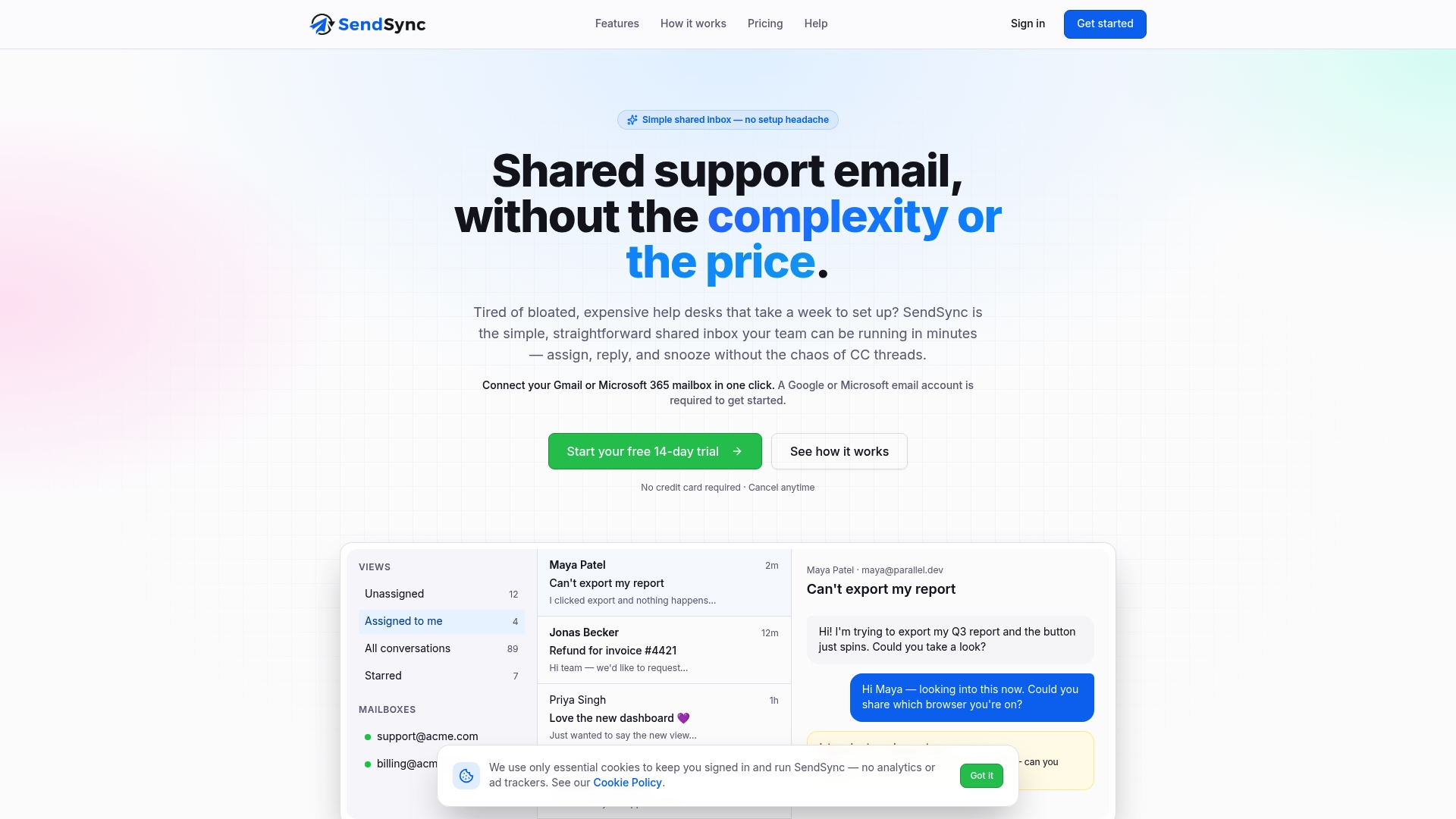
Sendsync gives support teams a shared inbox built for collaboration, with email assignment, collision detection, and real-time visibility into what is waiting and who owns it. Setup takes minutes, not weeks. There are no DNS changes, no per-seat fees, and no lengthy onboarding. Teams connect their existing mailbox and start assigning emails immediately. If the patterns described in this article sound familiar, Sendsync is designed specifically to close those gaps.
FAQ
Why do support teams miss customer emails so often?
Missed emails result primarily from systemic visibility failures, not agent negligence. Teams without shared dashboards, assignment tools, or workload tracking cannot see which emails are waiting or who is responsible for them.
What is the chaos threshold for shared inbox management?
The chaos threshold occurs at around 30–50 emails per day or when 3 or more agents share a single inbox address. Manual workarounds like starring and labeling break down reliably at this scale.
How do shared inboxes cause duplicate or missing replies?
Shared Gmail inboxes have no native collision detection, so multiple agents can open and reply to the same email independently. The result is either two contradictory responses or none at all, because each agent assumes the other handled it.
What metrics should managers track to reduce missed emails?
Track unreplied email count, average unreplied age, and response rate by team member. These three metrics, available through tools like Email Meter, reveal whether the problem is workload distribution or individual performance.
How can small teams improve email response effectiveness quickly?
Assign every incoming email to a specific agent within 15–30 minutes of arrival and review unresolved emails daily. Pairing that protocol with a support workflow built for small teams closes most gaps without requiring new technology.