
Top 3 Mercuri.cx Alternatives for 2026
Top 3 Mercuri. cx Alternatives for 2026 !

Managing customer conversations across different email accounts makes follow up slow and tracking inconsistent for support teams and solo founders. Many inbox tools force expensive per seat pricing or demand complex DNS setup before teams can reply. This comparison organizes price and setup details so you can match a shared inbox alternative to your workflow and budget needs.
Table of Contents
SendSync
At a Glance
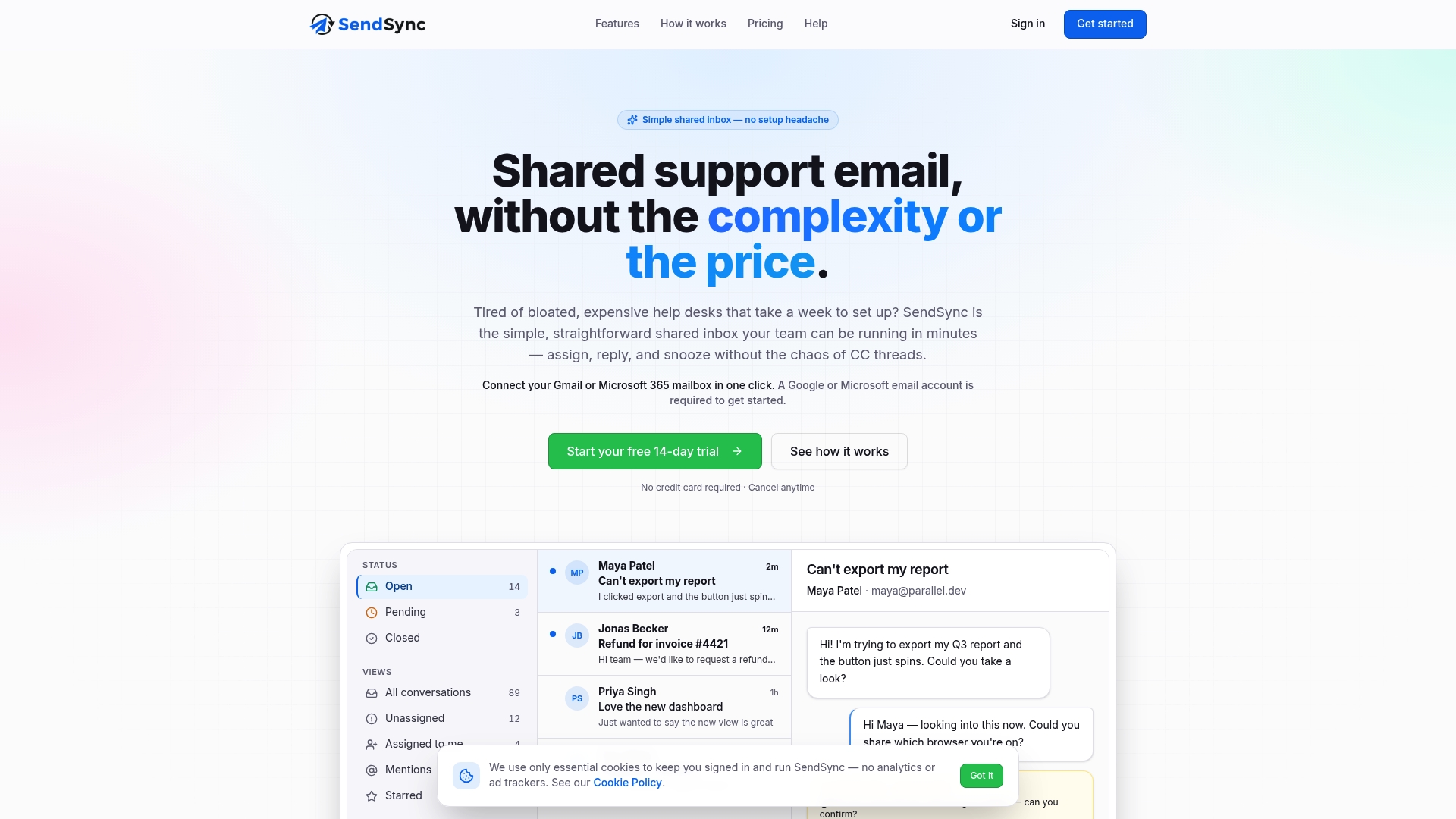
Starts at $10/month with a 14-day free trial and no credit card required. The vendor says teams can connect Gmail or Microsoft 365 mailboxes without changing DNS and begin triaging conversations in minutes. Plans advertise unlimited users and no per seat fees, which changes billing for growing teams.
Core Features
SendSync provides a single shared inbox that connects your Gmail or Microsoft 365 accounts so email arrives in one place. The product includes team triage tools for replying, assigning, and adding internal notes, plus automation rules for tagging, routing, and auto responses. Tags, custom views, and real time analytics help you organize conversations and track support performance.
Key Differentiator
Connects Gmail or Microsoft 365 without DNS changes or lengthy configuration. That reduces setup steps and removes the common DNS troubleshooting that slows onboarding. Teams that want to get support email into a shared workflow this afternoon will find that connection method the defining feature.
Pros
Setup is fast because you only connect an existing mailbox and avoid DNS configuration, which shortens onboarding time. Flat pricing and unlimited users remove per agent fees and simplify budgeting as headcount changes. Built in automation and keyboard shortcuts reduce manual work and speed common triage tasks while real time metrics let managers monitor response behavior.
Cons
Limited integration options beyond Gmail and Microsoft 365 may restrict teams that need chat, CRM, or ticketing platform links.
Who It’s For
Support teams and solo founders who need a low friction shared inbox and want to avoid help desk complexity. Small to midsize teams that rely primarily on email will get the most value. If your support workflow depends on many third party integrations, this product may feel too narrow.
Unique Value Proposition
Flat pricing with unlimited users and no per seat fees makes operating costs predictable as your support team grows. That pricing model translates into simpler budgeting and fewer billing surprises when you add agents. For teams that bill internally or run tight margins, the economic model is the primary reason to choose SendSync.
Real World Use Case
A small SaaS startup routes support and billing addresses into one shared inbox, assigns messages to engineers and billing, and uses auto responses for common questions. The team tracks response times with the platform’s real time metrics and adjusts staffing during peak hours. That setup replaced a slow help desk and cut the time spent on admin tasks.
Pricing
Pricing starts at $10/month with a 14-day free trial and no credit card required. The model uses flat plans with unlimited users and no per seat fees so teams do not pay per agent. The vendor markets this as suitable for solo founders and growing support teams.
Website: https://sendsync.com
Emailgistics
At a Glance
Runs directly inside Microsoft Outlook and applies assignment, SLA tracking, automation, and reporting without moving mail outside Microsoft 365. That native placement keeps rules and analytics visible where teams already work. Organizations that must keep data inside Microsoft 365 will find that local inbox control reduces context switching.
Core Features
Emailgistics automates email assignment with configurable routing rules and supports workflow steps such as tagging and AI suggested replies. It provides real time SLA monitoring with breach alerts and dashboards that show team performance and response trends. The vendor advertises built in compliance with SOC 2, GDPR, and HIPAA, which reinforces the product focus on security inside Microsoft 365.
Key Differentiator
Emailgistics embeds email management inside the Outlook experience so teams do not open a separate help desk app. That means agents work from shared mailboxes while the product applies assignment and analytics in place. Compared with Sendsync, Emailgistics serves only Microsoft 365 environments and concentrates on shared mailbox workflows rather than cross provider mailbox sync and minimal setup.
Pros
Emailgistics runs inside Outlook so teams discover automation without learning a new interface. The built in analytics make SLA performance visible to managers without exporting mail to another system. Built in compliance is a strong plus for healthcare, finance, and regulated operations that must keep messages under Microsoft 365 controls. The automation reduces manual triage by assigning messages to the right person or queue.
Cons
May lack the deep customization and ticketing features found in standalone support platforms.
Initial configuration for advanced automation can require vendor or consultant support.
Only suitable for organizations that use Microsoft 365 shared mailboxes.
When It May Not Fit
If your organization uses Gmail exclusively or runs a multi provider mail stack, Emailgistics will not integrate. If your team needs a full ticketing lifecycle with public portals and time tracking, a dedicated help desk may fit better. Large teams that rely on third party apps for case management will encounter gaps because the product focuses on shared mailbox email handling.
Who It’s For
Teams that operate entirely in Microsoft 365 and manage one or more shared mailboxes will get the most value. Typical users include customer support, IT help desks, and operations teams in regulated industries. Organizations that prioritize keeping mail inside Microsoft 365 while adding assignment and SLA oversight should evaluate this product.
Real World Use Case
A technical help desk running on Microsoft 365 assigns inbound support mail to on duty technicians automatically. Managers track SLA breaches in the dashboard and adjust routing rules when patterns emerge. The team avoids moving mail to an external ticketing database and keeps audit trails inside the company tenant.
Pricing
Emailgistics lists plans starting at $11/user/month for Starter. Pro is $26/user/month and Enterprise is $46/user/month. Billing is available annually or monthly.
Website: https://emailgistics.com
Desku.io
At a Glance
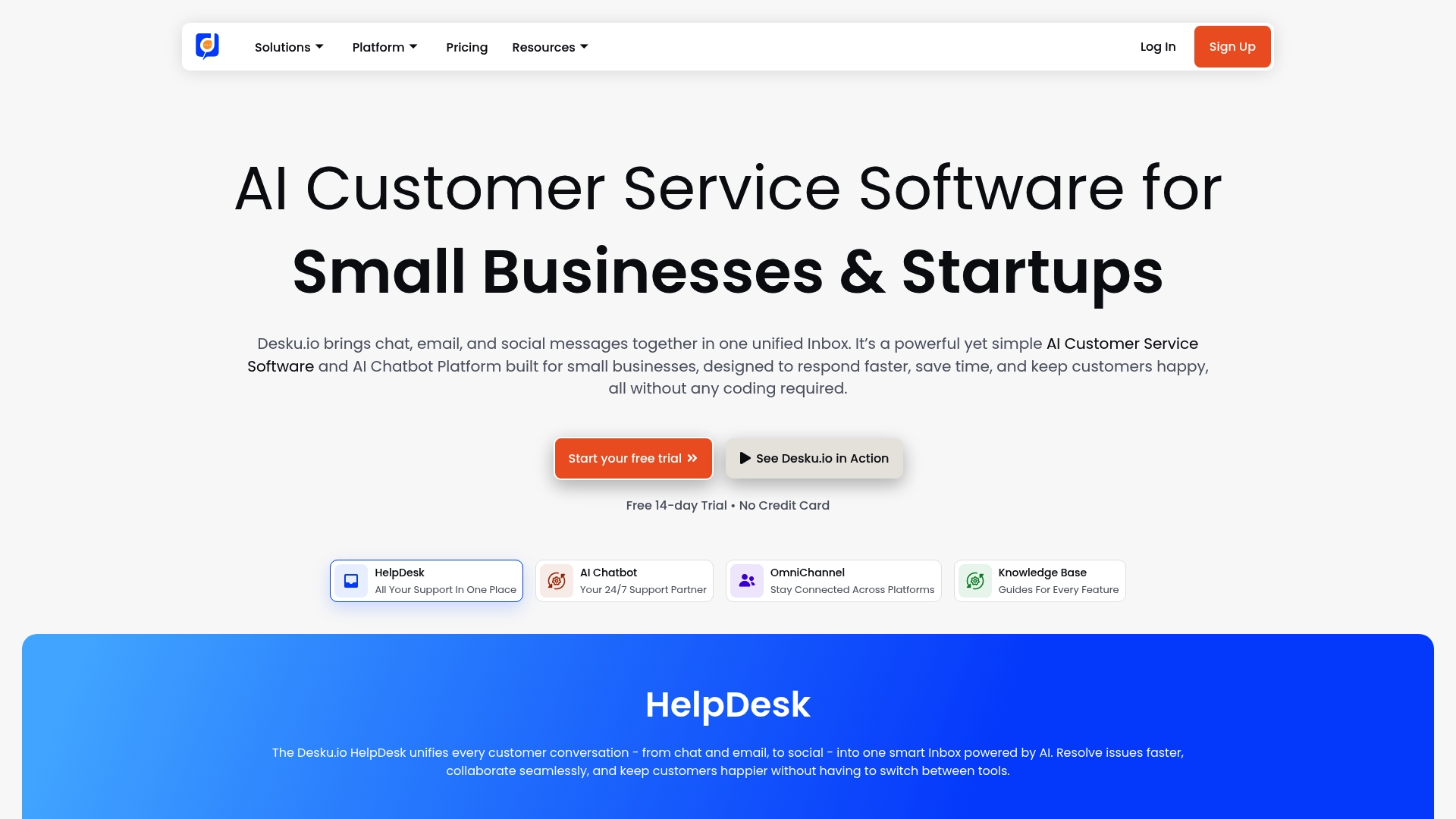
Desku.io reports being trusted by over 500 brands. It combines chat, email, social messaging, and helpdesk ticketing into a single inbox designed for small teams. A free plan exists and paid plans start at $39/month with a 14 day free trial.
Core Features
The product offers a unified inbox that pulls chat, email, and social messages into one view while surfacing customer profiles and order data. It includes AI powered chatbots with a no code builder, helpdesk ticketing, automation workflows, and multi language help center tools. Security features include data encryption, GDPR compliance, two factor authentication, and EU hosting options.
Key Differentiator
Desku.io focuses on small and growing teams by packaging enterprise style features into a startup friendly price point. Its quick set up and prebuilt ecommerce integrations make it practical for stores that need live support plus automated answers without deep technical work.
Pros
The interface is user friendly and requires little setup, which reduces onboarding time for support teams. The vendor advertises high ratings for ease of use and affordability, which aligns with its startup targeting. Strong ecommerce and messaging integrations mean agents see orders and conversations together, and the AI features remove routine tickets.
Cons
Most advanced automations and higher agent capacities sit behind higher tier plans, so small teams may need to upgrade to unlock those features.
Buyer reviews mention limits around advanced automation customization and branching workflows.
Several enterprise grade integrations are listed as coming soon or require a higher plan.
When It May Not Fit
Teams that require complex automation logic or deep enterprise integrations will likely find the lower tier plans restrictive. Large support organizations that need heavy customization, advanced routing, or external system adapters should evaluate enterprise grade alternatives.
Notable Integrations
Desku.io connects directly to major ecommerce platforms and messaging channels including Shopify, WooCommerce, Ecwid, Shopline, Magento, WhatsApp, WhatsApp Business, and WhatsApp Ecommerce.
Who It’s For
Small businesses, ecommerce shops, startups, and small support teams that need multichannel support without a long technical setup. Teams that want AI powered self service and a single view of customer and order data will get the most value. Organizations on tight budgets will appreciate the entry level pricing.
Real World Use Case
The vendor reports a Shopify store unified its channels, automated common inquiries with AI, and reduced response times by over 50%. Agents gained a single view of customer and order history, which cut internal context switching and improved response consistency.
Pricing
A free plan is available for basic use. Paid plans start at $39/month and scale for growing teams with additional agent seats, profiles, automations, and integrations. A 14 day free trial lets teams test the automations and inbox features.
Website: https://desku.io
Comparison of alternatives
When selecting a shared inbox software solution, organizations must consider factors such as pricing flexibility, integration capabilities, and industry-specific compliance features. Various options offer specialized features tailored to diverse business needs, as investigated in the following sections.
Cost efficiency and growth adaptability
SendSync distinguishes itself through its transparent and economical pricing model, offering unlimited users without per-seat fees. At just $10 per month for basic usage and scalable for larger teams, this structure supports scaling organizations by providing consistent and predictable billing. In contrast, Emailgistics employs a user-based pricing scheme, starting at $11/user/month, which may not be cost-effective for teams experiencing significant growth. Similarly, Desku.io offers packages starting at $39/month with advanced features requiring higher-tier subscriptions, potentially limiting its affordability for smaller teams.
Compliance and Specialized Integration
Some organizations must adhere to strict standards regarding data handling and information flow. For companies using Microsoft 365, Emailgistics prioritizes native integration and includes support for SOC 2, GDPR, and HIPAA compliance, making it a reliable choice for regulated industries. In contrast, while SendSync and Desku.io offer encryption and GDPR compliance, they lack explicit support for broader regulatory frameworks.
Best fit
Businesses looking for rapid adoption of a shared inbox solution with minimal configuration should consider SendSync, as it features an effortless setup process avoiding DNS adjustments.
Organizations operating exclusively in Microsoft 365 environments and requiring compliance with regulations such as SOC 2 and HIPAA will benefit from Emailgistics due to its built-in compliance features.
Small businesses and e-commerce platforms needing multichannel support—including chat and order management integrations—might find Desku.io more aligned with their operational requirements.
Large organizations seeking advanced ticketing capabilities and extensive integration with external enterprise systems should evaluate other help desk solutions, as none of the tools reviewed here fit those specific needs.
Our pick
For teams seeking an efficient, cost-effective shared inbox solution with rapid deployment and an accessible growth structure, SendSync is a standout choice. Its unique ability to avoid DNS configuration requirements accelerates setup and operation, making it particularly attractive for growing teams or organizations with limited technical resources. However, for enterprises prioritizing compliance or multi-channel e-commerce integrations, it may be worth exploring Emailgistics or Desku.io as alternatives.
Shared inbox platforms simplify email management for teams by centralizing and automating workflows, helping organizations improve communication and response time.
Product | Core Features | Best For | Pricing | Notable Limitation |
|---|---|---|---|---|
Sendsync | Shared inbox, automation rules, real-time tracking | Email-focused teams avoiding complex setups | Starts at $10/month | Limited integration options beyond Gmail/Microsoft 365 |
Emailgistics | SLA tracking, automation, built-in compliance | Microsoft 365 teams needing local mailbox control | Starts at $11/user/month | Exclusively works within Microsoft 365 environments |
Unified inbox, AI for chatbots, ecommerce integrations | Small businesses seeking multichannel support | Free plan or $39/month | Advanced features require higher-tier plans |
How Can You Find a Simple Alternative to Mercuri.cx That Cuts Setup Time and Costs?
Teams using Mercuri.cx alternatives often face long setups and confusing billing. Sendsync removes these barriers by connecting Gmail or Microsoft 365 mailboxes directly. This eliminates DNS changes and simplifies onboarding so support teams can manage conversations faster and without extra fees.
Sendsync’s flat pricing lets your entire team join without per-seat charges. This means easier budgeting and less hassle as your group grows. For support teams and solo founders seeking a low friction shared inbox that speeds team triage, Sendsync offers a clear path forward.
See how Sendsync connects your mailboxes in minutes and start cutting your admin workload today.
Learn more about efficient team inbox management at Sendsync
FAQ
How does Sendsync simplify email management for support teams?
Sendsync offers a shared inbox that connects Gmail or Microsoft 365 accounts, allowing all emails to arrive in one place. This feature enables teams to reply and triage conversations quickly, enhancing support efficiency. Support teams can start using it within minutes after connecting their existing email accounts.
What is the difference between Sendsync and Emailgistics?
Emailgistics excels by automating email assignment and SLA tracking directly within Microsoft Outlook, providing visibility without needing a separate app. Sendsync, on the other hand, allows teams to integrate both Gmail and Microsoft 365 accounts without DNS changes, making it ideal for those who need ease of use with existing accounts.
Can I use Sendsync if my team requires multiple integrations?
Sendsync primarily connects with Gmail or Microsoft 365, which can limit its integration options with third-party tools. However, for teams focused on email management, its straightforward approach provides a low-friction way to manage support without needing extensive customization.
Which platform is better for small to midsize teams looking for affordability?
Sendsync has a pricing model that starts at $10/month with unlimited users and no per seat fees, making it budget-friendly for growing teams. This flat pricing structure simplifies budgeting, especially for organizations that anticipate changes in headcount.
How does Sendsync support automation for triaging tasks?
Sendsync includes built-in automation rules for tagging, routing, and auto responses, reducing the manual workload for support teams. This feature helps teams handle inquiries more efficiently, allowing them to focus on more complex tasks or issues.