
How Email Handoff Works for Teams: 2026 Guide
How Email Handoff Works for Teams: 2026 Guide ! Woman working on email handoff at coworking desk Email handoff is the process of formally transferring email communication and task responsibility between team members to maintain continuity and clarity in workflows.

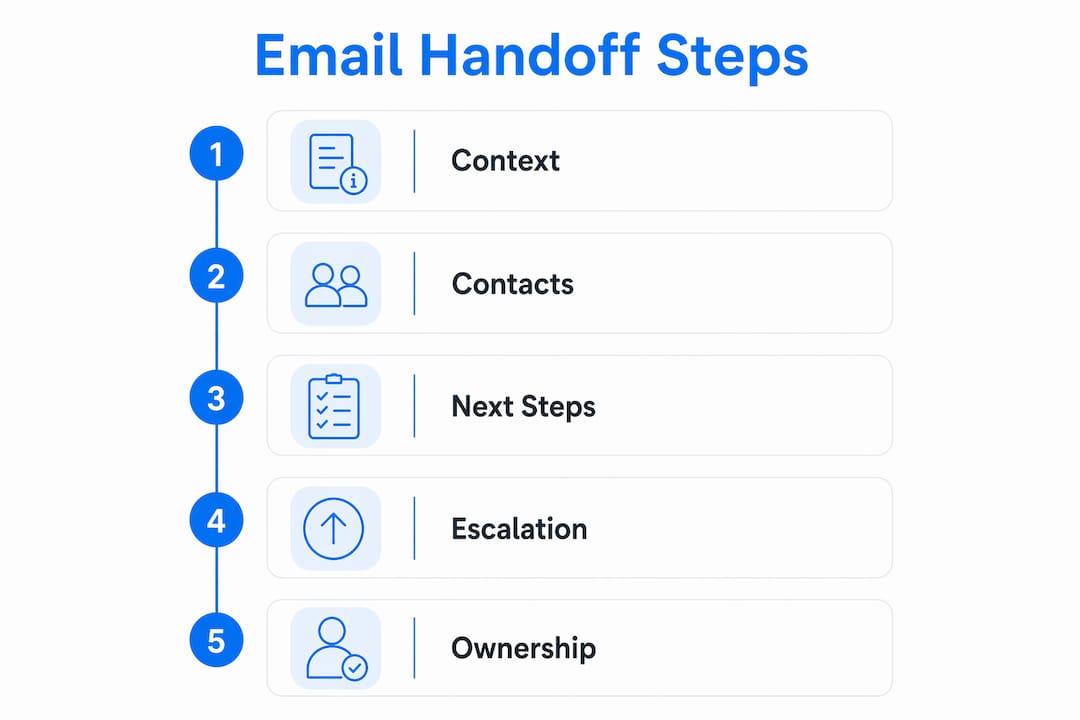
Email handoff is the process of formally transferring email communication and task responsibility between team members to maintain continuity and clarity in workflows. Understanding how email handoff works in teams is the difference between a customer getting a fast, informed response and a conversation falling into a black hole. The process relies on five core elements: structured context, verified contacts, clear next steps, an escalation path, and a defined timeline. Tools like Microsoft Outlook, Gmail shared inboxes, and platforms like Sendsync make this process visible and repeatable. Teams that get this right stop losing tasks to inbox chaos and start building real accountability.
What are the universal elements of an effective email handoff?
Every effective handoff email must contain five universal elements: context summary, verified key contacts, clear next steps, an escalation path, and a defined timeline. Industry standards in 2026 emphasize 100% inclusion of these elements across all handoff scenarios to prevent ambiguity and dropped tasks. Missing even one creates a gap where ownership dissolves and execution stalls.
The context summary tells the receiving team what happened before they arrived. It covers the history of the conversation, any decisions already made, and the current status. Without it, the new owner starts from scratch, which wastes time and frustrates customers.

One underrated element is what project managers call the “landmines” section. This covers hidden risks and stakeholder sensitivities that the receiving team would never know to ask about. Omitting this leads to painful surprises and stalled progress. A single sentence like “Note: this client escalated to the VP last quarter over a billing error” can prevent a major misstep.
The table below maps each element to its purpose and the outcome it protects against.
Element | Description | Outcome if missing |
|---|---|---|
Context summary | History, decisions, and current status | Receiving team starts blind |
Verified key contacts | Names, roles, and preferred contact methods | Wrong person contacted, delays |
Clear next steps | Specific actions with owners assigned | Tasks stall or get duplicated |
Escalation path | Who to contact when things go wrong | Issues sit unresolved |
Defined timeline | Deadlines and follow-up dates | Urgency gets lost |
How do email handoffs improve team collaboration and reduce productivity loss?
Structured email handoffs reduce the cognitive cost of context-switching. Employees lose an average of 23 minutes to fully return to tasks after an email interruption. That number compounds fast across a team of ten people managing a shared inbox.
The fix is not fewer emails. The fix is better email discipline. Shifting from constant inbox monitoring to two or three defined checking sessions daily reduces cognitive load and keeps deep work intact. When a handoff email arrives with all five elements already filled in, the receiving team member can process it in one sitting and move forward without a follow-up call.
Effective email teamwork also depends on the “call first, email second” principle. Addressing tone and relationship via phone first, then using email as the formal searchable record, maintains trust during transitions. This matters most in client-facing contexts where a cold email can feel abrupt or dismissive.
Schedule two or three defined email-checking windows per day instead of monitoring continuously.
Use the phone call to set tone and context, then send the email as the written record.
Assign a single owner to each handoff thread so accountability is never shared ambiguously.
Confirm receipt explicitly. A one-line reply like “Got it, taking this over” closes the loop.
Link to the relevant ticket, document, or project record directly in the email body.
Pro Tip: Set a calendar block labeled “Email Triage” twice a day. Treat it like a meeting. This single habit reduces reactive inbox behavior and gives handoff emails the focused attention they need.
What are common mistakes and misconceptions in email handoff among teams?
The most common handoff mistake is treating the email as an announcement rather than a formal record. Sending teams fire off a message and consider the job done. The receiving team has no idea what they are expected to do next.
A second failure point is assuming that sending equals receiving. Handoff frequently fails when the sending team assumes the handoff is complete once the email is sent, ignoring the importance of recipient confirmation. This leads to disputes over ownership and tasks that sit untouched for days.
Overloading the recipient is equally damaging. Dumping every email thread, every attachment, and every piece of background history into one message creates paralysis. Successful teams let the receiving party define handoff requirements and run transition meetings, ensuring only necessary and actionable context is passed on.
Treating email as an announcement: The email must function as a formal record, not a notification.
No ownership flip: The sending team must explicitly transfer ownership. Passive language like “FYI” leaves responsibility unclear.
Skipping confirmation: Require a reply that acknowledges receipt and confirms the next action.
Data dumping: Include only what the receiving team needs to act. Everything else is noise.
No sync call: A 15-minute sync call post-email to clarify requirements prevents misunderstandings that emails alone cannot resolve.
What practical frameworks and tools support email handoff in teams?
The most effective framework treats the email handoff as a transaction, not a conversation. Centralizing task status and next actions in one system avoids assumption accumulation and lost context. This means every handoff lives in a shared, visible record rather than a private inbox thread.
Here is a practical workflow any team can implement:
Create a shared inbox. Connect your Gmail or Microsoft 365 account to a shared inbox tool. Every inbound email is visible to the whole team, not just one person.
Assign ownership immediately. When a handoff is needed, assign the thread to the receiving team member directly inside the inbox. Tools like Sendsync and inbox assignment workflows make this a one-click action.
Add internal notes. Write context directly on the thread as an internal note. The receiving team member sees the full picture without digging through history.
Use a three-folder system. A simple folder structure with Action Required, Waiting For, and Reference reduces cognitive overload and improves triage speed.
Run a 15-minute sync. After the email is sent, schedule a brief call to confirm the handoff was understood and to answer questions.
Log the outcome. Record what was decided and what happens next in the shared system. This creates a searchable audit trail.
Microsoft Outlook combined with Power Automate can automate parts of this workflow. For example, a rule can automatically move emails tagged “Handoff” into a shared folder and notify the assigned team member. This removes the manual step of forwarding and reduces the chance of a thread getting buried.
Pro Tip: Build a handoff email template and save it as a draft in your shared inbox. Every team member uses the same structure, which means the receiving team always knows where to find the context summary, next steps, and escalation path.
The comparison below shows the difference between an unstructured and structured handoff approach.
Approach | Ownership clarity | Context transfer | Follow-up required |
|---|---|---|---|
Unstructured (forwarded email) | Unclear | Partial | High |
Structured (shared inbox with template) | Explicit | Complete | Low |
For teams managing scalable inbox workflows, the structured approach consistently produces faster response times and fewer dropped tasks.
Key Takeaways
Effective email handoff requires explicit ownership transfer, structured context, and a shared system where every team member can see task status and next actions.
Point | Details |
|---|---|
Five elements are non-negotiable | Every handoff email needs context, contacts, next steps, escalation path, and timeline. |
Cognitive cost is real | Employees lose 23 minutes per interruption, so structured handoffs reduce this drain. |
Sending does not equal receiving | Always require a confirmation reply to close the ownership loop. |
Shared inboxes change the game | Centralized threads with assigned ownership eliminate the “I thought you had it” problem. |
Call before you email | Use a phone call to set tone, then send the email as the formal record. |
What I have learned about email handoff after years of watching teams fail at it
Most teams treat email handoff as a logistics problem. They think the right template fixes everything. It does not. The real problem is a mental model problem. People think sending an email transfers responsibility. It does not. Responsibility transfers when the receiving person understands what they own and confirms it.
The teams I have seen get this right share one habit: they treat the handoff as a shared transaction, not a one-way broadcast. They build visible habits around inbox collaboration so that every team member can see who owns what at any moment. That visibility alone eliminates most of the “I thought you had it” conversations.
The 15-minute sync call is the most underused tool in this process. Managers resist it because it feels like overhead. But a 15-minute call after a complex handoff email saves hours of back-and-forth later. The call is not about repeating the email. It is about confirming shared understanding and surfacing the questions the receiving team did not know to ask.
My honest advice: stop perfecting your handoff email template and start building the habit of explicit ownership transfer. The template is the scaffold. The habit is the structure.
— Nick
How Sendsync makes email handoff work for your team
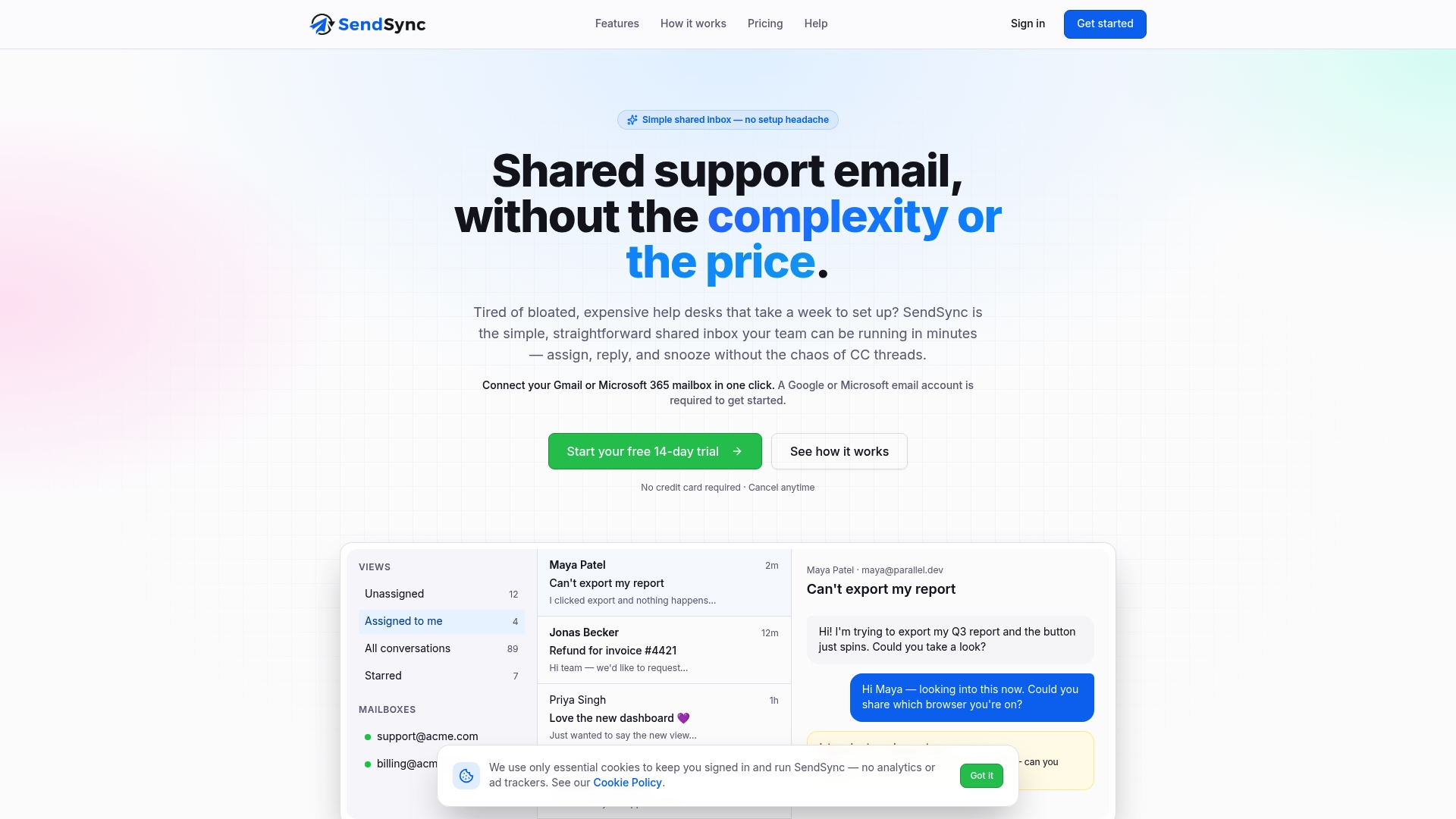
Sendsync is a shared inbox built for support teams that need clear ownership and fast handoffs. You connect your Gmail or Microsoft 365 mailbox in minutes, no DNS configuration required. Every email thread is visible to the whole team, and assigning a conversation to a teammate takes one click. Internal notes let you add context directly on the thread, so the receiving team member never has to dig through a forwarded chain to understand what happened. Sendsync offers unlimited users with no per-seat fees, which means your whole team works from one place without the cost scaling against you. If your team is ready to stop losing tasks in private inboxes, try Sendsync and see how a shared inbox changes the way handoffs work.
FAQ
What is email handoff in a team context?
Email handoff is the formal transfer of email communication and task ownership from one team member to another. It includes structured context, clear next steps, and explicit ownership confirmation to prevent tasks from being dropped.
What are the five elements every handoff email needs?
Every handoff email needs a context summary, verified key contacts, clear next steps, an escalation path, and a defined timeline. Missing any one of these creates ambiguity and stalls execution.
Why do email handoffs fail so often?
Email handoffs most often fail because the sending team assumes the job is done once the email is sent. Without recipient confirmation and explicit ownership transfer, tasks sit in limbo and disputes over responsibility follow.
How does a shared inbox improve the email handoff process?
A shared inbox makes every thread visible to the whole team and allows direct assignment of ownership. This removes the need to forward emails and ensures the receiving team member has full context in one place.
How many times a day should teams check email to support good handoffs?
Two to three defined email-checking sessions per day is the recommended practice. This reduces constant interruption while ensuring handoff emails receive focused, timely attention.