
Fix Small Support Backlogs in 1–2 Weeks With Inbox Load Balancing
Fix Small Support Backlogs in 1–2 Weeks With Inbox Load Balancing ! Support team reviewing balanced inbox assignments Inbox load balancing is the automated assignment of incoming support conversations to specific agents so no one inbox owner drowns while another sits idle.

Inbox load balancing is the automated assignment of incoming support conversations to specific agents so no one inbox owner drowns while another sits idle. The fastest fix for most teams is turning on workload-aware assignment or setting simple per-agent capacity caps and running a short pilot before touching anything more complex. Workload-aware routing beats plain round-robin for fairness, and platforms like SendSync let you configure it without touching DNS records.
TL;DR:
- Start load balancing by using workload-aware routing with capacity caps based on pilot data, and adjust rules after initial testing.
- Proper setup requires respecting agent availability signals, creating fallback queues, and using tags for VIP or multi-client accounts to prevent misrouting.
- Monitoring metrics like first response time, SLA compliance, collision rate, and open conversations reveals if the routing setup sufficiently balances workload.
- SendSync simplifies setup with quick Gmail or Microsoft 365 connections, providing scalable rules, reports, and built-in security features for effective automation.
Table of Contents
- How Does Inbox Load Balancing Actually Work?
- Do You Actually Need Automated Inbox Load Balancing?
- How Do You Set Up Inbox Load Balancing Step by Step?
- What Configuration Mistakes Cause Routing to Fail?
- Which Metrics Tell You Your Routing Setup Is Working?
- How Does SendSync Put This Guide Into Practice?
- What Security and Privacy Risks Come With Automated Assignment?
- What Should You Expect During the First Rollout?
- Ready to Automate Your Team’s Inbox Routing?
- Sources
How Does Inbox Load Balancing Actually Work?
Every routing setup boils down to the same three moves: tag the message, drop it in a queue, hand it to an owner. A rule reads something like “if sender domain is @acmecorp.com, tag as VIP, route to the enterprise queue, assign to whoever is free.” One conversation, one owner, always. That single detail is what separates a functioning shared inbox from a pile of unread messages nobody claimed, according to guidance from Serif’s shared inbox best practices.
Five assignment methods cover almost every use case:
- Round-robin: Simple to set up, but it ignores who’s already buried in open tickets.
- Workload-aware: Routes based on current open-ticket count, which distributes work more fairly than round-robin alone.
- Skills-based: Sends billing questions to billing specialists instead of whoever’s next in line.
- FIFO: First in, first out, useful for teams that live and die by first response time.
- Sticky agent: Keeps the same rep on a returning customer’s thread, good for relationship-heavy accounts.
None of these work without a live feed of who’s actually online and how many tickets they’re already holding.
Do You Actually Need Automated Inbox Load Balancing?
A shared mailbox works fine at low volume. It stops working the moment two people reply to the same customer within an hour of each other, or a message sits untouched for two days because everyone assumed someone else grabbed it. Those are collisions and orphaned messages, and they’re the clearest sign a plain inbox has been outgrown, echoing findings from Customerexperience.
Run this quick audit before deciding:
- Count how many minutes your team spends each morning just figuring out who’s handling what.
- Track average open threads per agent for one week. Anything wildly uneven across the team is a red flag.
- Log SLA breaches for two weeks. More than a couple per week usually means ownership, not effort, is the problem.
As a rough guideline, teams with more than three active agents or triple-digit daily email volume tend to hit these walls fast. Below that, manual labels can limp along a while longer.
How Do You Set Up Inbox Load Balancing Step by Step?
Skip the temptation to build an elaborate rule tree on day one. Start narrow, watch what happens, then expand.
- Audit incoming mail. Pull two weeks of email and sort it by sender domain, recurring subject keywords, and customer tier. This tells you which categories actually deserve their own routing rule instead of guessing.
- Choose your assignment logic. For most small teams, workload-aware round-robin with a conservative capacity cap is the safest starting point. It’s forgiving of imperfect rules and doesn’t require skills mapping on day one.
- Build the rules and tags. Create tags that trigger automatic assignment (VIP, billing, refund request), map each to a queue, and define a fallback queue for anything that doesn’t match a tag. Unclassified mail still needs a home.
- Configure presence and hours. Set agent concurrency limits, mark who’s online versus away, and define business-hours routing so after-hours mail lands somewhere sane instead of an inbox nobody’s watching. Attach SLA targets and a simple escalation path for anything that breaches them.
- Pilot one queue. Pick your highest-volume or most painful queue, run it for one to two weeks, and collect real numbers before rolling out to the rest of the inbox.
Pro Tip: Resist the urge to build routing rules for every edge case before launch. Starting with sender, keyword, and tier-based rules and adjusting after a real pilot beats guessing at complexity you don’t need yet.
What Configuration Mistakes Cause Routing to Fail?
Most routing failures trace back to one of two things: capacity caps set with no data behind them, or rules that ignore whether an agent is actually available to take on more work.
- Set capacity caps from pilot data, not guesswork. If your pilot shows agents handling complex billing disputes comfortably at five open threads but breezing through simple FAQ replies at fifteen, cap each queue accordingly rather than applying one number everywhere.
- Respect availability signals. Auto-assignment should skip anyone marked away or already at their concurrency limit. Platforms that factor in status and concurrency avoid dumping tickets on someone who just stepped away from their desk.
- Build a fallback rotation. Someone needs to own after-hours and unclassified mail. A rotating on-duty queue works better than hoping the first person to log in each morning catches everything.
- Favor workload-aware or skills-based routing over pure round-robin. Round-robin treats every agent as interchangeable, which falls apart the moment ticket complexity varies.
- Tag VIPs and multi-client accounts separately. Give priority customers their own exception path so a high-value account never lands in the general queue by accident. Teams juggling several client accounts in one inbox benefit from dedicated routing paths for multi-client work.
Automated assignment isn’t just about fairness. Research on automated ticket routing shows it can process large ticket volumes with strong accuracy and cut the man-hours a team spends on manual triage, hours that add up fast across a full year.
Which Metrics Tell You Your Routing Setup Is Working?
Five numbers tell you almost everything you need to know about whether your setup is actually balancing load or just moving the bottleneck around.
- First response time. The clearest signal of whether assignment is happening fast enough to matter.
- Average open conversations per agent. Wide gaps here mean your capacity caps or routing logic need adjusting.
- SLA compliance rate. Track this against your target, not against last month, since seasonal volume shifts the baseline.
- Collision rate. How often two agents touch the same conversation. This should trend toward zero once ownership rules are working.
- Reassignment count. Frequent reassignments usually point to skills mismatches, not laziness.
Set your baseline during the pilot week, then revisit weekly for the first month. If SLA compliance dips two weeks running, tighten the capacity cap before you touch the rules themselves. Automated routing systems that hit high accuracy at scale still need this kind of human check on the numbers behind them.
How Does SendSync Put This Guide Into Practice?
Everything above assumes you have a tool that can actually execute rules, tags, and capacity limits without weeks of setup. That’s the gap SendSync is built to close.
- Connects Gmail or Microsoft 365 in minutes, no DNS changes, no waiting on IT.
- Assignment interface built for exactly this workflow, tagging, queues, and ownership visible at a glance.
- Unlimited users on every plan, so adding agents during a growth spurt doesn’t mean renegotiating your contract.
- Reports faster response times and lower admin overhead for teams that switch off scattered manual triage.
Pro Tip: If you want a starting rule set instead of building from scratch, SendSync’s scalable inbox workflow examples give you templates you can adapt to your own categories in an afternoon.
What Security and Privacy Risks Come With Automated Assignment?
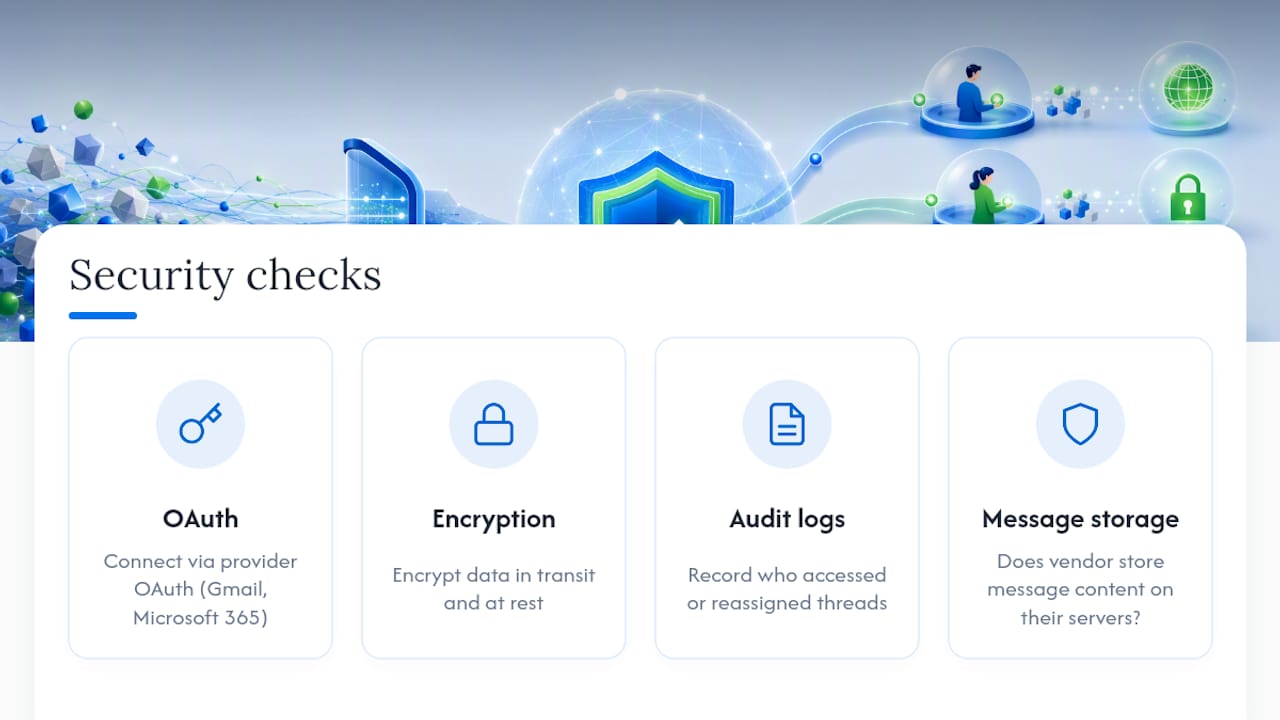
Automated routing means customer emails, attachments, and internal notes move through a system that touches every conversation your team handles, which raises the stakes on access control. The first question to ask any tool is who can see what. A well built shared inbox should let you restrict certain tags or queues (billing, legal, HR-adjacent requests) to specific agents rather than exposing every thread to the entire team by default.
Connection method matters too. Tools that require you to hand over full mailbox credentials or reroute your DNS create more surface area for something to go wrong than tools that connect through your provider’s own OAuth flow, the same authentication Gmail and Microsoft 365 already use for other apps. Ask any vendor directly whether they store message content on their own servers, encrypt data in transit and at rest, and log who accessed or reassigned a given conversation. That audit trail matters as much for internal accountability as for compliance. If an agent reassigns a sensitive thread, you want a record of when and why.
Retention policy deserves a look too. Some tools keep full message history indefinitely by default; others let you set deletion windows. Neither is automatically right, but you should know which one you’re getting, especially if your team handles anything covered by industry-specific privacy rules.
What Should You Expect During the First Rollout?
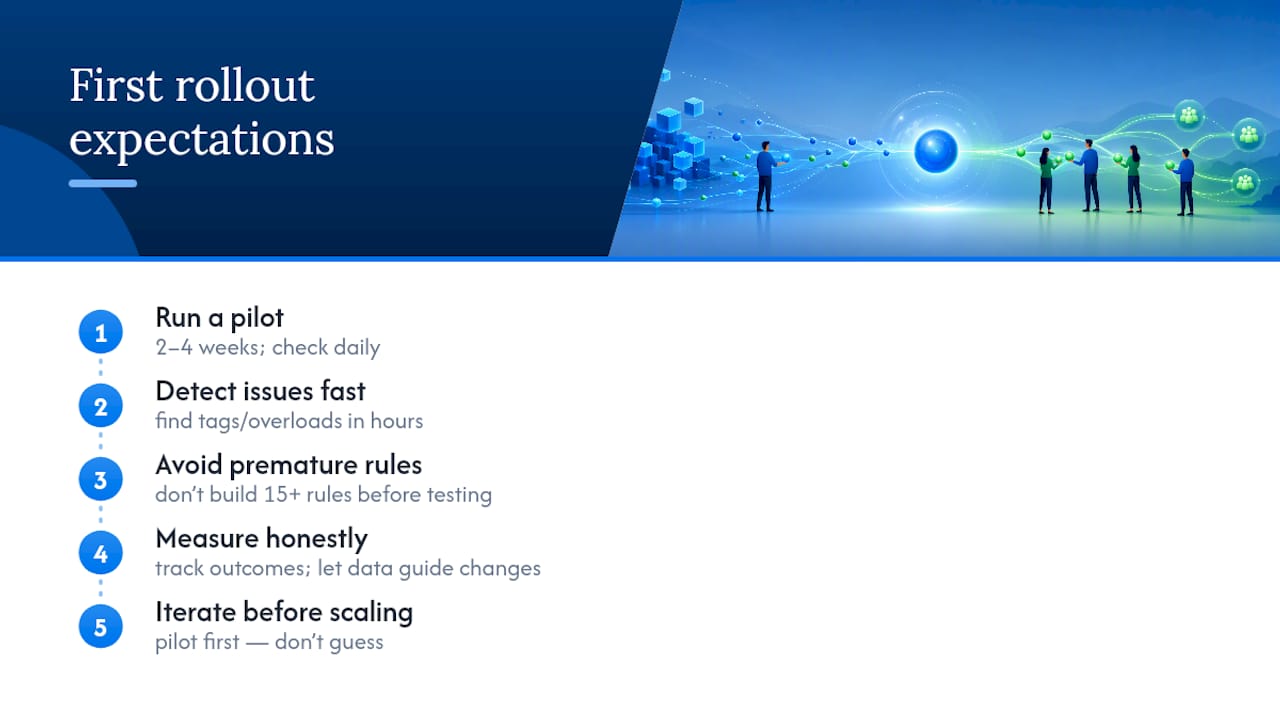
Run your pilot for two to four weeks, not a single day, and check in daily during that stretch. You’ll catch a misrouted tag or an overloaded agent in hours instead of finding out from a missed SLA a week later.
The failure pattern I see most often isn’t a bad tool choice. It’s teams building fifteen routing rules before they’ve tested one, or launching automation without ever recording who owns what once a message lands. Start with the simplest version that could work, measure it honestly, and let the data tell you what to add next. Piloting before scaling beats guessing every time.
— Nick
Ready to Automate Your Team’s Inbox Routing?
You’ve read the playbook. Now the question is how much setup pain stands between you and running it. SendSync is built to skip the part where most shared inbox tools slow you down: no DNS changes, no per-seat pricing creeping up as your team grows, just a Gmail or Microsoft 365 connection and you’re routing conversations the same day.

Every method covered here, workload-aware assignment, capacity caps, tagging by customer tier, is built directly into SendSync’s assignment interface. Teams managing high request volumes across multiple accounts often lean on structured service management workflows for the same reason: clear ownership beats ad hoc triage every time.
Start with the SendSync free trial, connect your existing inbox, and pilot one queue before rolling it out to the whole team. That’s the same conservative approach this entire guide has been pointing toward, just with the setup time cut from weeks to minutes.
Sources
- DOI: 10.1609/aimag.v41i3.5321
- Shared Inbox Customer Service and Support: Best Practices
- Support Ticket Assignment Automation: Step-by-Step