
Gmail & Outlook: Email ownership for small teams, no new software
Gmail & Outlook: Email ownership for small teams, no new software ! Team member assigning shared inbox conversation Every incoming support conversation needs one named owner and a visible status.
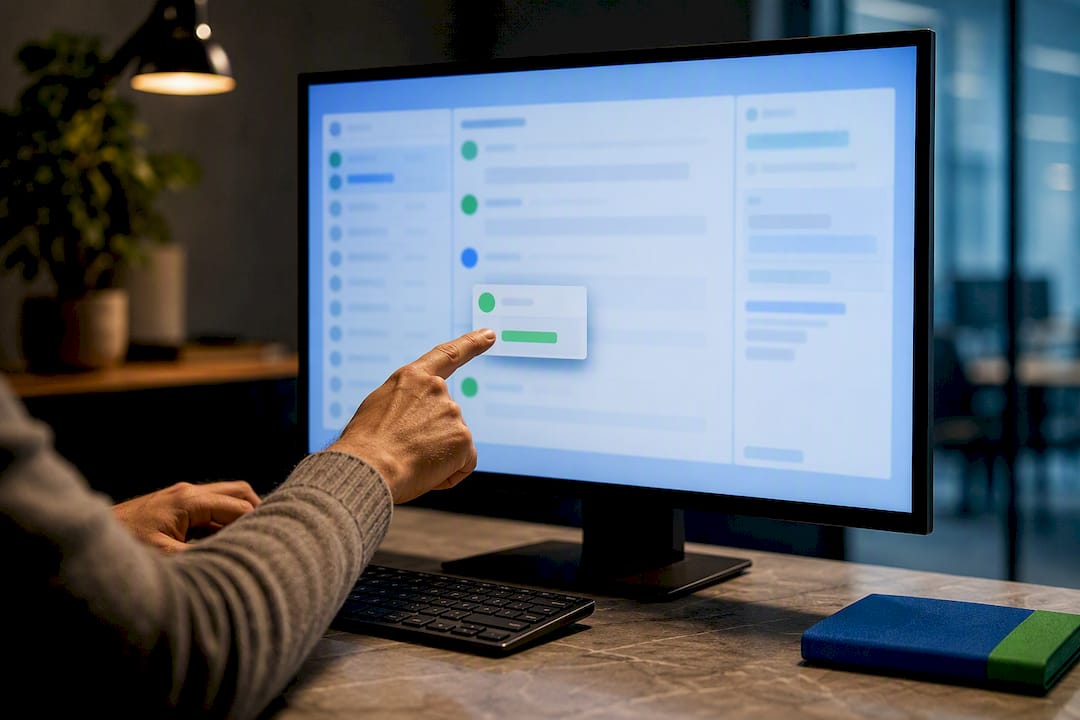
Every incoming support conversation needs one named owner and a visible status. Assign the owner the moment a message hits the inbox, replace read/unread with real states like Mine and Waiting, and back both with a short triage rota plus a few automation rules. That combination stops the two problems that wreck shared inboxes: threads nobody answers, and two people answering the same one.
TL;DR:
- Assign ownership to each support thread immediately during triage to prevent duplicate responses and ensure accountability.
- Use four clear statuses—New, Mine, Waiting, Done—and apply them consistently to track progress and customer interactions effectively.
- Implement short, predictable triage shifts every hour or two with explicit handoffs to maintain coverage and avoid missed messages.
- Rely on clear rules and routines rather than complex tools, but upgrade to dedicated shared inbox software once team size and system complexity grow beyond three to four members.
- Track only key metrics like first response time, orphaned threads, and average resolution time to stay aligned on support efficiency.
Table of Contents
- What Does Good Email Ownership in Teams Look Like?
- How Do You Assign Ownership in Gmail and Microsoft 365?
- What Status Model Should Replace Read and Unread?
- How Do You Run a Triage Rota That Actually Covers the Inbox?
- Which Automation Rules Actually Save Time?
- What Rules Prevent Duplicate Replies and Dropped Handoffs?
- Which Metrics Actually Matter for Small Teams?
- Why Consistent Rules Beat Complex Tools for Most Small Teams
- Ready to Stop Managing Ownership With Labels?
- Sources
- FAQ
What Does Good Email Ownership in Teams Look Like?
You don’t need software to fix a chaotic shared inbox. You need rules everyone actually follows. Here’s the minimum checklist worth pinning to your team wiki or reading out at Monday standup.
- Assign one owner per thread during triage, not after someone happens to reply.
- Use four statuses, New, Mine, Waiting, Done, instead of guessing from read/unread marks.
- Run short triage windows (10 to 15 minutes, every hour or two) with a rota so no shift goes unwatched.
- Write down tone, signature format, and handoff steps so any owner sounds like the same company.
That last point gets skipped constantly, and it’s the one that makes customers feel like they’re emailing a business instead of three different people. A shared inbox works by giving the team collective access to one mailbox, but ownership and status are what keep that access from turning into a pileup.
How Do You Assign Ownership in Gmail and Microsoft 365?
Neither Gmail nor Outlook has native “assign to teammate” functionality the way a dedicated help desk does, so small teams build workarounds. Here’s what actually holds up:
- Label or category-based assignment. Create a label per teammate (or a shared “Assigned: [Name]” convention) and apply it the moment someone claims a thread. In Outlook, categories do the same job. Labels can emulate ownership reasonably well when a tool lacks a built-in assignment feature, as long as everyone actually uses them.
- Manual assignment with a timestamp. Whoever claims a thread should note the time and their name in an internal comment or subject tag, then be the only one who archives it once resolved. Sloppy manual assignment (no timestamp, no clear “who’s done with this”) is how duplicate replies happen.
- Round-robin for even distribution. Good for high-volume, low-complexity requests like password resets or order status. Bad for anything requiring account history or a relationship.
- Topic routing for specialized queues. Billing questions go to whoever handles billing; technical bugs go to whoever can actually read a stack trace. Set this up with subject-line or sender-domain rules.
- A fallback rule for anything ambiguous. Every unassigned message after 30 minutes should auto-flag to a named backup, usually the shift lead, so nothing sits in limbo.
For a step-by-step walkthrough of setting this up on either platform, Sendsync’s guide to assigning emails covers the label conventions in more detail.
What Status Model Should Replace Read and Unread?
Read/unread tells you whether someone opened a message. It tells you nothing about whether the customer got helped. Swap it for four states, and make the rules for each one explicit enough that a new hire could follow them on day one.
- New: unassigned, untouched, sitting in the queue. Anyone on triage duty can claim it.
- Mine: the owner has claimed it and is actively working the reply. Only that person replies from this point forward.
- Waiting: the ball is in the customer’s court, or you’re waiting on another team (engineering, billing) to respond. The owner stays the same; the clock just pauses.
- Done: the issue is resolved, confirmed either by the customer’s reply or a clear internal note explaining why no reply is expected, and the thread gets archived by the owner, not by whoever happens to open it next.
If your platform doesn’t support custom statuses, emulate this with labels or folders, one for each state, and move threads between them manually. It’s clunky, but it works better than trusting memory.
How Do You Run a Triage Rota That Actually Covers the Inbox?
A rota only works if it’s boring and predictable. Complicated schedules fall apart within two weeks; simple ones survive.
- Assign triage duty in blocks, typically two to four hours per person, rotating daily across your available team members.
- Run a checklist every triage cycle: scan for new messages, assign owners, flag anything urgent (angry customer, billing dispute, security concern) for immediate attention, and archive obvious noise like automated bounces.
- Hand off explicitly at shift change. The outgoing triager should leave a one-line summary of anything still unassigned or borderline urgent, not just log off silently.
Pro Tip: Keep the rota visible somewhere permanent, a shared calendar or a pinned doc, not buried in a chat thread from three weeks ago. If people have to ask “whose turn is it,” the rota has already failed.
Teams that skip step three are the ones where a customer’s second follow-up email gets missed entirely, because the person who owned it went on lunch and nobody else knew it existed.
Which Automation Rules Actually Save Time?
Automation earns its keep when it handles predictable traffic so humans can focus on the messy stuff. Start narrow.
- Route by sender or subject pattern: VIP customer domains, anything containing “invoice” or “billing,” and common template requests (password resets, order tracking) can auto-tag on arrival.
- Pair tags with assignment. A tag alone doesn’t help if nobody’s watching it, so pair every automated rule with a default owner or a specific queue someone checks on a schedule.
- Review rules monthly. Overfitted rules, ones written for a one-time edge case, quietly misroute normal traffic for months before anyone notices. If a rule catches fewer than a handful of emails a week, it’s probably not worth the maintenance.
If your team runs a lot of repetitive client communication, the kind of consistent workflow discussed in how virtual staff handle client communication applies just as well to in-house support rotations. The same logic, predictable inputs get predictable handling, holds regardless of who’s actually typing the reply.
What Rules Prevent Duplicate Replies and Dropped Handoffs?
Collisions happen when two people think they own the same thread, or when nobody thinks they own it at all. Both are fixable with a couple of hard rules.
- Never reply to a thread you don’t own. If you have useful context, add an internal note instead of jumping into the customer-facing reply.
- Handoffs require three things: a note explaining where things stand, a clarifying comment if anything’s ambiguous, and an explicit reassignment, not just a mention in chat.
- If a collision happens anyway, whoever replied second should acknowledge it internally, and one person (usually whoever has more context) should own all further replies going forward.
Sendsync’s handoff guide walks through this exact scenario with templates for the handoff note itself, useful if your team is still improvising this part.
Which Metrics Actually Matter for Small Teams?
You don’t need a dashboard full of charts. Three numbers tell you almost everything about whether ownership is working.
First response time measures how long a new message sits before someone claims it and replies. Percent of orphaned threads tracks how many conversations sat unassigned longer than your triage window, a number you can get just by counting unlabeled messages older than an hour. Average time to Done shows how long resolution actually takes once someone owns it.
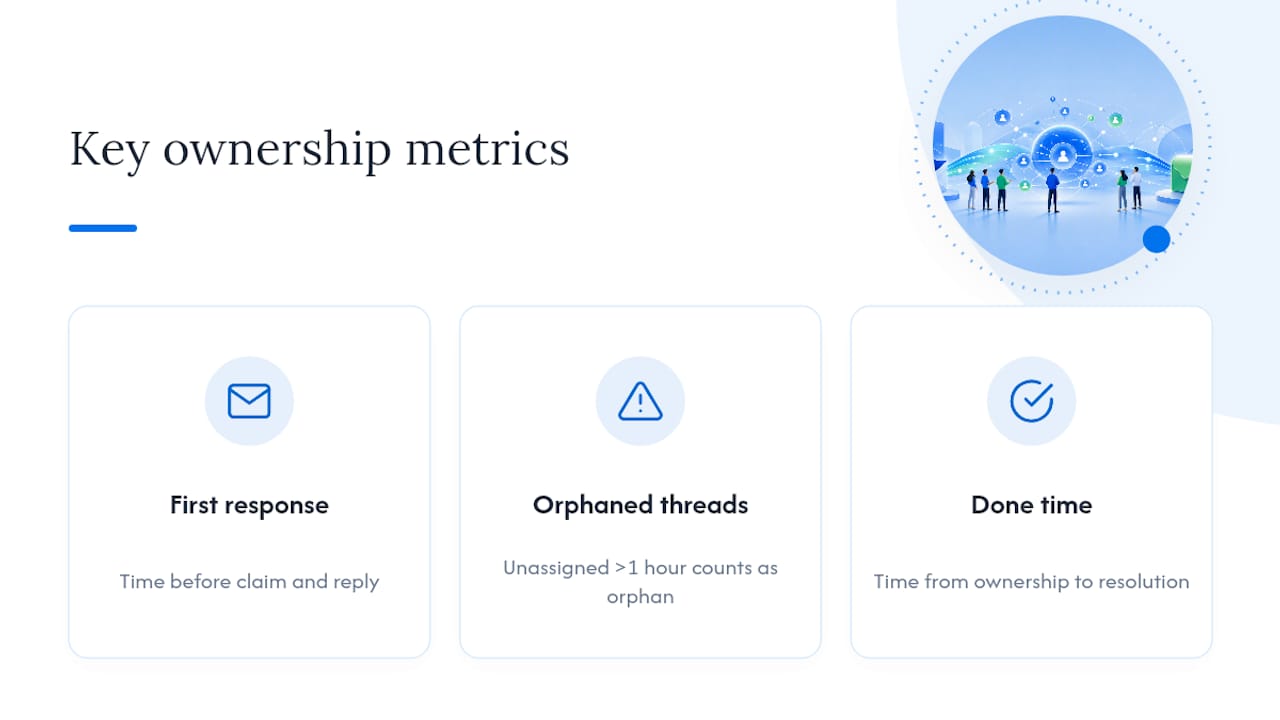
You can track all three with a spreadsheet and a weekly count, no reporting software required, at least until volume makes manual counting impractical.
Why Consistent Rules Beat Complex Tools for Most Small Teams
Most shared-inbox chaos isn’t a tooling problem. It’s a rules problem. Teams that fix ownership usually do it by agreeing on something small, like “claim it before you touch it,” and then actually sticking to it for a month. Consistency in team protocols tends to outperform tool complexity, because a complicated system nobody follows is worse than a simple one everyone does.
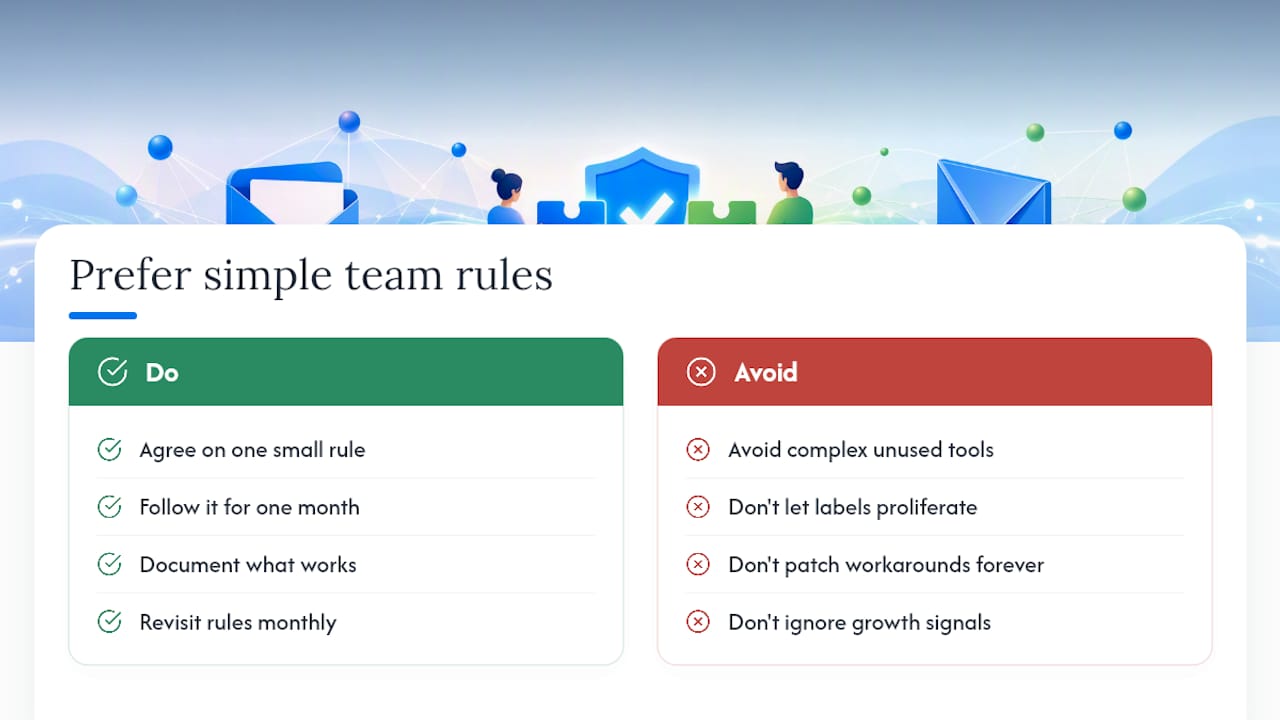
That said, there’s a real ceiling on what labels and manual conventions can handle. Once you’re juggling more than a handful of teammates, or your label system has become its own maze of inconsistent naming, that’s the signal to adopt a dedicated shared-inbox product instead of patching the workaround further.
Document what works. Revisit it monthly. Rules that fit a three-person team in January often need adjusting by summer.
— Nick
Ready to Stop Managing Ownership With Labels?
Labels and color-coded folders get you partway there, but they break down fast once your team grows past three or four people, someone forgets to update a tag, and suddenly two people are answering the same customer. There are tools that replace that entire workaround with actual assignment, status tracking, and internal notes built into a shared inbox that connects directly to Gmail or Microsoft 365.

Some shared inbox solutions require no DNS setup, per-seat pricing, or long IT configuration times. You can connect an existing mailbox and start assigning conversations quickly. If you’re currently running the label-and-timestamp system described above and it’s starting to creak, that’s exactly the moment to try something purpose-built. Start a 14-day free trial and see whether real assignment features save your team the hour a week it currently spends untangling who-owns-what.
Sources
For deeper setup guidance, see Sendsync’s posts on shared inbox best practices for support teams and why small teams need a shared inbox, plus the assignment walkthrough referenced above.
- Shared Inbox Customer Service and Support: Best Practices
- How to Run a Shared Inbox: 9 Best Practices for info@, support@, and billing@ | Serif
FAQ
What Is the Simplest Way to Start Assigning Email Ownership?
Pick one convention, either a label per teammate in Gmail or a category in Outlook, and require every triager to apply it the moment they claim a thread. Consistency matters more than which method you choose.
How Many Status States Do We Actually Need?
Four is enough for most small teams: New, Mine, Waiting, and Done. Adding more states usually creates confusion rather than clarity.
Who Should Run the Triage Rota?
Anyone on the support team can rotate through triage duty, typically in two to four hour blocks, as long as the schedule is visible and handoffs include a short status note.
When Should We Switch From Labels to a Dedicated Tool?
Once your team grows past three or four people, or your label system has become inconsistent enough that people can’t tell who owns what at a glance, it’s time to consider a tool like Sendsync that builds assignment and status into the inbox itself.
What’s the Biggest Cause of Duplicate Replies?
Someone replying to a thread they don’t own, usually because there’s no clear status showing another teammate already claimed it. Enforcing the rule that only the owner replies fixes most of this.