
Top 5 Kayako.com Alternatives for 2026
Top 5 Kayako. com Alternatives for 2026 !

Picking a shared inbox tool that connects quickly, fits team workflows, and stays affordable as teams grow is harder than it should be. Many shared inbox platforms charge unpredictable per-seat fees, force vendor lock-in, or require time-consuming setup beyond email connection. This comparison covers price, inbox integration, and workflow controls among five Kayako.com alternatives so support teams can choose one that matches real needs.
Table of Contents
SendSync
At a Glance
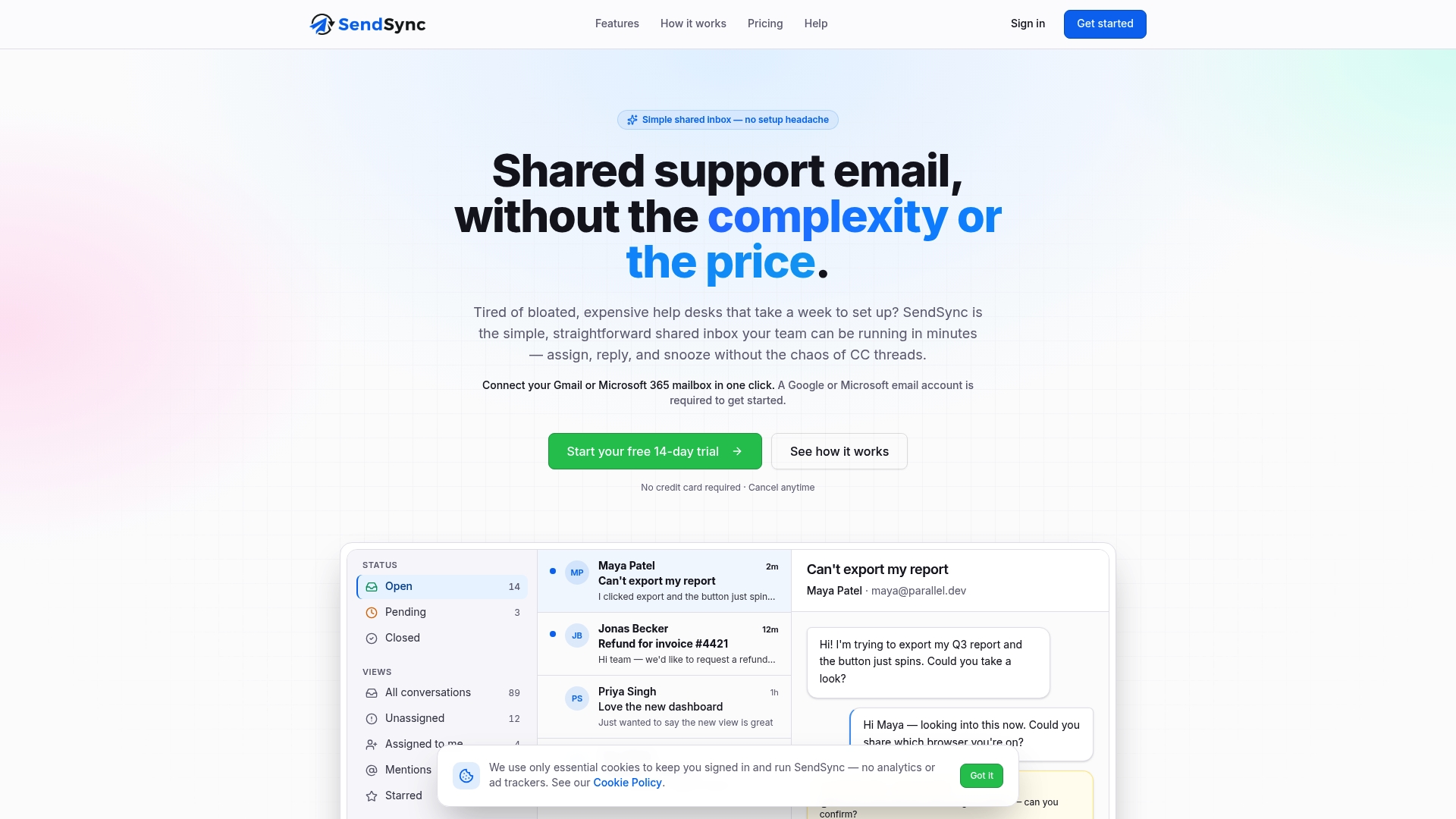
One-click connection to Gmail or Microsoft 365 requires no DNS setup. This lets teams link support mailboxes in minutes and start working immediately. According to the vendor, the platform improves response times and reduces workload.
Core Features
SendSync provides a razor-thin shared inbox that connects Gmail or Microsoft 365 with one click and without DNS configuration. The app includes automation rules for routing and tagging, tags and custom views for organization, plus internal notes and mentions for team collaboration. It also offers real-time dashboards that surface response metrics so teams can monitor performance.
Key Differentiator
The defining capability is the one-click mailbox connection for Gmail or Microsoft 365 that removes DNS steps and pairs with flat-rate pricing.
Pros
Setup is fast and low friction; teams link mailboxes in a few minutes and skip DNS records. Flat-rate pricing removes per-seat fees so small teams avoid escalating seat costs as they grow. Core tools focus on everyday needs: automation rules, tags, shared threads, internal notes, and dashboards that support email-focused support without help desk complexity.
Cons
Requires a Gmail or Microsoft 365 account, so teams using other email providers cannot connect directly.
Who It’s For
Small support teams and solo founders who want a minimal shared inbox for email-based support. Teams that lack engineering resources to manage DNS or complex help desk setup will find the quick mailbox link useful. Organizations that need basic automation and collaboration but not advanced ticketing features get the best fit.
Unique Value Proposition
Unlimited users with no per-seat fees combined with a near-instant mailbox connection reduces administrative overhead and licensing cost. For teams that bill tight budgets, that pricing model keeps costs predictable while avoiding user provisioning work. That tradeoff prioritizes straightforward email workflows over advanced ticket management.
Real World Use Case
A small startup centralizes multiple support addresses in SendSync, sets automation to route refunds to one folder and billing questions to another, and uses internal mentions to assign conversations during shift changes. The team avoids DNS changes and expensive per-agent fees while keeping response tracking visible on dashboards.
Pricing
Plans start at $10/month with unlimited users and no per-seat fees. Larger plans range from $30 to $200/month depending on features and team size, so teams can pick a plan that fits their mailbox needs and reporting requirements.
Website: https://sendsync.com
Help Scout
At a Glance
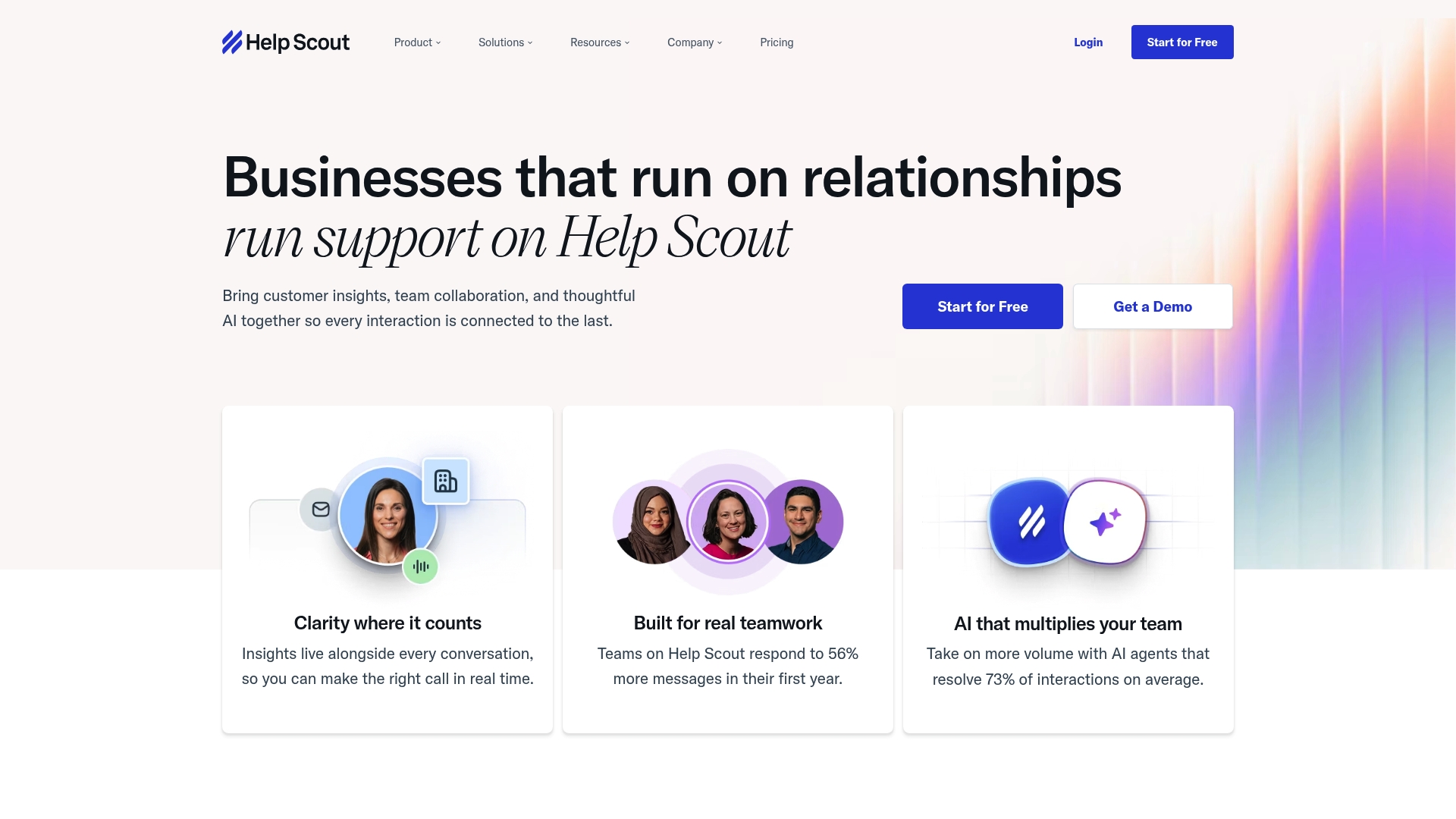
Help Scout charges an AI add on at $0.75 per resolution, and a free plan exists with limited features. The vendor advertises integrations to over 100 platforms. That mix makes Help Scout attractive for teams that want email centric support plus optional AI assistance.
Core Features
Help Scout centers on a unified inbox that handles email, chat, phone, and social channels, and it layers team collaboration tools such as internal notes and collision detection. The platform includes AI automation for draft suggestions, summarization, and instant customer replies, plus a Beacon widget for proactive in app help. Reporting tools track common support metrics and customer satisfaction to guide staffing and training decisions.
Key Differentiator
Help Scout emphasizes relationship driven support with an easy to learn interface and strong collaboration features. It fits teams that want a fuller help desk with multi channel coverage rather than a minimal shared inbox. Compared with Sendsync, Help Scout serves teams that prioritize threaded conversations, integrated chat and phone, and built in reporting over a razor thin mailbox and no per seat fees.
Pros
The interface is clean and quick to adopt, which reduces ramp time for new agents. Collaboration features such as internal notes and collision detection cut down on duplicate replies and clarify hand offs on complex tickets. Multi channel routing and the reported library of integrations help teams keep customer context across CRM, phone, and chat tools while scaling plans add security and workflow options as teams grow.
Cons
Limited workflow customization compared with enterprise only tools. This makes complex automations harder to build.
Reporting and analytics remain basic and may not satisfy teams that need deep, exportable insights.
Performance can lag under weak internet connections. Remote or low bandwidth teams may see slower response in the UI.
Recent price increases have frustrated some long term customers and raise operating costs for smaller teams.
When It May Not Fit
If your support operation relies on complex automation or highly customized workflows, Help Scout may be too rigid. Teams that require advanced analytics and large scale reporting will likely outgrow the platform. If you operate in low bandwidth environments, occasional performance issues could disrupt agent productivity.
Notable Integrations
Help Scout connects with major tools such as Salesforce, HubSpot, and Jira, and it supports telephony and collaboration via Aircall and Slack. Zapier expands automation and workflow options for apps that do not have native connectors.
Who It’s For
Support teams in small to medium sized businesses that want a straightforward, email centric help desk with strong collaboration features. Ideal users value conversation history, internal notes, and a single dashboard for multiple channels. Teams that plan to scale but prefer simple configuration will get the most from Help Scout.
Real World Use Case
A SaaS company routes email, chat, and social inquiries into Help Scout to keep conversation threads intact. AI automation drafts replies for routine questions and summarizes long threads for hand offs. Agents use internal notes to collaborate on complex bugs and maintain consistent messaging.
Pricing
Monthly plans start at Standard $25/user, then Plus $45/user, and Pro $75/user. An AI add on costs $0.75 per resolution. A free plan is available with limited features.
Website: https://helpscout.com
Hiver
At a Glance
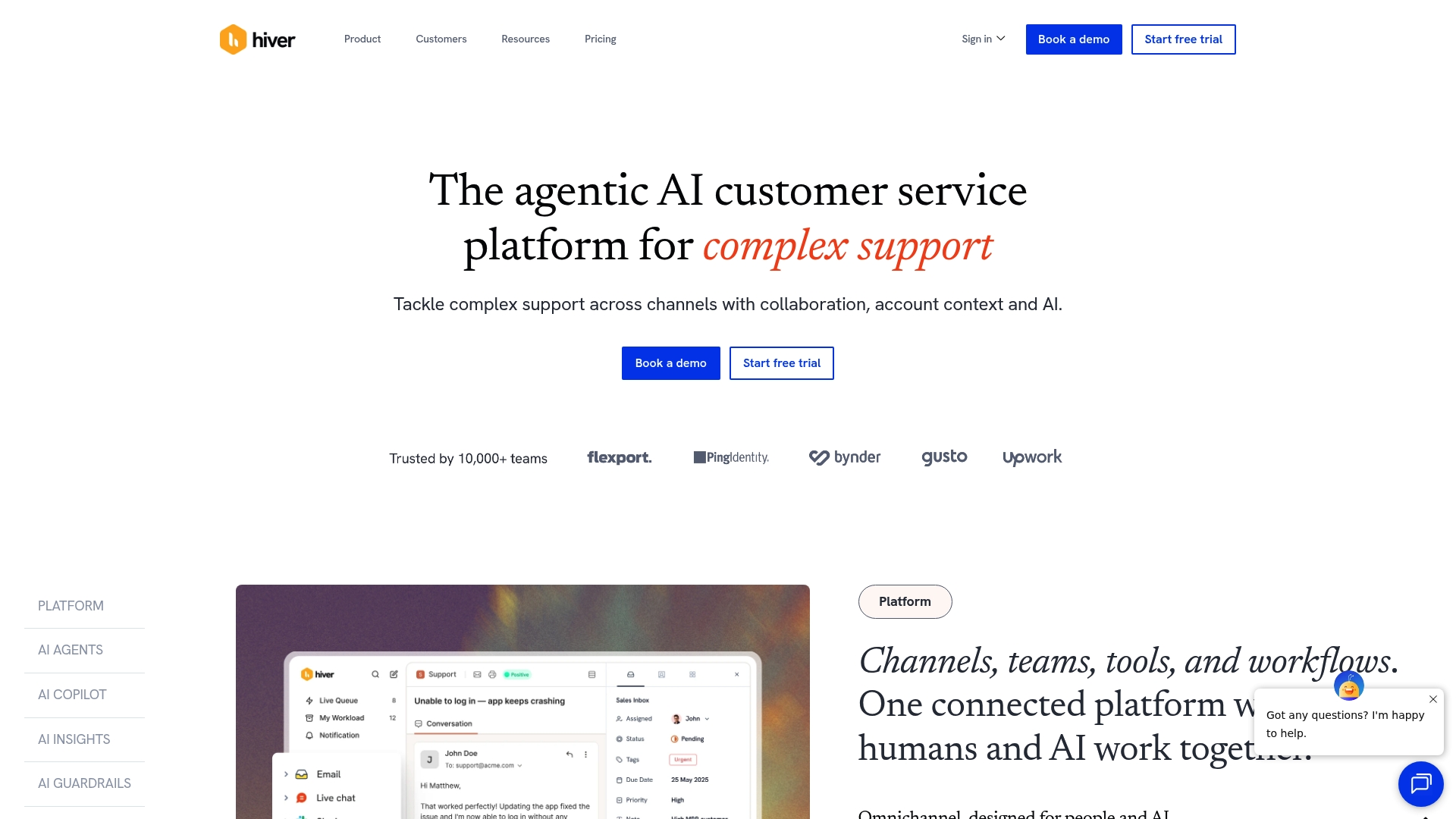
Hiver reports being trusted by over 10,000 teams globally. It centers support around Gmail while also offering a full omnichannel inbox for email, chat, voice, and social channels. The product targets Google Workspace users who want to keep customer work inside their existing email environment.
Core Features
Hiver provides deep Gmail integration for shared inbox management and claims advanced AI powered ticketing and automation to reduce manual routing. The platform also handles multiple channels including chat, voice, and social, and offers collaborative tools for cross team tasking and internal notes. Native connections to major business systems let teams surface customer context without copying data manually.
Key Differentiator
The single biggest difference is Hiver’s tight Gmail integration. That design lets support teams manage tickets directly inside their primary mailbox instead of moving to a separate console. This focus favors organizations already standardized on Google Workspace and those that want fewer context switches for agents.
Pros
Hiver integrates closely with Gmail, which speeds onboarding for teams already using Google Workspace and reduces training time. The product groups collaboration features like shared labels, private notes, and task assignment, so support and sales can coordinate in the same thread. The vendor advertises a broad integrations list and automated workflows, which helps teams connect customer records across systems without custom middleware.
Cons
Occasional connectivity issues reported by some users make mobile handling less reliable.
The mobile app has functional limits that affect triage and reply while away from a desktop.
AI assignment and classification can be inaccurate on complex or ambiguous tickets.
Plans and feature access may change frequently, which can complicate budgeting and rollout.
When It May Not Fit
If your team does not use Gmail or Google Workspace, Hiver’s core advantage disappears. Large enterprises that require deep custom routing or non Google inbox workflows may find the Gmail centric model restrictive. Teams that need flawless mobile parity or fully predictable pricing might look elsewhere.
Notable Integrations
Hiver lists native connections to the following platforms:
Salesforce
Jira
Shopify
Slack
NetSuite
HubSpot
Custom APIs via Hiver API
Who It’s For
Support managers and teams operating inside Google Workspace who want shared inbox features without removing agents from Gmail will find Hiver relevant. It fits teams that need multichannel intake but prefer inbox first workflows and those that plan to automate routing and escalation using built in automation.
Real World Use Case
A SaaS company manages all customer mail inside Gmail, uses shared inboxes to assign threads, and automates ticket creation and escalation. Agents add private notes for sales and engineering in the same thread, and the team uses AI powered insights to spot common friction points in support requests.
Pricing
Pricing information is not applicable for this informational entry. Contact Hiver directly for current plan structures, licensing details, and any enterprise terms.
Website: https://hiverhq.com
Chatwoot
At a Glance
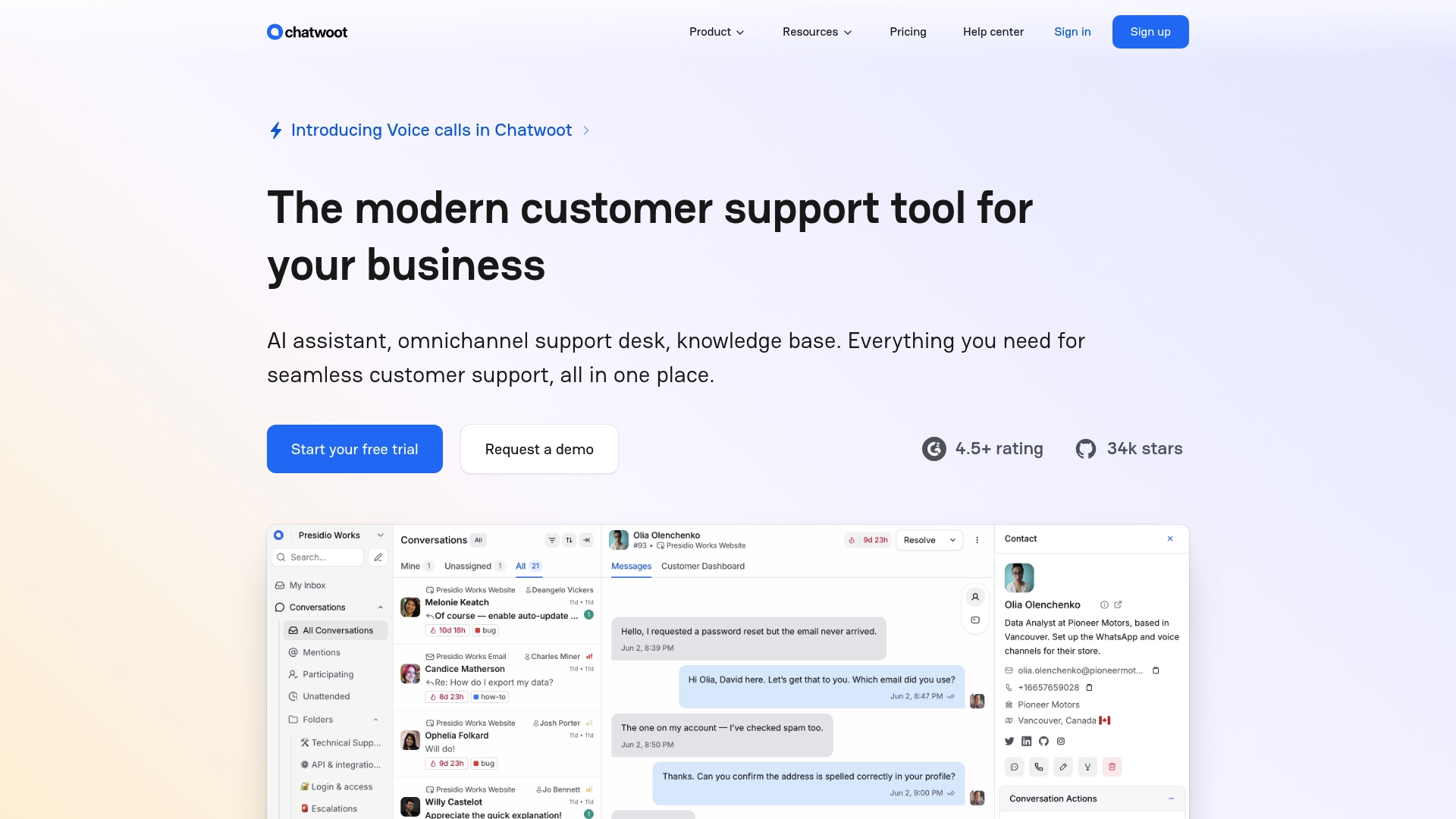
An open source support stack includes an AI assistant called Captain and offers both cloud and self hosting options. It routes web chat, email, social, and messaging apps into a single dashboard for small teams and startups. Captain automates common replies and suggests message drafts to reduce repetitive work.
Core Features
Chatwoot provides omnichannel routing for web chat, email, social media, and messaging platforms, plus a knowledge base for customer self service. Its AI assistant, Captain, offers automated responses and smart suggestions while agents edit replies. The product also supports a customizable chat widget, self hosting, and reporting for team performance.
Key Differentiator
Chatwoot combines an open source codebase with built in AI assistance and flexible deployment choices. That combination lets teams modify the product and run it behind their firewall while still leveraging automation. Teams that need both code access and AI tools will find this mix hard to match among hosted alternatives.
Pros
Because it is open source, teams can change workflows and host Chatwoot on their own servers for compliance or cost control. The interface is straightforward to set up, and its multichannel capabilities cover the common platforms small teams use. AI features like Captain can reduce repeated replies, and deployment flexibility supports cloud or private installs.
Cons
User interface can strain as teams scale. Workflows feel cramped with many simultaneous conversations.
Reporting lacks deep customization, which limits tailored KPI tracking for managers who need custom dashboards.
WhatsApp synchronization may lag at times, causing delayed message delivery in busy queues.
Not ideal for large enterprise teams that require advanced permission controls and complex reporting.
When It May Not Fit
Skip Chatwoot if your support operation requires granular reporting and enterprise grade controls. If your team depends on real time WhatsApp handling, occasional sync delays will disrupt workflows. Large contact centers that need complex routing and permission hierarchies should evaluate enterprise focused offerings instead.
Who It’s For
Support teams at small businesses and startups that want control over their data will find Chatwoot a good match. Organizations that prefer to self host or tailor the interface to brand and workflow will benefit most. Teams seeking a low cost entry with multichannel coverage and optional AI assistance should prioritize testing it.
Real World Use Case
A startup centralizes Facebook, WhatsApp, email, and website chat into a single inbox to reduce context switching. It uses Captain to answer common queries about shipping and billing, cutting the number of tickets that need agent time. The team customizes the chat widget to match brand colors and runs the install on a private cloud for compliance.
Pricing
Chatwoot offers a free basic plan for teams that want to self host or try core features. Paid plans begin at $19 per agent/month for hosted options and additional features.
Website: https://chatwoot.com
HelpCrunch
At a Glance
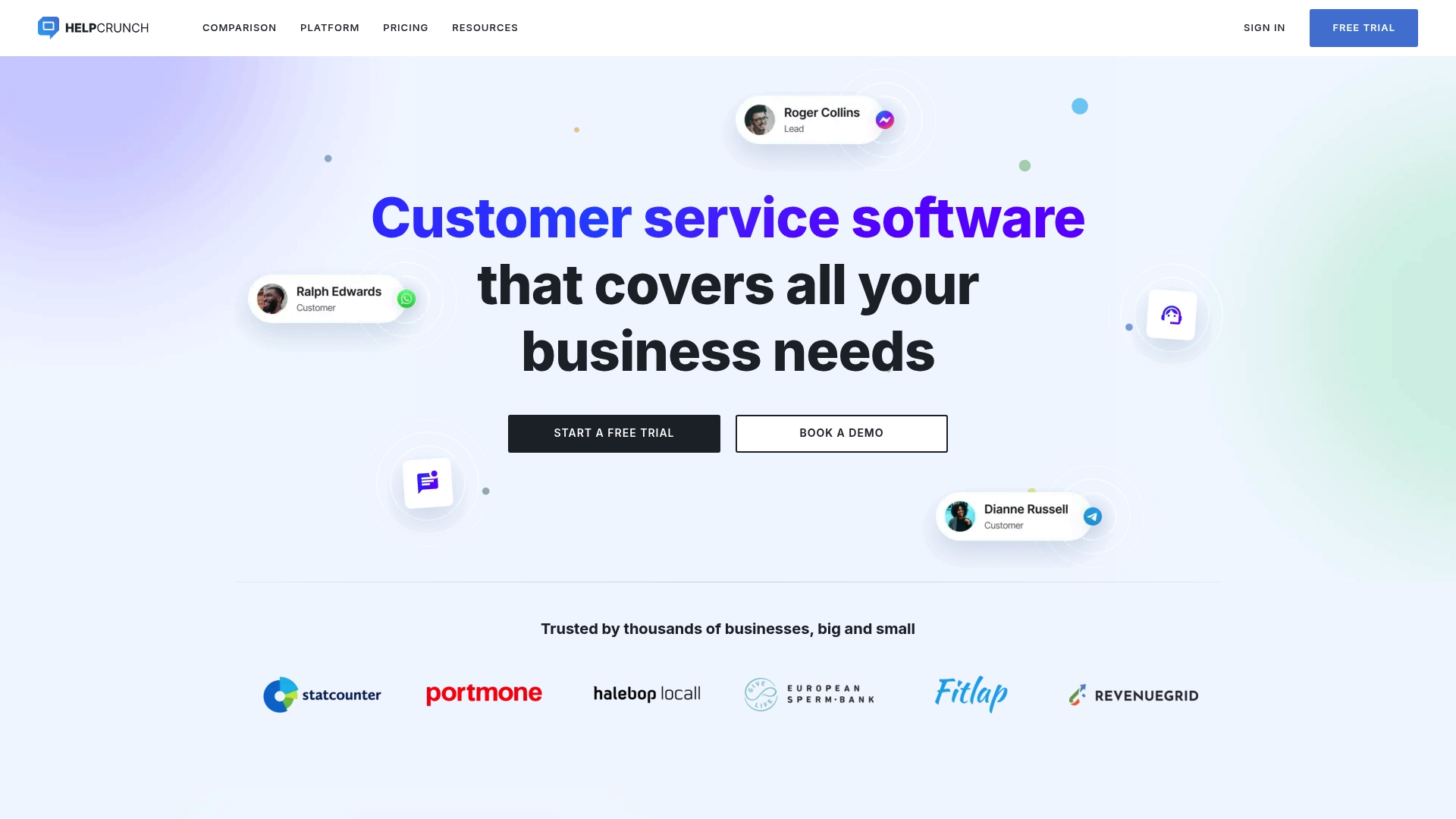
Offers unlimited contacts and chats on every plan, a distinguishing detail for teams that handle many leads and conversations. The product combines live chat, email marketing, and a knowledge base in one suite. Setup and migration tools aim to move teams off larger incumbents with less friction.
Core Features
HelpCrunch bundles AI chatbots, shared inboxes, and a knowledge base alongside real time live chat and email campaign tools. The platform also includes popups for lead capture and mobile SDKs for in-app support. APIs and integration points allow customization for common workflows.
Key Differentiator
The standout is the promise of unlimited contacts and chats on all plans, which changes cost math for growing teams. HelpCrunch also highlights simplified migration tools that reduce manual setup when switching from other vendors. That focus makes it easier for small teams to consolidate support and marketing tools.
Pros
The product offers a broad feature set that covers chat, automated bots, shared inboxes, and email campaigns in one place. Migration assistance and customization options reduce setup time and lower the barrier to switch. The pricing approach aims to keep contact volume predictable by not charging per contact or chat.
Cons
Billing transparency issues have been reported by customers, including unexpected charges and plan confusion.
Support responsiveness can vary by region and time zone, which affects teams needing continuous coverage.
Some users report occasional technical instability or bugs that require vendor follow up.
When It May Not Fit
Teams that require guaranteed around the clock vendor support may find HelpCrunch limiting. Organizations with strict enterprise stability needs should test for platform reliability before committing. Buyers who need fully transparent, itemized billing will want to verify pricing details carefully.
Who It’s For
Web and mobile businesses that want an all in one customer communication stack will get the most value. Small to medium sized support teams that prefer predictable contact costs fit well. Companies planning a migration from Intercom or Zendesk will appreciate the onboarding help.
Real World Use Case
According to the company, SE Ranking reported over 95% customer satisfaction and handled more than 1,500 chats monthly after migrating to HelpCrunch. Maidily moved from HubSpot to centralize self service content and reduce reliance on email. Several small businesses use the platform for combined chat, email automation, and onboarding flows.
Pricing
HelpCrunch positions itself as an affordable alternative with unlimited contacts and chats across plans. Exact price tiers and list figures are not publicly listed, so you will need to request a quote to see per tier details.
Website: https://helpcrunch.com
Comparison of alternatives
Selecting the best shared inbox solution requires evaluating tradeoffs between streamlined pricing, ease of use, and broader functionality. Each platform profiled offers distinct advantages that cater to varying team needs.
Collaboration and Multichannel Features
Help Scout excels in providing multichannel functionality, incorporating email, chat, phone, and social channels into a unified interface. Teams benefit from internal notes and collision detection that prevent duplicate efforts while coordinating support interactions. Though less customizable for advanced workflows, the built-in automation tools enhance its utility for teams offering multifaceted support.
Chatwoot distinguishes itself with open-source flexibility, allowing self-hosting and software customization. The availability of AI-driven features paired with multichannel support positions Chatwoot well for technically skilled teams aiming to tailor support workflows.
Ease of Integration and Gmail-Centric Workflows
Hiver integrates directly with Gmail, offering an environment native to Google Workspace users. This reduces onboarding challenges for teams already utilizing Google tools. Shared labels, private notes, and task assignment streamline operations within Gmail threads.
SendSync features near-instant mailbox connections requiring no DNS setup, saving time and minimizing technical overhead. Its flat-rate pricing model, avoiding per-user fees, aligns with the budget requirements of small teams, simplifying license management.
Best fit
Small startups managing support via basic email workflows benefit from SendSync’s flat pricing model and simple mailbox setup.
Teams needing multichannel interaction, including social media channels, should consider Help Scout for its extensive integrations and collaboration functionality.
For businesses requiring Gmail-integrated workflows, Hiver offers efficient operations within familiar tools.
Technically skilled organizations aiming for customizable workflows utilizing open-source tools will appreciate Chatwoot.
Our pick
For small teams emphasizing quick setup and flexible pricing without the complexity of traditional help desks, SendSync offers a streamlined approach. Larger or expanding teams seeking more advanced features, multichannel support, or custom hosting will find Help Scout or Chatwoot better suited to those requirements.
The following table details the key aspects of several shared inbox customer support solutions, allowing users to evaluate which product aligns best with their requirements.
Product | Key Features | Unique Value Proposition | Best For | Pricing | Limitation |
|---|---|---|---|---|---|
Sendsync | Shared inbox with Gmail & Microsoft 365 support | One-click setup without DNS configuration, flat-rate pricing | Small support teams and startups needing affordable shared inbox | $10/month for unlimited users | Requires Gmail or Microsoft 365 accounts |
Help Scout | Unified inbox for multiple channels | Relationship-driven support, multi-channel coverage | Small to medium-size businesses preferring a full-featured help desk | Starts at $25/agent/month | Limited workflow customization |
Hiver | Gmail-integrated shared inbox | Native Gmail ticket management, multichannel support | Google Workspace users managing customer work inside Gmail | Price not published | Gmail/Google Workspace dependency |
Chatwoot | Omnichannel routing and AI assistance | Open-source flexibility with private hosting support | Small businesses and startups needing deployable, AI-enhanced tools | Starts at $19/agent/month | Performance can degrade under scale or intense usage |
HelpCrunch | Combined live chat, email, and marketing tools | Unlimited contacts and chats on all plans | Small to medium-sized teams needing cost-predictable communication stacks | Price not published | Reported billing transparency issues |
Choosing the Right Kayako.com Alternative for Your Support Team
Customer support teams often struggle with lengthy setup times and rising per-seat costs when switching help desks. Sendsync addresses these challenges by offering a razor-thin shared inbox that connects Gmail or Microsoft 365 mailboxes in minutes without DNS setup. Small support teams and solo founders benefit from unlimited users and no per-seat fees, trimming administrative tasks and reducing overhead.

Explore how Sendsync improves response times and collaboration while keeping costs predictable. Visit Sendsync to link your mailbox effortlessly and get started managing support emails with a sharp, simplified workflow.
FAQ
How does Sendsync improve response times for shared inbox customer support?
Sendsync enhances response times by offering a one-click connection to Gmail or Microsoft 365, which helps teams link support mailboxes quickly. This allows organizations to start working immediately without the need for complex DNS setups, making it ideal for fast-paced customer support environments.
What is the difference between Help Scout and Sendsync?
Help Scout provides robust multi-channel support, including email, chat, and phone, making it suitable for teams that need comprehensive interaction options. Sendsync excels in offering a streamlined shared inbox specifically for email-centric support without per-seat fees, catering to small teams that emphasize straightforward email workflows.
Which platform offers lower pricing for unlimited users, Sendsync or HelpCrunch?
Sendsync offers a low-cost plan starting at $10 per month with unlimited users and no per-seat fees, making it a budget-friendly choice for growing small teams. In contrast, HelpCrunch’s pricing may provide a broader feature set but could be costlier depending on the number of users.
Can I use Sendsync if my team operates outside of Gmail or Microsoft 365?
No, Sendsync requires a Gmail or Microsoft 365 account for integration, limiting its use to teams operating within these environments. If your organization utilizes other email providers, exploring alternative platforms may be necessary.
How does Sendsync support team collaboration in customer support?
Sendsync features internal notes and mentions, which foster collaboration among team members by allowing them to communicate directly within email threads. This functionality helps streamline workflows and improves overall response accuracy during customer interactions.