
Inbox Delegation Remote: A 2026 Guide for Teams
Inbox Delegation Remote: A 2026 Guide for Teams ! Woman managing remote inbox delegation at home Inbox delegation in remote work is the practice of granting a trusted person controlled access to your email inbox so they can read, respond, and organize messages on your behalf.

Inbox delegation in remote work is the practice of granting a trusted person controlled access to your email inbox so they can read, respond, and organize messages on your behalf. The industry term for this is mailbox delegation, and it covers everything from read-only access in Microsoft 365 to full “Send As” permissions in Gmail. Remote teams use it to cut the volume of email that lands on a founder’s or manager’s plate, and the results are measurable. Professionals spend 28% of their workweek on email tasks. That is more than 11 hours every week that delegation can redirect toward higher-value work.
What is inbox delegation remote, exactly?
Inbox delegation remote is the structured transfer of email management responsibilities from one person to a designated delegate, carried out entirely across distributed teams. The delegate gets platform-level access, not a shared password, and operates within defined permission boundaries. Three permission tiers cover most use cases.
Read access: The delegate can view messages but cannot reply or send.
Send on Behalf: The delegate replies, and the recipient sees “Sent on behalf of [Owner].”
Send As: The delegate replies, and the message appears to come directly from the owner’s address.
Mailbox delegation differs from a shared mailbox. A shared mailbox has no primary owner. It is a team resource, like support@company.com, where multiple agents work from a single address. Delegation, by contrast, keeps the original owner’s identity intact and assigns a specific person to manage it.
Pro Tip: Start with “Send on Behalf” permissions before granting “Send As.” It creates a visible audit trail and builds trust before you expand access.
The most productive delegation setups combine AI triage with human judgment. AI handles 70–80% of routine sorting, labeling, and routing. A human executive assistant or team member manages the remaining 20–30%, which includes relationship emails, sensitive negotiations, and anything requiring context. This hybrid model is the standard in high-performing remote teams in 2026.

Feature | Mailbox Delegation | Shared Mailbox |
|---|---|---|
Owner identity | Preserved | No single owner |
Audit trail | Per delegate | Shared log |
Best for | Founders, managers | Support teams |
Permission granularity | High | Moderate |
Setup complexity | Low to moderate | Low |
What are the security risks of inbox delegation?
Mailbox delegation is an identity governance issue, not just a convenience feature. Poorly configured permissions create a hidden control plane that bad actors or even well-meaning employees can exploit for unauthorized access or data exposure. The risk compounds in remote settings where oversight is naturally lower.
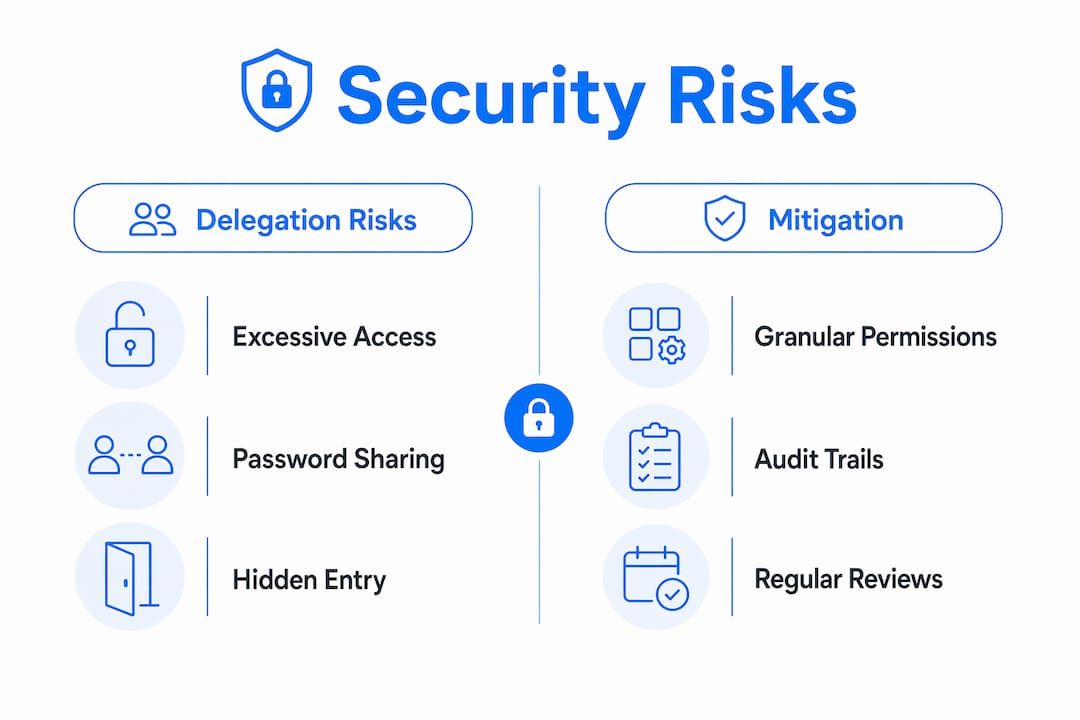
The most common mistake is overly broad permissions. Giving a delegate full “Send As” access when they only need to read and draft messages creates unnecessary exposure. Every permission level you grant beyond what the task requires is a risk you are carrying for no benefit.
Key security practices for remote inbox delegation:
Never share passwords. Password sharing undermines auditing and breaks the accountability chain. Use platform-native delegation features in Microsoft 365 or Google Workspace instead.
Use a password manager for shared credentials. Tools like 1Password allow controlled access without exposing the actual password.
Audit permissions quarterly. Delegates change roles. Permissions that made sense six months ago may now be excessive.
Map access to task scope. A delegate handling scheduling needs calendar access, not full inbox read. Keep permissions task-specific.
“Delegation is not just a workflow decision. It is an access control decision. Every permission you grant should be justified by a specific task, not general convenience.” — Identity governance principle from mailbox security research.
Remote teams running Microsoft 365 can use the built-in Exchange delegation settings to assign granular permissions without any third-party tools. Google Workspace offers similar controls under “Grant access to your account.” Both platforms log delegate activity, which is the foundation of a defensible audit trail.
How do you onboard a remote delegate effectively?
The average onboarding timeline for a remote delegate runs 30 days before they operate with full independence. Rushing that timeline produces a delegate who guesses at your preferences instead of following documented rules. The 30-day structure works because it separates learning from doing.
Here is a proven week-by-week framework:
Week 1: Setup and observation. Grant permissions. Walk the delegate through your inbox categories, priority contacts, and response tone. Share a written SOP covering the top 10 email types they will encounter. Do not expect them to reply independently yet.
Week 2: Drafting with review. The delegate drafts replies. You review and send. This builds their judgment without risking a bad send. Use Loom videos to record walkthroughs of edge cases as they arise.
Weeks 3 and 4: Graduated independence. The delegate handles routine emails independently. You review a daily digest, not individual threads. Escalation rules define exactly which email types come back to you.
Documented SOPs and video guides are non-negotiable for remote delegation. Unlike in-person training, you cannot answer questions in real time. A Loom library of recorded walkthroughs gives your delegate a reference they can consult at 2 a.m. in a different time zone.
Pro Tip: Create a “reply or escalate” decision tree on day one. It should cover five to seven common email scenarios and tell the delegate exactly what to do in each case. This single document eliminates 80% of check-in requests in the first two weeks.
Clear authority boundaries specify three things: when the delegate can reply independently, when they should draft for your review, and when they must escalate immediately. Without those boundaries, delegates default to asking you about everything, which defeats the purpose of delegation entirely.
Use a shared dashboard, whether in Notion, Asana, or a shared inbox tool, to give yourself visibility without micromanaging. A daily summary of handled threads is enough. If you are reading every email your delegate touches, you have not delegated. You have just added a step.
What are the measurable benefits of inbox delegation?
The productivity case for inbox delegation is backed by concrete numbers. Founders who delegate inbox management save 10–15 hours per week. That is the equivalent of reclaiming nearly two full workdays every week for strategic work.
The revenue impact is equally clear. Leaders who practice email delegation generate 33% more revenue than those who manage their own inboxes. The mechanism is straightforward: time spent triaging email is time not spent on sales, product decisions, or client relationships.
Metric | Without Delegation | With Delegation |
|---|---|---|
Weekly hours on email | 11+ hours | 2–4 hours |
Strategic focus time | Low | High |
Revenue impact | Baseline | Up to 33% increase |
Delegate ramp time | N/A | 30 days |
Remote startups see the sharpest gains. A founder managing a 10-person distributed team often handles 150 to 200 emails per day. Delegating even 60% of that volume frees up time for investor calls, product roadmap work, and team leadership. The hybrid AI and human delegation model accelerates this further by automating the sorting layer so the human delegate only touches emails that require real judgment.
Inbox organization strategies also improve team-wide performance, not just individual productivity. When a delegate applies consistent labeling, tagging, and routing rules, the entire team benefits from a cleaner, more predictable communication flow. Shared inbox workflows for teams replace ad hoc email habits with repeatable systems that scale as the team grows.
Why most remote delegation setups fail in the first month
The most common failure mode in remote inbox delegation is not a technology problem. It is a culture problem. Managers grant access, hand over credentials, and then immediately start checking whether the delegate handled each email correctly. That behavior signals distrust and creates a dynamic where the delegate stops making independent decisions because they expect to be second-guessed.
I have seen this pattern repeat across teams of every size. The manager delegates the task but not the authority. The delegate becomes a glorified typist rather than a genuine decision-maker. Within two weeks, the manager is back in the inbox doing the work themselves, convinced that delegation “doesn’t work for them.”
The fix is not a better tool. It is a clearer contract. When you define exactly what the delegate can decide independently, what they should draft for review, and what requires your direct attention, you remove the ambiguity that drives micromanagement. A well-written escalation document does more for delegation success than any inbox management tool.
The second failure mode is treating AI triage as a replacement for human judgment rather than a complement to it. AI tools are excellent at routing, labeling, and flagging. They are poor at reading tone, managing relationships, or knowing that a particular client is sensitive about response times. The teams that get the most from AI email outreach strategies are the ones that use automation for the mechanical layer and keep humans in charge of the relational layer.
Transparency is the third lever most teams underuse. A shared dashboard showing what the delegate handled, what is pending, and what was escalated gives managers the visibility they need without requiring them to read every thread. That visibility is what makes it possible to trust the process.
— Nick
How Sendsync makes remote inbox delegation work
Remote inbox delegation works best when your team has a single, visible place to manage conversations together. Sendsync gives support teams exactly that.
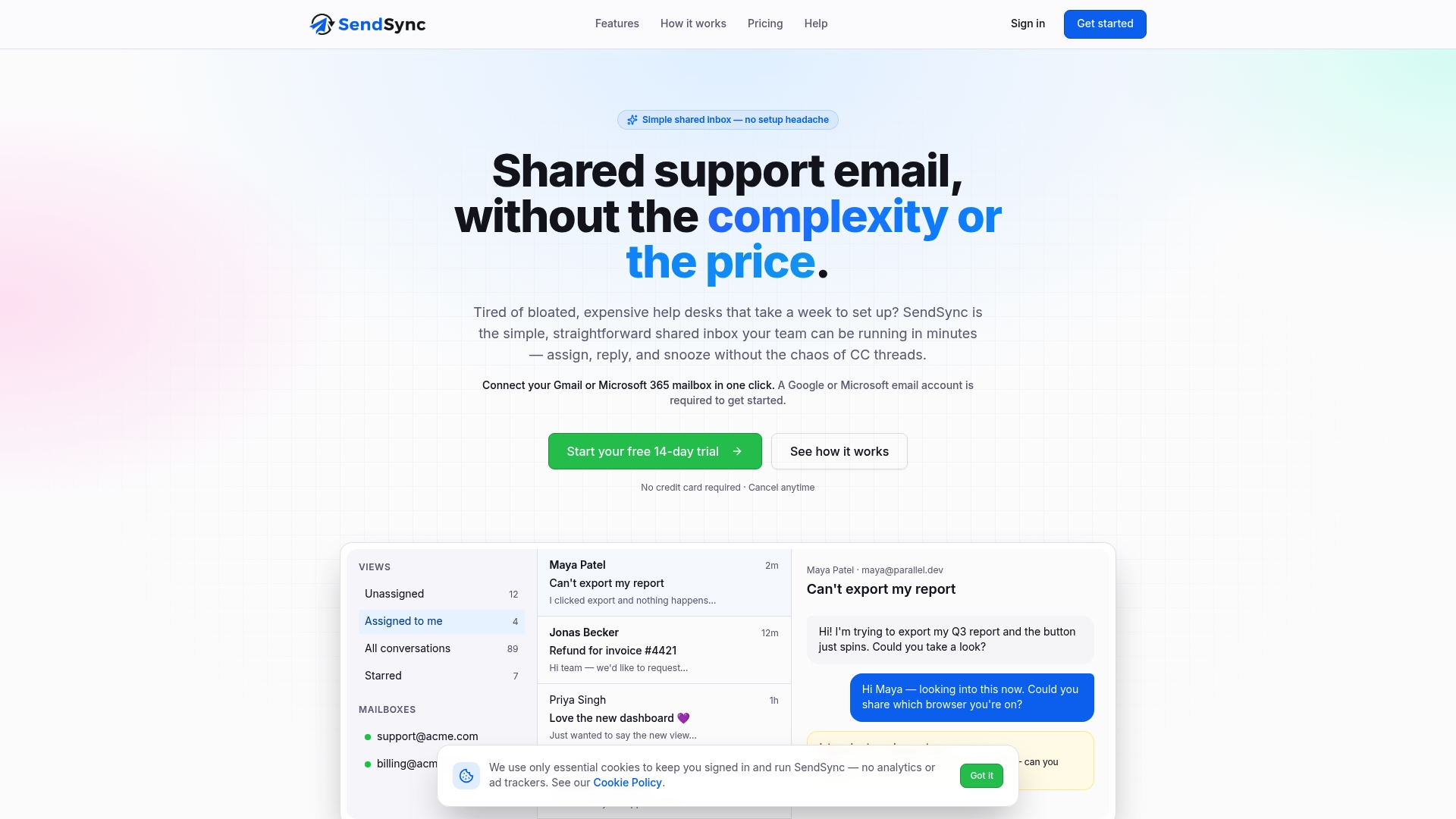
Sendsync connects directly to Gmail or Microsoft 365 mailboxes in minutes, with no DNS configuration or complex setup. Team members can assign threads, reply collaboratively, and track conversation status from one shared view. That structure maps directly onto delegation workflows: managers assign incoming emails to the right delegate, delegates handle responses, and everyone sees the current state without digging through forwarded threads. Sendsync offers unlimited users with no per-seat fees, which makes it a practical fit for growing remote teams. Try Sendsync and see how a shared inbox changes the way your team handles email.
Key takeaways
Inbox delegation in remote teams saves significant time and drives revenue growth when built on clear permissions, documented processes, and a hybrid AI-human workflow.
Point | Details |
|---|---|
Define permission tiers first | Choose Read, Send on Behalf, or Send As based on the specific task, not general convenience. |
Security requires platform delegation | Never share passwords; use Microsoft 365 or Google Workspace native delegation features instead. |
Onboard over 30 days | Follow a structured ramp: observe, draft with review, then graduate to independence with escalation rules. |
Delegation saves 10–15 hours weekly | Founders who delegate inbox management reclaim nearly two full workdays per week for strategic work. |
Hybrid AI-human models outperform either alone | Let AI handle routing and sorting while human delegates manage relationship and judgment-heavy emails. |
FAQ
What is inbox delegation in a remote work context?
Inbox delegation remote is the practice of granting a trusted person platform-level access to your email inbox so they can manage messages on your behalf. It uses built-in permission features in tools like Microsoft 365 or Google Workspace rather than shared passwords.
How is mailbox delegation different from a shared mailbox?
Mailbox delegation keeps the original owner’s identity and assigns a specific delegate to manage it. A shared mailbox has no primary owner and is designed for team-wide access, like a support address.
How long does it take to onboard a remote inbox delegate?
The average onboarding timeline runs 30 days. Week one covers setup and observation, week two focuses on drafting with review, and the final two weeks transition the delegate to independent handling with escalation rules.
What are the main security risks of inbox delegation?
Excessive permissions and password sharing are the two biggest risks. Unmanaged delegation creates a hidden access point that can be exploited. Use task-specific permissions and audit them quarterly to stay protected.
How much time can inbox delegation save?
Founders save 10–15 hours per week by delegating inbox management. Leaders who delegate email also report generating 33% more revenue by redirecting that time to strategic priorities.