
Best Shared Inbox Tools 2026: Top Picks for Teams
Best Shared Inbox Tools 2026: Top Picks for Teams ! Team collaborating around shared inbox software For most US-based professional and support teams in 2026, Sendsync is the recommended pick.

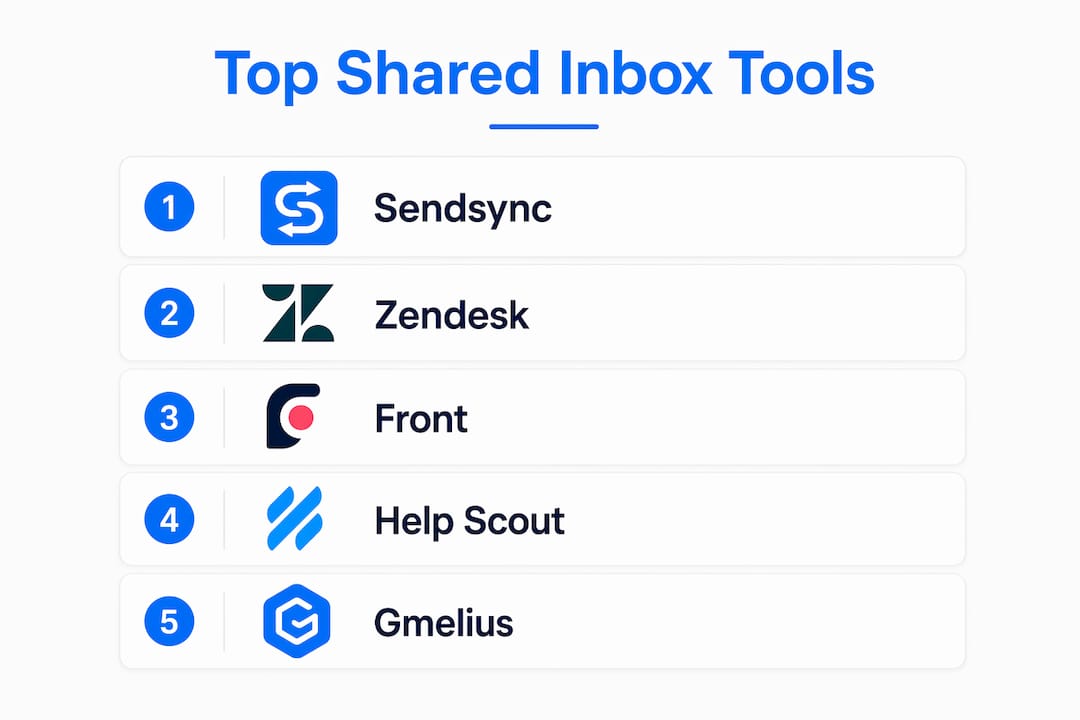
For most US-based professional and support teams in 2026, Sendsync is the recommended pick. It connects to Gmail or Microsoft 365 in minutes, charges no per-seat fees, and includes assignment, collision detection, and automation without the configuration overhead that slows down every other tool on this list. If your team lives in Google Workspace and refuses to leave Gmail, Hiver is the closest alternative. For large-scale support operations needing enterprise SLAs and deep CRM routing, Front or Zendesk are the right calls.
Here is the fast shortlist:
- Sendsync — Best overall for small to mid-size teams: unlimited users, near-zero setup, Gmail and M365 integration
- Hiver — Best Gmail-native: runs as a sidebar inside Gmail, minimal onboarding
- Google Collaborative Inbox / M365 Shared Mailbox — Best zero-cost native option for teams already on Workspace or Microsoft 365
- Front — Best enterprise: CRM-embedded workflows, advanced analytics, multi-channel routing
- Freshdesk — Best budget: generous free tier, solid helpdesk basics for startups
The comparison table in the next section breaks down all 24+ options by pricing model, integration depth, and channel support so you can narrow your shortlist in under two minutes.
Table of Contents
- What are the best shared inbox tools in 2026?
- Per-tool reviews: features, fit, and pricing
- How we tested and scored these tools
- How to choose the right shared inbox for your team
- Shared inbox vs. AI assistant: which one does your team actually need?
- How do these tools handle customer support quality?
- How well do these tools scale under high email volume?
- What customization and branding options do shared inboxes offer?
- Key Takeaways
- Why the “best shared inbox” conversation usually misses the point
- Sendsync: fast setup, unlimited users, no per-seat fees
- Further reading and sources
What are the best shared inbox tools in 2026?
Entry pricing across shared inbox tools typically runs $14–$25 per user per month for paid entry plans, with enterprise tiers climbing well above that. The table below maps every major option against the dimensions that actually matter at purchase time.
| Tool | Best For | Pricing Model | Gmail & Outlook Depth | Core Collaboration | Automation & AI | Channels | Scale |
|---|---|---|---|---|---|---|---|
| Sendsync | Fast setup, unlimited users | Unlimited users / tiered plans | Gmail + M365 native | Assignment, collision detection, internal notes, tags | Automation, triage, dashboards | SMB to mid-market | |
| Front | Enterprise CRM workflows | Per seat (starts at $25) | Both, deep | Assignment, collision, notes, analytics | Advanced routing, AI drafts | Email, SMS, social | Enterprise |
| Missive | Live co-drafting, multichannel | Per user ($14/user/month entry) | Both | Co-drafting, internal chat, notes | Automation rules | Email, SMS, WhatsApp, social | SMB to mid |
| Hiver | Google Workspace teams | Per user (starts at $25) | Gmail-native sidebar | Assignment, collision, notes | Automation, AI | Email, chat | SMB to mid |
| Help Scout | Support + knowledge base | Per user / free tier | Both | Assignment, notes, tags | Workflows, AI | Email, chat | SMB |
| Zendesk | Large-scale support ops | Per agent (enterprise) | Both | Full ticketing suite | Advanced SLA routing, AI | Omnichannel | Enterprise |
| Freshdesk | Budget / startups | Free tier + per agent | Both | Assignment, notes | Automation | Email, chat, phone | SMB |
| Gmelius | Gmail + Kanban boards | Per user ($19+/mo) | Gmail-native | Assignment, boards, notes | Automation | Small teams | |
| Helpwise | Budget multichannel | Per user (low cost) | Both | Assignment, notes | Basic automation | Email, SMS, WhatsApp | Startups |
| Zoho TeamInbox | Zoho ecosystem teams | Per user / Zoho bundle | Both | Assignment, automation, analytics | Automation, Zoho integrations | Omnichannel | SMB to mid |
| Trengo | WhatsApp-first teams | Per user | Both | Assignment, notes | Automation, AI | Email, WhatsApp, social | SMB to mid |
| Drag | Visual Gmail boards | Per user | Gmail-native | Kanban boards, assignment | Basic automation | Small teams | |
| HappyFox | Reporting-focused teams | Per agent | Both | Ticketing, assignment | Automation, SLA | Email, chat | Mid-market |
| ProProfs Help Desk | AI-assisted support | Per user | Both | Assignment, notes, AI | AI-assisted workflows | Email, chat | SMB |
| Kayako | AI routing + context | Per resolution / per seat | Both | Assignment, AI routing | AI routing, draft suggestions | Omnichannel | SMB to mid |
| SupportBee | Simple ticket categorization | Per user | Both | Categorization, assignment | Basic | Small teams | |
| Salesmate | Sales + inbox CRM | Per user | Both | Assignment, CRM context | Automation | Sales teams | |
| Groove | Small-biz helpdesk | Per user | Both | Assignment, notes | Basic automation | Email, chat | Small biz |
| Crisp | Chat-first omnichannel | Free tier + per user | Both | Assignment, notes | Automation, bots | Email, chat, social | SMB |
| Intercom (Fin) | Product-led / in-app | Per seat (premium) | Both | Assignment, AI routing | Fin AI, automation | Email, chat, in-app | Mid to enterprise |
| HubSpot Service Hub | HubSpot ecosystem | Per seat / free tier | Both | Assignment, notes, CRM | AI, automation | Email, chat | SMB to enterprise |
| alfred_ | Personal inbox triage | Per user ($24.99+/mo) | Gmail | Autonomous drafting | AI triage, drafting | Individual | |
| Google Collaborative Inbox | Zero-cost Gmail native | Free (Workspace) | Gmail-native | Basic assignment | None | Small teams | |
| Outlook / M365 Shared Mailbox | Zero-cost M365 native | Free (M365 plan) | Outlook-native | Basic shared access | None | Small teams |
Free tier or trial available: Sendsync (14-day free trial), Freshdesk (free tier), Help Scout (free tier), Crisp (free tier), HubSpot Service Hub (free tier), Google Collaborative Inbox (free on Workspace), M365 Shared Mailbox (free on M365 plan).
Per-tool reviews: features, fit, and pricing
Sendsync
Sendsync is built around one idea: a support team should be able to connect their Gmail or Microsoft 365 mailbox and start assigning emails the same afternoon, with no DNS configuration and no per-seat pricing surprises. You get assignment workflows, collision detection, internal notes, automation for triage, saved views, and a metrics dashboard. The unlimited-users pricing model is the real differentiator for growing teams that would otherwise watch their bill climb every time they add a new agent. Best for small to mid-size professional services and support teams that need minimal admin overhead.
Pros: Near-zero setup, unlimited users pricing, Gmail and M365 integration, collision detection included Con: Lighter on omnichannel channels (SMS, WhatsApp) compared to Trengo or Missive Trial: 14-day free trial at sendsync.com
Front
Front is the enterprise pick when your team needs CRM context threaded directly into email conversations. Entry pricing starts around $25 per seat, and full feature access typically requires a higher tier. The analytics and routing depth are genuinely impressive at scale, but the configuration overhead and cost make it overkill for a 10-person support team. Best for enterprise teams with CRM-embedded workflows and advanced routing needs.

Missive
Missive combines real-time collaborative drafting, internal thread chat, and multichannel support (email, SMS, WhatsApp, social) at an entry price of $14 per user per month. The live co-editing feature is something most shared inboxes skip entirely. Best for small to mid-size teams that want to co-write replies in real time and handle multiple messaging channels from one place.
Hiver
Hiver runs natively inside Gmail as a sidebar, which means your team never has to open a new tab or learn a new interface. Onboarding is as close to zero as any tool on this list. The tradeoff is that it is built for Google Workspace and offers limited compatibility with Outlook-heavy teams. Best for Google Workspace teams that will not switch interfaces.
Help Scout
Help Scout pairs a support-shaped shared inbox with a built-in Docs knowledge base, making it a natural fit for support teams that want to deflect tickets with self-service content. A free tier is available for small teams. Best for customer support teams that want a lightweight helpdesk plus a knowledge base in one product.
Zendesk
Zendesk is the platform you reach for when ticket volume is high, SLAs are non-negotiable, and your integrations list is long. The omnichannel routing and enterprise-grade reporting are best-in-class. The cost and configuration complexity are also best-in-class, which is why it rarely makes sense below a certain team size. Best for large-scale support operations.
Freshdesk
Freshdesk converts incoming support emails into tickets automatically, and its free tier makes it one of the few genuinely zero-cost options for small teams that need basic helpdesk structure. Automation and multichannel features are available on paid plans. Best for startups and budget-conscious support teams.
Gmelius
Gmelius adds Kanban boards and workflow automation directly inside Gmail, which appeals to small teams that want visual project-style email management without leaving their inbox. Entry pricing is $19 per user per month. Best for small Google Workspace teams that prefer board-style workflows.
Helpwise
Helpwise targets startups that need multichannel support (email, SMS, WhatsApp) at a low per-user price. The feature set is lighter than Front or Zendesk, but the price point and channel breadth make it a practical entry-level option. Best for budget startup teams needing multichannel coverage.
Zoho TeamInbox
Zoho TeamInbox centralizes multiple channels with automation, activity logs, analytics, and native connections across the Zoho app ecosystem. If your team already runs Zoho CRM, Zoho Desk, or Zoho Books, TeamInbox plugs in without friction. Best for teams already inside the Zoho ecosystem.
Trengo
Trengo’s standout is its native WhatsApp Business API support, which makes it the go-to for teams where WhatsApp is the primary customer channel. Omnichannel flows and automation are solid. Best for teams that handle a high volume of WhatsApp conversations alongside email.
Drag
Drag turns Gmail into a Kanban board, letting teams manage emails visually without leaving Google Workspace. It is a lightweight option with basic automation. Best for teams that want visual workflow boards inside Gmail without the complexity of a full helpdesk.
HappyFox
HappyFox is a mid-market helpdesk with stronger reporting and ticket analytics than most tools at its price point. If your support manager lives in dashboards, HappyFox earns its place. Best for teams where reporting and SLA analytics drive daily decisions.
ProProfs Help Desk
ProProfs Help Desk markets AI-assisted shared inbox features and positions itself around customer delight workflows. Best for support teams looking for AI-assisted ticket management inside a helpdesk interface.
Kayako
Kayako includes AI routing by intent and urgency, plus contextual customer profiles and AI draft suggestions, without requiring a separate AI add-on. Some plans charge per AI-resolved conversation. Best for teams that want contextual AI routing included from day one.
SupportBee
SupportBee keeps things simple: ticket categorization, assignment, and a clean interface with minimal overhead. Best for small support teams that need straightforward ticketing without heavy configuration.
Salesmate
Salesmate combines shared inbox features with CRM context, targeting sales teams that want to manage customer conversations and deal context from one place. Best for sales teams that need inbox and CRM in the same workflow.
Groove
Groove is built for small businesses that want a simple shared inbox and basic helpdesk features without enterprise complexity. Best for small-business support teams that prioritize ease over feature depth.
Crisp
Crisp leads with chat and omnichannel messaging, with a free tier that covers basic shared inbox functionality. Best for teams that prioritize live chat and omnichannel messaging alongside email.
Intercom (Fin)
Intercom’s Fin AI handles in-app messaging, chat, and email routing in one platform. The pricing is premium, but for product-led teams that need in-product messaging integrated with support workflows, there is no close substitute. Best for product-led growth teams.
HubSpot Service Hub
HubSpot Service Hub connects multiple email addresses into a universal inbox with full CRM context, making it a natural choice for teams already running HubSpot CRM. A free tier is available. Best for HubSpot ecosystem users who want inbox and CRM in one place.
alfred_
alfred_ is an AI assistant for personal inbox triage, not a shared inbox tool. It handles autonomous drafting and triage for a single person’s inbox at $24.99 per month. Best for executives or individuals overwhelmed by personal email volume, not for shared team addresses.
Google Collaborative Inbox and Outlook / M365 Shared Mailbox
Both native options are free on their respective platforms. Google Collaborative Inbox lives inside Gmail with basic assignment and send-from support. The M365 Shared Mailbox is native in Outlook with automapping and a shared calendar. Neither offers collision detection, automation, or analytics. Best for small teams needing a zero-cost shared address and able to live without collaboration features.
Pro Tip: Entry pricing is a weak signal for shared inbox tools. The plan level you actually need often jumps once you add automation, omnichannel channels, or SSO. Always trial the plan tier that supports your required channels and APIs, not the cheapest one.
How we tested and scored these tools
Every tool on this list was evaluated against a consistent set of criteria and weighted by how much each factor affects day-to-day team performance.
- Collaboration features (25%) — Assignment, collision detection, internal notes, shared labels, and real-time co-drafting. These are the core reason teams buy a shared inbox over a native mailbox.
- Integrations (15%) — Gmail and Outlook depth, API access, CRM connections, and third-party app support.
- Automation and AI (15%) — Triage rules, routing logic, AI draft suggestions, and per-message or per-resolution AI pricing transparency.
- Pricing and value (15%) — Entry price normalized across per-seat, per-mailbox, and unlimited-user models; free tier availability; and total cost at 10 users.
- Security and enterprise features (10%) — SSO, SAML, audit logs, data residency options, and published uptime SLAs.
- Admin and setup time (10%) — Time from sign-up to first assigned conversation; DNS requirements; onboarding documentation quality.
- Reporting and analytics (10%) — Response time metrics, volume dashboards, SLA tracking, and exportability.
Testing scenarios used: A five-person support team triaging a shared support@ address in Gmail; a mixed Gmail and Outlook team handling sales@ and billing@ simultaneously; and an enterprise routing scenario with CRM context and SLA rules. Pricing and feature details were verified against vendor pages in 2026. Where vendor pricing was not publicly listed, the tool is noted as “contact for pricing.”
Pricing normalization: Per-seat tools were costed at 10 users to allow direct comparison with unlimited-user plans. Free tiers were verified by checking trial sign-up flows directly.
How to choose the right shared inbox for your team
The right tool depends on your team’s email provider, size, channel mix, and how much admin overhead you can absorb. Here is a decision checklist:
- Google Workspace team, minimal change tolerance → Hiver or Gmelius (Gmail-native sidebar)
- Microsoft 365 team, zero budget → Outlook / M365 Shared Mailbox (native, free)
- Small to mid-size support team, fast setup, no per-seat fees → Sendsync
- Startup, tight budget, basic helpdesk needed → Freshdesk (free tier) or Crisp
- WhatsApp as primary channel → Trengo
- Enterprise, CRM-embedded workflows → Front or Zendesk
- Sales team needing inbox + CRM → Salesmate or HubSpot Service Hub
- Omnichannel consolidation inside Zoho → Zoho TeamInbox
For multi-client email management, agencies and professional services firms should also check whether the tool supports multiple shared addresses under one account without per-mailbox fees.
10 questions to ask vendors in a demo:
- Does the entry plan include collision detection and assignment, or are those gated to a higher tier?
- How deep is the Gmail or Outlook integration — native sidebar, OAuth connection, or forwarding only?
- Is SSO (SAML 2.0) available, and at which plan level?
- What are the automation rule limits per plan?
- Can we export all conversation history and audit logs?
- Is there a per-message or per-resolution AI fee on top of the subscription?
- What is the published uptime SLA, and where is data hosted?
- Does the mobile app support full assignment and reply workflows, or is it read-only?
- Are there message volume caps or API rate limits that affect high-volume inboxes?
- What admin controls exist for role-based access and inbox permissions?
Red flags to watch for:
- Hidden per-seat fees that appear only after you add your fifth user
- Outlook support listed as “coming soon” or limited to forwarding
- No audit logs at any plan level
- AI features priced per message or per resolution with no cap
- Free trial that requires a credit card and auto-bills on day 15
Shared inbox vs. AI assistant: which one does your team actually need?
The most common mistake teams make is buying a shared inbox when the real problem is one person’s overloaded personal inbox, or vice versa. The diagnostic is straightforward.
If multiple people must own a single email address (support@, billing@, info@), you have a coordination problem. Duplicate replies, unclear ownership, and missed threads are the symptoms. A shared inbox with assignment and collision detection fixes this. The capacity vs. coordination distinction is the clearest signal for which tool category to buy.
If one person receives too much email and cannot keep up, you have a capacity problem. An AI assistant that triages, drafts, and prioritizes for a single inbox is the right investment. alfred_ is built exactly for this: autonomous triage and drafting for one person’s inbox at $24.99 per month, not a shared team address.
Three real-world examples:
- support@company.com for a five-person team — coordination problem. Multiple agents need to see, assign, and reply without stepping on each other. Sendsync or Help Scout.
- sales@ for an enterprise with regional routing — coordination plus routing complexity. Front or Zendesk with SLA rules.
- Founder receiving 300 emails a day personally — capacity problem. An AI assistant like alfred_, not a shared inbox.
Pro Tip: The clearest signal you have a coordination problem: two agents have replied to the same customer email in the same week. The clearest signal you have a capacity problem: one person is the single owner of an address and response times are slipping despite no volume increase. Small teams often discover this distinction only after buying the wrong tool.
How do these tools handle customer support quality?
Support quality from the vendor matters as much as the product features, especially when your team is mid-migration and something breaks.
Zendesk and Front offer 24/7 support on enterprise plans, with dedicated account managers at higher tiers. Response times on lower plans can stretch to 24 hours or more via ticket. Freshdesk and Help Scout both offer email and chat support on paid plans, with Help Scout’s support team consistently noted for fast, human responses on G2 and Capterra. Hiver’s support is rated highly on G2 for responsiveness, which matters given that Gmail-native tools can break when Google updates its API.
Sendsync, as a leaner product, focuses on self-serve documentation and direct support access during the 14-day trial period. For teams that need 24/7 phone support from day one, that is worth factoring into the decision.
Smaller tools like SupportBee, Groove, and Drag typically offer email support with business-hours response times. Intercom (Fin) and HubSpot Service Hub both have extensive self-serve documentation and community forums, which reduces the dependency on live support for most configuration questions.

One practical check: before committing to any tool, submit a pre-sales support question and measure the response time. How a vendor treats a prospect is usually how they treat a customer.
How well do these tools scale under high email volume?
Scaling is where the gap between lightweight shared inboxes and full helpdesks becomes concrete. At low volume (under 500 emails per day), almost every tool on this list performs adequately. The differences emerge at scale.
Zendesk and Front are built for high-volume enterprise environments. Both handle thousands of tickets per day with SLA routing, priority queues, and load-balancing across agent groups. Freshdesk scales reasonably well on paid plans but can feel constrained on the free tier when ticket volume spikes.
Sendsync’s unlimited-users pricing means you can add agents without a cost penalty as volume grows, which is a practical scaling advantage for teams that grow headcount faster than budget. The platform is designed for small to mid-market teams, so teams processing tens of thousands of tickets daily should evaluate enterprise-grade options.
Gmail-native tools like Hiver and Gmelius inherit Gmail’s infrastructure, which is reliable, but they can hit friction points when automation rule complexity increases or when a team needs multi-mailbox routing across dozens of shared addresses. Scalable inbox workflows for growing teams typically require tagging, saved views, and automation rules that go beyond what native Gmail offers.
Zoho TeamInbox scales well within the Zoho ecosystem and handles multichannel volume across email, chat, and social without requiring a separate platform.
What customization and branding options do shared inboxes offer?
Most shared inbox tools offer some degree of interface customization, but the depth varies significantly.
Zendesk and Front allow extensive branding on customer-facing elements: email templates, help center themes, and chat widget colors. For teams that send high volumes of branded support emails, this matters. Intercom (Fin) goes further with in-app messaging widgets that are fully brandable and embeddable in your product.
Mid-tier tools like Help Scout, HappyFox, and Freshdesk let you customize email signatures, reply templates, and basic branding on outbound emails. Help Scout’s Docs product supports custom domain hosting and branded knowledge base themes.
Gmail-native tools (Hiver, Gmelius, Drag) inherit Gmail’s interface with minimal customization options. The tradeoff for near-zero onboarding is near-zero branding flexibility.
Sendsync focuses on internal workflow customization: saved views, custom tags, assignment rules, and dashboard configurations. Outbound email branding follows whatever signature and template setup your Gmail or M365 account uses, which keeps things simple for teams that already have brand standards in their email client.
For teams where customer-facing branding is a priority, Zendesk, Front, or Intercom are the right choices. For teams where internal workflow clarity matters more than outbound polish, Sendsync, Help Scout, or Freshdesk cover the essentials.
Key Takeaways
The best shared inbox for most US-based professional teams in 2026 is Sendsync: unlimited users, near-zero setup, and Gmail or Microsoft 365 integration without per-seat fees.
| Point | Details |
|---|---|
| Match tool to team size | Sendsync fits SMB to mid-market; Zendesk and Front suit enterprise-scale operations. |
| Pricing model matters more than entry price | Unlimited-user plans (Sendsync) cost less at scale than per-seat tools charging $14–$25 per user. |
| Gmail-native = fastest onboarding | Hiver and Gmelius run inside Gmail with near-zero setup but limited Outlook compatibility. |
| Diagnose coordination vs. capacity | Multiple people sharing one address need a shared inbox; one overwhelmed person needs an AI assistant. |
| Sendsync recommendation | 14-day free trial, no DNS setup, unlimited users, and collision detection included from day one. |
Why the “best shared inbox” conversation usually misses the point
Most roundups rank tools by feature count or G2 star ratings and call it a day. The more useful question is whether your team has a coordination problem or a capacity problem, because those two problems have completely different solutions.
The shared inbox category has also quietly split into two camps: tools that live inside your existing email client (Hiver, Gmelius, Drag) and tools that replace your email client with a new interface (Front, Zendesk, Help Scout). The first camp wins on adoption speed. The second wins on feature depth. Neither is universally better, but the choice has real consequences for a team that is already resistant to new software.
What I find underappreciated in most comparisons is the pricing model question. Per-seat pricing sounds reasonable at five users. At 20 users, it is a different conversation. Sendsync’s unlimited-users model is not a marketing gimmick; it is a structural advantage for any team that adds headcount faster than it adds budget. That is most growing teams.
The other thing worth saying plainly: the native options (Google Collaborative Inbox, M365 Shared Mailbox) are genuinely good enough for teams with simple needs. If you have three people sharing a support@ address and nobody needs collision detection or automation, paying for a dedicated tool is waste. Start native, add a dedicated tool when the pain is real.
Sendsync: fast setup, unlimited users, no per-seat fees
If you have read this far and your team fits the profile (small to mid-size, Gmail or Microsoft 365, support or professional services, no appetite for a three-week onboarding project), Sendsync is the direct answer. Connect your mailbox in minutes, assign conversations, catch duplicate replies with collision detection, and track response times from a metrics dashboard, all without paying per seat as your team grows.

The 14-day free trial requires no credit card and no DNS configuration. You can import your existing mailbox, assign roles, and run a live pilot before committing to a plan. For teams that have been burned by per-seat pricing or lengthy helpdesk setups, that is the concrete difference. Start your free trial at sendsync.com and have your first conversation assigned before end of day.
Further reading and sources
Pricing and feature details change frequently. Confirm current plans directly in each vendor’s dashboard before making a purchase decision.
- Sendsync shared inbox for support teams
- Sendsync: shared inbox best practices for support teams in 2026
- Sendsync: how a team inbox differs from a personal inbox
- alfred_: best shared inbox software 2026 (11 tested)
- InboxPilot: best shared inbox software for Gmail and Outlook in 2026
- Kayako: AI shared inbox
- Zoho TeamInbox: shared inboxes for multi-channel communication
- ProProfs Help Desk: 10 shared inbox software to end email clutter in 2026
- G2: shared inbox category reviews
- G2: Hiver reviews
- Capterra: Help Scout reviews