
How a Team Inbox Differs from a Personal Inbox
How a Team Inbox Differs from a Personal Inbox ! Team collaborating on shared inbox tasks A team inbox is a collaborative email environment built for multiple users to manage, assign, and track conversations together.

A team inbox is a collaborative email environment built for multiple users to manage, assign, and track conversations together. A personal inbox is a single-user environment built for one-to-one communication. Understanding how team inbox differs from personal inbox is the first step to choosing the right setup for your team. The two systems share a surface-level similarity: both receive and send email. But their underlying design, features, and purpose are fundamentally different, and using the wrong one costs teams time, accountability, and customer trust.
How team inbox differs from personal inbox: the core distinction
A team inbox is designed to handle inbound volume at scale, while a personal inbox is designed for individual relationship management. That distinction drives every feature difference between the two.
Personal inboxes give one person full control over their email. They support individual productivity tools like email open tracking, click rate monitoring, and sequence automation for outbound sales. These features matter when one person is building a relationship with a prospect or client over time.
Team inboxes flip that model entirely. They route incoming messages to a shared queue where any authorized team member can respond. Team inboxes specialize in managing inbound volume and require workflow features like SLA tracking, email assignment, and status management that personal inboxes simply do not offer. The goal is not personalization. The goal is accountability, speed, and coverage.

Industry best practices now draw a clear line between a shared mailbox and a true team inbox. A shared mailbox gives multiple people access to one email account. A team inbox adds a workflow layer on top of that access, with assignment rules, collision detection, internal notes, and performance analytics. That layer is what separates a chaotic group email from a functional support operation.
What key features differentiate team inboxes from personal inboxes?
The feature gap between the two inbox types is wider than most teams expect. Here is a direct comparison.
Feature | Team inbox | Personal inbox |
|---|---|---|
Email assignment | Yes, assign to specific teammates | No, single owner by default |
Collision detection | Yes, shows who is drafting a reply | No |
Internal notes | Yes, visible only to the team | No |
SLA tracking | Yes, with alerts and reporting | No |
Email open/click tracking | Rarely included | Yes, standard in most tools |
Sequence automation | Rarely included | Yes, common in sales tools |
Audit logs | Yes, time-stamped activity history | No |
Workload analytics | Yes, response time and volume data | No |
Collision detection in team inboxes significantly reduces duplicate replies by showing when a teammate is already drafting a response. That single feature alone prevents a common and embarrassing failure: two agents sending conflicting answers to the same customer.
Pro Tip: Set up collision detection alerts on your team inbox from day one. Teams that skip this step often discover the problem only after a customer complains about receiving two different answers.
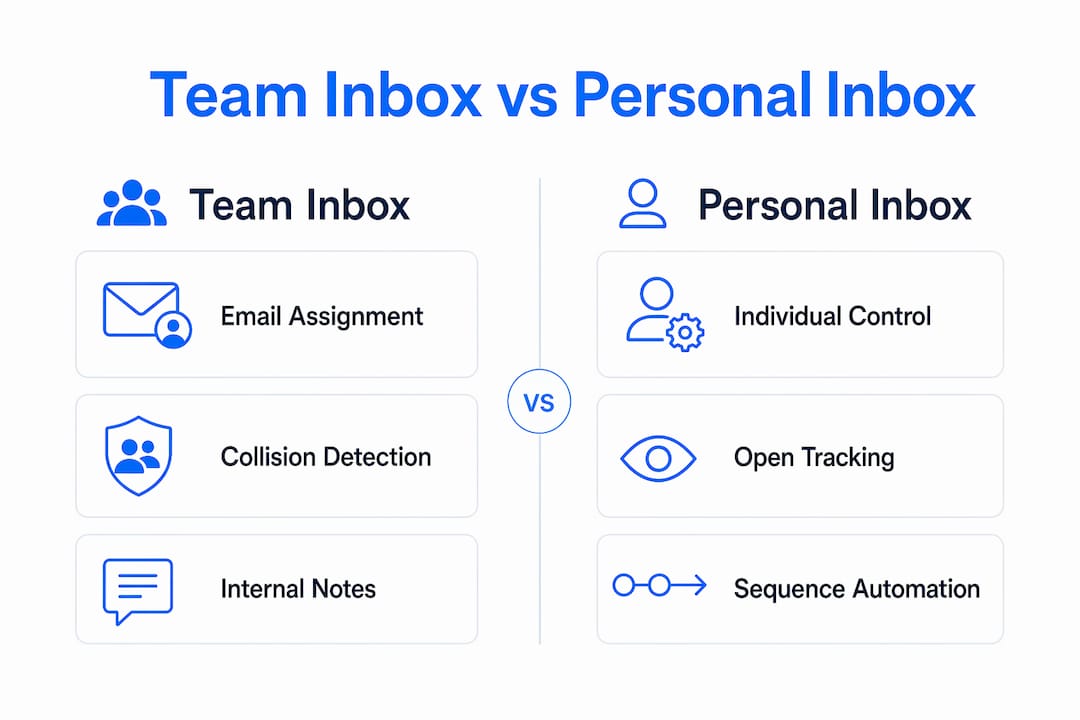
Internal notes and @mentions enable asynchronous collaboration directly inside a conversation thread. A teammate can flag context, ask a question, or escalate without forwarding the email or switching to a separate chat tool. Personal inboxes have no equivalent feature.
Why and when do teams opt for team inboxes over personal inboxes?
Teams rarely switch to a team inbox proactively. The trigger is almost always a failure. Teams often shift to team inboxes after communication failures such as dropped emails, duplicate replies, or missed messages become frequent under high volume. Native email platforms cannot resolve these problems without a dedicated workflow layer.
The tipping point varies by team size and email volume, but the symptoms are consistent. You know your team needs a shared inbox solution when you see these signs:
Customers report receiving no reply, even though someone on the team thought another person handled it.
Two teammates reply to the same email with different answers.
No one can tell who owns a specific conversation or what its current status is.
Response times are inconsistent and you have no data to diagnose why.
New team members have no visibility into ongoing conversations when they join.
Workload is unevenly distributed and no one can prove it without manual counting.
Shared inboxes provide essential data insights like response time and workload balance that personal inboxes lack entirely. That data matters because you cannot improve what you cannot measure. A support manager using personal inboxes has no reliable way to know which team member is overloaded or which customer has been waiting the longest.
The business case for switching is straightforward. Team inboxes reduce dropped conversations, distribute workload fairly, and give managers the visibility they need to make staffing and process decisions based on real data rather than gut feel.
How do team inboxes impact collaboration and accountability?
Accountability is the defining advantage of a team inbox over a personal inbox. In a personal inbox, email ownership is implicit. The person who received the message is assumed to own it. In a team inbox, ownership is explicit. Every conversation is assigned to a specific person, and that assignment is visible to the entire team.
A shared mailbox provides access but lacks accountability features like email assignment and status tracking. A true team inbox adds both. Status labels like “open,” “pending,” and “resolved” give the whole team a live view of where every conversation stands. No one has to ask for an update. The inbox itself provides it.
Audit trails add another layer of accountability that personal inboxes cannot match. Team inboxes create audit-defensible records with time-stamped activity logs essential for regulated or high-accountability workplaces. If a customer disputes what they were told, or a compliance review requires documentation of a communication, the team inbox log provides a tamper-resistant record. A personal inbox thread does not.
Pro Tip: Use your team inbox’s activity log during onboarding. New hires can read the full history of a customer relationship without needing a handover meeting. That context saves hours and prevents repeated questions.
A team inbox enhances performance measurement with SLA tracking, response time analytics, and workload balancing. These tools let managers set clear expectations, measure against them, and coach team members based on objective data. Personal inboxes offer none of this. You can learn more about inbox organization strategies that pair well with these accountability features.
In what business scenarios are personal inboxes still preferred?
Personal inboxes remain the better choice in specific, well-defined scenarios. Recognizing those scenarios prevents teams from over-engineering their communication setup.
Outbound sales prospecting. Personal inboxes support email open tracking, click rate monitoring, and sequence automation. These features are standard in sales tools and are rarely available in team inbox platforms. A sales rep building a pipeline needs to know whether a prospect opened their email before following up.
Executive and leadership communication. Senior leaders often manage relationships that require a personal touch and confidentiality. Routing those conversations through a shared team inbox creates privacy concerns and can undermine trust with high-value contacts.
Freelancers and solo operators. A single person managing their own client relationships has no need for assignment rules or collision detection. A personal inbox with good folder organization and filters handles the job well.
Sensitive HR or legal communications. Conversations involving employee performance, legal counsel, or confidential negotiations belong in a personal inbox. Shared visibility is a liability in these cases, not a benefit.
Personal inboxes maintain features crucial for outbound sales such as email open and click tracking, sequence automation, and personal email addressing. These features often do not exist in team inbox environments, and that gap is intentional. Team inboxes are built for inbound volume management, not outbound relationship building.
The practical answer for most growing teams is a hybrid model. Use a team inbox for support@, billing@, and info@ addresses where multiple people share responsibility. Keep personal inboxes for individual sales reps, executives, and anyone managing confidential relationships. The two systems complement each other when each is used for the purpose it was designed for.
Key Takeaways
A team inbox is the right tool when accountability, volume management, and collaboration matter more than personalization.
Point | Details |
|---|---|
Core design difference | Team inboxes are built for shared workflow; personal inboxes are built for individual communication. |
Accountability gap | Team inboxes assign ownership and log activity; personal inboxes have no equivalent audit trail. |
Collision detection | Team inboxes show who is drafting a reply, preventing duplicate responses to the same customer. |
When to keep personal inboxes | Outbound sales, executive communication, and sensitive HR or legal conversations belong in personal inboxes. |
Hybrid strategy | Use team inboxes for shared addresses and personal inboxes for individual relationship management. |
What I’ve learned from watching teams make this switch
Most teams I’ve observed make the same mistake: they treat the switch to a team inbox as a technical project rather than a cultural one. They set up the tool, migrate the address, and assume the team will adapt. They rarely do, at least not without guidance.
The real friction is transparency. Personal inboxes are private by default. Team inboxes are visible by default. That shift feels uncomfortable for people who are used to managing their own email queue without anyone watching. Some team members interpret shared visibility as surveillance rather than support. That perception has to be addressed directly before the tool goes live.
The teams that get this right spend time on norms before they spend time on configuration. They agree on who assigns conversations, what status labels mean, and how internal notes should be used. Those agreements take an hour to establish and save weeks of confusion.
The other mistake I see regularly is misconfiguring assignment rules. Teams set up automatic assignment by round-robin and then forget to account for time zones, skill sets, or capacity limits. A billing question routed to a junior support rep because it was “their turn” creates more problems than it solves. Assignment rules need to reflect how your team actually works, not just how the tool defaults.
The payoff, when teams get it right, is real. Dropped conversations drop to near zero. Response times become measurable and improvable. New team members ramp up faster because the full conversation history is right there. And managers stop spending their mornings chasing status updates.
— Nick
Sendsync: a team inbox built for real support teams
Sendsync is a shared inbox built specifically for teams that need to move fast without the overhead of a traditional help desk. You connect your Gmail or Microsoft 365 mailbox in minutes, with no DNS configuration required.
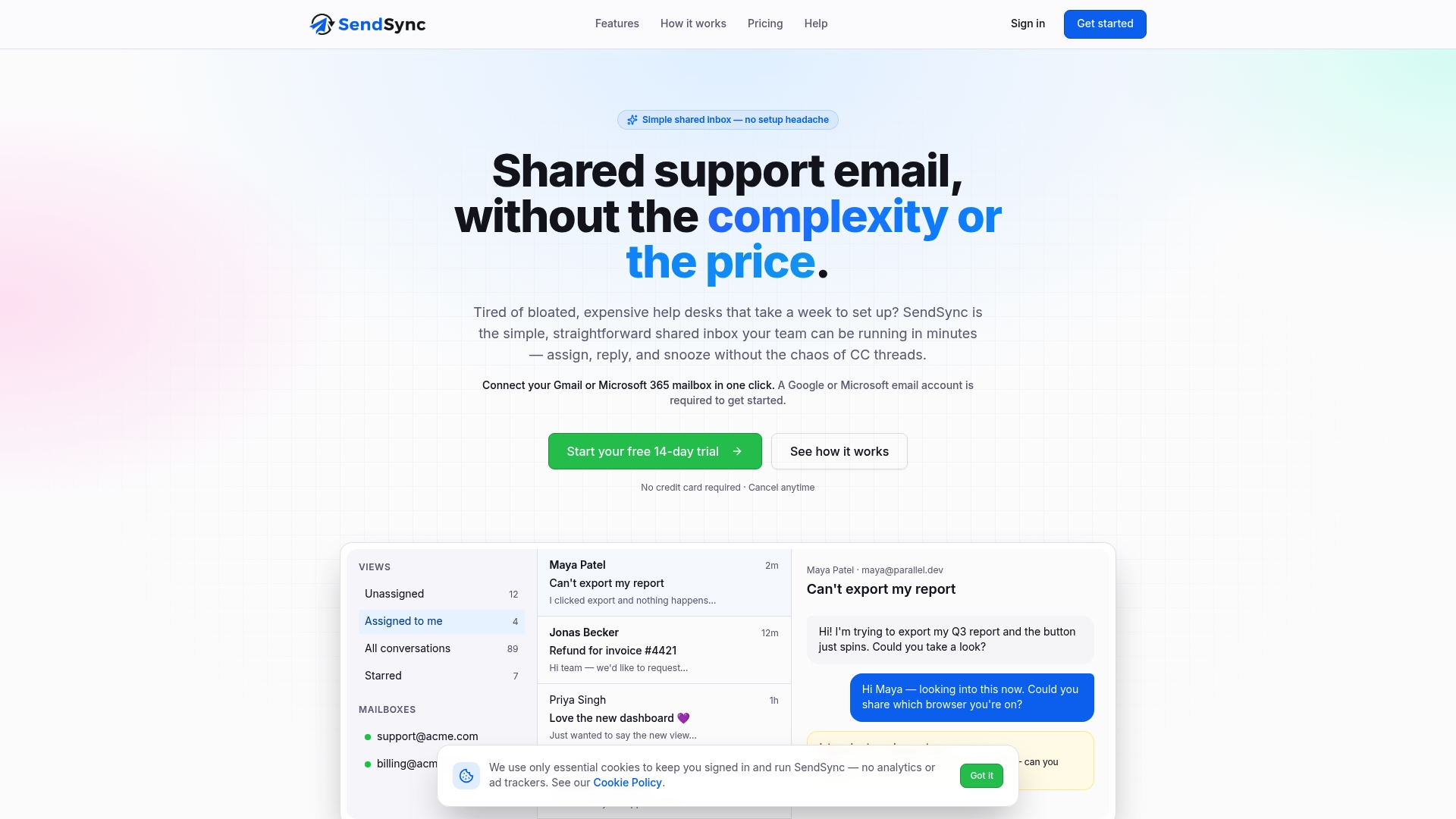
From there, your team gets email assignment, status tracking, internal notes, and collision detection out of the box. There are no per-seat fees, which means your entire team can work from the same inbox without the cost scaling against you. If your team is ready to move beyond personal inboxes and build a real collaborative email workflow, Sendsync is worth a look. Visit Sendsync to see how quickly your team can get set up.
FAQ
What is the main difference between a team inbox and a personal inbox?
A team inbox is a shared email environment where multiple users assign, track, and manage conversations together. A personal inbox is a single-user environment with no shared ownership or workflow features.
When should a team switch from personal inboxes to a team inbox?
The clearest signal is repeated communication failures: dropped emails, duplicate replies, or no visibility into who owns which conversation. These problems cannot be solved with personal inbox tools alone.
Do team inboxes replace personal inboxes entirely?
No. Team inboxes handle shared addresses like support@ or billing@, while personal inboxes remain better for outbound sales, executive communication, and confidential conversations.
What is collision detection in a team inbox?
Collision detection alerts team members when someone else is already drafting a reply to a conversation. It prevents two people from sending conflicting responses to the same customer.
Can a team inbox help with compliance and audit requirements?
Yes. Team inboxes maintain time-stamped activity logs that create a tamper-resistant record of every action taken on a conversation, which personal inboxes do not provide.