
Remote Team Daily Support Huddle: Your 2026 Guide
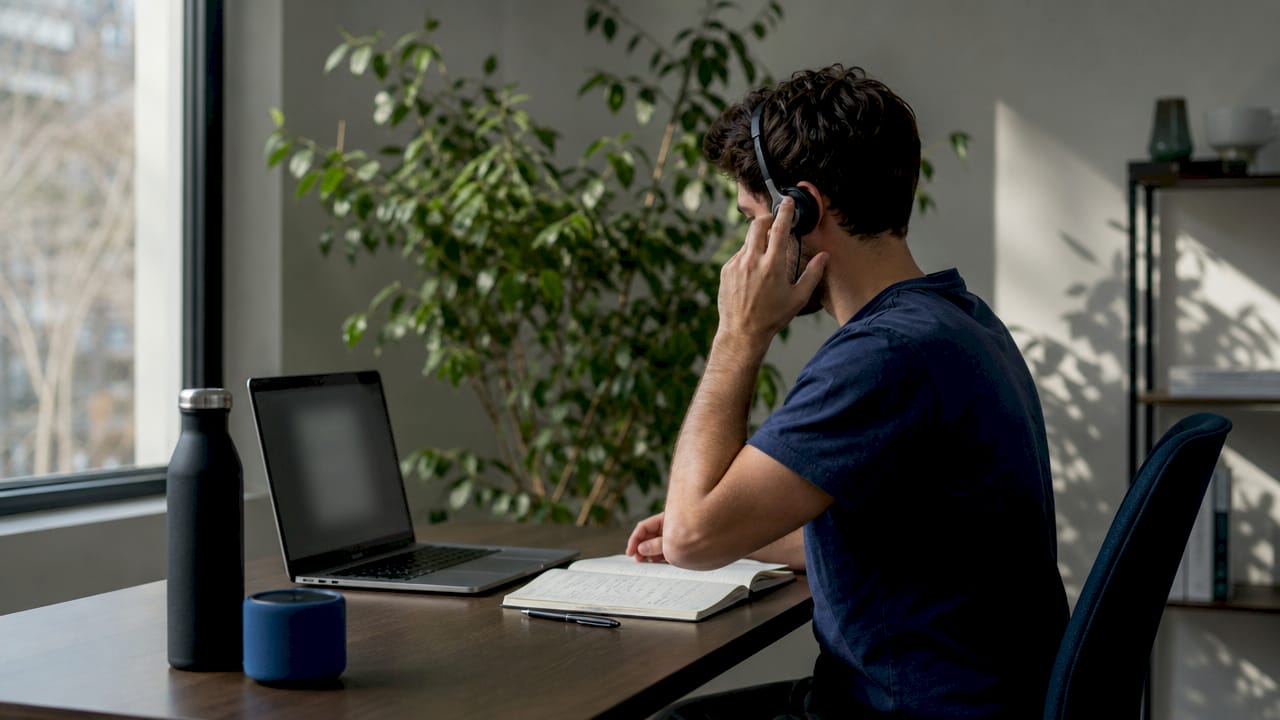
Remote Team Daily Support Huddle: Your 2026 Guide ! Remote team video conference daily support huddle A remote team daily support huddle is a brief, structured meeting where distributed team members align on priorities, surface blockers, and coordinate support work before the day

A remote team daily support huddle is a brief, structured meeting where distributed team members align on priorities, surface blockers, and coordinate support work before the day begins. The industry standard term for this practice is the “daily standup,” borrowed from the Scrum framework, though support teams often adapt it into a more flexible “daily sync” or “check-in” format. A 15-minute daily sync for a five-person team costs roughly $24,000 per year. That number alone makes the case for running these meetings with discipline and purpose. Done right, a daily team sync sharpens focus, reduces duplicate work, and keeps remote teams genuinely connected.
What does a remote team daily support huddle require to work?
The right technology is the foundation of any effective online support huddle. Your team needs a reliable video conferencing platform, a shared calendar for recurring invites, and a simple agenda template everyone can access before the call. Audio quality matters more than video quality. A team member on a poor connection disrupts the entire meeting, so a written mute policy (everyone mutes until speaking) should be a standing rule from day one.
Beyond the tech stack, preparation separates productive huddles from wasted time. The agenda should follow a fixed structure every day: blockers first, then progress, then plans. Sending the agenda 30 minutes before the call gives participants time to think, not just react. A designated facilitator role, rotating weekly, keeps the meeting on track without putting the burden on one person indefinitely.
Asynchronous tools serve as a complement, not a replacement, for the synchronous daily meeting. Platforms that support threaded updates, shared task boards, and team email visibility let team members post context before the call and follow up after it. This reduces the amount of time spent recapping during the live session.
Tool category | Core function | Huddle benefit |
|---|---|---|
Video conferencing | Live audio and video | Real-time blocker discussion |
Shared calendar | Recurring invite management | Consistent attendance |
Async update tool | Written progress posts | Pre-call context, post-call follow-up |
Shared inbox | Centralized team communication | Transparent ticket and task tracking |
Task board | Visual work tracking | Blocker identification before the call |
Pro Tip: Run a full tech check with every participant at least once before the first live huddle. Test screen sharing, audio, and mute controls. A five-minute dry run prevents a 15-minute disaster.
How do you structure a remote daily standup for real engagement?
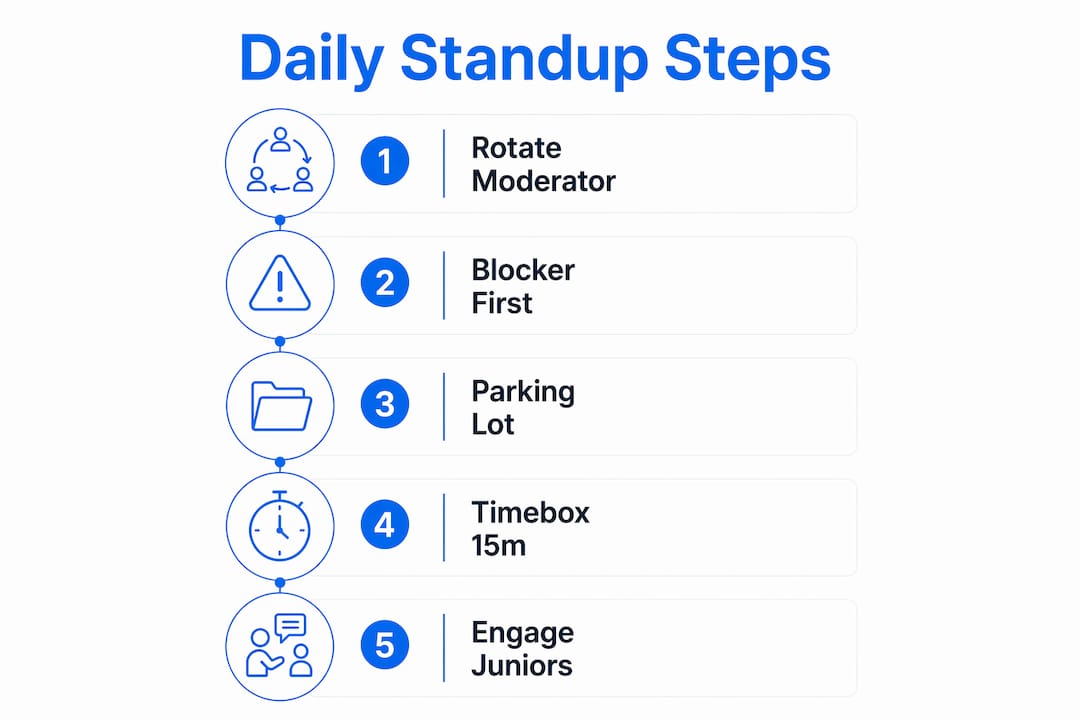
The 15-minute hard timebox is the industry standard for teams of up to eight people. This is not a soft guideline. When the timer hits 15 minutes, the facilitator ends the meeting. Technical deep dives that surface during the huddle get moved immediately to a post-huddle session. This discipline protects the time of every participant, not just the loudest voices.
The most effective facilitation sequence follows four steps:
Open with blockers. Ask each person: “What is stopping your work right now?” Blockers get named first because they require the most coordination and often involve other team members.
Cover progress briefly. Each person states what they completed since the last sync. One sentence per person. No elaboration unless it directly affects a blocker.
State today’s plan. Each person names their top one or two priorities for the day. This creates shared accountability without micromanagement.
Close with the parking lot. Any topic that needs more than two minutes of discussion gets noted and assigned to a follow-up call or async thread.
Rotating the moderator daily, including junior staff moderating senior colleagues, flattens hierarchy and increases engagement across the whole team. When a junior team member runs the meeting, senior members listen more carefully and speak more concisely. The effect on team culture is real and fast.
The parking lot method is one of the most underused facilitation tools in remote work. When a technical debate starts pulling the meeting off track, the facilitator says: “Great point. Parking lot. Who owns that follow-up?” The topic gets logged, assigned, and handled outside the huddle. This keeps the main session focused and prevents the two or three people with the most to say from consuming time that belongs to the whole team.
Pro Tip: Call on participants in a fixed order rather than waiting for volunteers. Audio lag in remote calls creates awkward silences that louder voices fill. A set order gives every person a guaranteed turn and prevents participation imbalances from becoming a habit.
Common facilitation mistakes to avoid:
Letting one person recap their entire week instead of just yesterday
Skipping the blocker question when the team seems “fine”
Allowing the huddle to drift into problem-solving mode without moving to the parking lot
Failing to document action items before ending the call
What are the best approaches for async and hybrid daily huddles?
Asynchronous daily standups work best for teams spread across three or more time zones. Forcing a synchronous call when half the team is starting their day and the other half is finishing it creates resentment, not alignment. Async standups save approximately 5 hours per week per person when teams follow a consistent format. That time savings compounds quickly across a full team.
The mandatory format for async updates is simple: what I did, what I will do, and what is blocking me. Every team member posts this update by a deadline relative to their own local morning start time. Local-time-relative deadlines remove the pressure of a single global cutoff and respect each person’s working rhythm. A designated triager reviews all updates each day, flags blockers, and routes them to the right person for a fast response.
Async standups replace daily status updates. They do not replace planning sessions, retrospectives, or brainstorming calls. Forcing complex collaboration into async text causes confusion and strips out the nuance that synchronous conversation provides. Teams that try to run sprint planning over a text thread quickly discover what gets lost.
Model | Best for | Key trade-off |
|---|---|---|
Synchronous | Co-located time zones, high-urgency teams | Requires scheduling discipline; can feel like a status report |
Asynchronous | Multi-timezone teams, deep-focus work cultures | Loses real-time energy; needs strong written communication norms |
Hybrid | Teams in 2–3 time zones, mixed collaboration needs | Requires clear rules for when to go sync vs. async |
The hybrid model works well for teams that share a two-hour overlap window. Teams run async updates daily and hold one or two synchronous calls per week for topics that need live discussion. This preserves the asynchronous workflow benefits while keeping the human connection that text alone cannot replicate.
How do you fix the most common remote huddle problems?
Disengagement is the most common failure mode in remote daily standups. It happens when the meeting becomes a status recital directed at the manager rather than a peer conversation about shared work. Standups fail when they function as reporting tools instead of alignment tools. The fix is structural: frame every question toward the team, not toward the leader.
Common problems and their direct solutions:
Meeting overruns: Set a visible countdown timer shared on screen. When it hits zero, the facilitator closes the meeting without exception.
Tech failures: Establish a backup protocol before they happen. If video drops, switch to audio only. If audio drops, switch to a shared async thread for that day’s update.
Unequal participation: Use the fixed calling order described in the facilitation section. Log who spoke and who did not after each session for one month. The pattern will be obvious.
Passive status reporting: Replace “What did you do yesterday?” with “What do you need from the team today?” The second question forces peer engagement.
The daily standup exists to serve the team, not the calendar. If your team dreads the meeting, the meeting is broken. Psychological safety and team autonomy are not soft skills. They are the operating conditions that make a daily sync worth having.
Pro Tip: Run a quarterly audit of your daily huddle. Ask three questions: Is this meeting still necessary? Is the format still right for the team’s current phase? Would async work better right now? Mature teams often benefit from switching to async or hybrid models as their communication norms strengthen.
Follow-up documentation is non-negotiable. Every action item from the huddle needs an owner and a deadline logged in a shared space before the call ends. Teams that skip this step repeat the same blockers across multiple sessions. A shared support inbox or task board works well for this, keeping post-huddle actions visible to the whole team.
Key Takeaways
A well-run remote team daily support huddle requires a strict 15-minute timebox, a blocker-first agenda, rotating facilitation, and a clear async or hybrid model for teams across multiple time zones.
Point | Details |
|---|---|
Cost of daily syncs | A 15-minute daily sync for five people costs roughly $24,000 per year, making format discipline critical. |
Timebox discipline | A 15-minute hard limit is the industry standard; the parking lot method keeps deep dives out of the main session. |
Facilitation rotation | Rotating the moderator daily, including junior staff, flattens hierarchy and increases team engagement. |
Async for time zones | Async standups with local-time deadlines and a triager role save time and reduce scheduling pressure for distributed teams. |
Audit quarterly | Review whether your huddle format still fits the team’s phase; mature teams often shift to async or hybrid models. |
What I’ve learned from watching remote huddles evolve
The teams I’ve seen struggle most with daily standups are not the ones with bad tools. They are the ones that never questioned whether the format they started with still fits the team they became. A five-person team in its first month needs synchronous contact every day. That same team at 18 months, with strong written norms and a shared task board, often does better with three sync calls a week and async updates on the other days.
The hardest thing to change is the assumption that more meetings equal more alignment. They do not. A daily sync that runs 25 minutes because no one enforces the timebox costs more in lost focus than the alignment it creates. The University of Wisconsin–Madison frames short check-ins of 5–10 minutes as tools for presence and connection, distinct from project updates. That distinction matters. Not every daily touchpoint needs to be a full standup.
What actually works long-term is treating the huddle format as a living agreement, not a fixed ritual. Collect feedback from the team every quarter. Ask directly: “Is this meeting helping you do better work?” The answer will tell you more than any productivity metric. Teams that iterate on their huddle format consistently outperform teams that run the same meeting on autopilot for years.
Facilitation skill is the single biggest lever most teams ignore. A great facilitator can run a 12-minute huddle that leaves everyone clear and energized. A poor one can turn 15 minutes into 35 minutes of confusion. Invest in rotating that role deliberately, coach people before their first turn, and debrief after. The return on that investment shows up fast.
— Nick
How Sendsync helps your remote team stay aligned between huddles
The daily standup surfaces blockers and priorities. What happens between calls determines whether those priorities actually move forward.

Sendsync gives remote support teams a shared inbox that connects directly to Gmail or Microsoft 365, with no complex setup required. Team members can assign conversations, track replies, and manage follow-up actions from a single view. This means the action items from your morning huddle do not get lost in individual inboxes. Sendsync’s unlimited-user plans remove the per-seat cost barrier that makes most help desks impractical for growing teams. If your team’s daily sync surfaces more work than your current inbox can handle, Sendsync is worth a look.
FAQ
What is a remote team daily support huddle?
A remote team daily support huddle is a short, structured meeting where distributed team members align on blockers, progress, and daily priorities. The industry standard format runs 15 minutes and follows a fixed agenda focused on peer coordination rather than manager reporting.
How long should a daily standup be for a remote team?
A 15-minute hard timebox is the industry standard for teams of up to eight people. Longer meetings increase cost and reduce engagement without improving alignment.
When should a remote team switch to async daily standups?
Teams spanning three or more time zones benefit most from async standups. Async updates with a consistent format save approximately 5 hours per week per person compared to daily synchronous calls.
What is the parking lot method in a daily huddle?
The parking lot method moves any topic requiring more than two minutes of discussion out of the main huddle and into a follow-up session. This keeps the standup on time and protects participation for all team members.
How often should teams audit their daily huddle format?
Teams should audit their huddle format quarterly. Mature teams with strong written communication norms often benefit from shifting to async or hybrid models rather than maintaining a daily synchronous call.