
Proactive Support Emails: Examples, Timing, and Setup
Proactive Support Emails: Examples, Timing, and Setup ! Support specialist sends an advance customer email A proactive support email reaches a customer before they have to ask for help.

A proactive support email reaches a customer before they have to ask for help. It tells them about a delay, a billing change, a stalled setup or a likely stumbling block, and it says what happens next. Done well, it prevents a ticket instead of answering one. This guide covers which emails to send, how to pick the trigger and timing, how to write them, and how a small team can run them without drowning in replies.
TL;DR
- A proactive support email is sent before the customer submits a request, based on a signal such as a delay, a missed payment or a stalled setup.
- Start with a short list of predictable problems. Each one gets one trigger, one audience and one clear next step.
- Cap how often anyone is contacted, and suppress messages during active complaints or sensitive situations.
- Replies to proactive emails are real conversations. Route them to a shared inbox with an owner, not to a no-reply address.
- Judge the program by the tickets it prevents and the effort it saves customers, not by open rates alone.
Table of Contents
- What proactive support emails are
- When email is the right channel
- Proactive support emails worth sending
- Choosing the trigger, timing and audience
- How to write a proactive support email
- Keeping proactive email from becoming noise
- Running proactive emails from a shared inbox
- Perspective: proactive support is an inbox problem first
- Measuring whether proactive emails work
- A simple rollout plan
- FAQ
- Sources
What proactive support emails are
Proactive support means giving help before a customer asks for it. Customer Service Manager Magazine describes it as spotting a likely question, risk or opportunity and contacting the customer before a support request is submitted. Zapier gives a simple picture: when an order is late, the company tells the customer in advance instead of waiting for a “Where’s my order?” message.
Reactive support is the mirror image. It begins when the customer contacts the company or reports an issue, and the team investigates and resolves it. The same source frames the difference as timing and ownership. Proactive work starts from a predicted need and aims to prevent confusion. Reactive work starts from a question or complaint and aims to resolve it.
Two clarifications help when you plan your own program.
Proactive is not the same as automated. Proactive messages can be sent automatically, but they may still need a human follow-up. Reactive service can also use automation for first contact. The line is whether the message goes out before or after the customer asks.
Proactive is not marketing. A promotional newsletter wants something from the customer. A proactive support email gives something: information, a fix, a heads-up or an offer of help. If the message does not make the customer’s day easier, it does not belong in this program.

When email is the right channel
Email works best for information that does not need action within hours. Parloa’s guidance puts updates of that kind in email or SMS, and keeps voice for urgent situations where the customer must act immediately. That matches how most small teams work. A shipping delay, a scheduled maintenance window, a changed policy or a how-to nudge can all wait in an inbox until the customer has a minute.
Email also has three practical advantages for small teams:
- It leaves a record. The customer can find the message later, and your team can see what was said.
- It invites a reply. A customer who is confused can answer in one line, and the conversation lands where your team already works.
- It scales without a phone bank. One person can send a well-targeted message to hundreds of affected customers.
If the issue is urgent or the customer is likely upset, pair the email with a faster channel or have a person reach out directly.
Proactive support emails worth sending
You do not need dozens of campaigns. Most teams get the biggest return from a handful that map to the questions they already answer again and again. Look at your last month of tickets, find the repeated ones, and ask what signal would have told you the customer was about to write in.
| Situation | Trigger | What the email does |
|---|---|---|
| Shipping or delivery delay | Carrier or fulfillment status changes | Says what happened, gives the new estimate, offers a reply path |
| Service incident or maintenance | Incident declared or window scheduled | States who is affected, what to expect, when you will update again |
| Failed or missed payment | Payment attempt fails | Explains how to update the card, gives a deadline in plain terms |
| Stalled onboarding | No key setup step after a set number of days | Offers the one next step and a human to ask |
| Repeated help-article visits | Same article opened several times | Offers a short walkthrough or a reply with specifics |
| Policy or pricing change | Change is approved | Explains what changes, for whom and when, before it takes effect |
| Drop in activity | Usage falls well below the customer’s normal | Checks in and offers help, without pushing a sale |
| Known bug that affects some accounts | Bug confirmed and a fix is planned | Names the workaround and promises a follow-up when fixed |
The signals in this table are the same kind support teams use to prevent predictable contacts. Customer Service Manager Magazine lists missed payments, stalled checkouts and repeated help-article visits as examples of triggers that can start an email at the likely moment. Litmus describes offers of support that use data such as a decrease in user activity to anticipate problems and help before the customer has to request it, which also shows the customer you care about their success.
Some companies go further and use onboarding content. Robly’s blog notes that AT&T sends a personalized video explaining each section of a first bill, which is meant to cut support requests on that subject. You do not need video to borrow the idea: a short, plain explanation sent at the moment confusion is most likely does the same job.
Choosing the trigger, timing and audience
Every proactive email needs four decisions made in advance. Write them down before you write any copy.
Trigger
Pick a signal you can observe reliably. A carrier status, a failed charge, a missing setup step and a confirmed incident are all clear. A vague hunch about who might be unhappy is not. Start with a few high-signal behaviors and add more once those work. The Pedowitz Group recommends exactly that approach, along with logging every recommendation and outcome so you can refine the rules.
Timing
Send when the customer can act and before the problem hurts. A delay notice should go out as soon as you know about it. An onboarding nudge should arrive after the customer has had a fair chance to finish the step on their own, not an hour after signup. A billing notice needs enough lead time to fix the card. If you serve customers across time zones, send during their working hours so the message is read, not buried.
Audience
Send to the customers who are actually affected. A message about a bug that touches 5% of accounts should not go to the other 95%. Narrow targeting is the simplest way to keep proactive email feeling helpful. Include the account owner and anyone who handles billing or administration, not every user on the account.
Content
Decide in advance what the customer should know after reading and what they should do next. If there is nothing to do, say so. If something is needed, give one clear step. Add a line that explains how to reach a person.
How to write a proactive support email
The best ones are short, specific and calm. Use this structure.
- A subject line that names the situation. “Your order is delayed by two days” beats “An update from our team.”
- One sentence on what happened. State the fact without spin.
- What it means for the customer. Give the new date, the affected feature or the amount.
- What you are doing, or what they should do. Keep it to one action.
- How to reach you. Invite a reply and make sure someone reads it.
Here is a sample for a delayed shipment:
Subject: Your order is running two days late
Hi Dana, a supplier delay means your order will now arrive by Thursday instead of Tuesday. Nothing is wrong with the order itself, and you do not need to do anything. If Thursday is too late for you, reply to this email and we will look at the options right away.
Notice what is missing: no long apology, no marketing banner, no “valued customer” filler. For more ready-made wording and subject lines, see our support email templates for small teams. If you want an acknowledgment sent instantly when customers reply, our guide to auto reply best practices covers it.
Keeping proactive email from becoming noise
Proactive outreach can backfire. Experts caution that it can fail when predictions are wrong or when too many alerts become noise, so it needs good judgment behind it. A few guardrails keep the program useful.
Cap frequency. Parloa notes that many enterprises set a suppression threshold of two or more outbound contacts in the past seven days. A small team can use a simpler version: no customer gets more than one proactive email a week unless an incident requires it.
Suppress when it would be tone-deaf. The same source stresses governed exclusion rules: hold outreach during sensitive life events and active complaints, and enforce opt-out preferences right away. If a customer has an open, unresolved conversation with your team, a cheerful check-in is the wrong message.
Keep a human in the loop. The Pedowitz Group suggests sending low-confidence cases to human review with the rationale included and using confidence thresholds before anything is sent automatically. For a small team, that can be as simple as reviewing the list of recipients before a new campaign goes out for the first time.
Test against a control. The same guidance recommends holding out a control group so you can see what the outreach actually changed. Even a small holdback tells you more than a hunch.
Do not mix in selling. The moment a service update carries a promotion, customers learn to ignore your messages.

Running proactive emails from a shared inbox
Here is the part many guides skip. When you send a proactive email, replies come back. A delay notice to 300 customers may produce 40 responses within an hour. If those land in one person’s mailbox, or in a no-reply void, the program creates the very chaos it was meant to prevent.
A shared inbox solves this. Replies arrive in one place, each conversation has an owner, and teammates can see who is handling what. A workable setup looks like this:
- Send from a real support address, never a no-reply one, so customers can answer.
- Tag replies by campaign so you can see how many came from one proactive email and what they asked.
- Assign on arrival. Use routing rules so billing replies go to billing and delay replies go to fulfillment. Our guide to support routing rules walks through the options.
- Triage the spike. A burst of replies needs a plan, and our email triage best practices show how to sort urgent from routine.
- Use internal notes so the person who picks up the third reply knows what the first two promised.
- Set expectations about response times with business hours support email settings, so a Friday-evening notice does not promise Friday-night answers.
- Automate the follow-up, such as a “this is fixed” message, with follow-up sequences that need no code.
Where SendSync fits
SendSync is a shared inbox for support teams. You connect your Gmail or Microsoft 365 mailbox, with no DNS setup, and your team can assign, reply to and manage conversations together. It includes internal notes, tagging, saved views, email triage automation and metrics dashboards, and every plan has unlimited users with no per-seat fees. Plans are Founder at $10 per month, Starter at $30 per month, Growth at $80 per month and Scale at $200 per month, after a 14-day free trial. See the plans on the SendSync site.
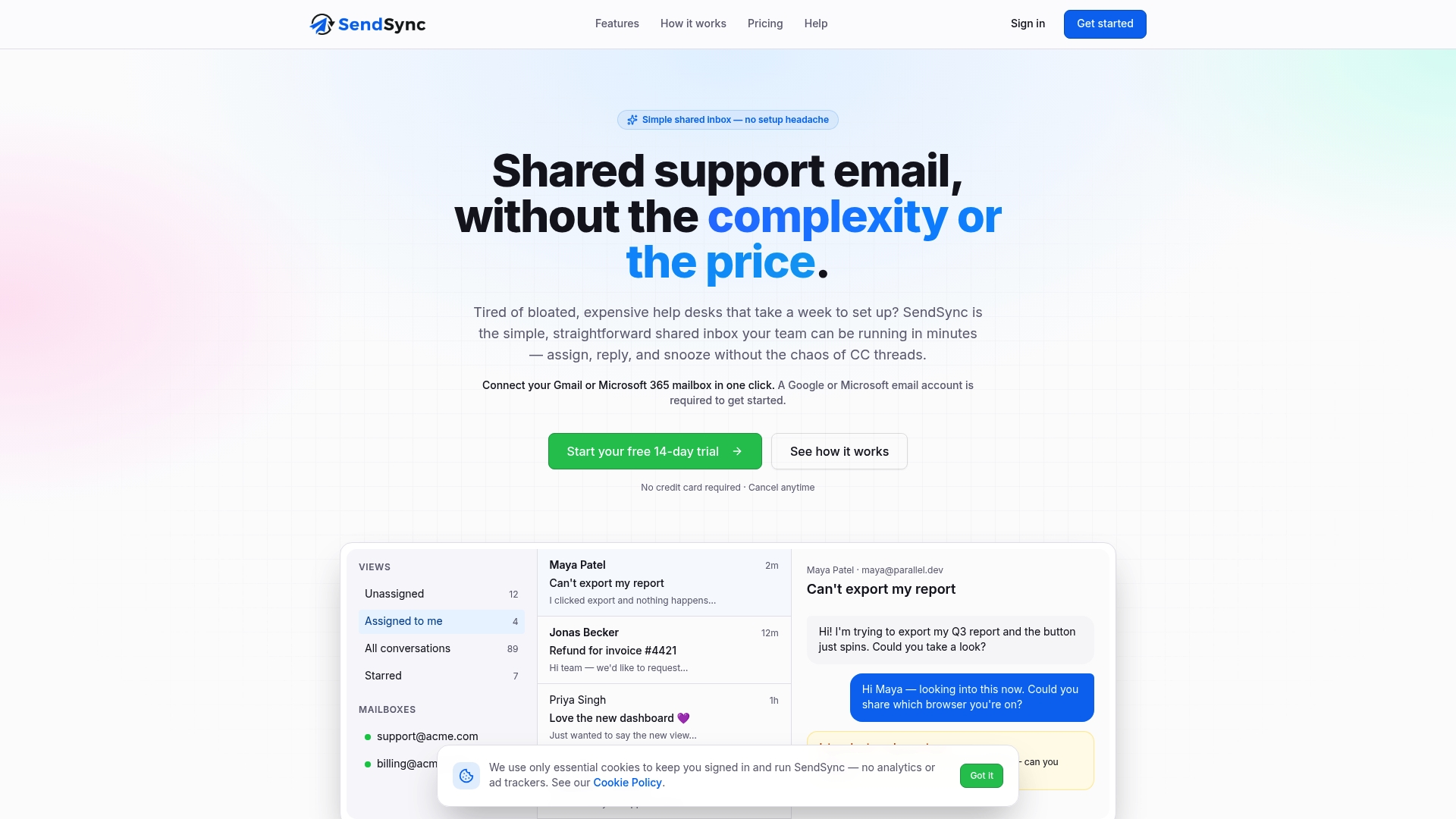
If your proactive emails already go out from Gmail or Microsoft 365, you can start the trial, point your support address at SendSync and have replies sorted and assigned the same day.
Perspective: proactive support is an inbox problem first
Most advice on proactive support starts with prediction models and dashboards. We start somewhere more practical: what happens in the hour after you hit send.
A good proactive email produces replies, and replies are where the value is. Customers write back with the detail that tells you whether your assumption was right. If those replies scatter across personal inboxes, nobody sees the pattern and nobody owns the answer. We built SendSync to be a thin, fast shared inbox so a small team can send the message, catch every response and keep moving.
We also think per-seat pricing quietly discourages good support. When every extra teammate costs money, teams keep the inbox with one or two people and wonder why replies are slow. Unlimited users means the person who actually knows about the delay can answer the customer directly.
Start with one proactive email, the one tied to your most repeated ticket. Get the routing right, then add the next.
Nick
Measuring whether proactive emails work
The point of proactive support is fewer avoidable contacts and less effort for the customer. Measure those directly. Open rates tell you the subject line worked, not that the problem went away.
Track these for each campaign:
- Ticket volume on the topic. Compare tickets about the issue during the affected period against a similar earlier period, or against a control group that did not receive the email.
- Reply volume and content. A flood of confused replies means the message was unclear. A few short thanks mean it worked.
- First response time on replies. Proactive emails create spikes, so watch whether your team keeps up.
- Resolution time. Customers who were warned should resolve faster.
- Satisfaction after contact. Add a short rating to the threads that follow a proactive message.
- Opt-outs and complaints. A rise means you are sending too often or to the wrong people.
Your own support data is the best evidence here, so keep your tags consistent and review them monthly. Our article on six support email metrics covers which numbers help managers spot trouble early. Since proactive outreach is also a retention tool, it helps to read about customer retention strategies and judge each campaign against the outcomes it is meant to protect.
Review, adjust and repeat. Retire emails that no longer prevent tickets, and tighten the trigger on those that over-send.
A simple rollout plan
You can launch a useful program in a week.
- Day 1: Pull the last 30 days of tickets and pick the three most repeated, predictable topics.
- Day 2: For each, write down the trigger, the audience and the one action you want the customer to take.
- Day 3: Draft the emails using the five-part structure above, and have a teammate read them as a customer would.
- Day 4: Set up the shared inbox rules: tags, assignment and a saved view for replies to each campaign.
- Day 5: Send the first campaign to a small group, and watch replies closely.
- Day 6 and 7: Fix what confused people, then widen the audience.
After a month, compare tickets on those topics against the month before. Keep what works.
FAQ
What is a proactive support email?
It is an email you send before the customer asks for help, based on a signal such as a delay, a failed payment or a stalled setup. It gives information or an offer of help so the customer does not have to contact you first.
How is proactive outreach different from a marketing email?
A proactive support email exists to help the customer with something that affects them. A marketing email exists to promote. Mixing the two weakens trust, so keep service messages free of promotions.
How often should we send proactive emails?
Only as often as real events require. Many large organizations suppress customers who have already had two or more outbound contacts in the past seven days, and a small team can use a similar cap. Skip anyone with an open complaint.
Should proactive emails come from a no-reply address?
No. Send them from a monitored support address so customers can answer. Replies often carry the most useful information, and a shared inbox lets your team assign and track every one.
Can we automate proactive support emails?
Yes. Automatic sending is fine as long as the trigger is reliable and someone reviews the first runs. Some messages will still need a human follow-up, so route replies to a person.
Sources
- Anticipatory Customer Service: Help Before Customers Ask, Customer Service Manager Magazine
- How to implement proactive customer support, Zapier
- Proactive vs. Reactive Customer Service, 17TRACK Learning
- AI for proactive customer outreach, Parloa
- Improve Customer Service Using Reminder Emails, Litmus
- Proactive Support Outreach Timing with AI, Pedowitz Group
- How to Use Email for Proactive Customer Service, Robly Blog
- How to increase customer retention: 5 proven strategies