
Cross-Team Email Collaboration: A Practical Guide
Cross-Team Email Collaboration: A Practical Guide ! Colleagues reviewing a shared customer email Cross-team email collaboration means people from different functions, such as support, sales, finance and operations, working the same email conversations without duplicate replies, d

Cross-team email collaboration means people from different functions, such as support, sales, finance and operations, working the same email conversations without duplicate replies, dropped handoffs or guessing who owns what. The fix is rarely more email. It is one visible owner per thread, a short handoff routine, internal notes kept away from the customer, and a shared inbox that makes all of it visible.
This guide walks through how to set that up, what usually breaks, and how to choose a tool that fits your team size and budget.
TL;DR
- Give every conversation exactly one named owner, or an explicit “unassigned” state that someone is responsible for clearing.
- Hand work between teams with an assignment and an internal note, not a forward or a CC.
- Use a small, consistent set of tags and saved views so each team sees its own queue.
- Set reply-time targets per team and measure them, so “who is waiting on whom” stops being a debate.
- Choose a tool that works on top of your existing Gmail or Microsoft 365 mailboxes and does not charge per seat.
Table of Contents
- What cross-team email collaboration actually means
- The one rule that holds everything together
- Assign, do not forward
- Write handoffs a stranger could pick up
- Avoid conflicting and duplicate replies
- Organize shared email with tags and saved views
- Set response expectations by team
- Common problems and how to prevent them
- Why a separate team inbox beats personal mailboxes
- What to look for in a collaboration tool
- Perspective
- Try it on your own mailboxes
- A two-week rollout plan
- FAQ
- Sources
What cross-team email collaboration actually means
Most companies have one or two addresses that many people touch: support@, billing@, hello@, sales@. A customer writes in with a question that starts as a support issue, turns into a billing question, and ends with a sales opportunity. Three teams now have a stake in one thread.
Without structure, this is what happens:
- Two people answer the same message with slightly different information.
- Someone forwards the thread to finance, finance replies to the forwarder, and the customer never hears back.
- A teammate goes on vacation and their personal inbox holds a conversation nobody else can see.
Collaboration here is not about chatting more. It is about making the state of every conversation obvious to everyone who might need to touch it. The point where this starts to matter is simple: when two or more people reply from the same address and clear ownership matters, a plain shared mailbox stops being enough.
It also helps to separate this from internal-only email. Cross-department messages inside a company exist to connect people who rarely work together, clarify roles across teams and build a common understanding of interdependent work. Customer-facing shared email adds a second layer: the outside person is waiting while you sort out the inside coordination.
The one rule that holds everything together
If you take only one idea from this article, take this one: every message should be in exactly one visible state and have exactly one named owner. If nobody owns it yet, it is marked unassigned, and a specific person is accountable for clearing that pile.
Everything else is secondary. Routing rules, saved replies and dashboards all help, but they cannot rescue a team that has no answer to “whose is this?”
A simple set of states works for most small teams:
| State | Meaning | Who is accountable |
|---|---|---|
| Unassigned | New, nobody has picked it up | Whoever is on triage duty |
| Open, assigned | One person is working it | The assignee |
| Waiting on teammate | Needs input from another team | The assignee, until the teammate replies |
| Waiting on customer | We replied, they owe us something | The assignee |
| Closed | Resolved | Nobody, until the customer writes back |
Notice that “waiting on teammate” keeps the original owner. This is the detail that prevents cross-team limbo. The finance person helps, but the support person still owns the customer relationship on that thread until it is formally handed over.
Assign, do not forward
Forwarding is the most common way cross-team email fails. When you forward a thread, three things go wrong:
- The customer’s conversation now exists in two places.
- The original owner loses visibility into whether anyone acted.
- The context lives in a message body that the next person has to dig through.
Assigning inside a shared inbox keeps one thread, changes the owner field, and leaves a trail. You can still bring a specialist in without handing the thread away: mention them in an internal note and let them respond there.
For a deeper look at how we think about this routine, our guide to shared inbox workflows for small teams covers assignment patterns in more detail.
Write handoffs a stranger could pick up
The best handoff note answers the questions the next person would otherwise ask you. Keep it to four lines:
- What the customer wants: one sentence.
- What we have already told them: so nobody contradicts it.
- What you need from the next person: a specific action, not “please look.”
- When the customer expects an answer: a date or a time window.
Example:
Customer was double-charged for the March invoice. We confirmed receipt and promised an answer today. Need: confirm whether the second charge posted and if a refund is approved. Customer expects a reply by 5 p.m. Eastern.
That note takes thirty seconds to write and saves a round trip of clarifying questions. If your team struggles to keep notes consistent, three micro templates for internal notes give you a starting format to adapt.
Keep internal talk out of the customer thread
One of the quiet risks of cross-team email is the accidental reply-all. A teammate types candid context into a reply box, and the customer receives it. Internal notes that live on the conversation but are never sent to the customer remove that risk. They also keep the discussion attached to the thread, so a new teammate can read the whole story in one place.
Avoid conflicting and duplicate replies
Two people replying to the same message is usually a visibility problem, not a discipline problem. Teammates are not careless. They simply cannot see that someone else has the message open.
A few habits close the gap:
- Claim before you type. Assign the conversation to yourself first, then draft. If it already has an owner, ask in a note rather than answering over them.
- Draft in one place. When a reply needs input from two teams, the owner drafts and teammates comment in notes. The owner sends.
- Agree on who answers what. A short written rule, such as billing disputes go to finance, bug reports go to product, renewals go to sales, removes a surprising number of arguments.
- Review the awkward ones. For sensitive replies, have a second person read the draft before it goes out, using a note to request the review.
If your team is spread across time zones, these habits matter more, because nobody can lean over and ask. Our remote team inbox collaboration guide goes into how to run this asynchronously.
Organize shared email with tags and saved views
Assignment tells you who. Tags and views tell you what and where.
Keep your tag list short. Teams that create forty tags end up using six and arguing about the rest. A workable starting set:
- Topic: billing, bug, how-to, feature request, partnership.
- Team needed: finance, product, sales, success.
- Priority: only if you will act on it differently, for example “urgent” for outages.
Then build saved views so each team lands on its own queue:
- Support sees unassigned plus open conversations.
- Finance sees anything tagged billing that is waiting on a teammate.
- A manager sees everything older than a set threshold.
A view is simply a saved question: “what needs me right now?” When each team can answer that in one click, the pressure to CC people “just in case” drops sharply.
For general habits that keep a shared inbox tidy as it grows, see shared inbox best practices for support teams.
Automate the boring triage
Triage is the best candidate for automation because it is repetitive and rule-based. Typical rules for a small team include tagging messages that mention an invoice, routing mail from a particular domain to a named person, and flagging messages that have sat unassigned too long. Start with two or three rules. Add more only when you see the same manual step three times in a week.
Set response expectations by team
Cross-team threads stall when nobody has agreed how fast a handoff should be answered. Set two kinds of targets:
- Customer-facing: how quickly the customer gets a first reply and follow-ups.
- Internal: how quickly a teammate must respond when a thread is waiting on them, for example by the end of the next business day.
Write them down and publish them where everyone can see. For ideas on what reasonable targets look like for a small organization, this piece on response time standards for small businesses is a helpful reference, even though it centers on social channels; the logic of setting and tracking targets carries over to email.
Then measure. A dashboard that shows first response time, resolution time and volume per person or per tag turns vague frustration (“finance is slow”) into a concrete conversation (“billing handoffs average two days; what is blocking them?”).
Common problems and how to prevent them
| Problem | Why it happens | Prevention |
|---|---|---|
| Duplicate replies | Nobody can see who is typing | Claim by assigning before drafting |
| Lost handoffs | Forward or CC with no owner | Assign plus a four-line note |
| Inbox ownership by one person | Mail sits in a personal mailbox | Move shared addresses into a team inbox |
| Tag sprawl | Everyone invents their own | Short list, one owner of the list |
| Silent stalls | No internal reply-time rule | Internal target plus a view of stale threads |
| Leaked internal comments | Notes typed in the reply box | Use internal notes only for team talk |
One more problem deserves attention: unclear escalation. When a conversation turns tense, such as a service failure or a public complaint, teams improvise, and improvisation is slow. It pays to agree in advance who decides, who speaks, and who gets informed. A good crisis communication plan outline shows the kinds of roles and decision points worth writing down, and you can scale the idea down to a one-page escalation rule for your inbox.
Why a separate team inbox beats personal mailboxes
Individual inboxes are built for one person’s work. A team inbox is built so several people can act on the same conversation. The difference shows in basics like visibility, ownership and continuity when someone is out. We explain the contrast in how a team inbox differs from a personal inbox, and why keeping customer mail apart from everyone’s daily email matters in our piece on a separate client inbox.
What to look for in a collaboration tool
A shared mailbox gives people access. A collaboration layer adds the pieces that make access useful. When you compare options, check for:
- Assignment with a clear owner field.
- Internal notes that never reach the customer.
- Tags and saved views so each team sees its own work.
- Automation for triage and routing.
- Metrics on response and resolution times.
- Fit with your existing mailboxes, so you are not migrating everyone to a new address.
- Pricing that does not punish growth. If every new teammate from finance or sales adds a seat fee, teams quietly stop inviting the people who should be involved. That defeats cross-team collaboration.
That last point is easy to overlook. Cross-team work means occasional contributors, and per-seat pricing makes occasional contributors expensive. Flat pricing with unlimited users removes the temptation to ration access.
You can compare approaches in our overview of shared inbox tools.
Matching the approach to your size
- Solo operators and freelancers: you may need nothing more than a separate client address and a consistent labeling habit. See our freelancer inbox management checklist.
- Teams of 3 to 15: this is where a lightweight shared inbox pays off fastest. Ownership and handoffs are the main pain, and heavy configuration is not worth the time.
- Larger or multi-department organizations: you will want views per team, stricter tagging, and reporting a manager can act on.
Perspective
We built SendSync around a simple belief: most teams do not need a bigger help desk, they need clarity about who owns each email. When a conversation crosses from support to finance to sales, the thing that breaks is rarely the people. It is the lack of one visible owner and a clean way to hand work over.
That is why we focus on a razor-thin shared inbox that connects to the Gmail or Microsoft 365 mailboxes your team already uses, with no DNS work and no long setup. Assign, add an internal note, tag, and move on. Essential automation handles triage, saved views give each team its own queue, and dashboards show where replies are slowing down.
We also chose unlimited users with flat pricing on purpose. Cross-team collaboration depends on pulling in the colleague who has the answer, and we do not think a seat fee should make anyone hesitate to do that.
Nick
Try it on your own mailboxes
If your team shares an address and keeps tripping over ownership, SendSync is designed to be live in minutes: connect your Gmail or Microsoft 365 mailbox, invite as many teammates as you like, and start assigning. Every plan includes unlimited users, and our published monthly prices are $10 for Founder, $30 for Starter, $80 for Growth and $200 for Scale. You can begin with a 14-day free trial.
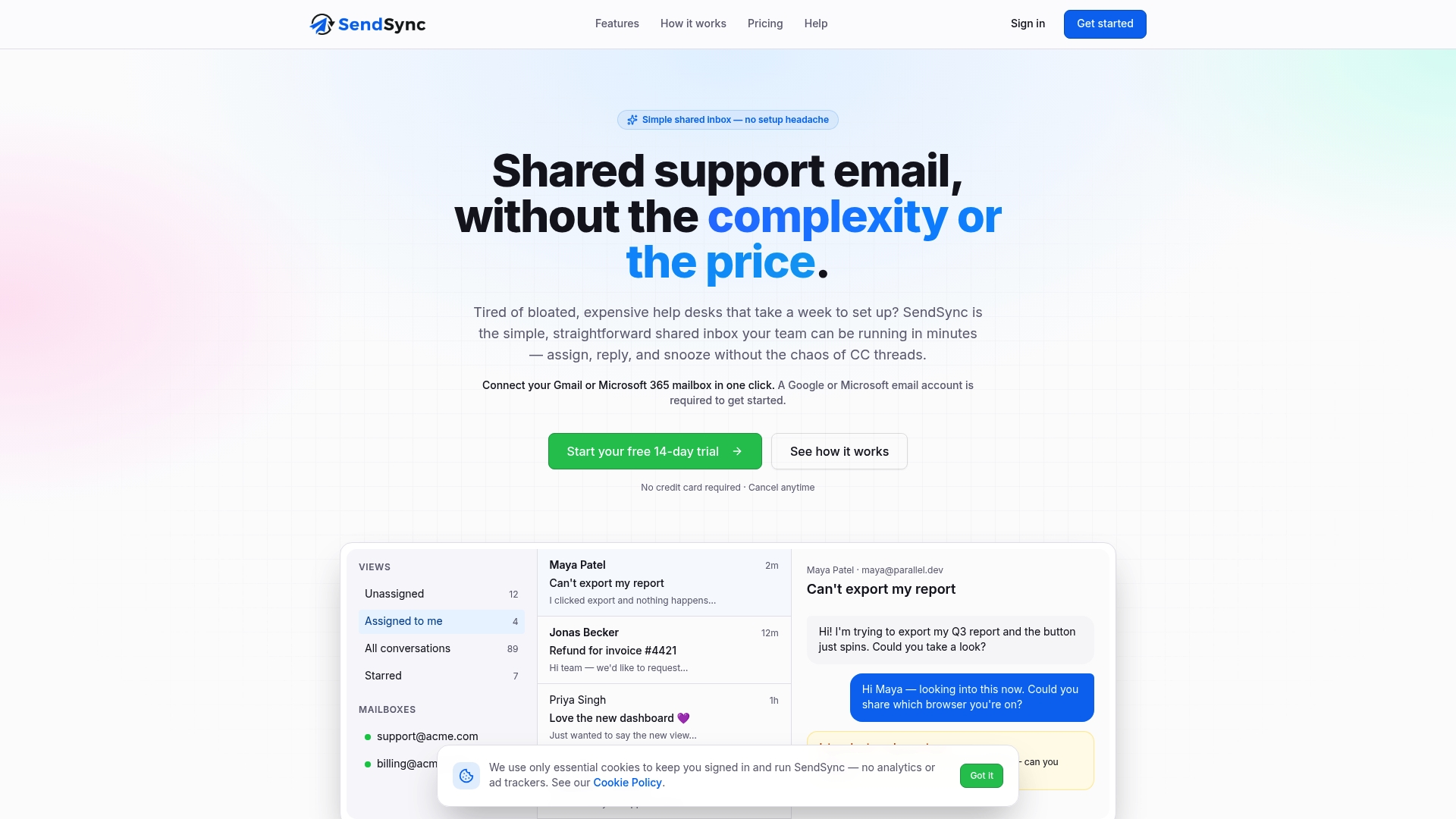
See the plans and start your trial at SendSync.
A two-week rollout plan
You do not need a big project. Try this sequence:
Days 1 to 2: Decide the rules. Write the five states above, name who is on triage duty each day, and agree on a short tag list. One page is enough.
Days 3 to 4: Connect and clean. Move the shared addresses into your team inbox. Archive stale threads so the first view people see is current.
Days 5 to 7: Pilot with two teams. Pick the two teams that hand off most often, usually support and billing or support and sales. Ask them to assign before replying and to write four-line handoff notes.
Days 8 to 10: Add views and one or two automations. Build a queue view for each team and a stale-thread view for the manager. Automate only the repetitive triage steps you saw.
Days 11 to 14: Review the numbers. Look at first response time, how long handoffs wait, and how many threads sit unassigned. Adjust the rules, not the people.
After two weeks you will know whether the structure holds. Most teams find the unassigned pile and the slow handoffs shrink quickly once ownership is visible.

FAQ
What is cross-team email collaboration?
It is the practice of letting people from different departments work on the same email conversations with clear ownership. Instead of forwarding and CCing, teammates use assignment and internal notes so there is one thread, one owner and a visible history.
How do we stop two people from replying to the same email?
Make assignment the first step. Whoever picks up a message assigns it to themselves before drafting, and anyone else who sees an owner asks in a note instead of replying. A shared inbox that shows the current owner makes this habit easy to keep.
Do we need a full help desk for this?
Not necessarily. Many small teams only need assignment, internal notes, tags, saved views and a few automations on top of the mailboxes they already use. A lightweight shared inbox covers that without long setup.
How should we handle a question that needs input from another team?
Keep the original owner on the thread, mark it as waiting on a teammate, and write a short handoff note stating what you need and when the customer expects an answer. The teammate replies in the note, and the owner sends the final response.
How many tags should we start with?
Start with fewer than ten, split between topic and team needed. Add a new tag only when you will actually filter or report on it, and give one person responsibility for the list.
Sources
- Internal Email Best Practices for Stronger Team Connection (Mailchimp)
- Social Media Response Time Standards for Small Businesses
- Crisis Communication Plan: What to Include and How to Build One