
How to Simplify Your Support Stack Without Losing Control
How to Simplify Your Support Stack Without Losing Control ! Small-business owner auditing support tools in a spreadsheet To simplify your support stack, list every place customer requests arrive, keep only the tools your team uses every day, and move shared email into one inbox w

To simplify your support stack, list every place customer requests arrive, keep only the tools your team uses every day, and move shared email into one inbox where every conversation has an owner. Most small teams don’t need more software. They need fewer places to look. This guide walks through an audit, a keep-or-cut decision, a migration checklist and the numbers to track afterward.
TL;DR
- A support stack is every tool that touches a customer conversation. Overlap between those tools is what creates scattered context, slow decisions and extra handoffs.
- Audit first: list each entry point, each tool, who uses it and what it costs. Then keep, integrate, consolidate or replace.
- For small teams, a shared inbox that keeps email as email is often the leanest core. It adds assignment, internal notes and collision detection without a ticketing overhaul.
- Budget for more than the sticker price: setup, training, integrations and data migration all count.
- Measure first response time and first contact resolution before and after the change, so you know the simpler stack works.
Table of Contents
- What a support stack is, and how it turns into chaos
- Step 1: Audit what you actually run
- Step 2: Decide what to keep, integrate, consolidate or replace
- Step 3: Pick a lean core for shared email
- Perspective: why we built a thinner inbox
- Step 4: Budget the real cost and check security
- Step 5: Set up ownership for remote and small teams
- Step 6: Measure whether it worked
- Where SendSync fits
- FAQ
- Sources
What a support stack is, and how it turns into chaos
A customer service tech stack is the set of tools an operation uses to handle customer interactions, manage workflows, capture data and measure performance. Consumer Core Solutions lists the usual categories: ticketing or help desk, knowledge base, in-app messaging, phone, quality assurance, surveys, reporting, internal communication and automation.
For a five-person ecommerce team, that might mean a help desk, a storefront admin, Slack, a personal inbox or two, a CRM, a spreadsheet for refunds and a shipping portal. None of those choices was wrong on the day it was made. The trouble is the sum.
HelpFlow describes what happens when context is split across tools: agents have to search and cross-check before they can answer, decisions slow down, answers drift in quality and conversations get handed off more often. In plain terms, a customer writes in once and your team has to reassemble the story every time someone touches it.
The same Consumer Core Solutions guide makes a point worth keeping on a sticky note: the common mistake is adding tools faster than the team can integrate them, and the strongest operations run fewer tools, used well, rather than more tools used partially.
Signs your stack has outgrown its purpose
- Two people answer the same customer because neither could see the other’s reply.
- Someone forwards an email to a teammate and loses track of whether it was answered.
- You pay for a tool that one or two people actually open.
- New hires need a tour of five systems before they can send their first reply.
- You can’t say, quickly, how long customers wait for a first answer.
Rework names a pattern behind the third sign: a team adds a SaaS tool for every problem instead of fixing the workflow. Two people adopt it, the rest ignore it, and it renews automatically next year.
Step 1: Audit what you actually run
Don’t start by shopping. Start by writing down what exists. Splunk’s consolidation guide says successful consolidation begins with a thorough audit that captures vendor names, active users, contract terms, licensing costs and usage patterns. That advice was written for large engineering organizations, but the same columns work in a spreadsheet for a team of three.
List every entry point
Write down every way a customer can reach you: a support address, a sales address, a contact form, direct messages, a founder’s personal email, a chat widget, a phone number. Small teams almost always find one or two they forgot, often a personal inbox that has quietly become a support channel.
List every tool and who uses it
For each tool, record four things:
- What it is used for, in one sentence.
- Who logged in during the last 30 days.
- What it costs per month and when it renews.
- What breaks if you turn it off.
The fourth question is the most revealing. If the honest answer is “nothing, we’d just use email,” you have found your first cut.
Read real conversations
Pull a sample of recent conversations from different categories and follow each one from first message to resolution. For every conversation, ask three things: Was there a clear owner? Did the customer get a timely first response? Was the resolution written down anywhere? Elevate CX Advisory’s process-audit guide pushes in the same direction: one system of record, required intake fields, written priority definitions, explicit escalation paths, and a count of how often conversations are routed to the wrong person.
You don’t need a consultant. An afternoon and a spreadsheet will show you where conversations stall.

Step 2: Decide what to keep, integrate, consolidate or replace
With the audit done, sort each tool into one of four buckets.
| Decision | When it fits | Example |
|---|---|---|
| Keep | The tool is used daily and nothing else does its job | A CRM that sales relies on |
| Integrate | The tool is useful but its data should show up next to the conversation | Order lookup beside the email thread |
| Consolidate | Two or more tools do overlapping work | A shared mailbox plus a spreadsheet tracker plus a chat channel for “who’s on this” |
| Replace | The tool is more complex than the problem, or nobody has adopted it | A full ticketing suite used as an expensive email client |
Splunk suggests a structured scorecard for comparing options on functionality, integration capabilities, vendor reliability, user experience and security compliance. Keep the scorecard short. Five criteria, scored one to five, are enough to make the conversation concrete and stop the loudest opinion from winning.
If you are weighing a lighter tool against a full ticketing platform, shared inbox vs helpdesk software lays out the trade-offs by team size and workflow.
Fix the workflow before the software
Sometimes the answer isn’t a tool at all. If nobody knows who owns a message, a new application won’t fix that. A written rule will: who triages, who replies, who is the backup. Building loyalty rests on the same basics, and this walkthrough on fostering customer loyalty step by step shows why clear processes often beat adding another application.
Step 3: Pick a lean core for shared email
Most small support operations are, at heart, email operations. Email Analytics splits customer service tools into three groups: help desks that turn every message into a numbered ticket with a status and assignee, shared inboxes that leave email as email and add assignment, internal notes and collision detection, and contact centers that route live voice and chat through queues.
The same source says a shared inbox suits small teams and account-managed relationships, where the thread matters more than the queue. If that describes you, a shared inbox can be the center of a much smaller stack.
What a lean core needs
Scribe’s shared-inbox guide lists practices that apply to any team running support from a shared mailbox:
- Separate inbound routes for each product or client.
- Consistent tags, reviewed every quarter.
- Saved filters for the views people use daily.
- Explicit assignment rules and a backup owner.
- Agreed response-time expectations and a daily check for aging conversations.
Our own write-up on shared inbox best practices for support teams goes further on each of those, and centralizing support email covers moving scattered addresses into one place.
Keep the CRM connected, not duplicated
A simpler stack doesn’t mean no CRM. It means the CRM and the inbox agree on who the customer is, and nobody retypes anything. See how to set up a CRM shared inbox with a lean setup and safe permissions.
Perspective: why we built a thinner inbox
We started SendSync from a simple observation: support teams don’t suffer from too little software. They suffer from too much of it, and from setup projects that eat weeks before the first customer is helped.
Our view is that for a small team, the shared inbox should be the one place where conversations live. You connect your Gmail or Microsoft 365 mailbox, skip the DNS work, and your team can assign, reply and leave internal notes in the same thread. Tags, saved views and email triage automation cover the daily routine without a wall of settings.
We also think per-seat pricing punishes the behavior you want. When every new teammate costs more, people share logins or stay out of the conversation. That’s why our plans include unlimited users at flat prices. Bring in the founder, the part-time helper and the person from sales who knows the answer, and the bill stays the same.
Simplifying isn’t about doing less for customers. It is about taking away the administrative friction so your team can spend its time on the reply.
Nick
Step 4: Budget the real cost and check security
Sticker price is the smallest part of a stack decision. ClonePartner’s help desk checklist recommends budgeting for software licenses, implementation, training, integration work, maintenance, support tiers and data migration, rather than comparing monthly prices alone.
That guide also lists what to check on the security side: encryption in transit and at rest, access controls including multi-factor authentication, relevant certifications and where data is stored. Ask each vendor you shortlist for those answers in writing from their own security pages.
Plan the migration like a small project
When you move conversations from one system to another, validate the result. ClonePartner suggests checking record counts, testing edge cases and confirming attachments came across. In practice:
- Export what you can from the old tool before you cancel anything.
- Move a small batch first, such as the last 30 days.
- Compare counts of conversations and attachments against the original.
- Run both systems side by side for a short, defined period.
- Cancel the old tool only after the team has worked a full week in the new one, and before its renewal date.
Per-seat pricing deserves a line in your budget too. Console notes that cloud help desks are typically priced per agent per month, with extras such as implementation services, premium support and AI features sold separately. If your team is growing or has part-timers, model what the bill looks like at your headcount a year from now.
Step 5: Set up ownership for remote and small teams
A lean stack only works if the people using it know their roles. NinjaOne’s remote service guide says distributed teams need a centralized platform, documented escalation paths, agreed response standards, templates and a shared knowledge repository.
Put those into a one-page working agreement:
- Owner: every conversation has one named person, visible to the team.
- Handoffs: when a conversation moves, the note says the issue, the known facts, what has been tried and the expected next step. Scribe recommends exactly that structure, and adds that the customer-facing owner stays visible and closes the loop by updating saved replies or the knowledge base.
- Response targets: Nutshell’s email support guide suggests one hour for urgent B2B SaaS issues and two to four hours for standard questions, adjusted to your industry.
- Daily check: one person scans for conversations that are aging without a reply.
For help turning those habits into a routine, see how support managers can run a remote team from a shared inbox and how to set realistic first response time benchmarks. If you serve several clients or brands, handling multiple clients in one inbox shows how to keep them apart without separate tools.
Step 6: Measure whether it worked
A simpler stack should be visible in the numbers within a month or two. Pick a small set and record a baseline before you change anything.
| Metric | What it tells you | How to read it |
|---|---|---|
| First response time | How long customers wait for the first reply | Compare against your own target, not a generic number |
| First contact resolution (FCR) | Share of issues solved in one exchange | Higher means less back and forth |
| Aging conversations | Threads with no reply past your target | Should shrink after consolidation |
| Tools with active users | Whether the stack is actually used | Fewer tools, all in daily use |
| Monthly tool spend | Whether you saved money | Include renewals you cancelled |
Nutshell reports industry FCR in the 70 to 79 percent range, with 80 percent or better described as world-class, and says moving from 70 to 80 percent can cut support costs by 10 to 15 percent. Treat those as reference points from one publisher, and rely on your own baseline for decisions.
Review the numbers at two to four weeks and again at a quarter. If a metric gets worse, look at the workflow before you blame the tool: a missing owner or an unclear tag usually explains it.
Where SendSync fits
If your audit shows that most of your support runs through email, we built SendSync for that case. You connect a Gmail or Microsoft 365 mailbox, with no DNS setup, and your team gets a shared inbox with assignment, internal notes, tagging, saved views, automation for email triage and a metrics dashboard.
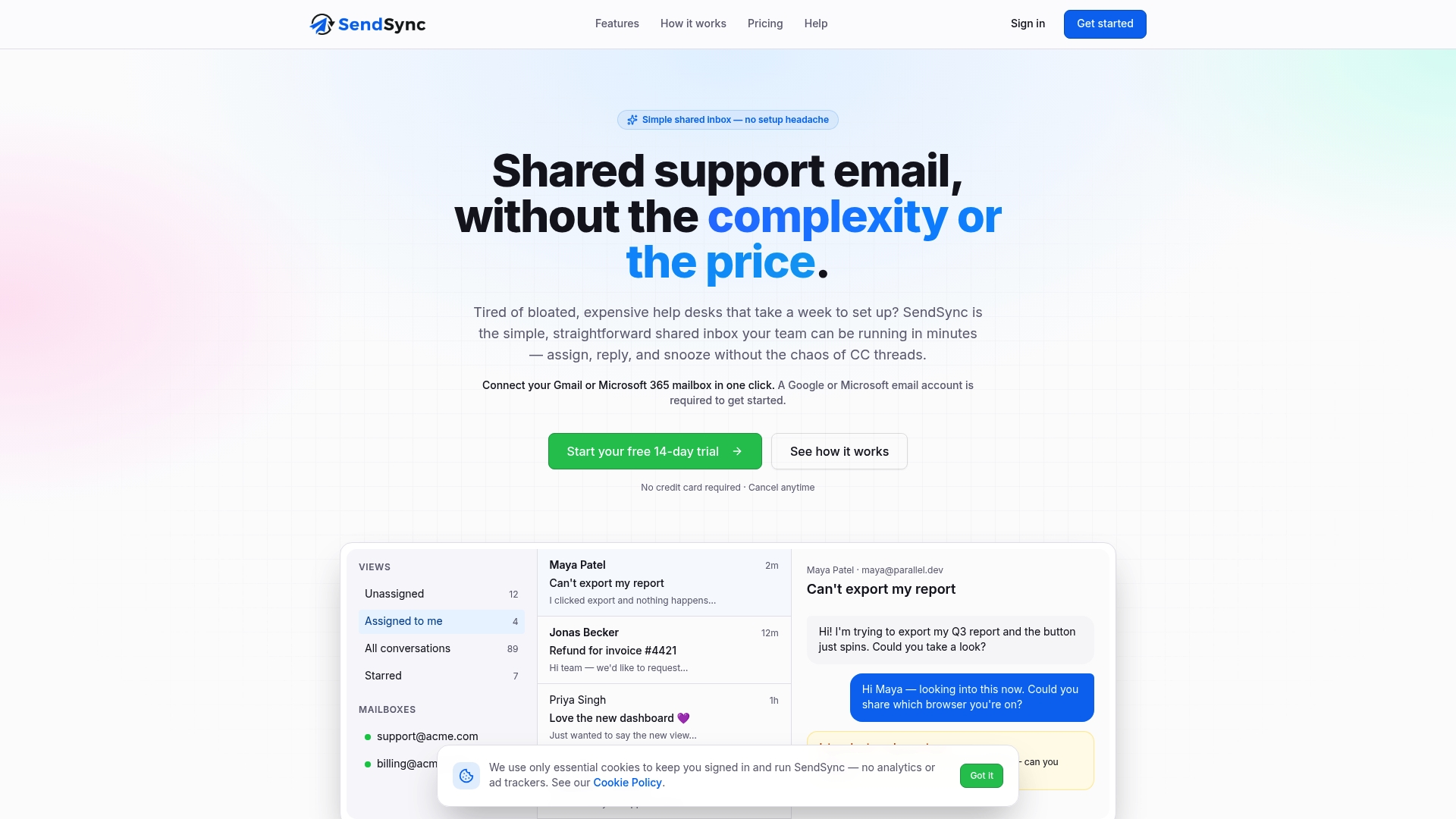
Every plan includes unlimited users with no per-seat fees, and you can start with a 14-day free trial. Plans are published at these monthly prices: Founder at $10 per month, Starter at $30 per month, Growth at $80 per month and Scale at $200 per month. See the plans on our site and connect your first mailbox in a few minutes.
FAQ
How many tools should a small support team use?
There’s no magic number, but the goal is that every tool has a clear job and daily users. Consumer Core Solutions argues for fewer tools used well over more tools used partially. A shared inbox, a knowledge base and a link to your CRM or order system cover many small teams.
Is a shared inbox enough, or do I need a help desk?
It depends on how your customers contact you and how you work. Email Analytics says shared inboxes suit small teams and account-managed relationships where the thread matters most. If you need live voice and chat queues with agent states, you are in contact center territory and need more.
How long does an audit take?
For a small team, a focused afternoon is usually enough to list entry points and tools and read a sample of real conversations. The harder part is acting on it: choose a few fixes, give each to one person and review in a few weeks.
What should I check before switching tools?
Check total cost, not just the monthly price: setup, training, integrations and migration. Confirm encryption, access controls such as multi-factor authentication and where data is stored. Then migrate a small batch first and compare counts before you cancel the old tool.
Sources
- Consumer Core Solutions: The Customer Service Tech Stack
- HelpFlow: Why Too Many Tools Slow Down Customer Service
- Rework: Support Tools and Tech Stack
- Splunk: Strategic Tool Consolidation Guide
- Elevate CX Advisory: Customer Support Process Audit Checklist
- Email Analytics: Best Customer Service Tools
- Scribe: Managing Customer Support Across Multiple Products
- ClonePartner: Help Desk Comparison Checklist
- NinjaOne: Build an Effective Remote Customer Service Model
- Nutshell: Email Support Best Practices for SMBs
- Babylon Love Growth: How to Foster Customer Loyalty