
Customer Email Acknowledgements: What to Send and When
Customer Email Acknowledgements: What to Send and When ! Support specialist composing a customer acknowledgement A customer email acknowledgement is a short first reply that confirms you received the message, shows you understood what it was about, and says what happens next and

A customer email acknowledgement is a short first reply that confirms you received the message, shows you understood what it was about, and says what happens next and by when. It does not have to solve anything. It has to end the silence. For a small team, the hard part is rarely the wording. It is making sure every message gets one, quickly, from someone who owns it. A shared inbox where each conversation is assigned the moment it arrives makes that routine hold up, and that is how we run it at SendSync.
TL;DR
- A good acknowledgement does four things: confirms receipt, names the specific request, gives a next step with a timeframe, and closes politely.
- Send it the same working day at the latest. In a 2026 US survey, 57% of adults expected an email reply within two hours.
- Split hard questions in two: acknowledge now, answer fully on a date you promise.
- Vague replies like “Got it” create more follow-ups than they prevent. Name the issue and the time.
- Acknowledgements only work when someone owns the thread. Assign it before you reply.
Table of Contents
- What an acknowledgement is, and what it is not
- Why speed matters more than polish
- The four parts of a good acknowledgement
- Acknowledgement templates you can adapt
- Choosing the phrase: formal, neutral, brief
- Acknowledge now, answer later: how to split a hard question
- Following up when the issue is still open
- Why acknowledgements fail in a shared mailbox
- A daily routine for keeping acknowledgements on time
- How SendSync fits this routine
- Perspective
- FAQ
- Sources
What an acknowledgement is, and what it is not
An acknowledgement is not an auto-responder and not a resolution. Think of three different messages:
- Auto-reply: an instant, generic message from the system (“We received your message”). Useful as a safety net, but anonymous.
- Acknowledgement: a short message, usually from a person, that references the actual request and promises a next step.
- Resolution: the full answer.
Most small teams send only the first and the third, which leaves a gap in the middle. The customer gets a robotic confirmation, then hears nothing for a day or two while someone investigates. The acknowledgement fills that gap. If you want to set up the automated layer too, our guide to auto reply best practices for support teams covers it.
Why speed matters more than polish
Email has no typing indicator. One customer-service guide puts it plainly: silence looks like a lost message, which is why it recommends acknowledging every email the same working day even when the fix takes longer.
The numbers back that up. The American Customer Association’s State of CX 2026 survey, which polled 2,226 US adults in January 2026, found:
- The average customer is willing to wait 8.3 hours for an email response.
- 57% expect a response within two hours.
- 86% say 24 hours is the absolute limit.
- 15% expect email replies as fast as phone responses, within ten minutes.
The prior year’s edition, State of Customer Service & CX 2025, surveyed 2,119 US adults and landed in the same place: the average tolerance for an email reply before frustration was nine hours and 31 minutes, and 15% wanted an answer in ten minutes or less.
Two takeaways for a small team. First, a full answer inside two hours is unrealistic for most of you, but a human acknowledgement inside that window is not. Second, the 24-hour line is the one you cannot cross. If a complete answer will take longer, the acknowledgement is what keeps you inside the customer’s tolerance.
For a broader view of what to target by channel, see our first response time benchmarks for small teams. If your customers are in a regulated, high-stakes field, this piece on response time benchmarks in legal customer experience shows how timelines are set when the stakes are higher.

The four parts of a good acknowledgement
The guidance from email-writing sources converges on the same structure. Grammarly’s walkthrough says to confirm receipt, reference what was sent, and include a next step or timeframe. Twilio’s reply guide adds a greeting with the person’s name and answers in the order the customer asked.
Put together for a support context:
1. A subject line that keeps the thread intact
Keep “Re:” and the original subject on an existing conversation. Changing it splits the thread, and the next person to open it has no history. If the customer’s subject is useless (“help”), keep it anyway and reference the specifics in the body.
2. Confirmation of receipt that names the request
This is where most acknowledgements fail. Compare:
- Weak: “Got it, thanks.”
- Strong: “Thanks for sending the screenshot of the duplicate charge on your March invoice. I’ve received it and am checking it against your account now.”
Grammarly makes the same contrast and notes that naming the document or request removes ambiguity and shows you actually read the message. It also says a short acknowledgement is usually better than no reply when you are unsure whether to send one.
3. A next step with a real timeframe
“We’ll be in touch soon” is not a timeframe. “I’ll have an answer for you by end of day Thursday” is. Pick a time you can keep, because a missed promise is worse than a slow one. If you do not know yet, promise the next update instead of the fix: “I’ll write again by 3 p.m. tomorrow with what I find, even if it’s not resolved.”
4. A sign-off that matches the relationship
“Best regards” suits formal exchanges. “Best” or “Thanks” works for quick, friendly ones. Sign with a first name and a role so the customer knows who is handling it.
Acknowledgement templates you can adapt
Twilio’s template shape is a good base: greeting, thanks for reaching out about the topic, the answer or next step with timing, and a sign-off. Here are versions for the situations small teams see most.
General question you cannot answer yet
Hi Dana, thanks for reaching out about changing the billing email on your account. I’ve got your request and I’m confirming the steps with our billing lead. You’ll hear from me by 2 p.m. tomorrow with the answer. Best, Sam, Customer Support
Problem report that needs investigation
Hi Marcus, thank you for the details on the export that keeps timing out. I’ve received the file you attached and I’m reproducing the problem now. I’ll write back by end of day Friday with either a fix or a status update. Best, Priya
Feedback or complaint
Hi Sophie, thank you for your message. We received your feedback and our team is reviewing what happened. You can expect a response within three to five business days. Thank you, Stephen, Customer Support Specialist
That last wording follows an example published by Indeed. For complaints, shorten the promise where you can: guidance on apology emails suggests setting an internal target to acknowledge within one hour and following with a personalized apology within 12 to 24 hours. Our customer complaint email templates show what evidence to ask for, and the angry customer email guide covers the tone.
After-hours or weekend message
Hi Alex, thanks for your email about the delayed order. We received it outside our support hours and will pick it up first thing Monday. If this is urgent, call us at the number below.
Twilio suggests exactly this kind of weekend auto-reply: it tells customers their message was received, says when they will hear back, and includes a phone number for emergencies.
For more subject lines and scenarios, our support email templates for small teams go through eight situations.

Choosing the phrase: formal, neutral, brief
Phrasing signals the relationship. One list of 14 acknowledgement phrases runs from formal (“I have received your email”) to terse (“Received”). It notes that “Received” is very informal and best kept for brief exchanges where the relationship allows it, while “Email received” suits most professional exchanges.
For customers, a practical rule:
| Situation | Phrase style | Example opener |
|---|---|---|
| First contact, new customer | Warm, full sentence | “Thanks for reaching out about…” |
| Ongoing customer, simple request | Brief, personal | “Got your note on the invoice, checking now.” |
| Complaint or escalation | Formal, specific | “We received your message and are reviewing it.” |
| You lack the answer | Honest, time-bound | “I’ll follow up once I’ve gathered more information.” |
What holds across every row: name the topic, give a time, and say who is on it.
Acknowledge now, answer later: how to split a hard question
When the answer needs research, do not wait to have it. Send the acknowledgement, then deliver the full answer on the date you promised. A sample two-step:
- Within hours: “I’ve received your question about migrating your old data. I’m checking with our engineer and will send the exact steps by Wednesday noon.”
- On Wednesday: the full answer, referencing the first message so the thread reads as one story.
This pattern is also the best defense against the most common support failure: a message that sits unanswered because everyone assumed someone else had it.
Following up when the issue is still open
An acknowledgement creates a promise. When the problem is not solved by the promised time, send an update anyway. Guidance on follow-up emails recommends naming the issue, confirming it is still open, saying what is being done, and giving a specific next update time even if a fix date is unknown.
A workable follow-up:
Hi Marcus, a quick update on the export timeout. We’ve confirmed the problem on our side and an engineer is working on it. I don’t have a fix date yet, so I’ll write again by end of day Monday with where things stand. Best, Priya
Three habits keep follow-ups from slipping:
- Set the next touch when you send the current one. Put the promised time in your tracker or on the conversation itself.
- Keep one owner per conversation. The person who acknowledged is the person who follows up, unless it is explicitly handed over.
- Log what you told the customer. An internal note recording the promise lets anyone covering the inbox keep it.
Why acknowledgements fail in a shared mailbox
Most missed acknowledgements are not writing problems. They are ownership problems. Common patterns on small teams:
- Two people reply to the same email. The customer gets duplicate, sometimes contradictory, answers.
- Nobody replies. Each person assumes a teammate saw it.
- Forwarded chains. Context is lost and the customer is copied on internal chatter. Our team email etiquette playbook addresses reply-all chaos directly.
- Promises with no memory. The person who said “by Friday” is on vacation Friday.
The fix is a routine, not more effort: assign every new conversation, acknowledge from that assignment, and leave internal notes on what was promised. Freelancers juggling several clients can apply the same discipline with a lighter version, see our freelancer inbox management checklist.
A benchmark shows why the routine matters. The Freshworks 2025 benchmark report, summarized here, found median first response time of 1 hour 12 minutes across US companies in 2024 data, against 3 minutes 47 seconds for the top tier, and median response SLA compliance of only 15% versus 39% for the top tier. The gap is mostly process: who sees the message, who owns it, and what gets sent first.
A daily routine for keeping acknowledgements on time
- Triage at fixed times. Twilio recommends spending an hour or two a day filtering the inbox. Two or three set check-ins beat constant monitoring.
- Tag by type on arrival. Billing, bug, how-to, complaint. The tag decides which template to start from and how fast to move.
- Assign before you reply. One name per conversation.
- Send the acknowledgement. Specific request, specific time.
- Leave an internal note with the promise and the due time.
- Review at end of day. Anything with a promise due tomorrow gets a look now.
This takes minutes per message once it is a habit, and it prevents the 24-hour breach that 86% of customers treat as the limit.
How SendSync fits this routine
SendSync is a shared inbox that connects to your Gmail or Microsoft 365 mailbox, with no DNS setup, so a team can be live in minutes. Inside it, team members assign, reply and manage conversations, add internal notes, tag and use saved views, and apply automation for email triage. A metrics dashboard shows response times. Those are the pieces the routine above needs: assignment so there is one owner, notes so promises are recorded, and tags and saved views so due follow-ups are visible.
Pricing is flat, with unlimited users and no per-seat fees, and every plan starts with a 14-day free trial:
| Plan | Price |
|---|---|
| Founder | $10 per month |
| Starter | $30 per month |
| Growth | $80 per month |
| Scale | $200 per month |
You can compare the tiers and start a trial on the SendSync plans page.
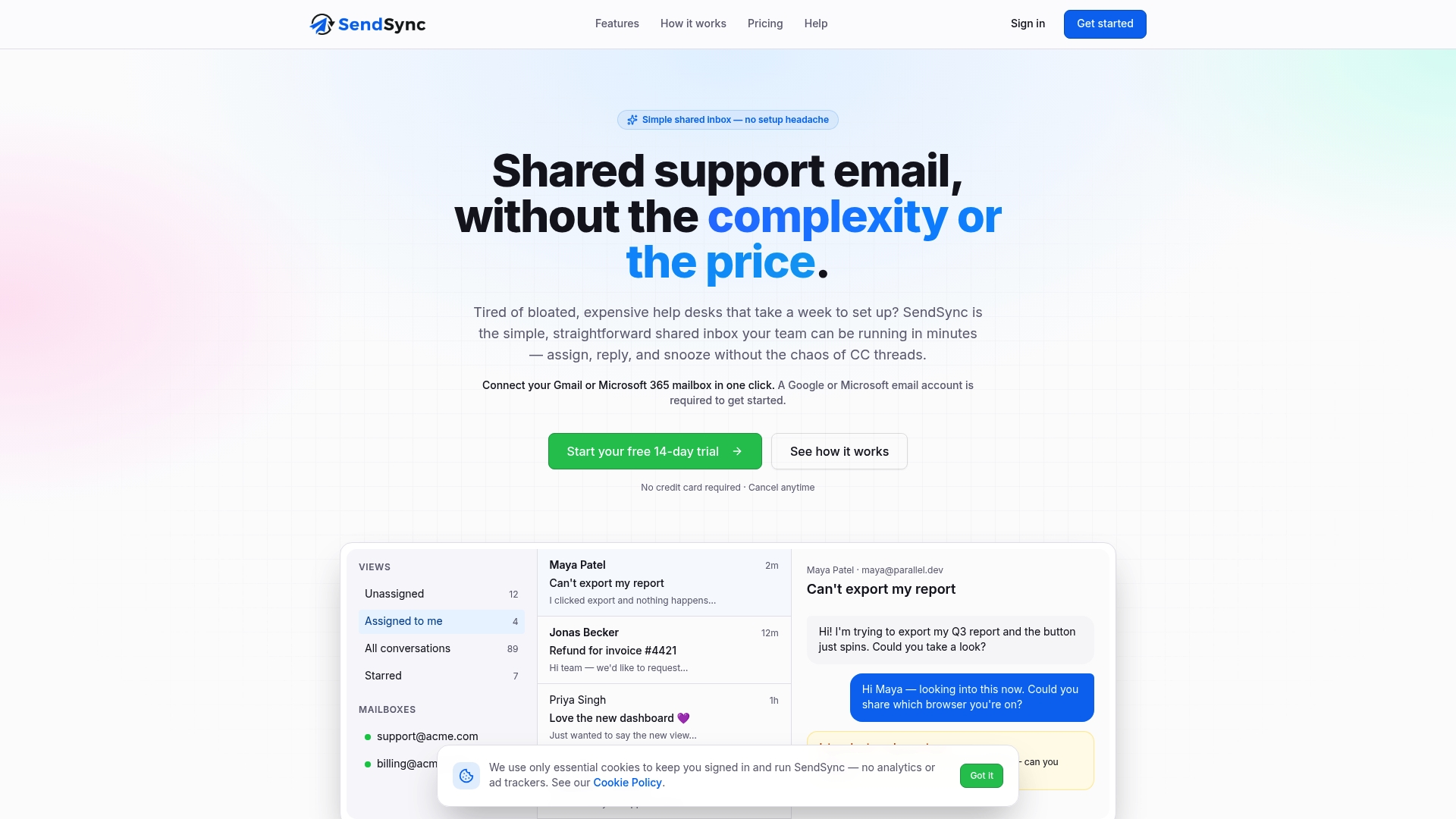
Because there are no seat charges, adding the teammate who covers evenings or the founder who jumps in on busy days does not change the bill.
Perspective
Most advice on acknowledgements is about wording, and wording is the easy part. Any of us can write “I’ve received your request and will reply by Thursday.” What goes wrong is that, at 4 p.m. on a busy day, nobody knows whose message it is.
That is why we built SendSync as a thin layer on top of the mailbox your team already uses. You connect Gmail or Microsoft 365, skip the DNS work, and get assignment, internal notes, tags and saved views without a long configuration project. A small team should spend its week answering customers, not setting up a help desk.
We also think pricing shapes behavior. When every extra seat costs money, teams keep people out of the inbox and the work piles up on two overloaded shoulders. With unlimited users and flat pricing, the whole team can see the queue, and acknowledgements go out faster because anyone can pick up a conversation.
Our advice: write three acknowledgement templates, assign every conversation on arrival, and promise only times you can keep.
Nick
FAQ
How do I acknowledge that I received a customer’s email?
Reply with a short message that confirms receipt, names the specific request, and gives a next step with a time. For example: “Thanks for sending the invoice screenshot. I’ve received it and will have an answer for you by Thursday.” Send it the same working day.
How quickly should I acknowledge a customer email?
As soon as practical, and within the same working day at the latest. In the American Customer Association’s 2026 survey, 57% of US adults expected a reply within two hours and 86% called 24 hours the limit. A human acknowledgement inside a few hours keeps you well within that.
Is an automatic reply enough?
An automatic reply confirms the message arrived, which helps outside business hours. A personal acknowledgement goes further by naming the request and the timing. Many teams use both: the auto-reply instantly, then a short human message from the assigned owner.
What should I do if I cannot resolve the issue by the promised time?
Send an update before the deadline passes. Say the issue is still open, what is being done, and when the next update will arrive, even without a fix date. Keep the same owner on the thread so the customer is not starting over.
Sources
- American Customer Association, State of CX 2026
- State of Customer Service & CX 2025
- How to Acknowledge an Email Professionally (Grammarly)
- How to reply to an email (Twilio)
- How to Respond to Customer Service Emails
- 10 Examples of Effective Customer Service Emails (Indeed)
- How to Write an Effective Apology Email to Customers
- 14 Professional Ways to Acknowledge an Email
- Issue Resolution and Follow-up Email Examples
- Customer Support Benchmarks: State of Operations